Read Prices from object on chart
-
Hello @miro1360 ,
I saw your great explanation about to create ea from object on chart https://fxdreema.com/forum/topic/4209/tutorial-07-read-prices-from-indicator-objects
And I am trying to do the same thing but the object is arrow (not rectangular). Unfortunately there is error as below explanation :
1 This is the project link https://fxdreema.com/shared/dmIxrY9fd
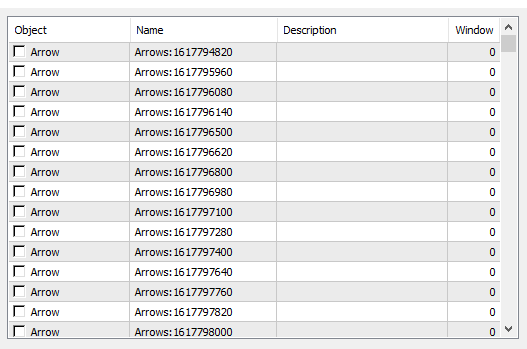
2 There is no buffer to open order, but only arrow with Name : Arrows:..... (as see on on below pic)So Is this block structure are correct?
1 Because here is no problem for open order Buy (it's is working, but not for open order Sell)
2 I want to close the order when the opposite arrow is happening. But it's not workingCould you please to check and advices me about the correct block structure, etc?
Thank you in advance!
Note :
This is the arrows infoon the screen :
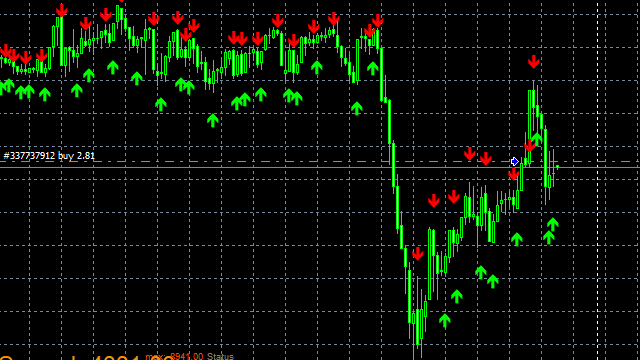
An these are those arrows
-
@zedeai2 For each object on buy tree subwindow value is -1. Its 1 in sell so thats why sell wasnt working.
As for closing of trade when opposite arrow appears is not working because you have given a group number of 292 for both buy and sell and the same group number should apply to "if trade" and "close trade" blocks
-
@vonmunchy Hello, thank you very much. Ok let me try it
-
@vonmunchy Hello, I just tried to revise the logic as you adviced :
1 value all subwindows are -1
2 Remove 292 group's number and let it blank (no group number)But unfortunately :
1 it's only buy order, no generated sells order yet
2 trade opposite is not happen yetWhat should I do next?
-
@zedeai2 its hard to make a comment without looking at where your getting arrows from.
Here are a few debugging suggestions tho.
- Turn off each tree separately and check if either works.
- Try choosing the arrow by color
- Use once per object block
-
@vonmunchy Hello,
What kind of "looking at" do you want? a shared indicator? But it's only ex4 file.
Okay I will try to do for 1,2,3 stepsThank you
-
@vonmunchy Hello,
Here the revised link project https://fxdreema.com/shared/AOnjALzGc But I am not sure whether the block loacation "once per bar" is correct or not? And arrow by color as seen on below pic :
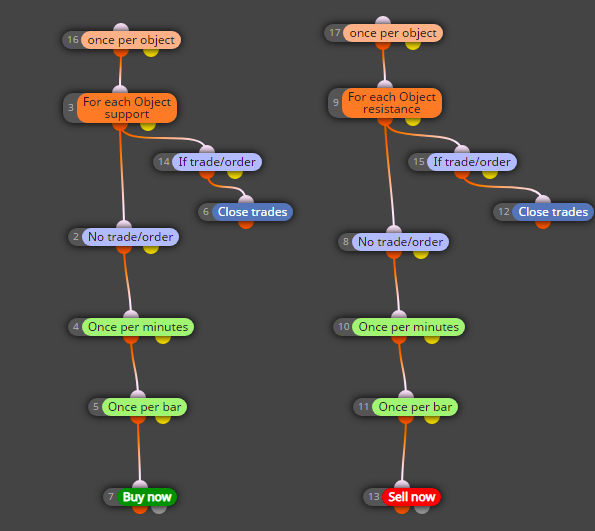
Thank you
-
@zedeai2 i answered in pm. good luck

-
@vonmunchy Yess Thanks a lot for your help
-
@zedeai2
did you solve your problem? I saw the error you had, in the block "for each object" on both sides you have the same color "lima" you must put one lime and the red is the color of the red arrow -
@zedeai2 I have this same problem.
Can you please share the solution he shared with you via PM?