Opening new trades with a time delay from current trade if conditions are met
-
Hello,
I have been playing around for 1 week right to find a solution for this problem but I couldn't that's why I am positing here.
I have an EA which triggers buy or sell if conditions are met. What I need next is to allow the EA to look for other buy or sell signals while there is already a trade open and then make a new buy or sell (no need to close the previous one). BUT, I don't want to trigger a new order right after the current one. I need a time delay or number of bars delay between the current and next order and then let the EA to check for conditions and if ok open the next trade. In other word, do not open a trade for the next XX minutes even if conditions are met, but after delay run on every tick until next trade is opened and then repeat the whole process. These are possible solutions which I tried and failed:
1- Using no-trade block never allows to check the market again, so if my trade is open for 1 day, I lose all the other signals on that day.
2-Canceling the no-trade cause multiple trades to be open at the same time (10 trades in less than a second)
3-I tried following blocks but couldn't get it the way I explained above. Maybe I put them in the wrong order but anyway failed: delay, once per bar, every n bar, if position, skip ticks, wait to pass, etc.I am kinda desperate and any support is highly appreciated.
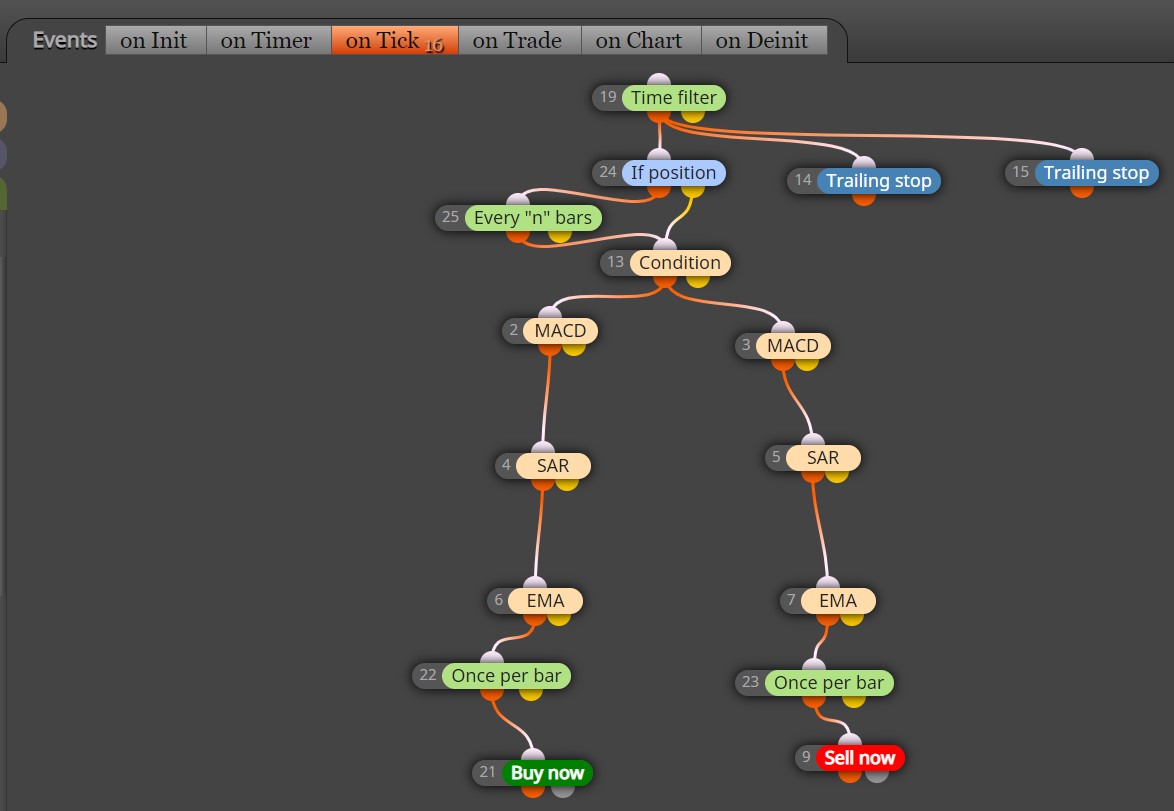
-
move the time filter above once per bar.
Remove if position and replace it with, "if no position."
take trail stops off and move it to the yellow connection off of "If no position"
remove every N bars.
disconnect the "condition" block from the yellow one and connect only to the orange of, if no position.
That should clear up some of your issues
-
then the logic from the top is; if no position it will seek to get into a position starting with the condition block below it because orange is the true side. If no position is false (yellow side), trail stop trades.
Please share the project link and I can help further. 2 trail blocks, 1 for B and 1 for S is for the most part unnecessary.
are you trail is the best one for this scenario? maybe it likes straight up pips better? maybe an ATR close? possibly a break even?
-
@tipsywisdom my original setup was exactly like what you said (below link). But as I mentioned this cause the program to remain inactive as long as there is a open position and ignore all the other opportunities. I need to be able to skip the next few candles after current entry and then let the program run to find the next signal and place next order regardless of previous order status (close or open).
I also found this block: check distance, but very difficult to set it for checking time distance or candle distance.As for trails, one is for stop loss and the other one for take profit. Your last question I didn't get it.
-
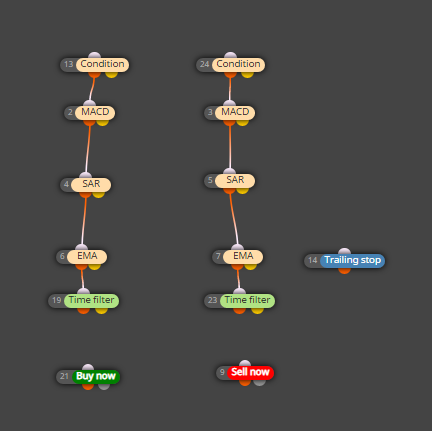
try adding a once per bar in between the time filters, and splitting the tree to be totally separate in buys and sells.
As for the trailing stop, place that under a 'if position'. Maybe that will achieve the goal
-
Thanks for the effort and reply. But unfortunately it didn't work. So I tried the hard way, I went for defining variables and formulas to capture the time and it did paid off after 8 hours reading searching and trying :))))
-
@zhahz I know this is an old thread, but could you possibly show me how you "captured the time" and added seconds or minutes to create a delay? Would help me a lot. Thank you in advance.
-
@zhahz I figured out a way to make a simple timer using only 6 blocks.
-
I’m also struggling to get this captured correctly. Can you post your example. I’m trying to make a delay after a candle opens in seconds and for whatever reason I cannot figure it out.
