Deleting Trend Line
-
I alway searching in this forum about what I don't know and I alway got the sloving answer for my doubt here (Thanks Everyone) . But I search several times about How to delete trend line and I couldn't find the answer.
So I decided to post here.
Example For - Selling Condition
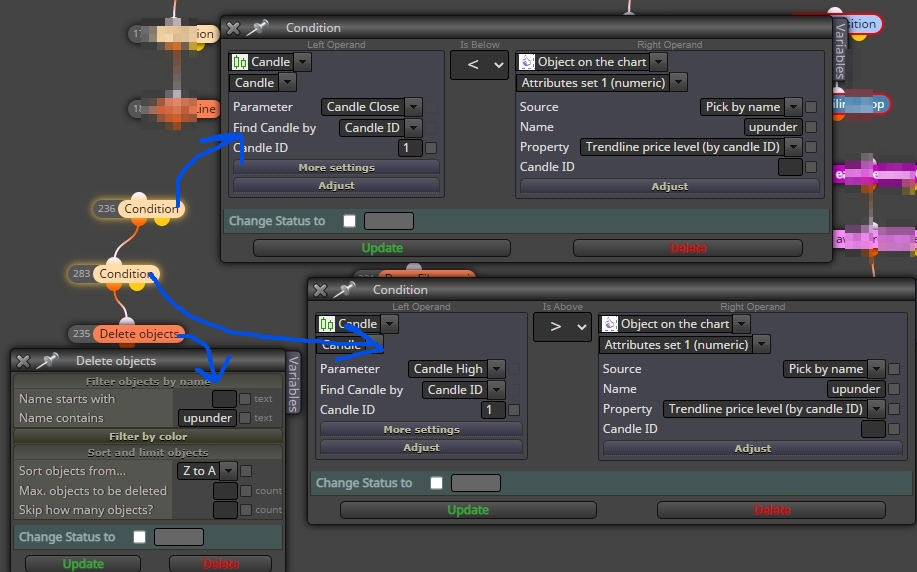
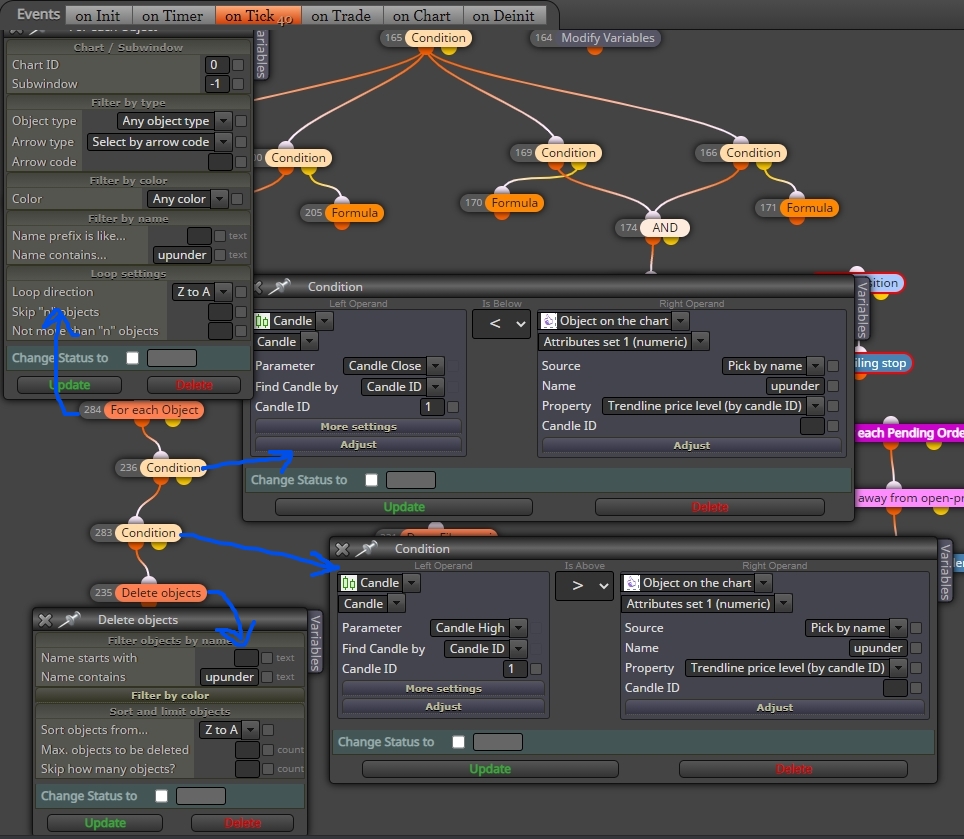
I draw trendline by zigzag and there will be two trendlines at a time due to my own condition by named them (not a prefix) . What I want is - when a candle breakout one of the trendline (breakout condition : Candle High is Above trendline and Candle Close is Below trendline)
I want to delete this line imediately after above condition .And here (picture) I put again the same condition (breakout condition : Candle High is Above trendline and Candle Close is Below trendline) and followed by Delete object . The trendline is not deleting. *** I also put the block "For each object" and put the trendline name in to it. It doesn't delete too.
Please Help ><
25/8/2021 UPDATE !!!!
Ok Now I know The problem .. The trend line deleted But it appear again due to the condition Drawing from Zigzag

So. My next Question is.... how to make it deleted and then wait for the next round zigzag appearing. -
@jobotgold1 Although it's been a while, I think it is because you don't have a letter in name starts with, I think the loop will search for this first.
-
@jobotgold1 you could use a boolean, if true do this. if false, do this.



