fxDreema

    • Register
    • Login
    • Search
    • Back to the main page
    • Categories
    • Recent
    • Tags
    • Popular
    • Search

    Indicator in the subfolder of indicators folder

    General Discussions
    2
    4
    786
    Loading More Posts
    • Oldest to Newest
    • Newest to Oldest
    • Most Votes
    Reply
    • Reply as topic
    Log in to reply
    This topic has been deleted. Only users with topic management privileges can see it.
    • M
      max_well last edited by max_well

      How should I write the relative path if my custom indicator is in the subfolder of the indicators folder? "Market" is the subfolder name;

      1. Market\indicator_name
      2. Market/indicator_name

      1 or 2?

      jstap 1 Reply Last reply Reply Quote 0
      • jstap
        jstap @max_well last edited by

        @dinho It says in the instructions SubfolderName/IndicatorName, or just move it into your standard folder.

        Learn fxDreema Without the Wait!

        My comprehensive book, available on Amazon, is packed with examples and invaluable insights to help you fast-track your learning journey.

        The paperback and hardback editions include MT4 & MT5 QR codes for easy access to all prebuilt projects and robots, including my latest gold trading robot!

        Don’t miss out

        Click here➡️ https://mybook.to/fxDreema to get your copy today!

        Enjoy! 😊

        M 1 Reply Last reply Reply Quote 0
        • M
          max_well @jstap last edited by max_well

          @jstap I tried that and the EA gives me this error message;
          "Indicator path or name is invalid. Must be \MQL4\Indicators\Market\IndiName (currently \MQL4\indicators\Market/IndiName)"
          From that error message I could see the problem could be with the different slash sign so I tried to change it here on fxdreema indicators section but when I save it, the relative path automatically changes this backward slash to forward slash. And also my indicator works in it's subfolder only. So any solution?

          jstap 1 Reply Last reply Reply Quote 0
          • jstap
            jstap @max_well last edited by

            @max_well when I go into this folder I get the following address in the adress bar, as long as FXdreema matches this it will work, I will also copy and move into the (non market) indicator folder.
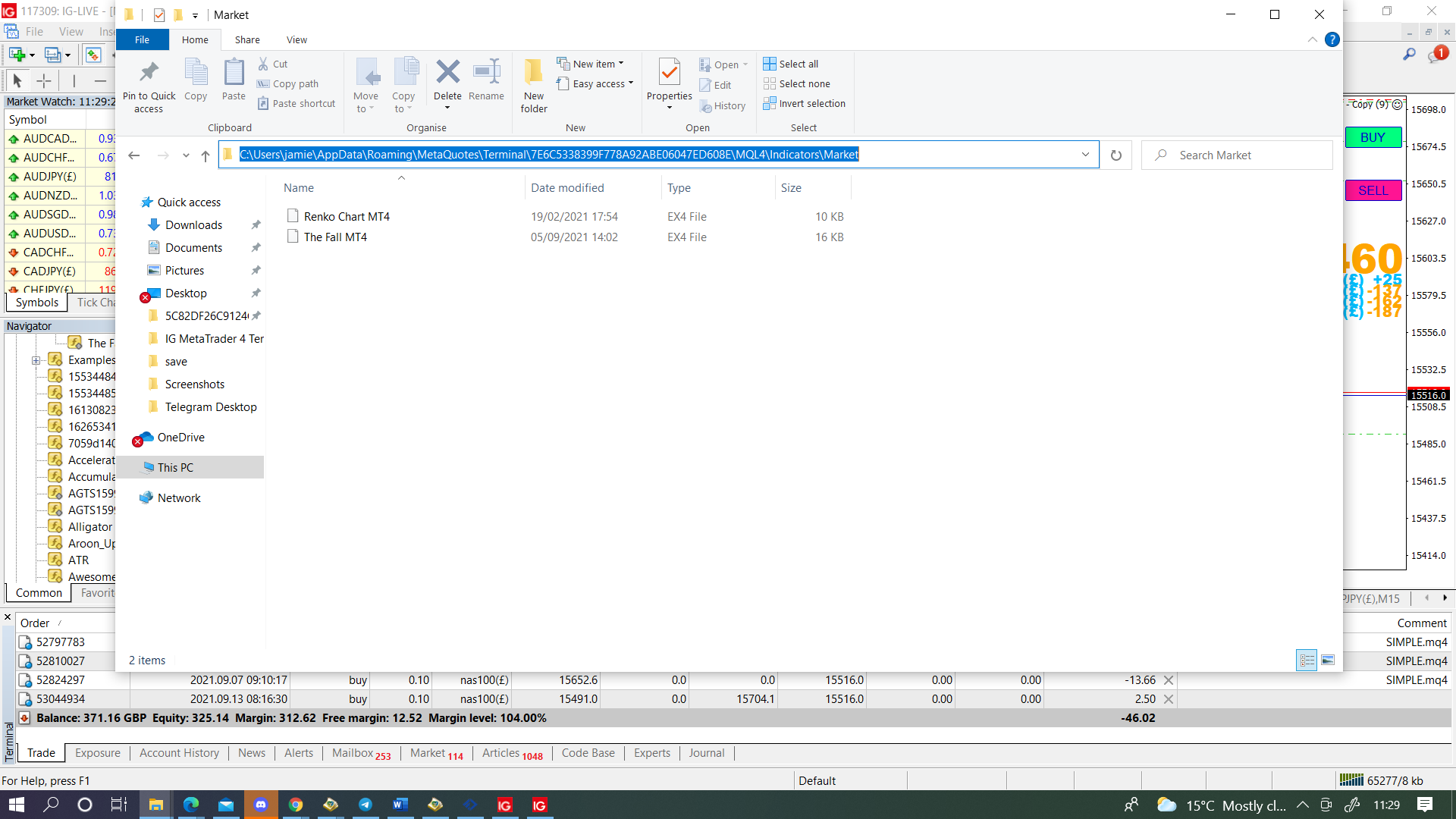
            0_1631529129090_94becd52-ccb2-4b6e-8a63-82ff653f1995-image.png

            Learn fxDreema Without the Wait!

            My comprehensive book, available on Amazon, is packed with examples and invaluable insights to help you fast-track your learning journey.

            The paperback and hardback editions include MT4 & MT5 QR codes for easy access to all prebuilt projects and robots, including my latest gold trading robot!

            Don’t miss out

            Click here➡️ https://mybook.to/fxDreema to get your copy today!

            Enjoy! 😊

            1 Reply Last reply Reply Quote 0
            • 1 / 1
            • First post
              Last post

            Online Users

            N
            J
            A
            Z

            18
            Online

            146.7k
            Users

            22.4k
            Topics

            122.6k
            Posts

            Powered by NodeBB Forums | Contributors