Using a Constant within a Terminal Variable name
-
Hi,
I'm trying to make my life easier by being able to change the variable name in a Terminal Variable by using a constant. This would save me a lot of time rather than having to update many blocks with different currency names. Please see screenshot below:
I would like the "AUD" part of the Variable name to be the constant "Base_currency" and likewise for "CAD" part being "Quote_Currency" constant if possible, but I'm not sure how to do this?
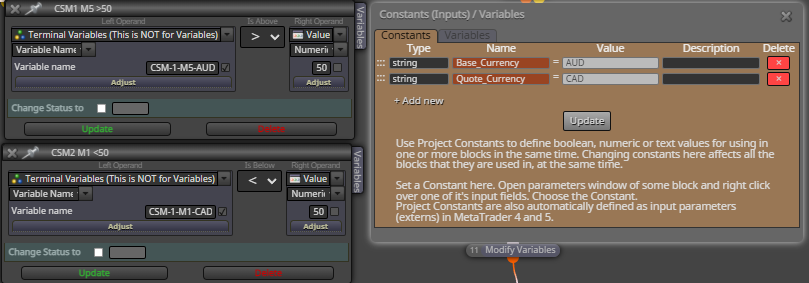
This would make it easy to switch between different pairs via just changing the constant, if possible.
Thanks,
Cody -
@sauce If you use this block you can set the terminal (global) variables to what you want:

-
@jstap can you show me how do this? It currently uses modify variables, but this is too complicated for me now.
I’m looking at all 28 FX pairs on multiple timeframes and I don’t want to have to change “AUD” and “CAD” 100 times for each timeframe on each pair. My goal is to just type/select which pairs as a constant.
Shared link:
https://fxdreema.com/shared/DKSiVhlmc
Screenshot:
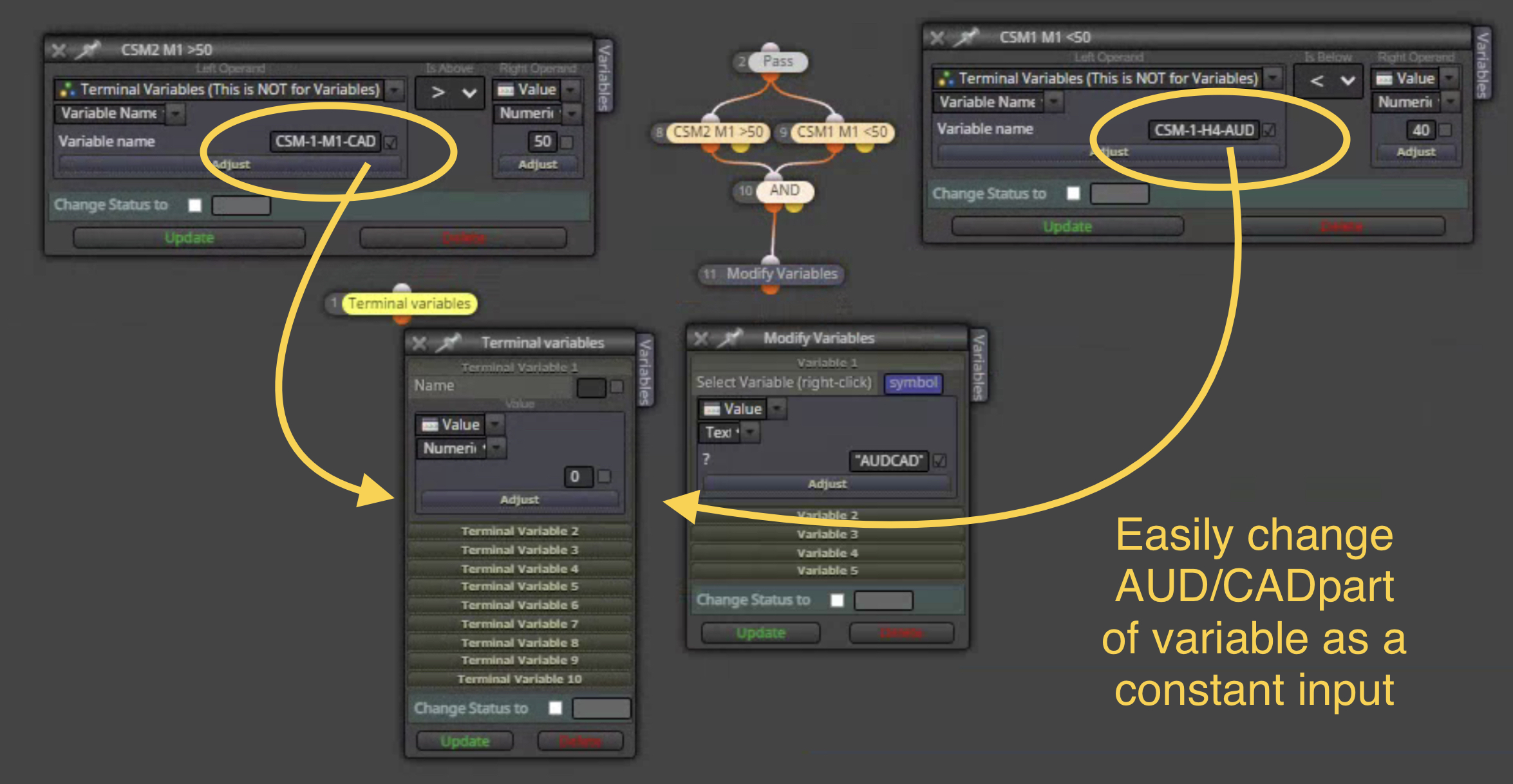
Thanks for the help!
-
@sauce I forgot that only numbers work for terminal variables, this will show how to pass the information via a shared file.
In this location you will see the file text is saved to:
file>open data folder>terminal>common>fileshope this helps, let me know if you struggle with anything:
-
@jstap sorry, I'm totally lost... is there a simple way to have the variable name be able to be changed via a constant input in the EA settings? For example, change any terminal variable with AUD to whatever pair is selected from a list in an input setting?
This indicator already writes values to a text file I believe and calls on those text files according to name "CSM-1-M5-AUD" for instance. There is also another block with a variable "symbol"
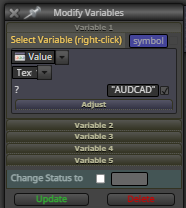
Not sure if that helps at all? I just want to be able to change the timeframe and pair for each terminal variable instead of having to manually change over 100 blocks. Is there a way to code it so that it looks at whatever symbol is on chart? For example, if I run the EA on NZDJPY, the AUDCAD variables could automatically update to the chart's pairs?? That would be ideal so that a single version of the EA could be adaptable automatically to what timeframe and pair it is currently on.
-
@sauce If you set a constant to a string and insert into the modify variable, and name add in input will be inserted into the variable.
-
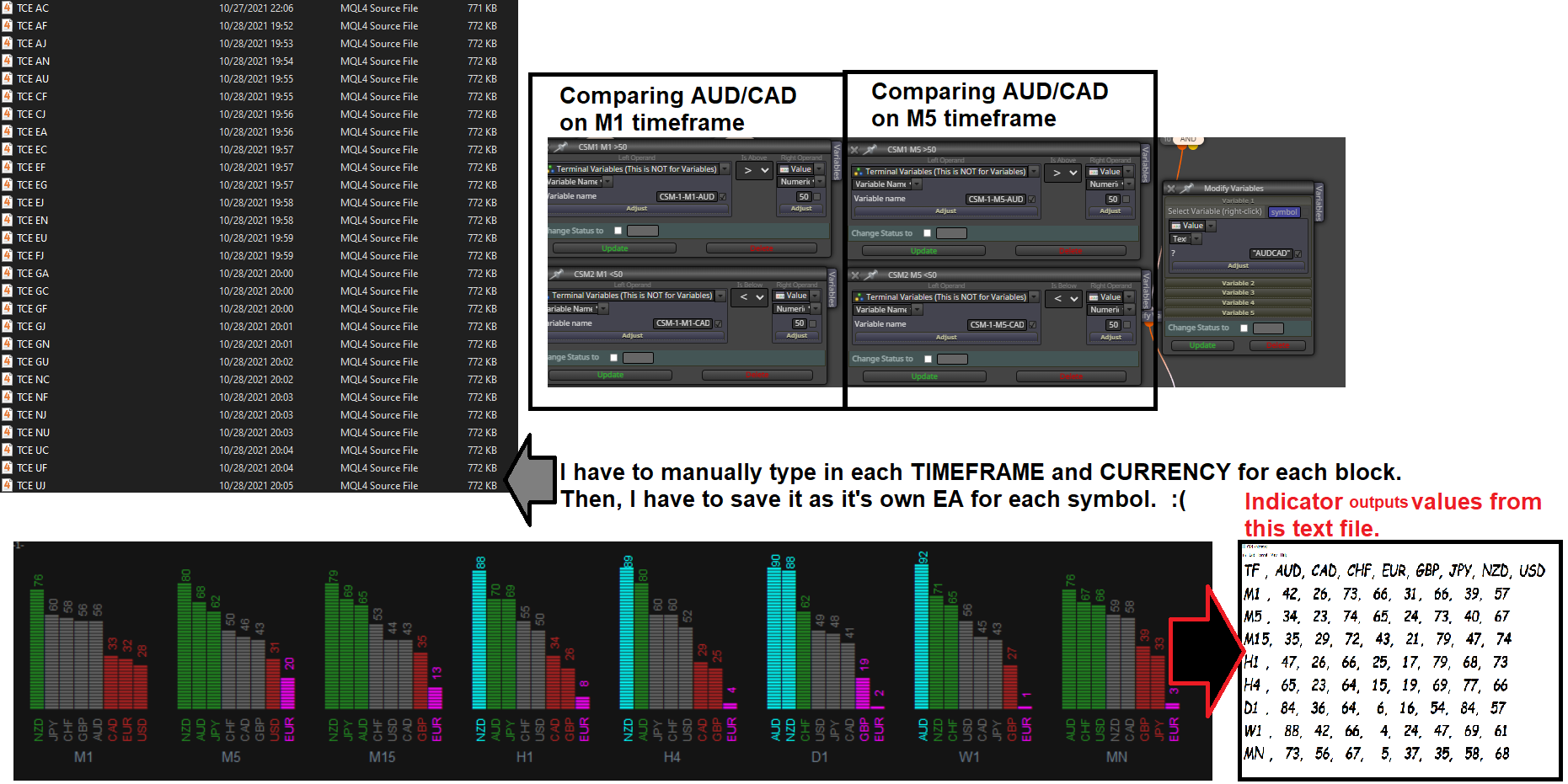
@jstap so here's everything altogether and how it works.
I'd to be able to have one EA file that changes depending upon what currency pair is on the chart. Instead of having to save unique EAs for each individual pair because I have to manually change what currency each variable is fetching. (i.e. CSM-1-M1-AUD is fetching only M1 AUD value from the text file).
I had help creating this system from @miro1360 awhile ago, but it would be nice to have the EA have an constant/input setting that I can change the pairs' variable name that way automatically from whichever Pair and Timeframe is currently on the chart. Hope that makes sense!
-
@sauce (where I have written variable, put what ever you have called yours)
You can put the current TF and symbol in to variables like this:
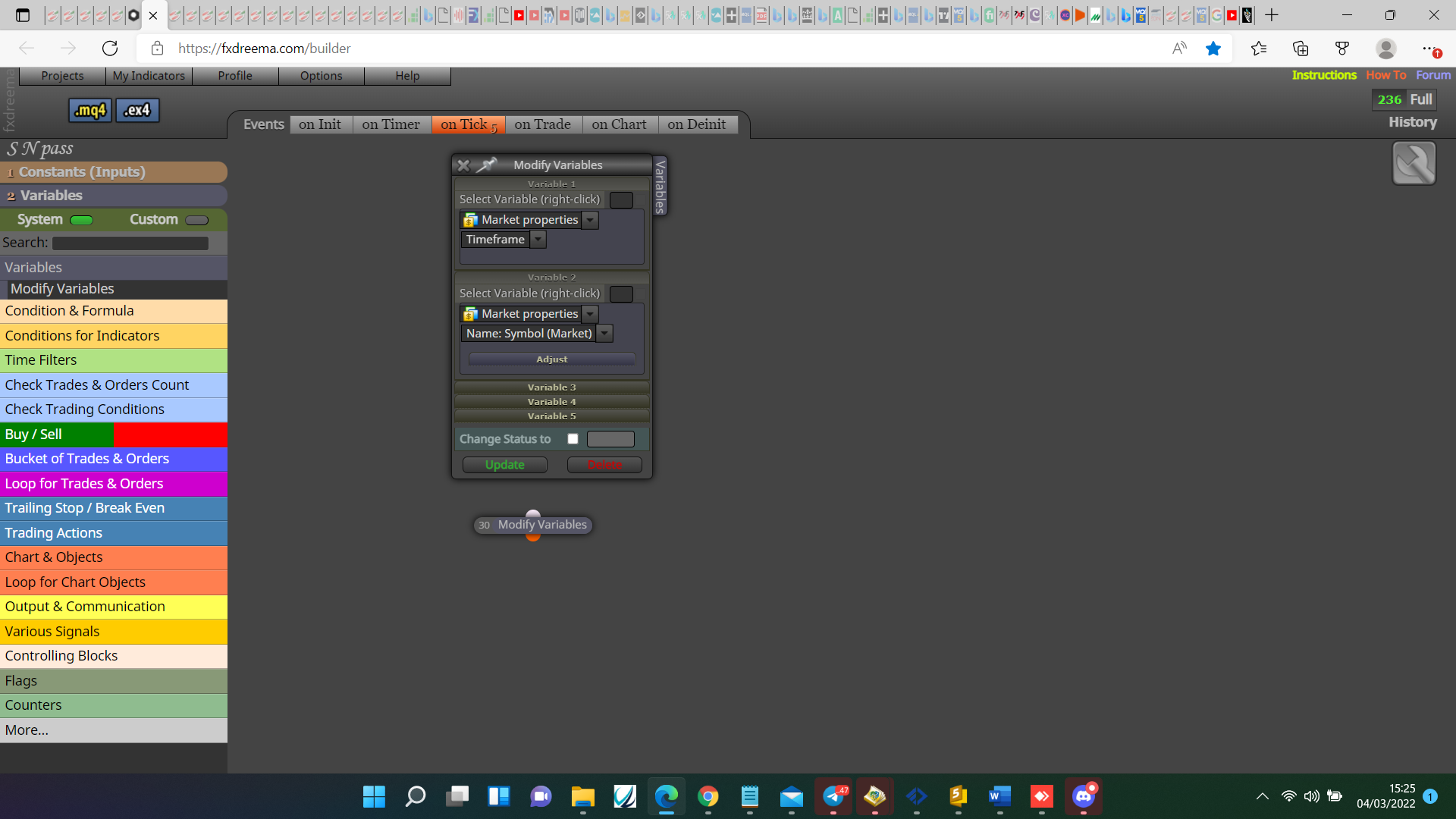
This should give you the last 3 letter of the symbol string variable:
variable= StringSubstr(variable,3,3); (may need to change the numbers)
create a string variable and place the above code into a custom code block.
You can then create a separate string variable that gathers info something like
variable+" "+variable; into custom code.
Learn fxDreema Without the Wait!
My comprehensive book, available on Amazon, is packed with examples and invaluable insights to help you fast-track your learning journey.
The paperback and hardback editions include MT4 & MT5 QR codes for easy access to all prebuilt projects and robots, including my latest gold trading robot!
Don’t miss out
Click here➡️ https://mybook.to/fxDreema to get your copy today!
Enjoy! 😊
-
@jstap Thank you so much for this help, I'm almost there, but still a little confused with the custom code block.
Here's a screenshot of what I have so far and some questions. I've also included a screenshot to a previous older thread about integrating this indicator. It appears @MIKI tried something similar, not sure, just figured I'd pass this along if it helps.
All I need is for that Base and Quote currency to update automatically in the variable name block with the CSM-1-M1-___
Here's the new shared project: https://fxdreema.com/shared/Ztakcuj6e
SCREENSHOT 1
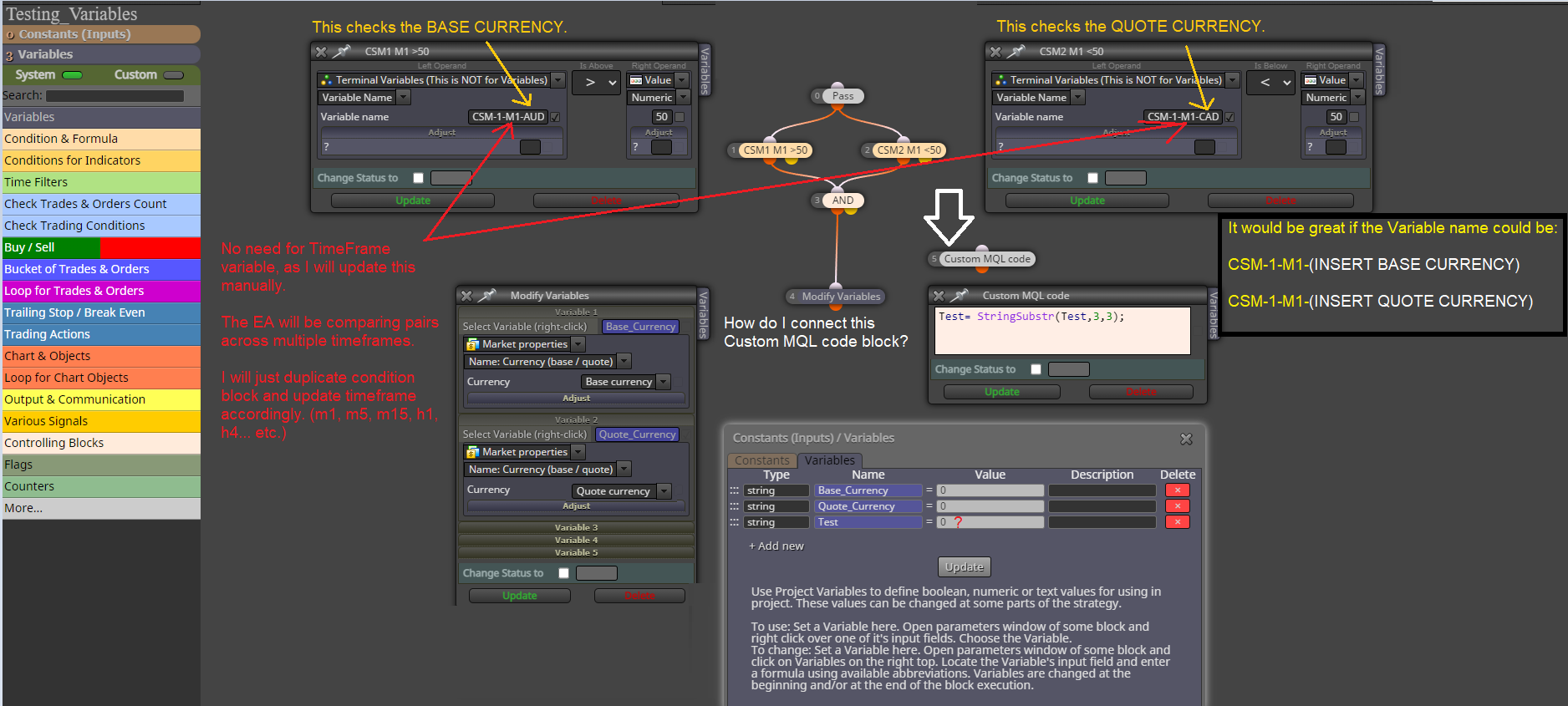
SCREENSHOT 2
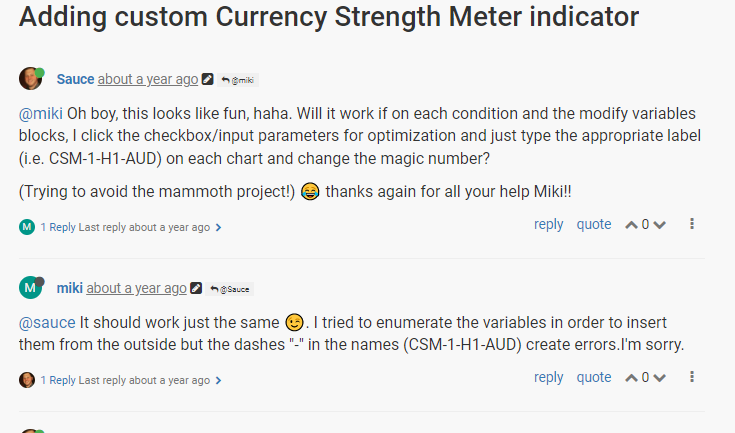
Thank you again for your help, it is greatly appreciated.
-
@sauce I think this is what your trying to achieve, cant fully test though as markets are closed, all except for global variables work on back test though:
-
@jstap wow, great work. Can you explain how this is working?
Also, I see the +Base_Currency for the variable name, great, but there needs to be a +Quote_Currency too since it will compare both any pairs that contain Base or Quote currency (not sure if thats already updated via a variable and I may have missed that though).
-
@sauce They both get put into a variable, so to use/reference either just use that variable (just re type the name).
Rather than me enplane everything ask about whatever your not sure about.
-
@jstap okay no problem. I will save my questions until next week when market is open and I have had a chance to see it work. Thank you so much again for the help with this, you have saved me countless amounts of hours of work.
-
@sauce Your welcome
Learn fxDreema Without the Wait!
My comprehensive book, available on Amazon, is packed with examples and invaluable insights to help you fast-track your learning journey.
The paperback and hardback editions include MT4 & MT5 QR codes for easy access to all prebuilt projects and robots, including my latest gold trading robot!
Don’t miss out
Click here➡️ https://mybook.to/fxDreema to get your copy today!
Enjoy! 😊
-
@jstap I guess one question I can ask now is the Test Value constant. The rest I believe I can understand. Is that test_value = 20 just there so that the VARIABLE_COMP_CHANGE and the VARIABLE COMP are different values for the #10 condition block?
-
@sauce Yes and allows you to change from your inputs.
-
@jstap Also, not sure what you mean by "They both get put into a variable, so to use/reference either just use that variable (just re type the name)." Both the Base and Currency should be used since #1 condition block uses Base and #2 condition block uses Quote. Are you saying to add another Variable under Modify Variables block and call it something like VARIABLE_COMP2 and copy/paste/edit the Text (code input) to be: CSM-1"+"-M"+TF+"-"+Quote_Currency;"
-
@sauce Actually it changes the value put into the global variable.
You could change the current variable to use quote instead of base or create a new.
-
@jstap can you show me how to create a new separate variable for the quote currency? I tried to create a new one as you said but am not sure what else would have to be created/linked for CSM-1-TF-+Quote Currency too. I got confused.
I'm pretty sure that's the last thing needed and we are good then!
Thank you so much for your help with this, I've definitely learned a lot about using constants and variables together. -
@sauce Everything is in what I did before, mimic and change the names as required, create necessary variables and all will be done. Any variable that already has relevent information you can use without re-creating.