fxDreema

    • Register
    • Login
    • Search
    • Back to the main page
    • Categories
    • Recent
    • Tags
    • Popular
    • Search

    3 bottons - just one can be pressed

    Questions & Answers
    2
    5
    291
    Loading More Posts
    • Oldest to Newest
    • Newest to Oldest
    • Most Votes
    Reply
    • Reply as topic
    Log in to reply
    This topic has been deleted. Only users with topic management privileges can see it.
    • U
      Uriel 0 last edited by

      Hi guys and gals; I have built this kind of EA (has a lot of bugs yet), one of them, are the selection of bottons, how to build the logic to the EA just can select one of this bottons at same time?

      I'm refering about [1], [2] and [3] bottons
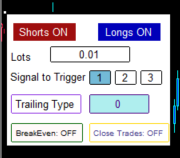
      0_1649094714694_4653241681257_1.png

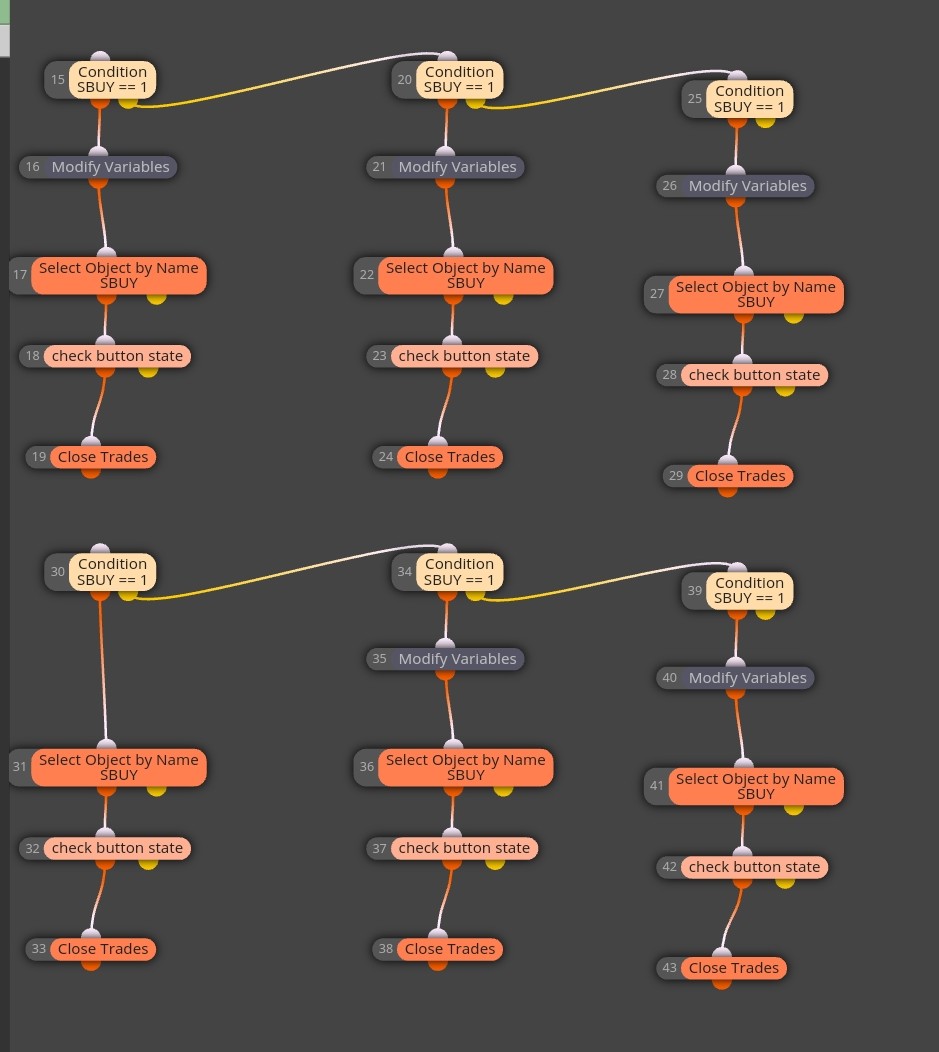
      And these are them logic: on chart

      0_1649094790728_Screenshot_2022-04-04-12-52-36-172_com.android.chrome_1.jpg

      https://fxdreema.com/shared/WeQSI5Ezc

      jstap 1 Reply Last reply Reply Quote 0
      • jstap
        jstap @Uriel 0 last edited by

        @uriel-0 for this you don't need to use the yellow output, when 1 button is pressed redraw the other buttons as un-pressed.

        Learn fxDreema Without the Wait!

        My comprehensive book, available on Amazon, is packed with examples and invaluable insights to help you fast-track your learning journey.

        The paperback and hardback editions include MT4 & MT5 QR codes for easy access to all prebuilt projects and robots, including my latest gold trading robot!

        Don’t miss out

        Click here➡️ https://mybook.to/fxDreema to get your copy today!

        Enjoy! 😊

        U 1 Reply Last reply Reply Quote 0
        • U
          Uriel 0 @jstap last edited by

          @jstap so-so...
          continues with bugs, maybe with a variable that press/not press the botton?
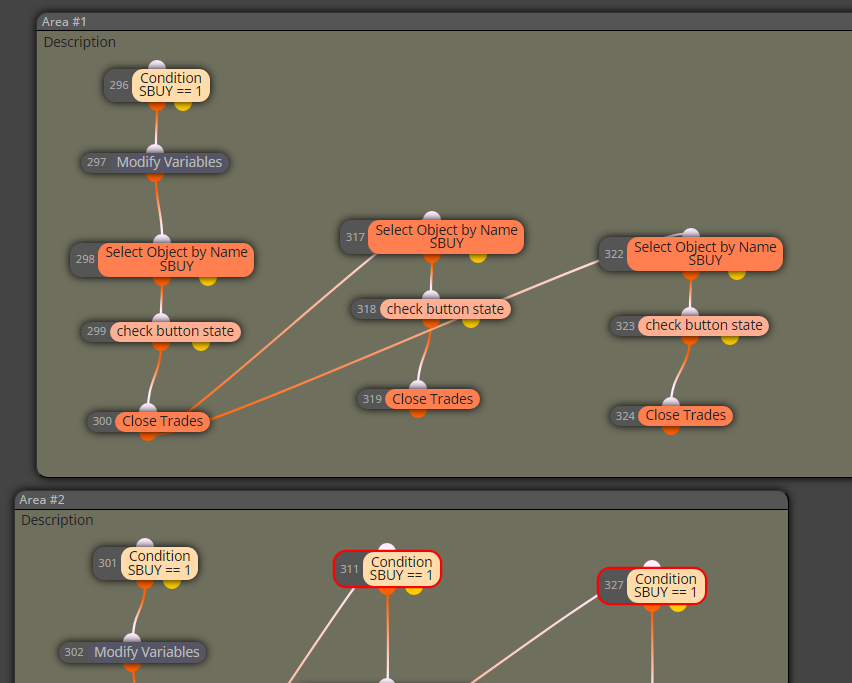
          0_1649145219766_fc566889-2d97-4b08-81b1-7f525973cd07-image.png

          https://fxdreema.com/shared/u2hSAI8mc

          U 1 Reply Last reply Reply Quote 0
          • U
            Uriel 0 @Uriel 0 last edited by

            @jstap taking advantage, how would you make the panel movible and than can be minimized and maximized?

            jstap 1 Reply Last reply Reply Quote 0
            • jstap
              jstap @Uriel 0 last edited by jstap

              @uriel-0 To have the panel disappear I would use a button to delete other buttons and then redraw, haven't managed to get each button to stop others but this does have 1 that controls the other.

              https://fxdreema.com/shared/qb2pYN7Cb

              Learn fxDreema Without the Wait!

              My comprehensive book, available on Amazon, is packed with examples and invaluable insights to help you fast-track your learning journey.

              The paperback and hardback editions include MT4 & MT5 QR codes for easy access to all prebuilt projects and robots, including my latest gold trading robot!

              Don’t miss out

              Click here➡️ https://mybook.to/fxDreema to get your copy today!

              Enjoy! 😊

              1 Reply Last reply Reply Quote 0
              • 1 / 1
              • First post
                Last post

              Online Users

              O
              K
              M
              M
              C

              16
              Online

              146.7k
              Users

              22.4k
              Topics

              122.6k
              Posts

              Powered by NodeBB Forums | Contributors