It is impossible to capture the value of a "Draw Edit Field" block
-
It seems that it is impossible to capture the value of a "Drow Edit Field" block to modify a variable. https://fxdreema.com/shared/B7BVfIDqc
Someone can confirm it ?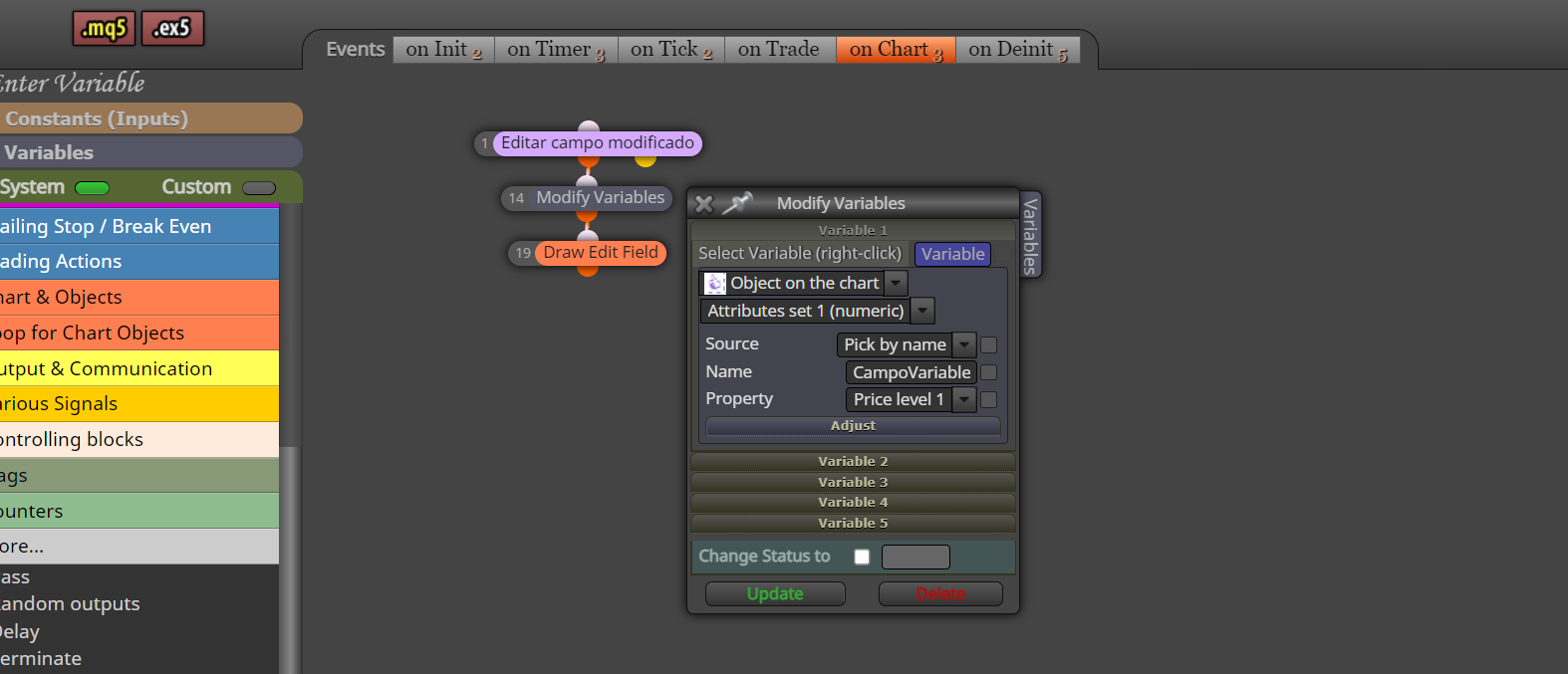
Affectionate Rodrigo
-
@rodrigo-ortuzar Try removing the purple block and getting the data from on tick.
-
Hi JSTAP, Delete the purple block and move it out of "on Chart" and into "on Tick". The name of the variable is "Variables" and its initial value is 0.0 and what happens in "on Ticks" is that at each tick the value of the variable returns to 0.0 regardless of whether I have changed it to another value, example 10 and enter , at the next tick it returns to 0.0.
https://fxdreema.com/shared/GNVhfkHgdAffectionate Rodrigo
-
@rodrigo-ortuzar You don't need to redraw the block on tick just read the value, when you redraw it resets the value so looses whatever you have put in the edit field.
-
Remove the "Draw Edit Field" block in on Tick, but still the "Modify Variables" block does not capture the value entered in the "Draw Edit Field" block.
https://fxdreema.com/shared/7U7fYvl9c
jstap jstap if you have tried it working, it doesn't work for me. But thanks for your patience.Affectionate Rodrigo
-
@rodrigo-ortuzar Use text not numeric, on chart will likely work using text, you'll see how I got working here: https://fxdreema.com/shared/5kcCJaWeb
-
Great now YES, look at this EA rescue as text and enter the numeric variable. https://fxdreema.com/shared/hUXl505eb
The only thing that doesn't work for me is the effect when pressing the buttons, but the important thing is ok.Affectionate Rodrigo
-
@rodrigo-ortuzar I have never done it on chart, all I can say is try different options until it works.
