EA backtesting on MT5
-
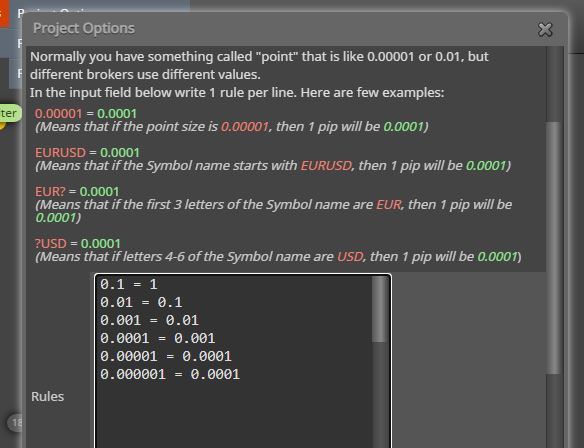
@fireblade put these value, works with all goods (for verify, make a simple EA that put a pending orders with SL and TP , so measure these levels on chart with the metatrader cursor. Remember : 100 pips = 1000 points on MT4 chart )
-
@Fireblade explaining how the pip rules work, we must tell to the program which digit that refers to the pip :
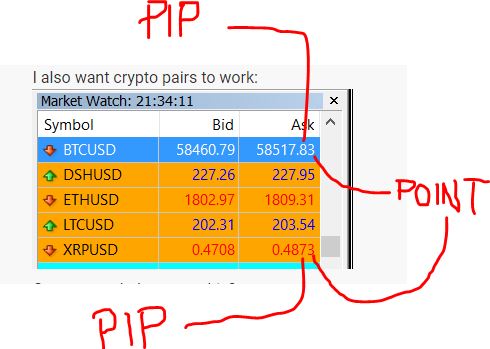
in case of the Ripple coin (for example) we also write in the rules :
XRPUSD = 0.001 since the third decimal number is the pips value
If you don't want write all the numbers i posted above, simple write :
US500 = 0.01 since the second decimal number is the pip value ( 3899,123)
-
@ambrogio said in EA backtesting on MT5:
US500 = 0.01
0.001 = 0.01
0.00001 = 0.0001
0.000001 = 0.0001
US500 = 0.01Thats what I wrote, but still I just get 1 trade.
Once again, thanks you for you time, to all.
-
@fireblade Then the problem is in the logic. Could you please shar the link to your project?
-
Thanks for the reply - I noticed today that when I test EURUSD on MT5 1 year, I get a good profit, with 100 Strategy quality (the line is complete light green and it says 100%)
When I test this with my uploaded ticks from duka history, I just get this 1 trade, but as it looks with the other test and 100% that should be a good test I would say. A trutst worthy one.
On MT4 with uploaded ticks and without I get a lot more profit, but I just dont trust it, be cause it has a N/A instead of 99-100% and is light green.
-
@l-andorrà I made another ex. be cause that also dont work.

https://fxdreema.com/shared/wUQZFluje -
@fireblade Why do you need the first block on top?
-
Once per position, well on MT4 I have no trade on top. I can remove it, np.
-
@fireblade And does it work if removed?
-
just tried, yes it does, but I have tied that before. I will add some more blocks see what happens. Thanks.
Another thing, when I upload a new version of the EA, it does not change on MT5, even if I push refresh or close MT5 and start it again.
I need to change things in inputs, but you can not change everything there. Is there another way.
-
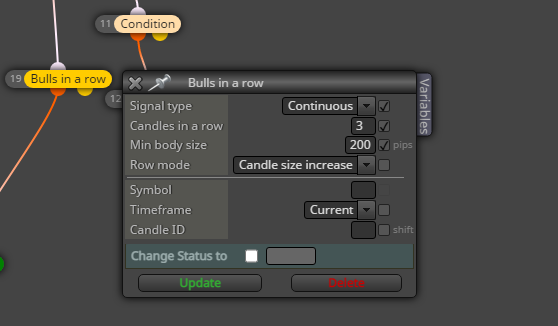
also a test, that dont work at all, when I add that block it dont trade.
-
its the US500
-
@fireblade Can you please share the link to the lateste version?
-
https://fxdreema.com/shared/5jYsdHZSc its just a test, to see why MT5 will not trade when I use such a block.
-
@fireblade Once more the logic is correct. The ony reason why a trade should nt be open is if conditions for candle body size on block 3 or SL positioning are not meet. Other than that it should work. Are you sure this is the whole project? If not, maybe the reason is somewhere else.
-
@l-andorrà
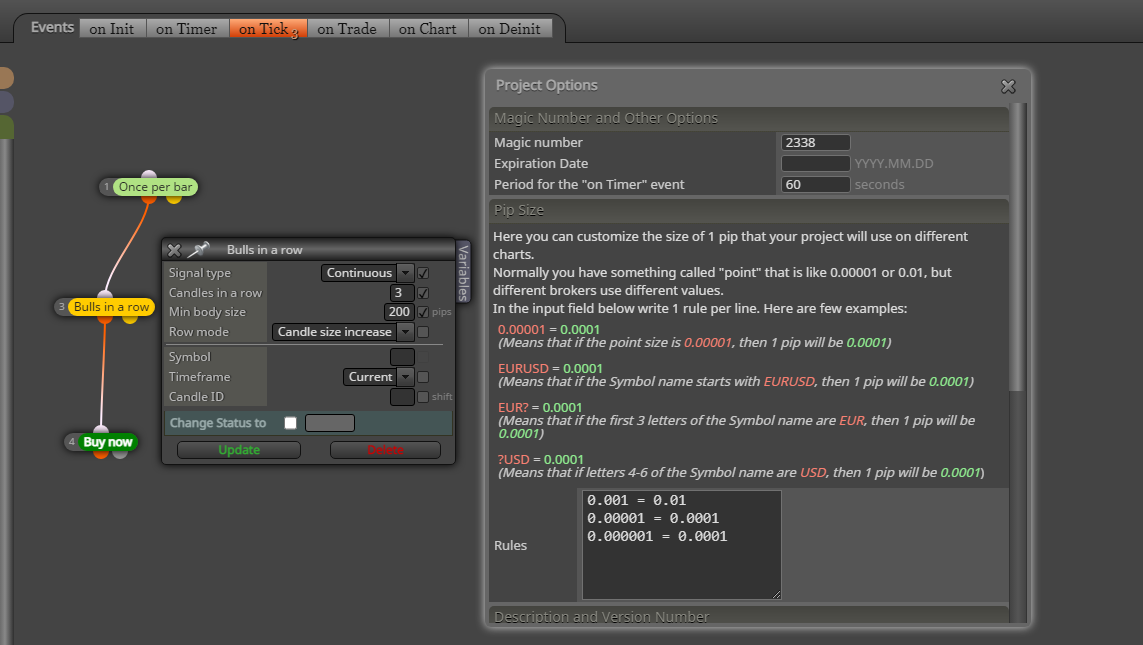 yes thats all, be cause I was looking for the Problem with my larger robot on MT5. Then I made a small EA with those blocks that dont work, to whats wrong.
