fxDreema

    • Register
    • Login
    • Search
    • Back to the main page
    • Categories
    • Recent
    • Tags
    • Popular
    • Search

    Trades not opening

    Questions & Answers
    0
    20
    760
    Loading More Posts
    • Oldest to Newest
    • Newest to Oldest
    • Most Votes
    Reply
    • Reply as topic
    Log in to reply
    This topic has been deleted. Only users with topic management privileges can see it.
    • D
      DeltaAurum last edited by

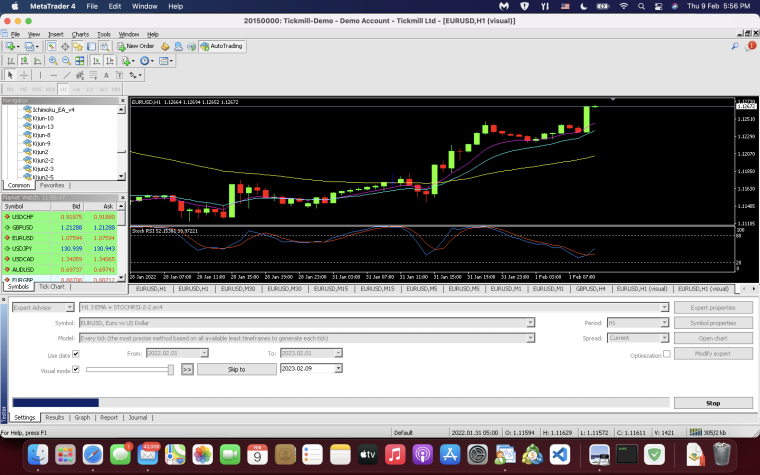
      What Am I Doing Wrong? Why didn't the trade open? project link at the bottom 0_1675936681221_Screenshot 2023-02-09 at 5.56.17 PM.png (https://fxdreema.com/shared/ufzmrbkuc)
      D 1 Reply Last reply Reply Quote 0
      • D
        DeltaAurum last edited by

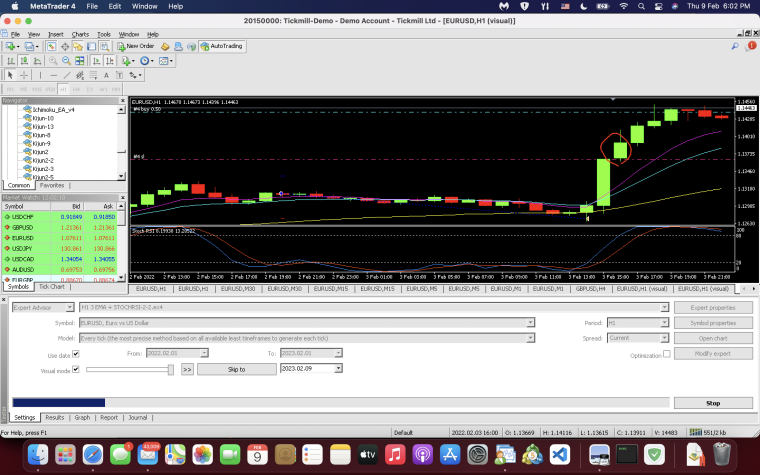
        how do I make it so it opens at the circled candle? 0_1675937033618_Screenshot 2023-02-09 at 6.02.10 PM.png
        1 Reply Last reply Reply Quote 0
        • D
          DeltaAurum @DeltaAurum last edited by DeltaAurum

          @deltaaurum on candle 18 btw for the first image

          jstap 1 Reply Last reply Reply Quote 0
          • jstap
            jstap @DeltaAurum last edited by

            @deltaaurum Looks likt it should work, only 1 tree at a time though, are you back testing? there is a lot of conditions, strip back and test 1 at a time, when you know it works you can add more.

            Learn fxDreema Without the Wait!

            My comprehensive book, available on Amazon, is packed with examples and invaluable insights to help you fast-track your learning journey.

            The paperback and hardback editions include MT4 & MT5 QR codes for easy access to all prebuilt projects and robots, including my latest gold trading robot!

            Don’t miss out

            Click here➡️ https://mybook.to/fxDreema to get your copy today!

            Enjoy! 😊

            D 2 Replies Last reply Reply Quote 1
            • D
              DeltaAurum @jstap last edited by

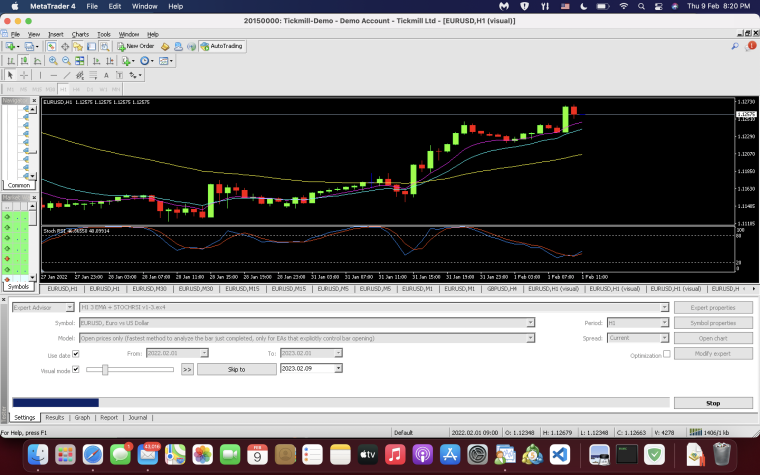
              @jstap alright let me try it that way. buy trades should enter when candle is above 8 ema, with 8 ema above 14 ema and 14 ema above 50 ema and blue line should cross above red line

              1 Reply Last reply Reply Quote 0
              • D
                DeltaAurum @jstap last edited by

                @jstap it should open on candle 0 but it didn't open but then again it opens other times. what am I doing wrong? (https://fxdreema.com/shared/LwSqfoXxe)0_1675945369504_Screenshot 2023-02-09 at 8.20.48 PM.png

                jstap 1 Reply Last reply Reply Quote 0
                • D
                  DeltaAurum last edited by

                  previous project with image above is done. new project isn't taking trades. what am I doing wrong? (https://fxdreema.com/shared/31gmMvqod)

                  1 Reply Last reply Reply Quote 0
                  • jstap
                    jstap @DeltaAurum last edited by

                    @deltaaurum You have once per bar at top, this means that if 1st condition is false it will wait until the next to check again, but then the 1st may be false, this will keep happening 1 candle at a time until all is correct.

                    Learn fxDreema Without the Wait!

                    My comprehensive book, available on Amazon, is packed with examples and invaluable insights to help you fast-track your learning journey.

                    The paperback and hardback editions include MT4 & MT5 QR codes for easy access to all prebuilt projects and robots, including my latest gold trading robot!

                    Don’t miss out

                    Click here➡️ https://mybook.to/fxDreema to get your copy today!

                    Enjoy! 😊

                    D 1 Reply Last reply Reply Quote 0
                    • D
                      DeltaAurum @jstap last edited by

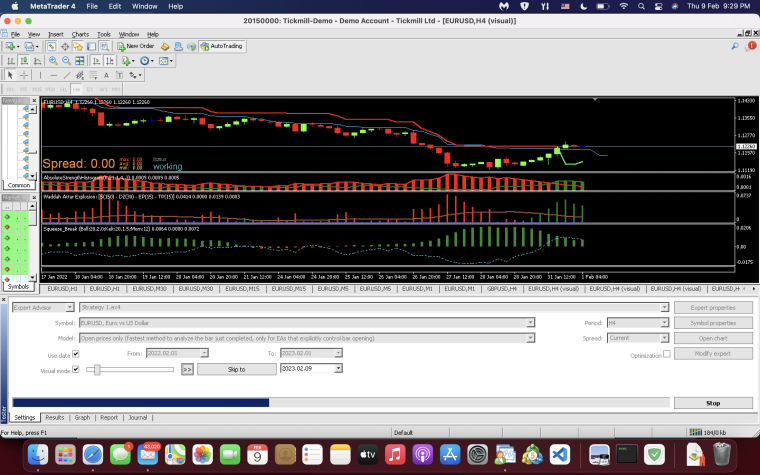
                      @jstap all conditions met on candle 1 though 0_1675949408541_Screenshot 2023-02-09 at 9.29.34 PM.png
                      jstap 1 Reply Last reply Reply Quote 0
                      • D
                        DeltaAurum last edited by

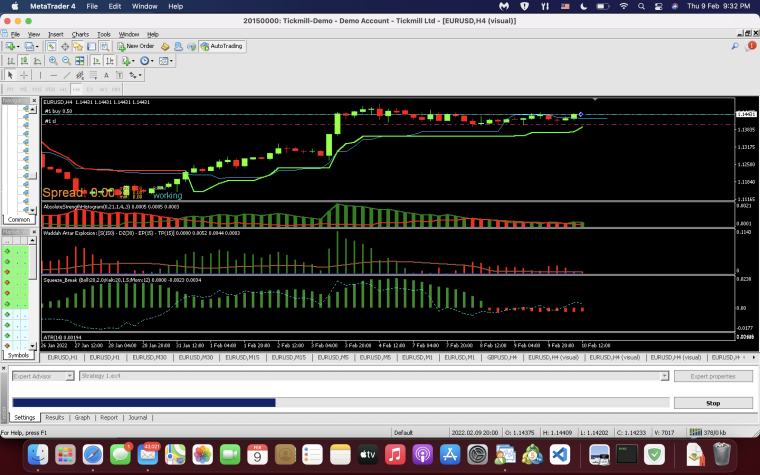
                        it took trade here but it isn't what I put the conditions to be. the conditions should be like the image above. 0_1675949613205_Screenshot 2023-02-09 at 9.32.50 PM.png
                        1 Reply Last reply Reply Quote 0
                        • jstap
                          jstap @DeltaAurum last edited by

                          @deltaaurum Then that is why it enters on 1

                          Learn fxDreema Without the Wait!

                          My comprehensive book, available on Amazon, is packed with examples and invaluable insights to help you fast-track your learning journey.

                          The paperback and hardback editions include MT4 & MT5 QR codes for easy access to all prebuilt projects and robots, including my latest gold trading robot!

                          Don’t miss out

                          Click here➡️ https://mybook.to/fxDreema to get your copy today!

                          Enjoy! 😊

                          D 1 Reply Last reply Reply Quote 0
                          • D
                            DeltaAurum @jstap last edited by

                            @jstap but it didn't not place the trades though. im kinda confused. idk what am I doing wrong lol

                            1 Reply Last reply Reply Quote 0
                            • D
                              DeltaAurum last edited by DeltaAurum

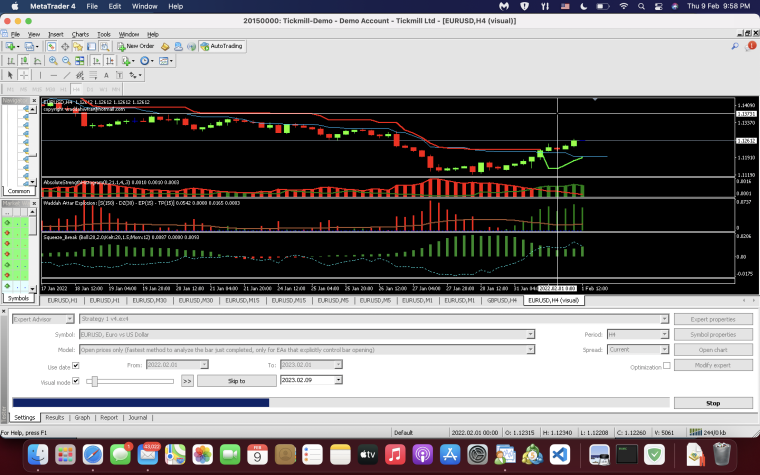
                              how do I make it so it places trades on this candle where the crosshair is at? https://fxdreema.com/shared/xMqfsOCYd 0_1675951127505_Screenshot 2023-02-09 at 9.58.30 PM.png
                              jstap 1 Reply Last reply Reply Quote 0
                              • jstap
                                jstap @DeltaAurum last edited by

                                @deltaaurum When it comes to building EA's you need to test an work out what blocks are/aren't working, to do this test 1 block set up on back test, then you and add another, soon you will know what black is preventing trades from opening.

                                Learn fxDreema Without the Wait!

                                My comprehensive book, available on Amazon, is packed with examples and invaluable insights to help you fast-track your learning journey.

                                The paperback and hardback editions include MT4 & MT5 QR codes for easy access to all prebuilt projects and robots, including my latest gold trading robot!

                                Don’t miss out

                                Click here➡️ https://mybook.to/fxDreema to get your copy today!

                                Enjoy! 😊

                                D 1 Reply Last reply Reply Quote 0
                                • D
                                  DeltaAurum @jstap last edited by

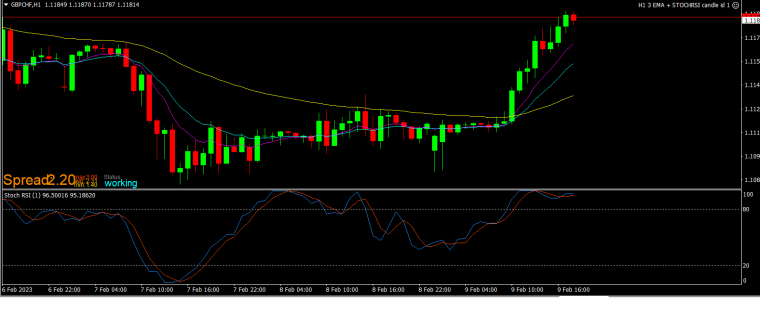
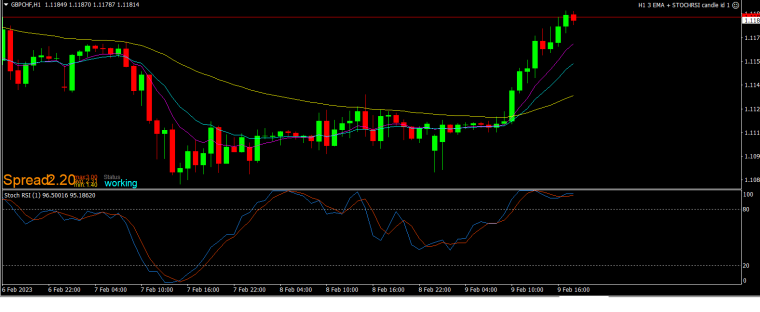
                                  @jstap when i backtested this EA, it seems to be working but when i attached it to a chart on demo, it did not place the order. it should have placed the order on candle id 0 like how it did on the backtest. this is the EA (https://fxdreema.com/shared/H2SGxWl7b) 0_1675960223892_gbpchf.png 0_1675960231637_gbpjpy.png
                                  jstap 1 Reply Last reply Reply Quote 0
                                  • jstap
                                    jstap @DeltaAurum last edited by

                                    @deltaaurum For me whatever works on back test works on live/demo for me, try placing your once per bar at the bottom of tree.

                                    Learn fxDreema Without the Wait!

                                    My comprehensive book, available on Amazon, is packed with examples and invaluable insights to help you fast-track your learning journey.

                                    The paperback and hardback editions include MT4 & MT5 QR codes for easy access to all prebuilt projects and robots, including my latest gold trading robot!

                                    Don’t miss out

                                    Click here➡️ https://mybook.to/fxDreema to get your copy today!

                                    Enjoy! 😊

                                    D 1 Reply Last reply Reply Quote 0
                                    • D
                                      DeltaAurum @jstap last edited by

                                      @jstap im checking on demo account until now and it is still not placing trades. is there a difference between placing the once per bar before no trade and at the bottom of the tree?

                                      jstap 1 Reply Last reply Reply Quote 0
                                      • jstap
                                        jstap @DeltaAurum last edited by

                                        @deltaaurum I said above how to use once per bar, you need to test each condition until you find which one is not doing as expected.

                                        Learn fxDreema Without the Wait!

                                        My comprehensive book, available on Amazon, is packed with examples and invaluable insights to help you fast-track your learning journey.

                                        The paperback and hardback editions include MT4 & MT5 QR codes for easy access to all prebuilt projects and robots, including my latest gold trading robot!

                                        Don’t miss out

                                        Click here➡️ https://mybook.to/fxDreema to get your copy today!

                                        Enjoy! 😊

                                        D 1 Reply Last reply Reply Quote 0
                                        • D
                                          DeltaAurum @jstap last edited by DeltaAurum

                                          @jstap I have tried it and it is still the same. there is trades on backtest but not on demo account.. not sure what else I can do

                                          jstap 1 Reply Last reply Reply Quote 0
                                          • jstap
                                            jstap @DeltaAurum last edited by

                                            @deltaaurum I can't help with more than what I have said, maybe some one else will come by that knows what you can do.

                                            Learn fxDreema Without the Wait!

                                            My comprehensive book, available on Amazon, is packed with examples and invaluable insights to help you fast-track your learning journey.

                                            The paperback and hardback editions include MT4 & MT5 QR codes for easy access to all prebuilt projects and robots, including my latest gold trading robot!

                                            Don’t miss out

                                            Click here➡️ https://mybook.to/fxDreema to get your copy today!

                                            Enjoy! 😊

                                            1 Reply Last reply Reply Quote 0
                                            • 1 / 1
                                            • First post
                                              Last post

                                            Online Users

                                            A
                                            M
                                            E
                                            O
                                            O
                                            S
                                            A
                                            T

                                            16
                                            Online

                                            146.7k
                                            Users

                                            22.4k
                                            Topics

                                            122.6k
                                            Posts

                                            Powered by NodeBB Forums | Contributors