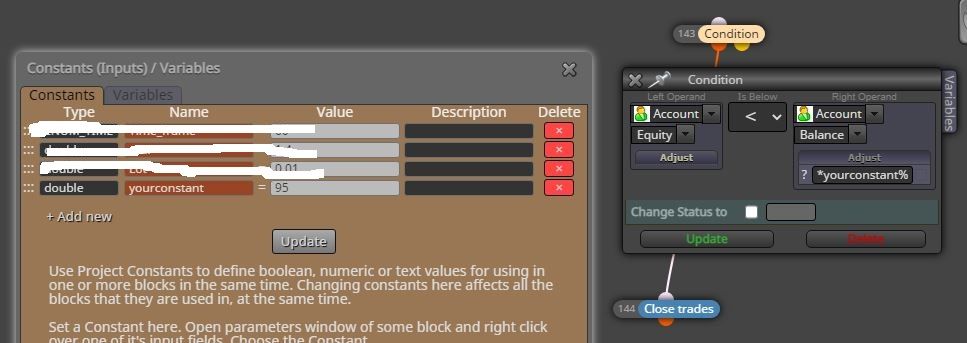
How do I enter percentage?
-
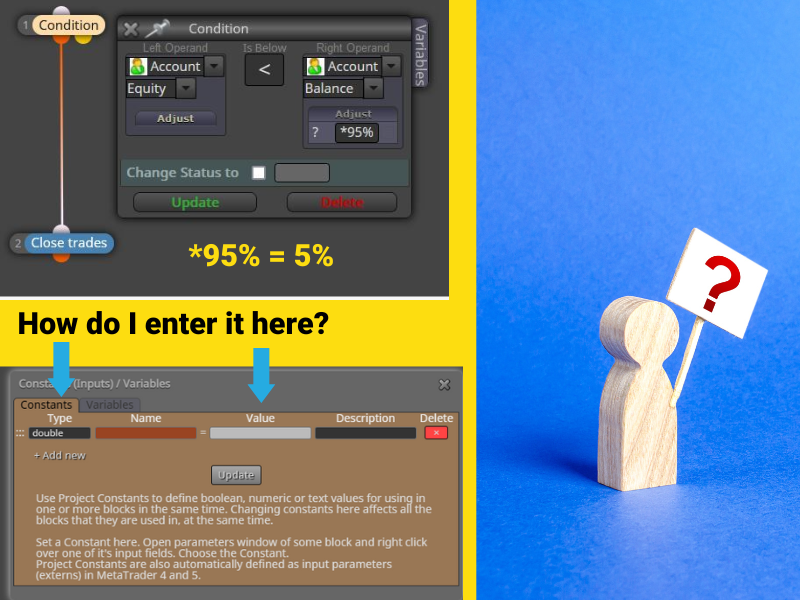
I'm adding a percentage where it will close all trades if reached. You can see that it is set at *95 and that equally 5%. What I would like to know how I would add that to a constant so it can be adjusted anytime I want to make changes. I'm not quite sure how to do this so I thought someone here may know. Any suggestions would be appreciated.
-
name a constant adjust (for example) and put this in the adjust box *adjust%
Learn fxDreema Without the Wait!
My comprehensive book, available on Amazon, is packed with examples and invaluable insights to help you fast-track your learning journey.
The paperback and hardback editions include MT4 & MT5 QR codes for easy access to all prebuilt projects and robots, including my latest gold trading robot!
Don’t miss out
Click here➡️ https://mybook.to/fxDreema to get your copy today!
Enjoy! 😊
-
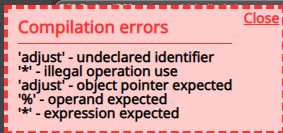
@jstap I'm not sure what I'm misunderstanding. So if I understand correctly, I am to put a name and I can leave the value blank. Then I go to the adjust section and add "*adjust%". What I'm trying to figure out is how this is supposed to work. They don't seem to be connected in any way. Am I missing something here?
-
Is there anyone that can answer this question for me? There really isn't any good resources to help with this so that is why I'm asking.
-
@fxbam jstap gave you the answer. create a constant *adjust% in the constant tab and type "adjust%" in the block field where you currently have *95%
-
-
change type from double to string
-
-
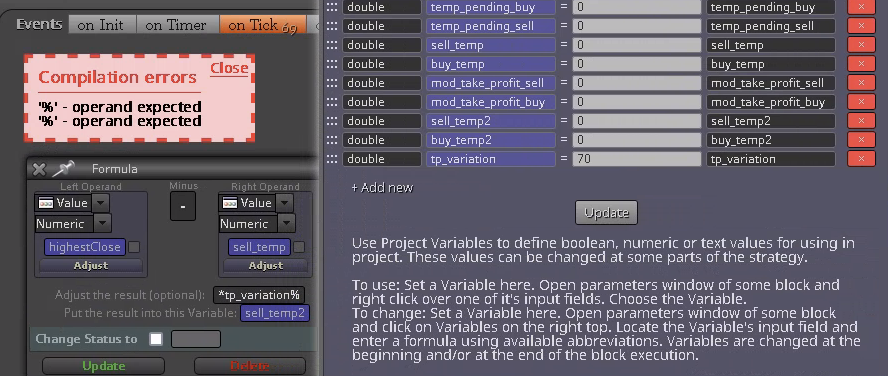
I have the same problem. It doesn't work when i enter a percentage ( tested it with int,double and string) :
-
@unimatrix percent literally means "one hundredth", so replace % with *0.01
-
Once all trades closed and you dont want to trade again that day, How do you auto pause the EA and make it to start trading the next day?
-
@Ideal I replied to your question on your thread. Please don't use other users threads to as the same question.