MT5 Optimizer not working with many FX Dreema EA - RESOLVED
-
Many times the MT5 optimizer doesn't work with many FXDreema EAs, and that was very limiting to building professional-level trading strategies properly tested.
I got to the bottom of this bug, and here is what is happening:
There is a class used to close multiple trades called "MDL_CloseOpened" and this class has a main loop "while (finished == false)" , that keeps doing infinite attempts to close the positions that match the criteria...But some brokers have a data feed of prices (candlesticks) during hours when they do NOT allow trade... If the Close block runs during non-trade hours, then the loop will never end... and the backtest never completes... that is why the Optimizer gets stuck...
To resolve this issue, we need to know if the broker allows trading before using the Close Block... (the blue Block...)
The MQL5 native function to check on that is SymbolInfoSessionTrade() and can be found on the official documentation on this link:
https://www.mql5.com/en/docs/marketinformation/symbolinfosessiontrade
I created this small block called "is Trade Time" to be placed before the Close All block, to prevent this infinite loop.
Find the source code for FX Dreema Studio below... remember that you will need to create the parameter ttSymbolName (type string) on FX Dreema Studio. Enjoy the solution and happy week.
//Create string Paramter ttSymbolName
datetime SessionStart;
datetime SessionEnd;

datetime SessionTimeNow = StringToTime("1970.01.01 " + TimeToString(TimeTradeServer(), TIME_MINUTES));
if (ttSymbolName=="") {

	ttSymbolName = (string)CurrentSymbol();  // Known Issue, function has to be called twice in a row, anyways, not working well, unless opening the chart in advance, for some reason.
	ttSymbolName = (string)CurrentSymbol();
}
//Print( "checking ttSymbolName=" , ttSymbolName , " Symbol=" , Symbol() , " CurrentSymbol()=" , (string)CurrentSymbol() , " Symbol()=" , Symbol() , ", _Symbol=", _Symbol );
//Print( "checking ttSymbolName is " , ttSymbolName  , " CurrentSymbol()=" , (string)CurrentSymbol() , " Symbol()=" , Symbol()  , ", _Symbol=" , _Symbol );

//Print("Current time is ", TimeToString(TimeTradeServer(), TIME_MINUTES), " SessionTimeNow=", TimeToString(SessionTimeNow));
int SessionIDLoop = 0;
bool isthissessionactive = false;

while (SymbolInfoSessionTrade( ttSymbolName , DayOfWeek(TimeTradeServer()) , SessionIDLoop , SessionStart , SessionEnd  ) )
{
	//Print("while cycle #", SessionIDLoop, ", on symbol " , ttSymbolName , " on dayofWeek " , DayOfWeek(TimeTradeServer()), ", Now is ", TimeToString(SessionTimeNow, TIME_MINUTES), ", Starting at ", TimeToString(SessionStart, TIME_MINUTES), ", ending at ", TimeToString(SessionEnd, TIME_MINUTES) );
if (SessionTimeNow>SessionStart && SessionTimeNow < SessionEnd )
{
	isthissessionactive = true;
	break;
}


SessionIDLoop++;
}


if (isthissessionactive && TerminalInfoInteger(TERMINAL_TRADE_ALLOWED) && MQLInfoInteger(MQL_TRADE_ALLOWED)) {~next~} else {~inext~}
Quant Engineer
www.abfs.tech -
@QuantEngineer same bug reported here: https://fxdreema.com/forum/topic/16494/close-positions-when-market-is-closed
Another workaround: close with the purple positions loop instead of blue close block.
-
That is cool ! thanks for the feedback!
We have to watch out because the reason why FX DReema creates the infinite loop is that when the EA is attempting to close a large number of positions, many of the commands can get rejected for multiple reasons and that is why it might need to go back and make new attempts to close positions over and over again, until they all close. If people choose to close them with the for loop, it is a good idea to run the loop multiple times on the same group of trades to ensure all the positions close.
I believe it might be related to the asynchronous close, it works a lot faster than the synchronous close but leaves some positions behind sometimes...
-
I just started fxdreema. My EA works fine in testing, until I try to optimize. I'm using it in the Forex market, so I don't think this applies to me?
-
Good day,
I'm getting an issue compiling this code when it's used in a project. The error states 'DayOfWeek' - cannot convert enum in fxdreema.
So I went into MetaEditor and it's showing me that this line has the error but I can't figure out what it's issue is.
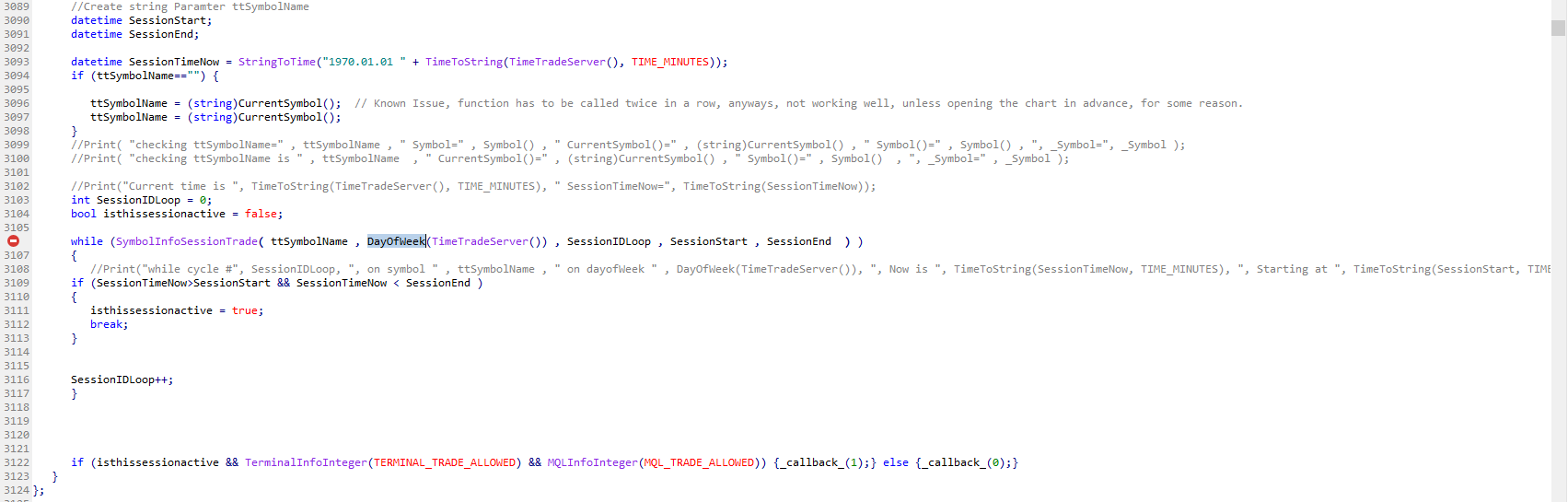
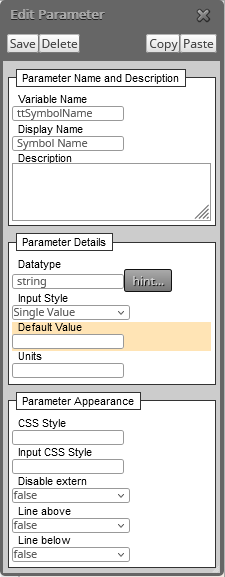
May I please get an assist with this?
Thanks in advance and I greatly appreciate it! -
@BBMess I guess DayOfWeek() doesnt accept any parameters, it always uses current time
-
@roar I understand that might have been the issue. I'll test removing the parameter and see what different errors pop up. Perhaps there's a different fix for this that I don't know anything about.
-
Does this make sense to those that code projects outside of FXDreema?
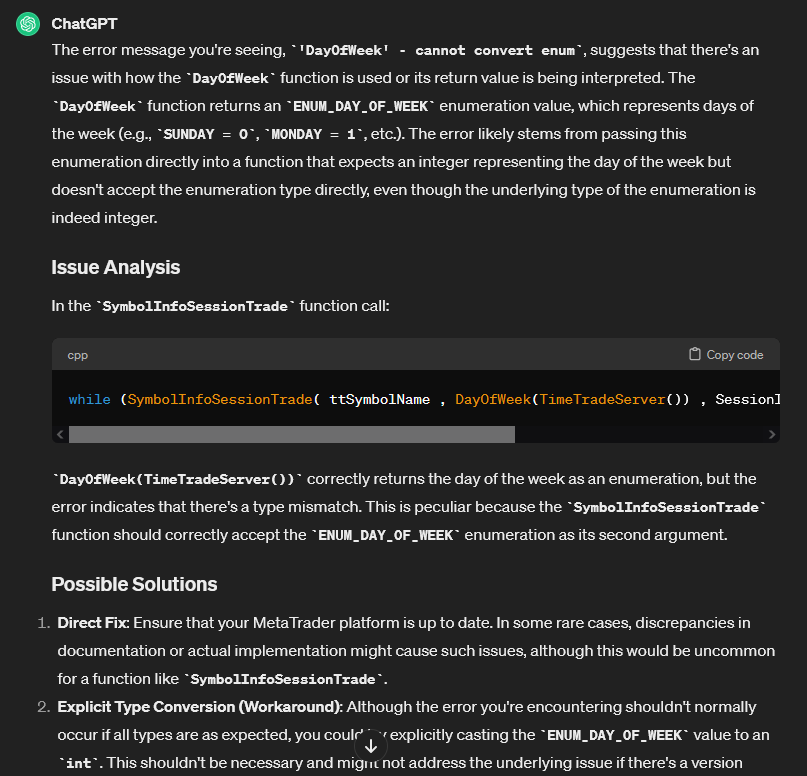
-
I just want to ask the same question (the topic problem), is this what this content is about?
I created a strategy from FxDreema and the EA seems to function well and gives the right signals, however, at some point on the backtesting it pause. Does anyone know why?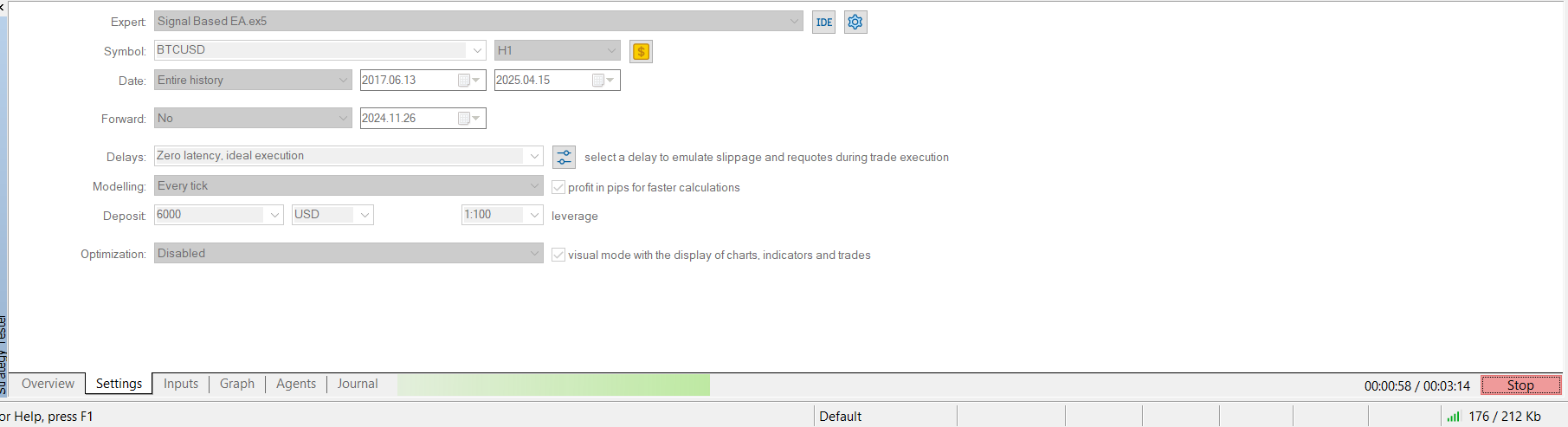
-
I'm not a programmer, but it looks like any of the project's loops entered into an endless loop execution and that's why it doesn't work. You will need a programemr to find the reason why, I'm afraid.
-
Hello Everyone,
It just needs a Custom Function to identify the DayOfWeek...
Here is the function. It can be copied and pasted into the Custom Functions Section from FX Dreema Studio for MQL5. The path to paste it is:- Load FX Dreema Studio for MQL5 with this link https://fxdreema.com/studio/MQL5
- Go to the bottom right corner of the page, and find a section with the title "Custom Functions",
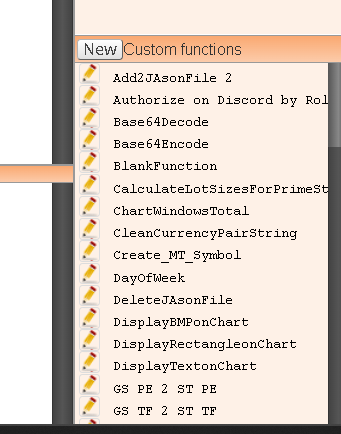
- Click on the "New" button
- Paste the function in the window that will open.
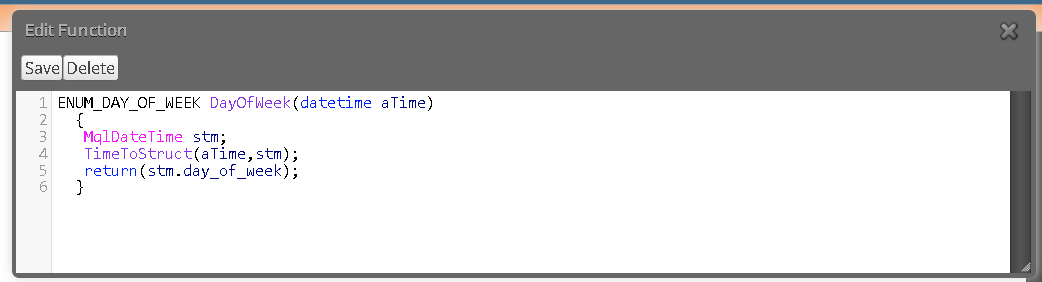
- Click the "Save" button.
And here is the function below to be copied:
ENUM_DAY_OF_WEEK DayOfWeek(datetime aTime)
{
MqlDateTime stm;
TimeToStruct(aTime,stm);
return(stm.day_of_week);
} -
MQL already has this function.
-
That is MQL4... in MQL5, we need the custom function because MQL5 doesn't have the native function for DayOfWeek, and this is the reason some people are getting the error...