Take Profit by indicator
-
Hi guys,
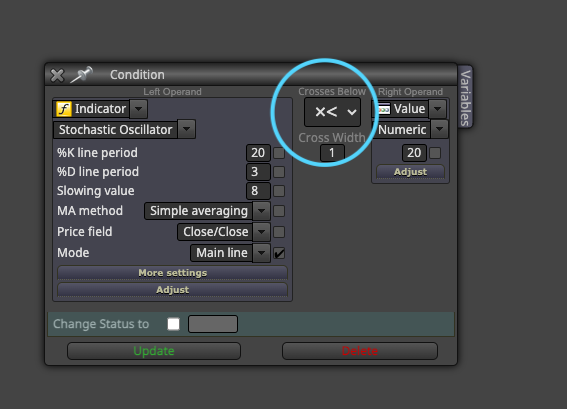
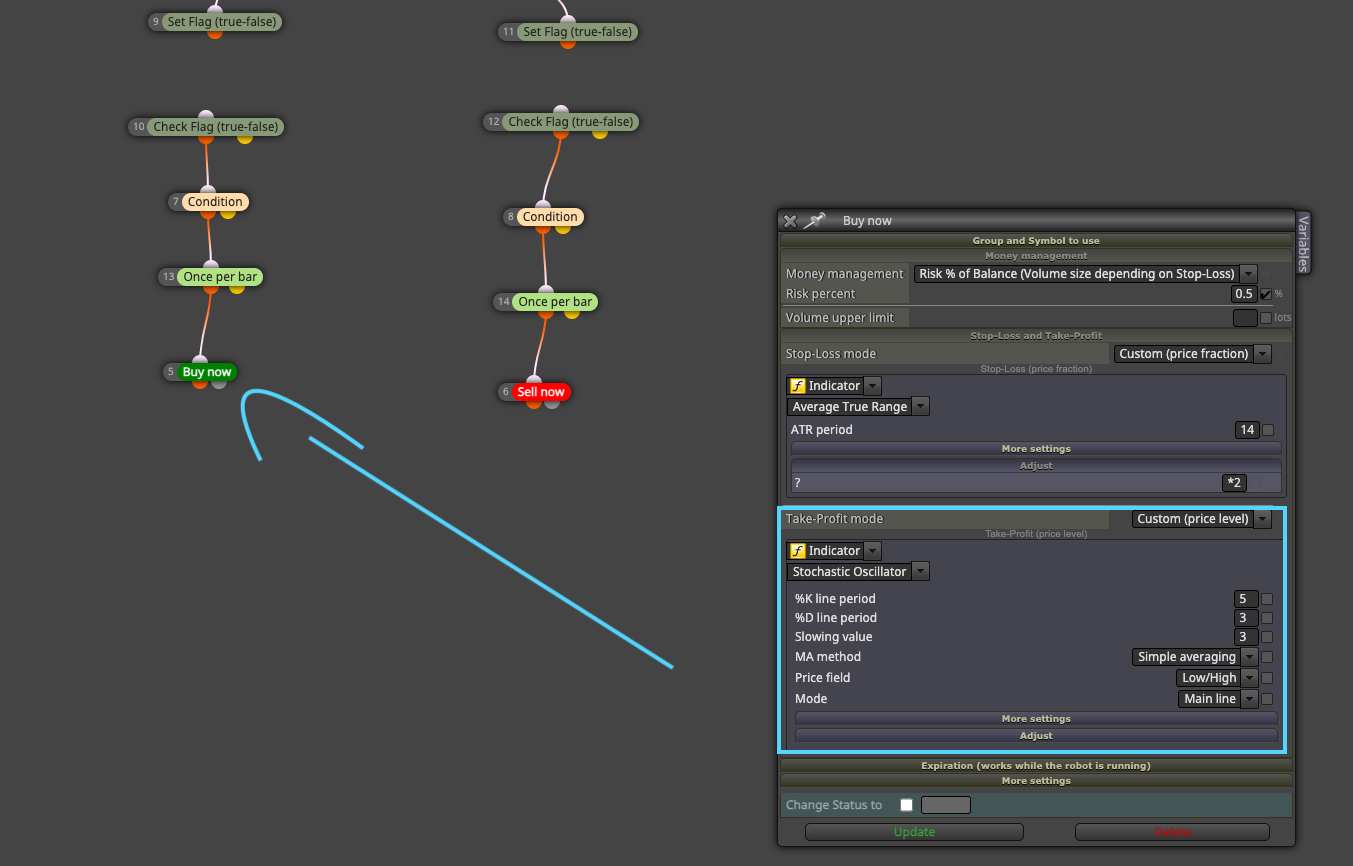
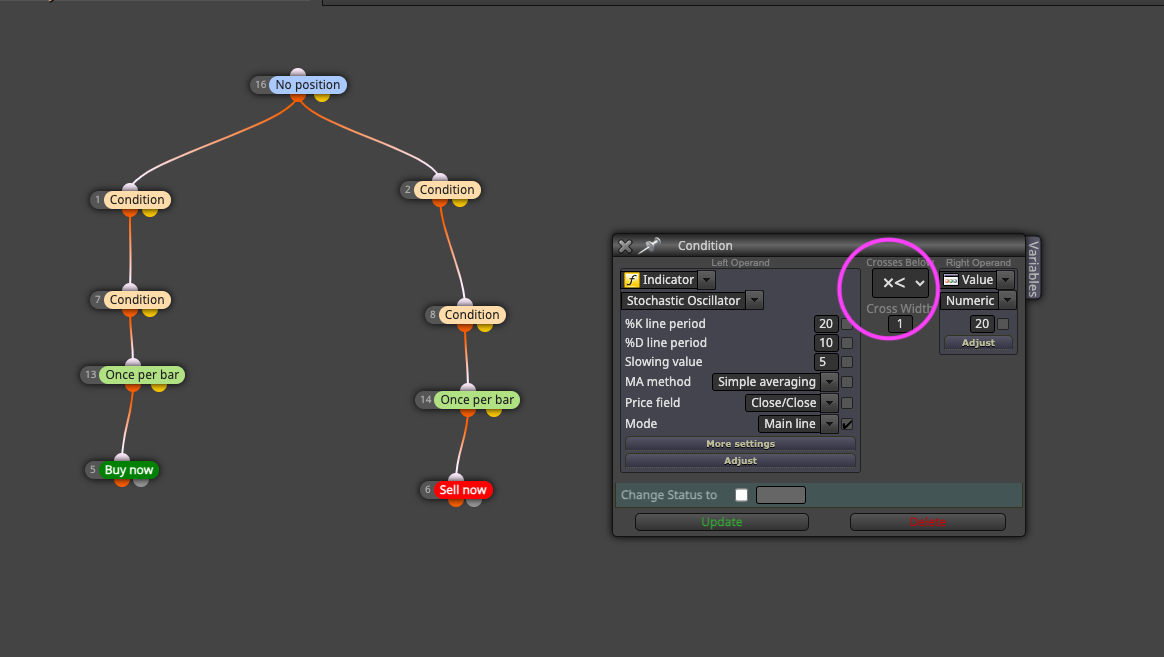
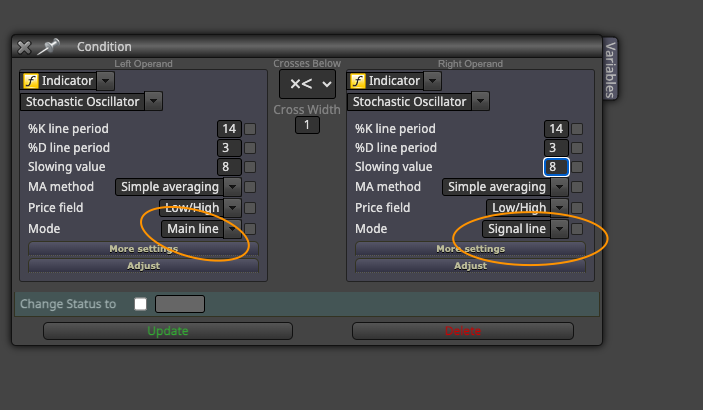
trying to make the EA to take Profit as soon as Stochastic crosses from above when in long trade and from below when in short trade but unfortunately missing the second row like in condition to set the X>, =, > ...
Backtested with trailing stop loss as well, but this would cut of winning trades to early.
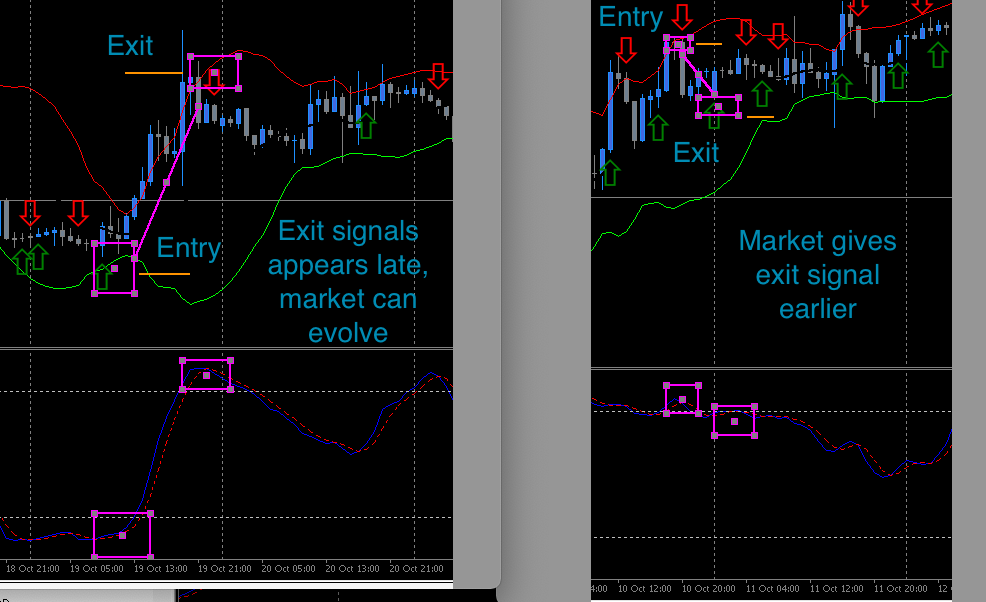
Mainly found that there 2 possible outcomes, trades moves a bit in profit but then get stuck or works out perfectly, there would like to cut it when stochastic crosses in opposite direction to prevent market moving back to entry level entirly or give it enough space to evolve until signal for take profit appears.
Somebody used this before as well or knows how to apply stochs for take profit.
-
I'm pretty sure that indicator repaints. No matter how much effort you dedicate to build an EA if the indicator repaints. Are you completely sure it doesn't?
-
Yes, stochastic is one of the least main leading indicators with the least divergence or lagging i've found.
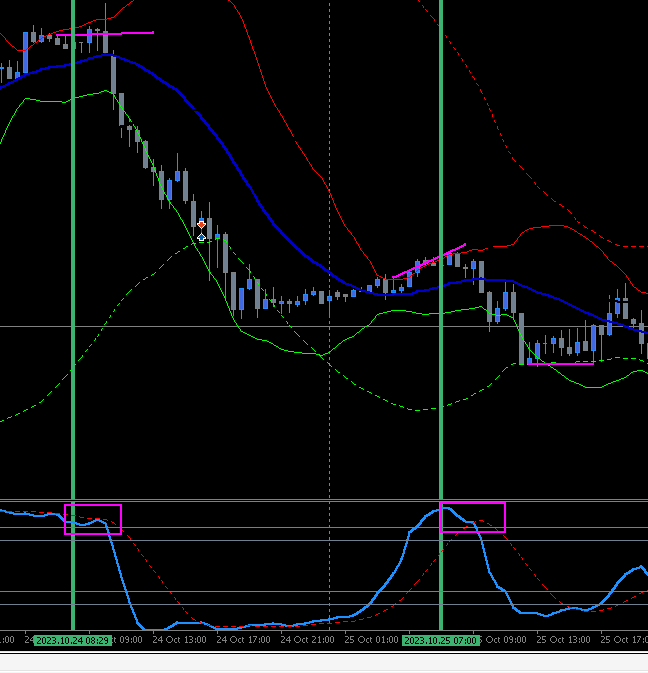
Works great in confluence with Bollinger Bands.The stochastic with arrows in the picture is just one i use currently for backtesting when the crossing appears.
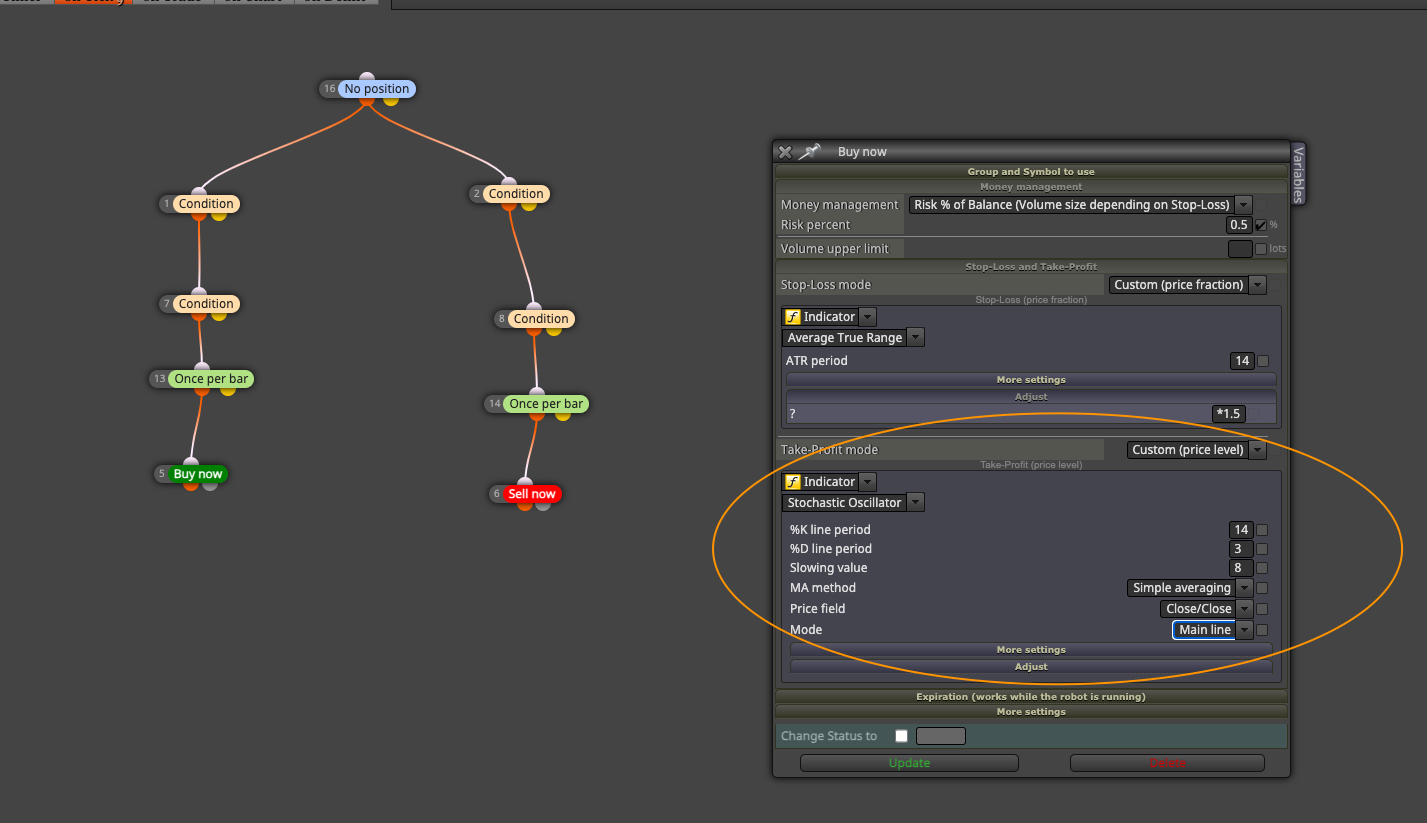
ButI didn't found a way to close/ Take Profit by crossing of the indicator just from the crossing in opposite direction.
For me seems to be good, because selected custom price level indicator -> in chart.
From backtesting other methods like Trailing Stop would cancel trade sometimes to early or dont respect to give market enough space.
Also testet with opposite Bollinger Bands Line but sometimes market only reaches middle bands, sometimes it remains pushing until a crossover of stochastic would appear.
For me is easiest way to cancel trade if it doesnt continues or to give it enough room until momentum shifts.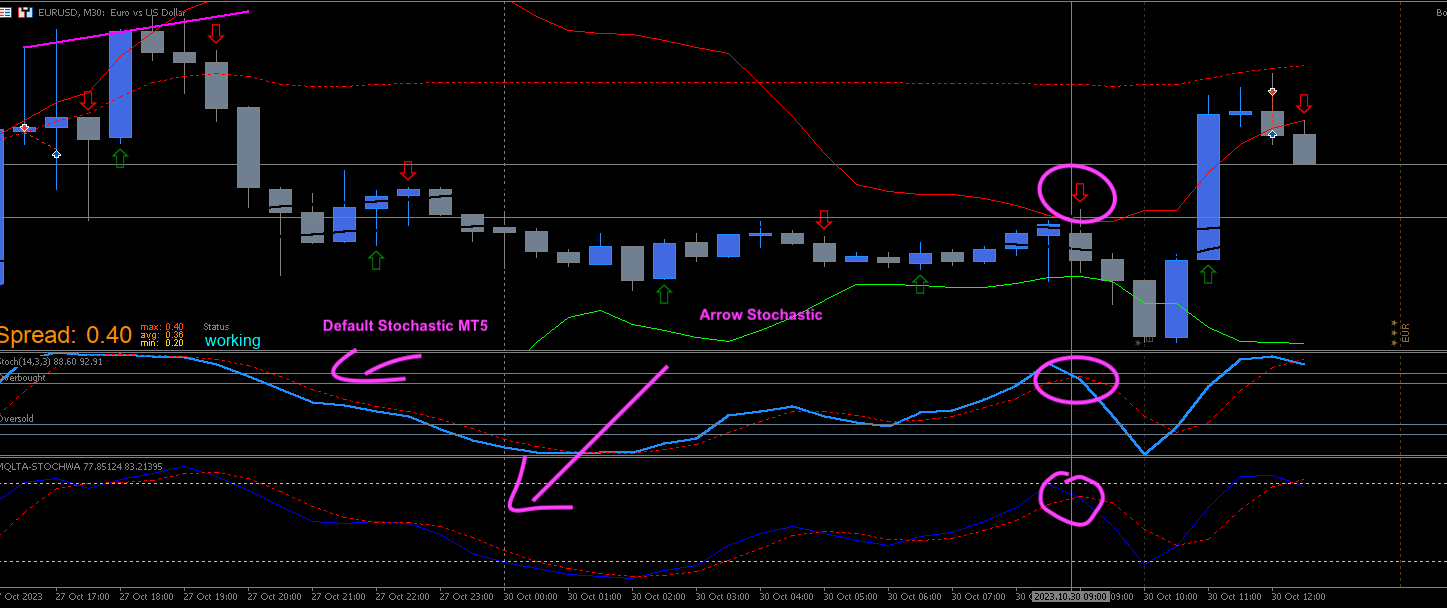
-
You can close them by NOT using the 'once par bar' block. That will make it to close as soon as it happens, but you will never know if the crossing is confirmed, though.
-
Ok, but if i don't use once per bar entirely it would open new trade every new bar if entry is triggered right?
What i've found from testing it doesnt need to be above/below 80/20 level for the crossover to happen, but unfortunately still can only select the period and mode for the trigger.
Still missing the x>, x> like in conditions block. -
If you are opening trades 'once per bar' there will not be a new open trade as soon a the previous one was closed. That's why it is called once per bar.

-
Ok got it, but asking because you said to use once per bar to close as well.
-
Please remember what I said a few posts ago about this indicator. I'm pretty sure it repaints. That means that what you see in the chart is not necessarily what happened in the market at that point. You are explicitly requesting the crossing to be confirmed to close a trade. That will happen at a specific moment in time, you don't know when. Depending on where you positions the 'once per bar' block, the bot will be checking it at the open of a new trade (on top) or at any moment (below).
-
i backtestet the previous stochastic in replay it gave an arrow right when stochastic main line crossed the 30/70 level back in. Might be different in real time, you might be correct about that.
But what i still dont get, by leaving the once per bar, the bot would potentially fire multiple trades open even if older onces still running.
My idea was to close it for current trade by the stochastic crossing over.
From backtesting the idea of mean reversion i've found that market sometimes goes back to middle bollinger bands and then returns and sometimes breaks through and would still run further than opposite outer bollinger band.
Therefore because like you said, every trades is different and you dont know how far your trade idea would be valid to play out if correct, i've found to protect complete reversal back to enter the stochastic crossing would help to close when market doesnt want to go further than middle bollinger bands. -
That idea doesn't sound bad, but before trying it you should be sure the indicator will not screw it up. I recommend trying it manually for some time before wasting any time building something that doesn't work and not knowing why. Trust me, I've been there many times.
-
Nevermind the other indicator.
Just like i said, was only visual for me to backtest different settings.Yes sure i feel that, i'm very new to FX dream but have learned lots by you guys so far.
Thank you a lot.Currently using the default stochastic oscillator from the MT5.
Also build EA only using the default stochastic by itself, working in real time as well so far for entry signals.
But not on Take Profit.
Good the tip by other user, that need to be added by "If trade" tree,
because some indicators might work directly with TP and some not.