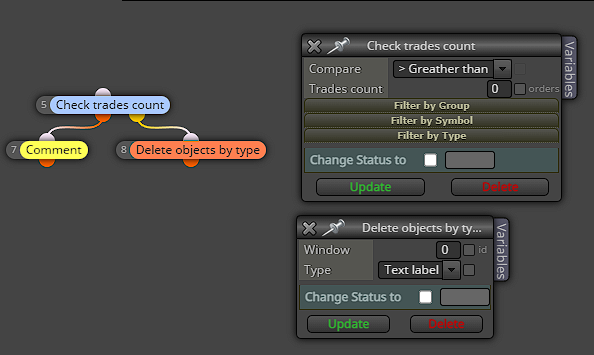
How do I delete a chart comment when trade closes?
-
Hi,
I have been trying to figure this out for so long with trial and error. Now to the forum... I am trying to simply delete a chart comment once a trade closes.
I have tried if 'no trade' - turn off blocks with comment ID. I have tried 'check trades count, for each closed trade, etc., but no luck.Here is what I have;
https://fxdreema.com/shared/NGMV3Tt6Someone please assist? Thanks in advance!
-
Use orange blocks with a name to draw, then use the name to delete.
-
@Julianrob You can also just use the Delete Objects by type block and choose labels assuming you don't have any other text/labels you don't need. Just one block to do it.
-
Thanks jstap. It took me several searches here to realise comments can't be deleted. Not as convenient, because creating labels, then variables, all need their own text blocks because there aren't optional multiple labels and values, also no way to control decimal places. I guess I have to convert to text blocks.
Could we request this as a bug fix, to be able to delete comment blocks? It would be so good. Thanks
-
I noticed with several text objects continually updating, it slows backtesting waaaay down to a crawl. So I've got a version for backtesting with all that disconnected
-
@Julianrob Why don't you just use the Delete Objects by type block? Then select labels. The Comment block is just text labels even if it has number values. There's no need to draw text. But just removing it for back-testing works too lol