TRAILING STOP NOT WORKING PROPERLY
-


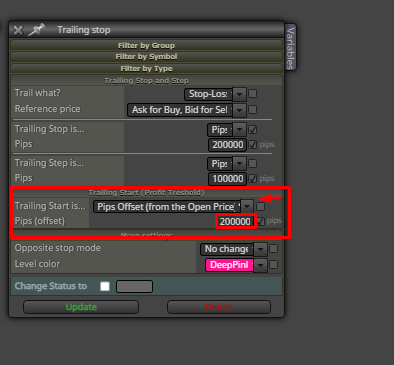
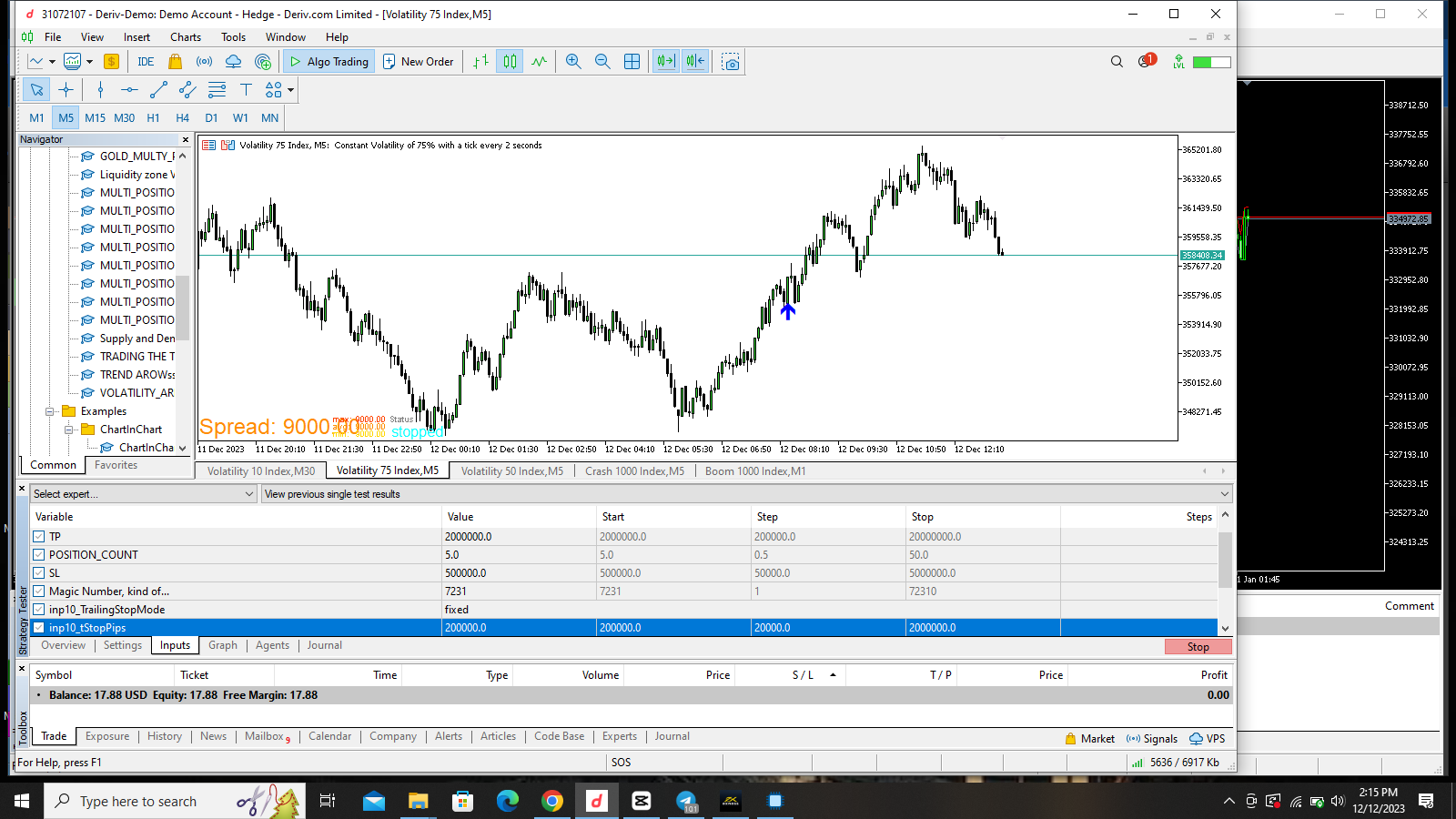
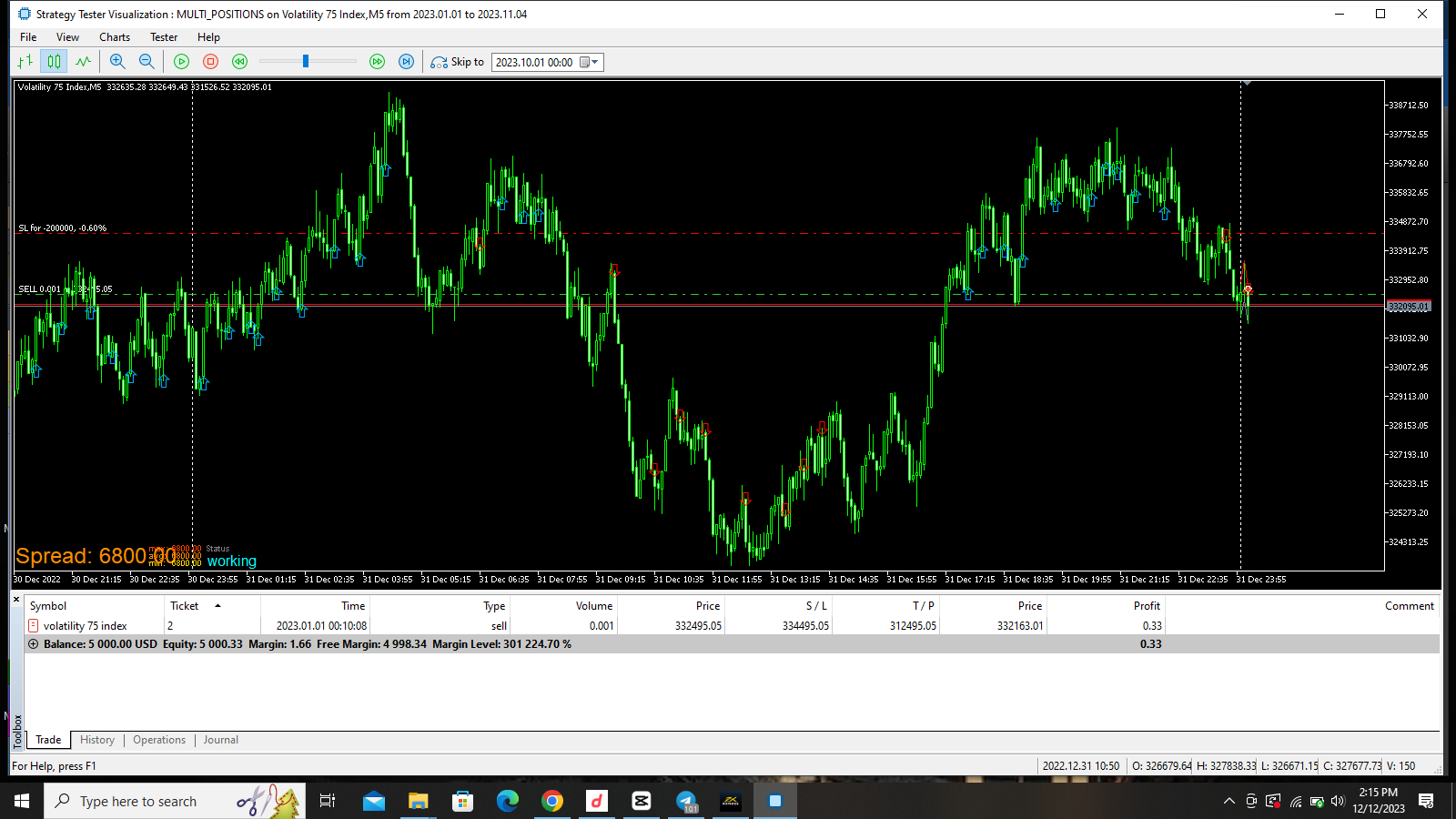
I noticed this, the bot does not trail stoploss well and sometimes, it uses the trailingstop as the initial stoploss. in the image i uploaded i used a trailingstep of 100,000 points and a trailing stop of 200,000. the market has moved over 300,000 points yet the trailing stop did not move until the trade is close to Take profit then it will trail the stop loss for all the position at once even when the positions are opened with different time and price level. have tried everything possible and its still the same, pls i need help on this.

-
That is generally how it should work, add a shared to look at.
-
-
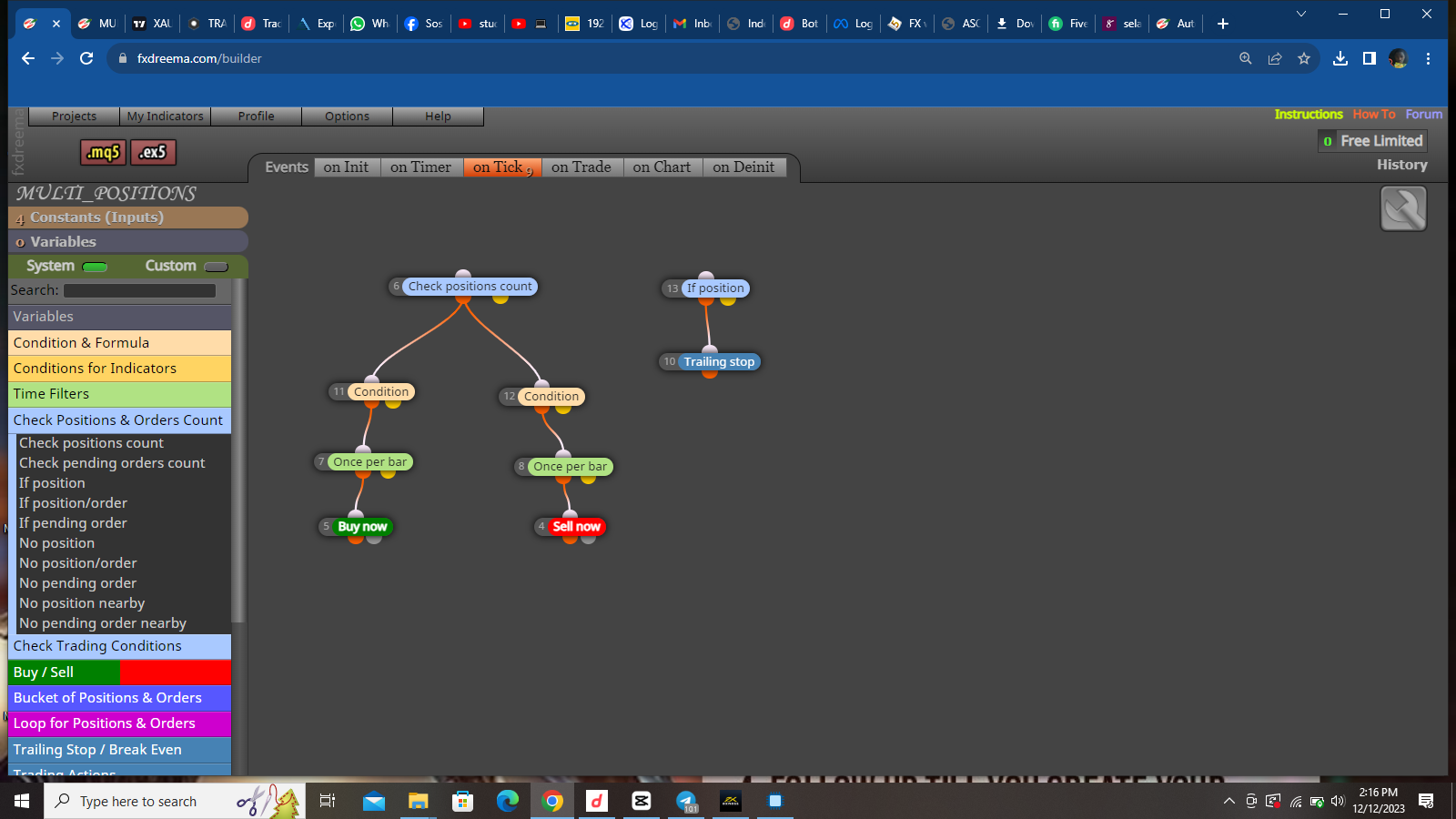
I think you need to put the trail under an if trade block, as is if less than the number of selected trades, it will not activate yellow because it is waiting for the conditions to be checked.
-
@jstap ok I will do as you say, although have tried so many options and it didn't change anything. I pray this works
-
https://fxdreema.com/shared/aHuvvIU5c
The issue is still thesame, i think its from fxdreema, the bot is now using the trailingstop as the main stoploss, when the main stoploss is 500,000 and the trailingstop is 200,000. you can see it in the new screenshots i uploaded
-
You're wanting to trail the stop loss at a certain pip/point amount? Also, as a group or individually? I'm confused.
-
@willramsey it's as an individual trade not for group of trades. This is not the first time am using trailing stop with custom indicators but this is just different, have tried other methods still it's not doing what it is meant to do.
-
You current configuration will wint until price is 200000 above open price AND/OR the last SL price level. When that happens the SL will then be moved 100000 pips below current price. Is that what you want?
-
@Sos_Fx
I recommend that you always work with the Trailling Stop this way.
It was the single most efficient way I found.
In this example I am requesting that the Stop Loss be moved from the original place to 0x0
The (Trailling Start) means (Trigger Point), that is, the place that being reached triggers the movement of the Stop Loss, it then reads what is being informed in (Trailling Stop) and moves its Stop Loss to the related Distance informed where was the trigger point.
The (Trailling Step) are just steps that, when reached, will always move the Stop by the same distance.
In short, Trailling start is the question, where do you want the trigger to happen, Trailling stop tells you, place it (x) points away from where it was triggered.
Hope this helps.