fxDreema

    • Register
    • Login
    • Search
    • Back to the main page
    • Categories
    • Recent
    • Tags
    • Popular
    • Search

    ADD CUSTOM MT5 INDICATOR

    Questions & Answers
    2
    9
    1405
    Loading More Posts
    • Oldest to Newest
    • Newest to Oldest
    • Most Votes
    Reply
    • Reply as topic
    Log in to reply
    This topic has been deleted. Only users with topic management privileges can see it.
    • S
      siyaan005 last edited by

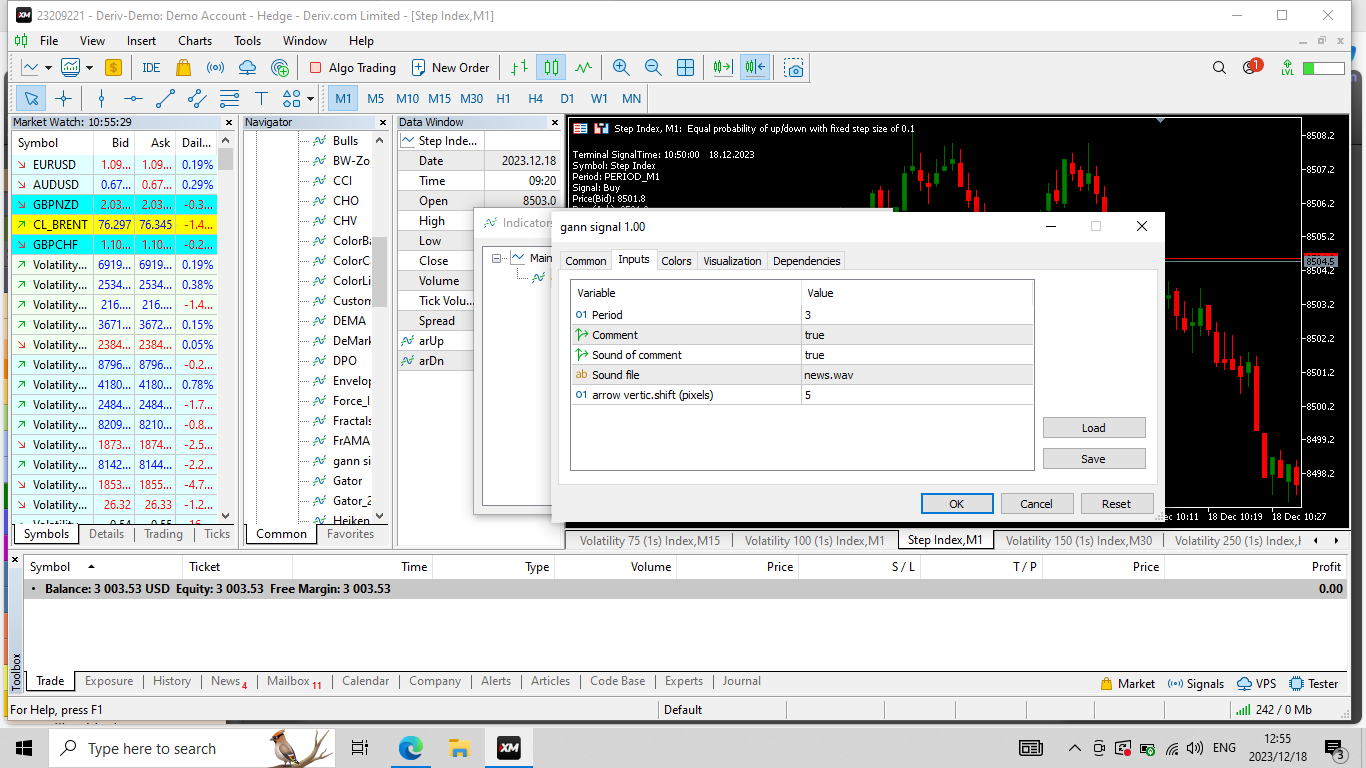
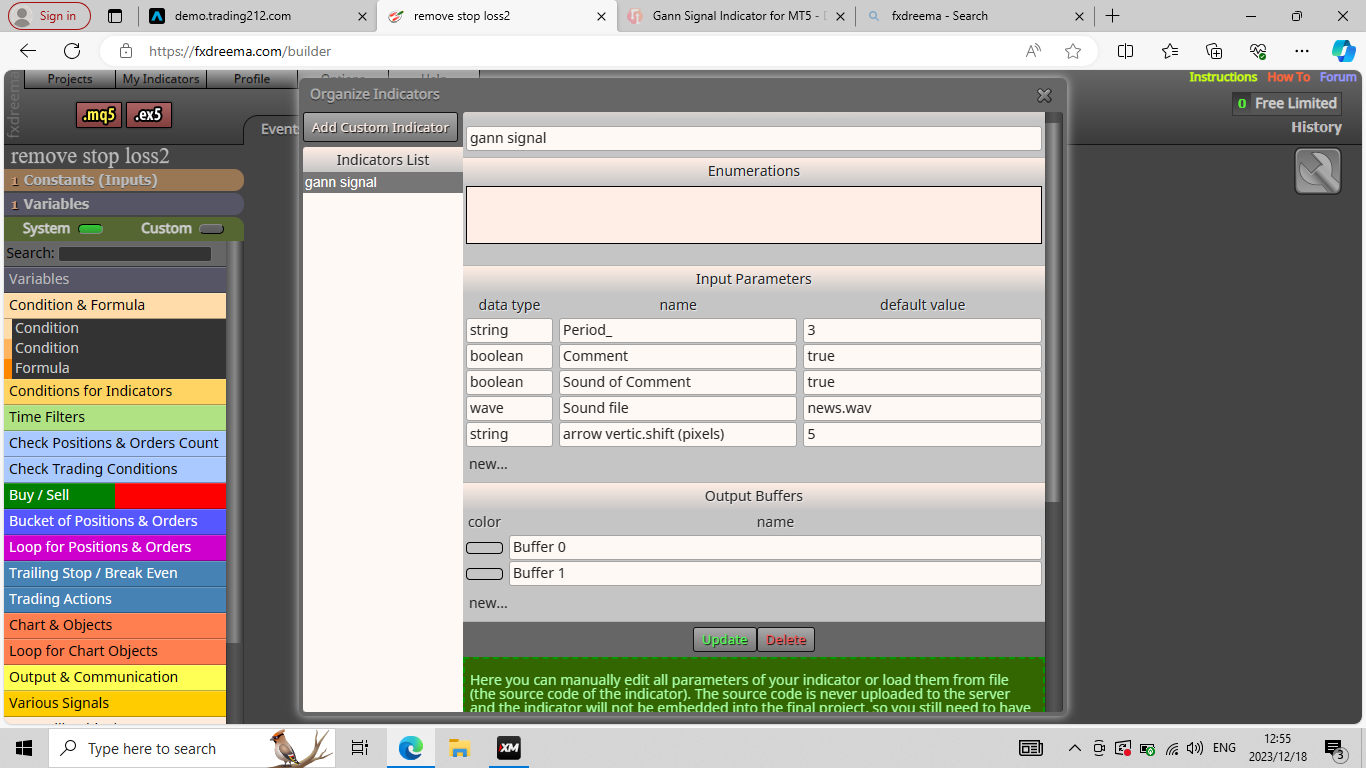
      Hi. How can I add an mt5 custom indicator with 2 buffers so I can create an EA using it? It is in ex5 format. I have attached the screenshot of the indicator in question. If anyone can give me instructions in writing or visually via screenshots, I would greatly appreciate it.

      "GAN SIGNAL" is the name of the indicator.

      Screenshot (59).png

      1 Reply Last reply Reply Quote 0
      • jstap
        jstap last edited by

        If you search indicators you will find the info needed, but basically add the indicator on FX (MQ is easier but you can use EX), get the buffer value and test, using blocks on the on tick tab.

        Learn fxDreema Without the Wait!

        My comprehensive book, available on Amazon, is packed with examples and invaluable insights to help you fast-track your learning journey.

        The paperback and hardback editions include MT4 & MT5 QR codes for easy access to all prebuilt projects and robots, including my latest gold trading robot!

        Don’t miss out

        Click here➡️ https://mybook.to/fxDreema to get your copy today!

        Enjoy! 😊

        1 Reply Last reply Reply Quote 1
        • S
          siyaan005 last edited by

          Thanks. I searched 'indicators' but I could not find information that I understand. I know how to add custom indicators using mt4 but I struggle with adding mt5 indicators and using them to create EAs

          1 Reply Last reply Reply Quote 0
          • jstap
            jstap last edited by jstap

            MT5 is the same, try and take pictures of what is happening, past here and we'll see what is happening.

            Learn fxDreema Without the Wait!

            My comprehensive book, available on Amazon, is packed with examples and invaluable insights to help you fast-track your learning journey.

            The paperback and hardback editions include MT4 & MT5 QR codes for easy access to all prebuilt projects and robots, including my latest gold trading robot!

            Don’t miss out

            Click here➡️ https://mybook.to/fxDreema to get your copy today!

            Enjoy! 😊

            1 Reply Last reply Reply Quote 1
            • S
              siyaan005 last edited by

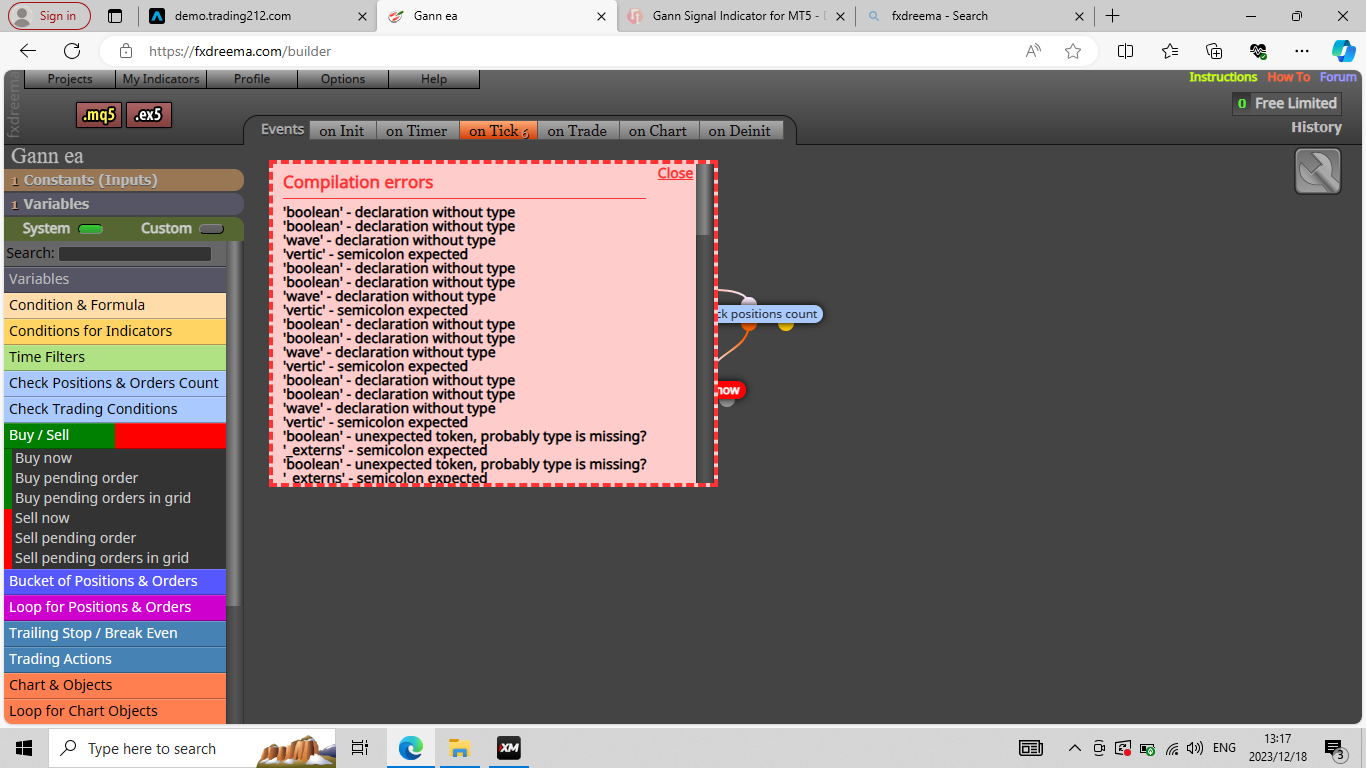
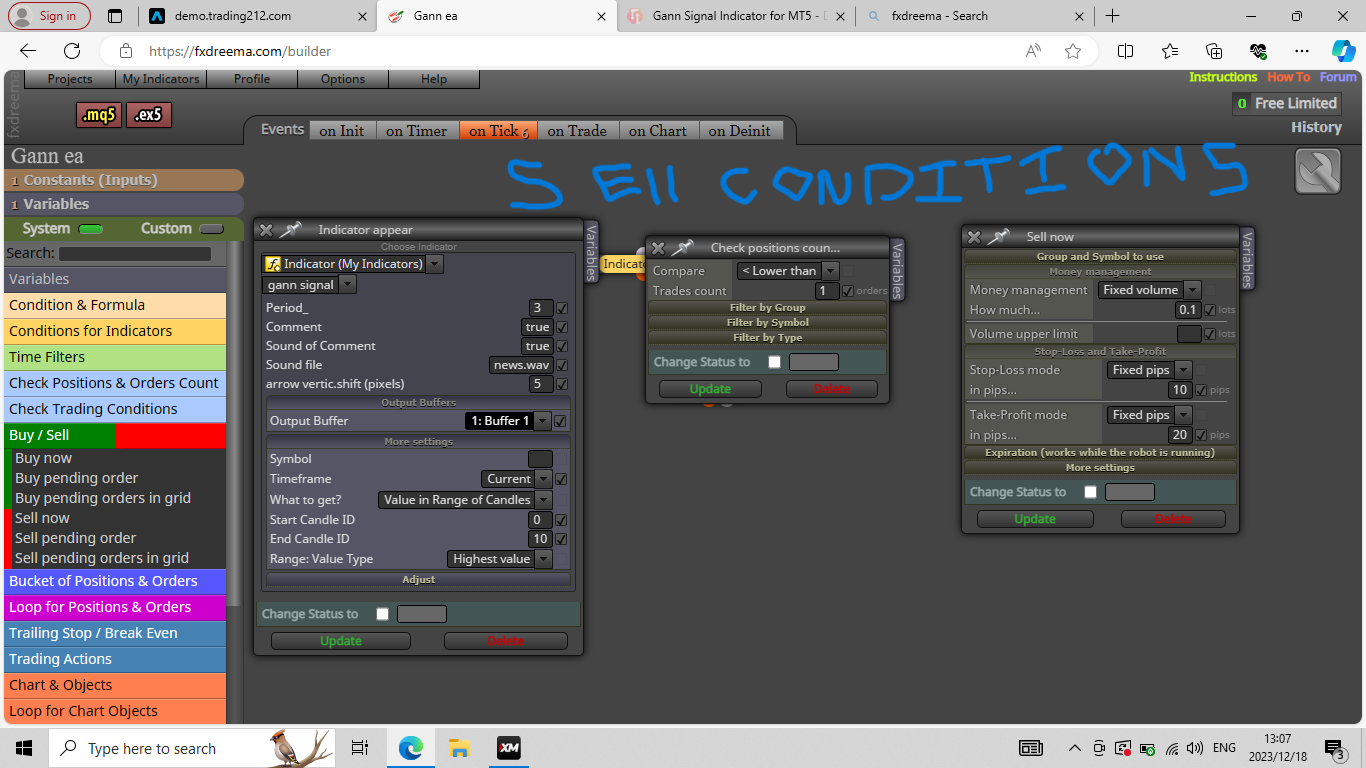
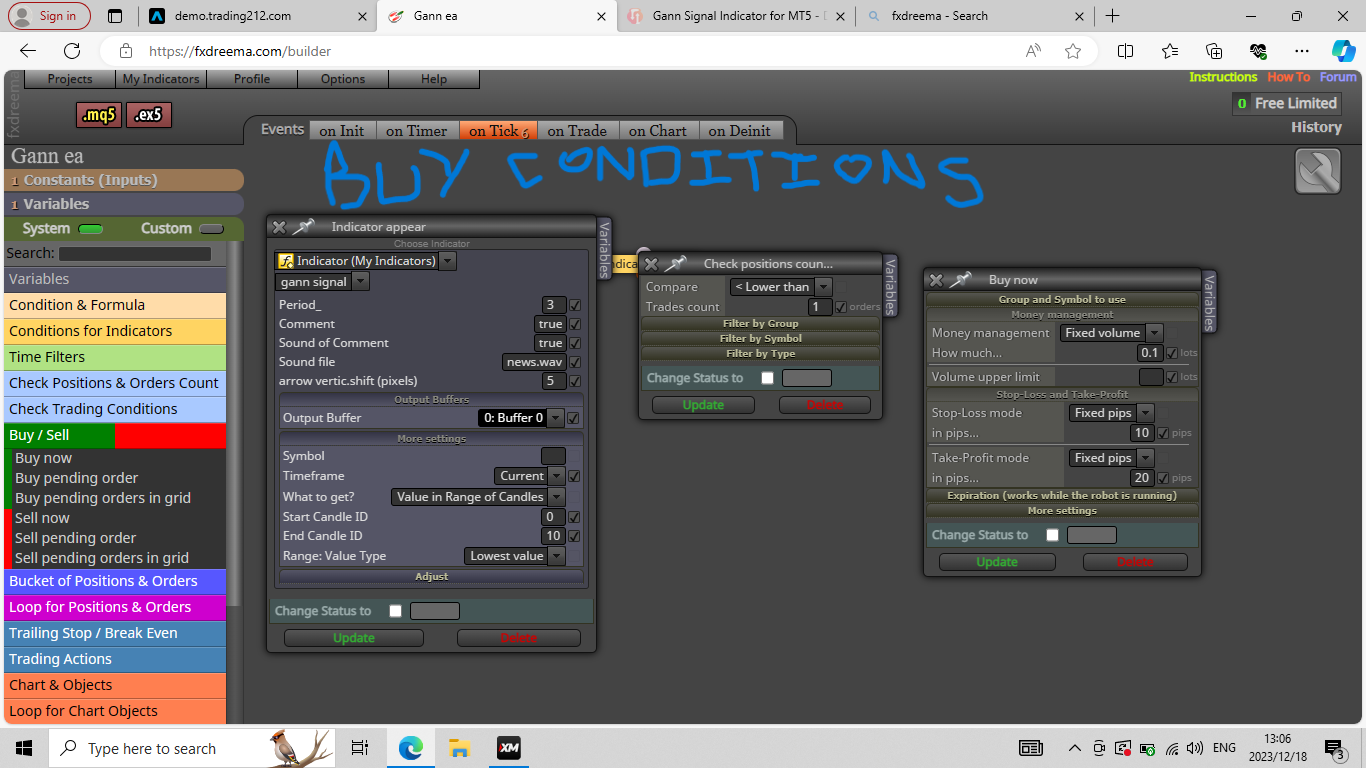
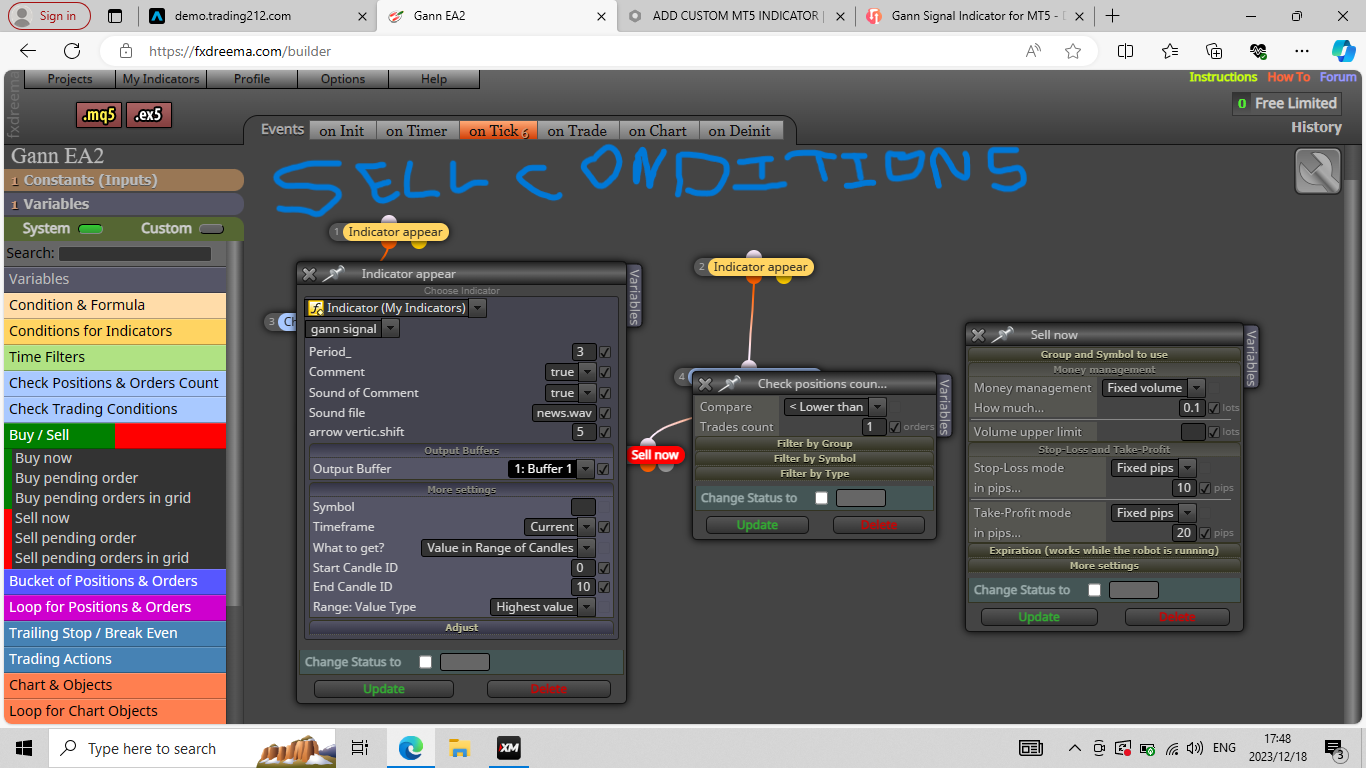
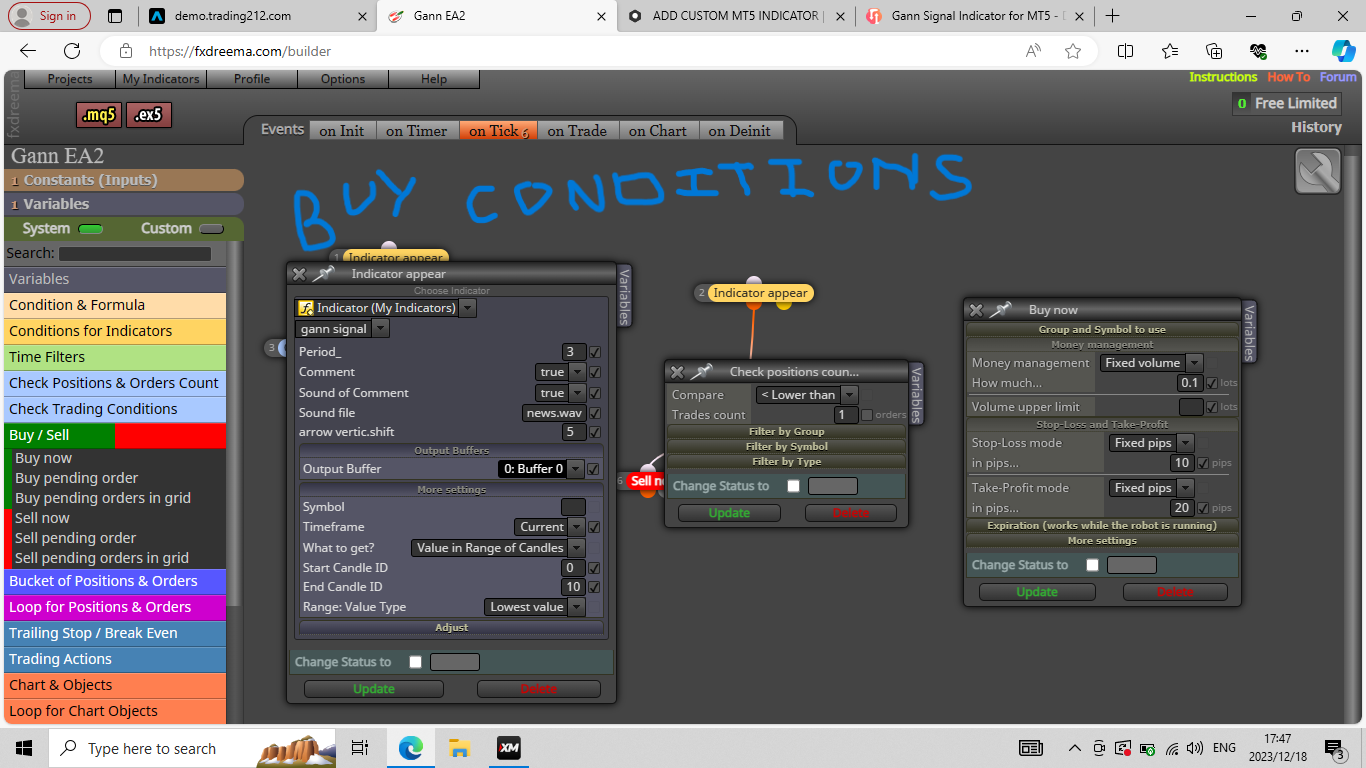
              I get a lot of errors when I try to compile the EA. I have attached images belowScreenshot (68).png Screenshot (67).png Screenshot (66).png Screenshot (64).png Screenshot (63).png

              1 Reply Last reply Reply Quote 0
              • jstap
                jstap last edited by

                wave is probably wav, boolean is bool, change these and see what happens (I would recreate from scratch, sometimes wrong spellings stay in the memory).

                Learn fxDreema Without the Wait!

                My comprehensive book, available on Amazon, is packed with examples and invaluable insights to help you fast-track your learning journey.

                The paperback and hardback editions include MT4 & MT5 QR codes for easy access to all prebuilt projects and robots, including my latest gold trading robot!

                Don’t miss out

                Click here➡️ https://mybook.to/fxDreema to get your copy today!

                Enjoy! 😊

                1 Reply Last reply Reply Quote 0
                • S
                  siyaan005 last edited by

                  I still get errors when I try to compile the EA even though I realized the mistake I made of representing an integer as a string. I also did as you said, I deleted the EA entirely and the custom indicator from my indicators, readded it, and created a new EA. If you can perhaps show me step by step using screenshots how to add any ex5 indicator, then I would try that and I will be appreciative.Screenshot (74).png Screenshot (73).png Screenshot (72).png Screenshot (71).png Screenshot (70).png

                  1 Reply Last reply Reply Quote 0
                  • jstap
                    jstap last edited by jstap

                    Half of these errors come from more than the indicator?

                    Learn fxDreema Without the Wait!

                    My comprehensive book, available on Amazon, is packed with examples and invaluable insights to help you fast-track your learning journey.

                    The paperback and hardback editions include MT4 & MT5 QR codes for easy access to all prebuilt projects and robots, including my latest gold trading robot!

                    Don’t miss out

                    Click here➡️ https://mybook.to/fxDreema to get your copy today!

                    Enjoy! 😊

                    1 Reply Last reply Reply Quote 0
                    • S
                      siyaan005 last edited by

                      Okay. Thanks for your feedback

                      1 Reply Last reply Reply Quote 0
                      • 1 / 1
                      • First post
                        Last post

                      Online Users

                      T
                      N
                      K
                      R
                      R
                      G
                      K

                      14
                      Online

                      146.7k
                      Users

                      22.4k
                      Topics

                      122.6k
                      Posts

                      Powered by NodeBB Forums | Contributors