Important question
-
Hi everyone,
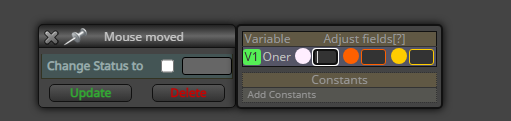
In fxDreema, I have a block with the white activation circle (the checkbox trigger). I want this block to activate only if my boolean variable
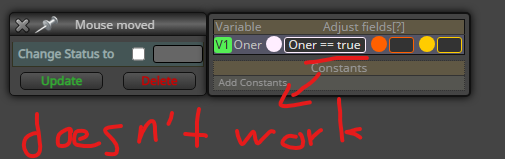
Oneris true.I wrote the condition directly inside the small input box next to the white circle, but it didn’t work and the block still activates.
What is the correct syntax to make the block check
Oner == truebefore activation?Thanks!
-
That box changes the value on block start/end, to check if a bool is true/false check it in a condition block above using it
-
@jstap Got it, thanks. So that means it’s not possible to make the block check a bool before activation using that box, right?
And the only way is to put a condition block above it? -
You can, sometimes is easier to change externally: https://fxdreema.com/shared/ds1aZi4Hb
-
@jstap Thanks for the shared project, but honestly I didn’t fully understand it. I couldn’t really grasp how it solves the problem.
Could you please explain briefly what part I should look at and how it ensures the block only activates when my bool variable is true?
-
The variable type is set in FX, sting = text, double = 0.0, int = 0, bool = true/false, date time is similar to int, you can search google for these definitions. The bool constant is checked in the condition, then it sets true of false to the string variable, " " tells the block you are setting text instead of a numeric number. true = 1 false = 0


