Desktop version "formula" block unable to enter variable or constant
-
When using the formula block I can right click and add a constant or variable to be added or multiplied etc but when right clicking on the 'result' parameter the variable/constant window does not appear. This works for the online version but not desktop. Build 100
I have managed to make it partially function by typing in a variable name manually that isn't in use but then this doesn't work with other blocks as it doesn't exist according to them.
-
I think the desktop version is not updated anymore.
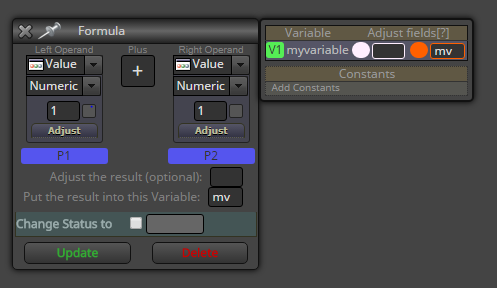
But there's a simple way to work around the problem, just use some temporary variable.
Like this:
-
Hi,
you can put the mql file from the desktop version to the web version and change variable and constands that work.
-
The old desktop version I think still works the old way, which was that a global variable will be automatically created after the Formula block. So you only need to write a name for that variable, which is always automatically written as something like ResultXX.


