Object on chart on chart that EA is not running on
-
I am using custom code block to open a new chart that has a default set of indicators on it. When looking for objects on the newly opened chart my EA cannot see the objects. Do the objects have to be on the same chart the EA is running on?
Even if I put in the chart symbol in the block it doesn't find the objects on the new chart.
Is there a way for the EA to look at objects on an open chart for a pair if the EA is not running on that chart?
-
it should work by using select object by name , if that block finds a object with that exact name it will pass , or you can use the yellow dot , meaning if the object is not found then that will pass
-
I think you can access objects from another chart, but I didn't set this option on the "For each Object" block, so only the current chart is used
-
@timmyhanke it doesn't work, i am referring to the object by name: http://imgur.com/a/q64AM
-
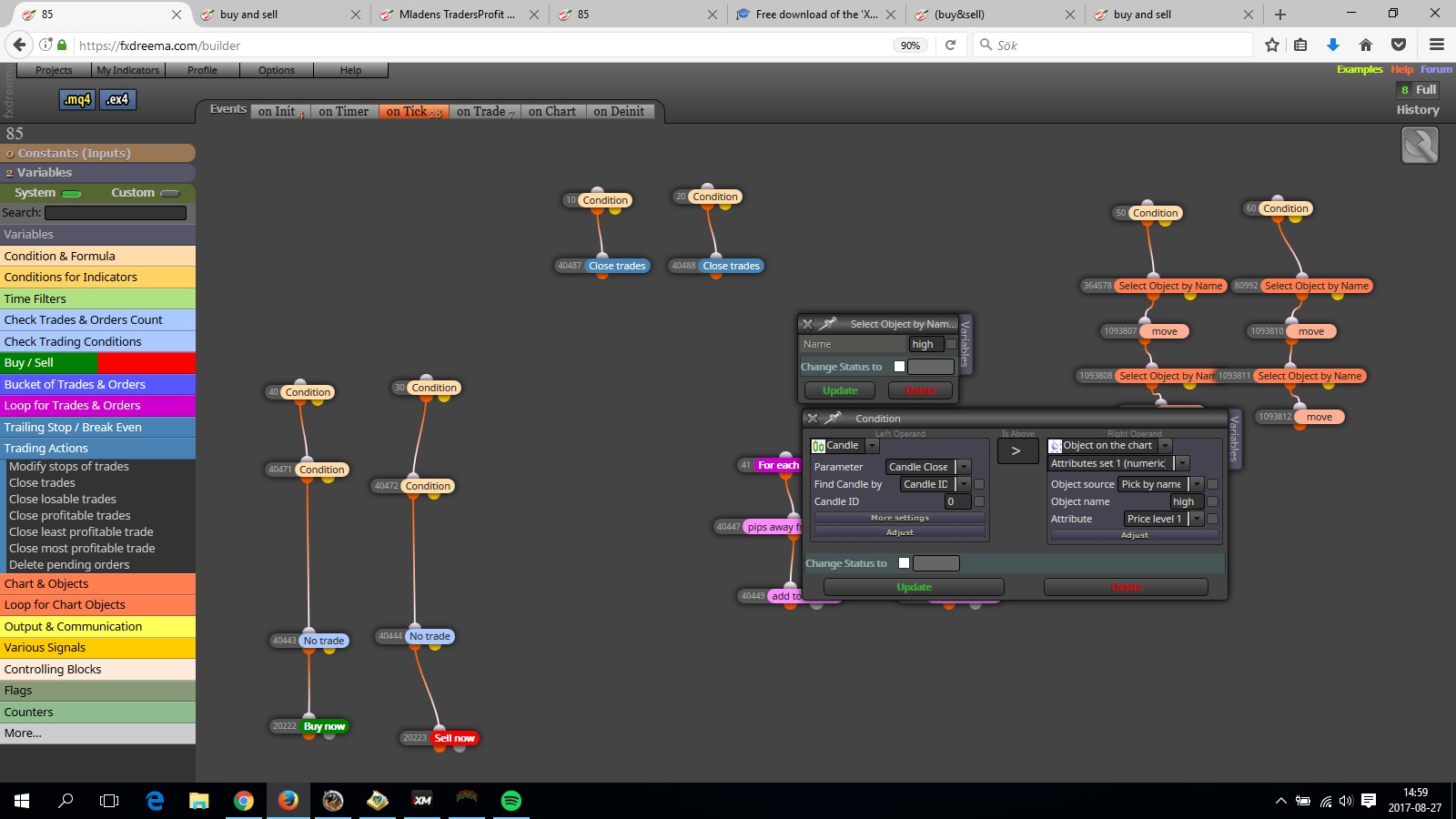
I usually do it this way , this is by moving the line but it should work with everything , i use select object by name , and if that object exists it will move it to my referred point in price.
In this case , if price is > high line it will move it along price as long it has contact with it and the other line '' low'' will follow that by -10 pips below.
-
@fxDreema i don't get this. It sounds like you say i can access objects from another chart, but you didn't set an option on a block, so i can't use objects from another chart? Doesn't make sense to me sorry. I can or i can't?
-
@timmyhanke said in Object on chart on chart that EA is not running on:
is > high line it will move it along price as lo
Doesn't work for objects on another chart, even if i put in the pair symbol in 'Market' parameter
-
@nickmccomb I mean that in MQL4 we have some option for ObjectFind() - https://www.mql5.com/en/docs/objects/objectfind - you can see that chart_id parameter. But I'm not sure what they mean - chart or subwindow. I will test that later and if it works, I will add some option.
-
That will be great, thank you!
-
I use ChartOpen to open the chart, that returns the ChartId which i can then use as chart_id in ObjectGetValueByTime. e.g:
v::H_one_R = ObjectGetValueByTime(v::ChartId, "H1_R", TimeCurrent(), 0);


