Draw an EQUIDISTANT CHANNEL
-
Hello,
Good day!
Can someone check my configuration to draw an EQUIDISTANT CHANNEL. It doesn't seem to draw anyline.
Shared link below:
-
That draw block won't work unless you connect something else, like a pass block (single blocks that are not chained to anything don't run in Fxdreema)
-
Thanks but why the Draw Line object works? It draws line. Only the Draw Channel doesn't draw any lines.
-
You can find 2 objects in the link below. 1 for Draw Trend Line and 1 for Draw Equidistant Channel. Only the Trend Line shows line but not the Equidistant Channel.
-
@engrled This is what draws in my screen (the green line that projects, not the indicator)
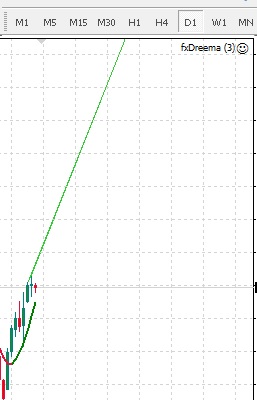
-
@Andermaiden2nd i think that is for the Draw Trend Line. I need for the Equidistant Channel line. It should show 2 parallel lines right?
-
@engrled but when I check it on more zoom (in a lower timeframe) it shows it is actually a channel, it's just the prices are in the wrong order. I'll check the right order fro the price 1, 2 and 3
-
@Andermaiden2nd I have tried reversing the price but couldnt see any channel still.
-
So you are saying that the block doesn't work as it should? I will check it...
-
Hello @fxDreema ! Yes it is not showing any Equidistant Channel lines as it should. Just strange because I have configured the same way with a Trend Line which shows a line. Please help! Thanks in advance.
-
Any findings @fxDreema ?
-
This is the channel your EA is drawing without any changes. It looks color filled because it's set on the background but it seems to work fine. Again, check what prices you are setting to the channel (I'm not familiarized as to which one is price 1, 2 or 3)

Now this is the same channel drawn by your EA, with the only change made to draw it not on the background and selectable.
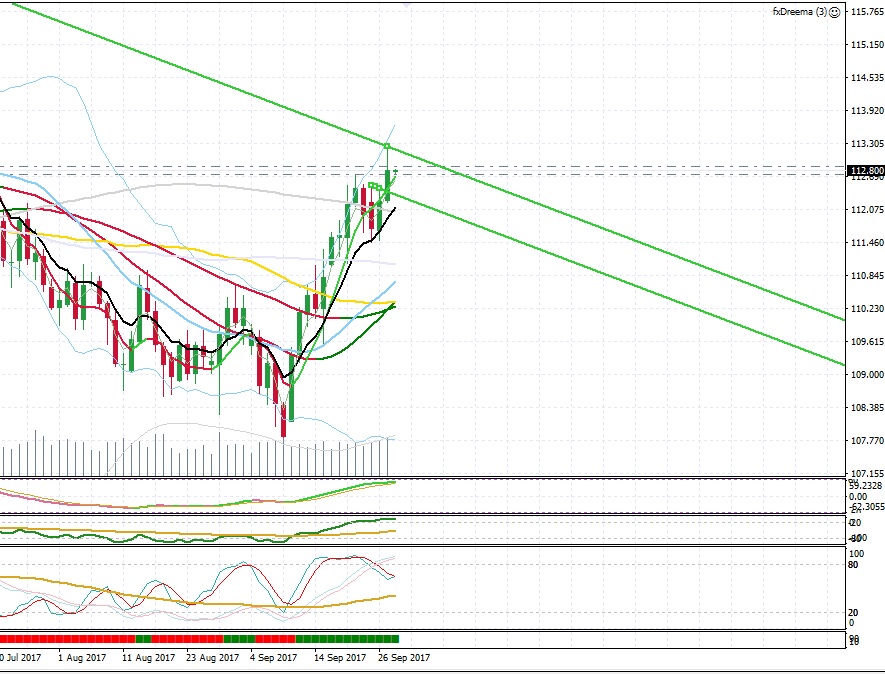
Another one just with more zoom
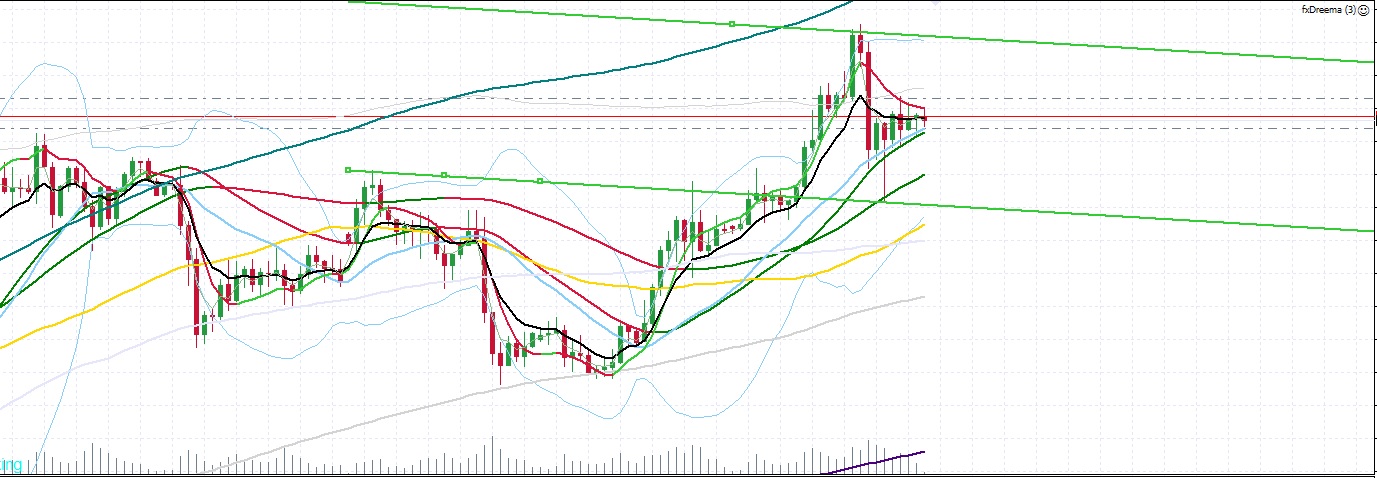
Just check the prices. -
Hello,
Thanks for the time! I still can't find any channel being drawn in my charts with the suggested settings you mentioned. Can you send me a snapshot of the entire MT4 window when you did the backtest so I can see what settings you made?
Regards
-
@engrled I got this
 . check for this link: fxDreema(3)(slightlychanged)
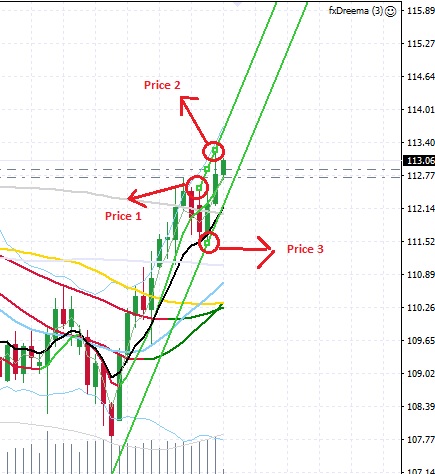
Just set the constants "Price1shift_days" to "3", "Price2shift_days" to "1" and "Price3shift_days" to "2". I recommend keeping these inputs as constants so it's easier to change on the go. -
Wow!!!!! YOU ARE A-M-A-Z-I-N-G @Andermaiden2nd !!! I can see the channel now. You are the best. ALL THE BEST GUYS!
-
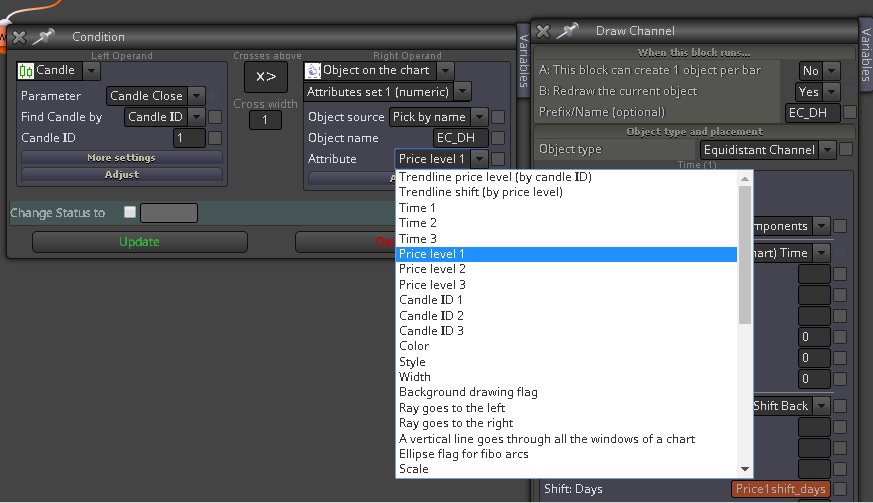
@Andermaiden2nd I really appreciate your help! And if it won't be too much to ask for a follow-up? I'm trying to determine as to what ATTRIBUTE should i select to compare if the Candle crosses the upper line or the lower line?
-
I have tried to select the ATTRIBUTE "Trendline price level (by candle ID") but the BUY and SELL only initiates when the candle crosses the upper line. I want to initiate BUY if the candle crosses the upper line and initiate SELL if the candle crosses the lower line.
Thanks Advance!
-
@engrled This attribute is for trendlines only. Trendlines are particular type of objects, they are different than this channel. To be honest, I don't even know what this channel is, I basically added it into the block along with all the other objects that I found in the documentation. I also don't know which price is which.
-
Thanks @fxDreema ! So given the prices that @Andermaiden2nd have drawn in the images above, then how can i get the price for the upper and lower lines of the channel if you have some workaround?
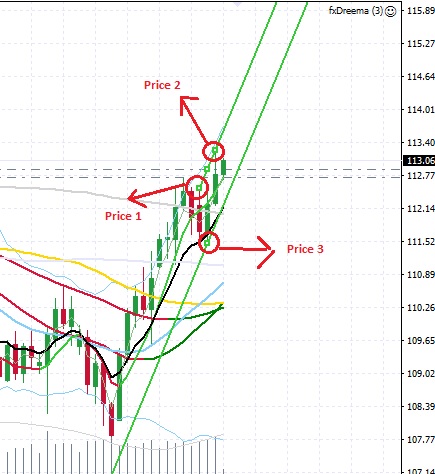
Thanks Advance!
-
Hello,
Given the prices that @Andermaiden2nd have drawn in the images above, how can I get the price for the upper and lower trend lines of the channel?

