x< and x> fail
-
hi, I made a simple ea, buy when stocastich cross above level 20 and sell when it crosses below 80, but it active buy when it crosses above and below 20 , it happens the same with selling, I add bull candle and bear candle to fix it and it works, but now it fails trailing stop and break even, also stop loss and take profit works only with default values although I change the parameters of the ea, can it be my pc failure? thanks (sorry for my english)
-
Can you share your project, please?
-
@isp00rt
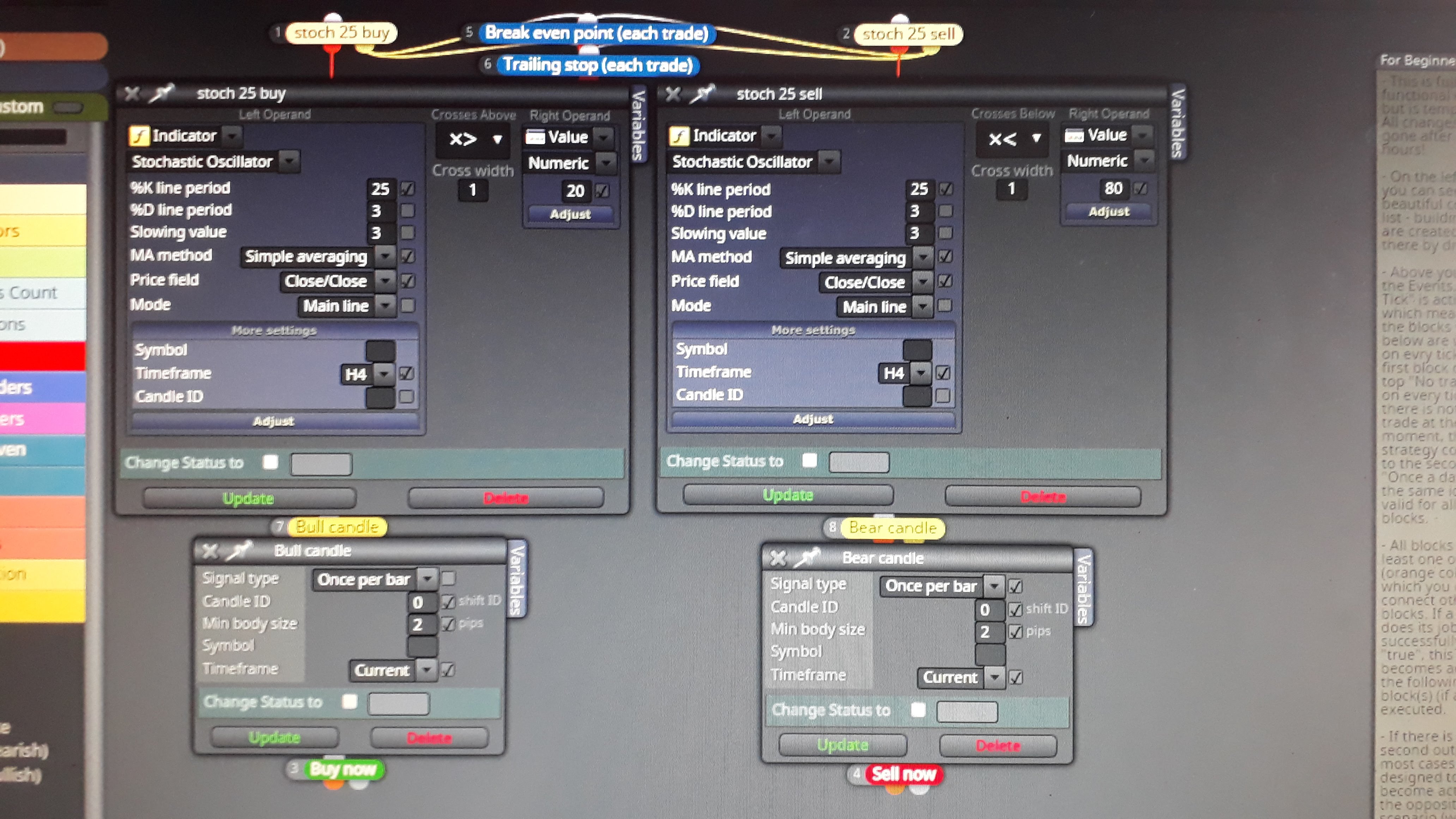
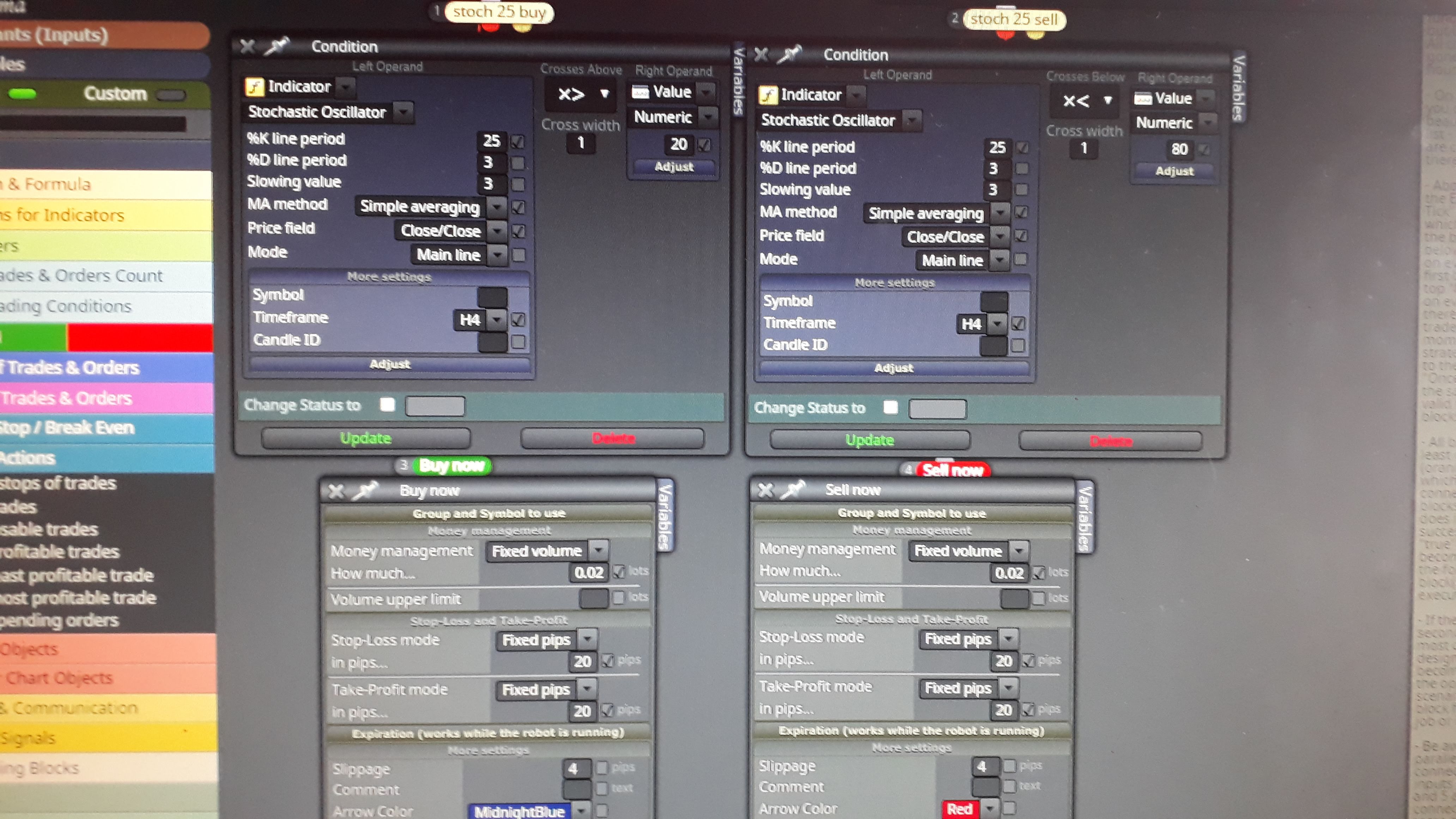 m
mhello, these are pictures of the EAs,
I'm waiting for your instructions, thank you very much -
You should separate both 'Trailing stop' and 'Break even' blocks from your current structure. They should be considered as a parallel command group like this:
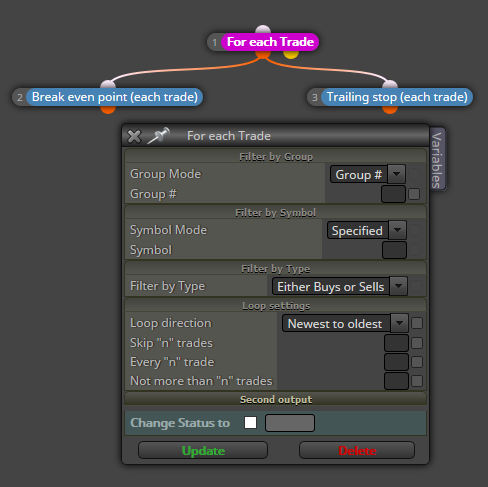
That way, whatever happens first will be applied. Be aware thar the number of the block is important here. Break even point should have a lower number (2 in my image) than Trailing stop (3 in my image).
That should help.
-
Great, so I will. Could that also explain the failure of the stochastic when crossing defined levels? x> 30 active to buy crossing above but also crossing below, x <70 active to sell crossing below but also crossing above (without candles blocks). thank you very much
-
@majestad, what about Once per bar? https://fxdreema.com/demo/mt4-once-per-bar
isp00rt, there is no need for the pink block when using those blue blocks. They have their own loops inside.
-
@fxdreema That's a little inconsistent and confusing.
So where the tutorial says you can have disconnected blocks in your project and they will do nothing it is not always correct.
What are all the blocks that don't play by the rules?
-
@richard96816
I am a bit confused, I will continue to try making some changes, the idea is to learn and then develop more complex EAs, thanks for your indications -
@richard96816 You can leave some fully disconnected blocks if you want to be able to connect them later. But when the EA is generated, they are excluded, they don't go into the EA. They just stay in the project for later use.

