Getting values from other Indicators
-
@roar as you can see the atr timeframe is of enum type, and i dont want to use the fixed timeframe so will it be okay if i declare the atr timeframe as a variable and then modify it using the modify variable block and then setting timeframe in that block?
-
@zackry Honestly, I don't have a clue - try it

I guess you can also leave it empty and use the fxdreema block "set current timeframe" instead. Whichever fits your project
-
@roar Can you please have a look?
https://fxdreema.com/shared/YOI9GEnL -
@zackry
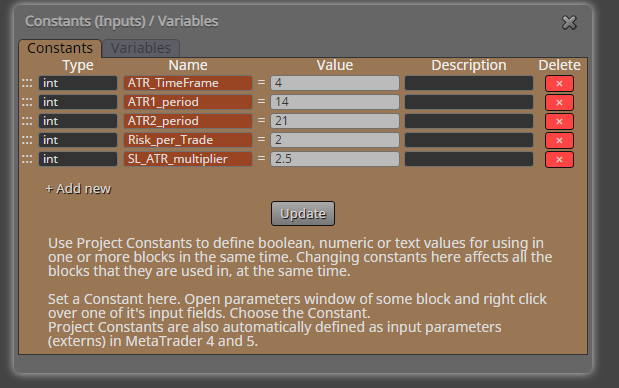
You can't modify constants (the brown ones) in the "modify variables" block. Simply put the correct values in the constants list:
Need small help? Tag me in your post
Need big help? https://www.fiverr.com/big_algo/automate-your-winning-strategy-in-mql4-or-mql5 -
@zackry Such an advanced project will need some troubleshooting at some point.
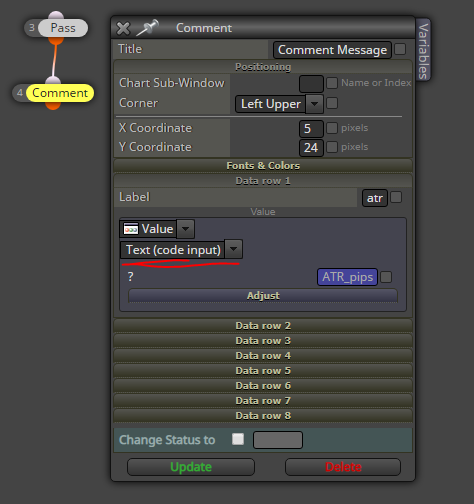
Use the comment block and visual backtesting to figure out what the EA is thinking
-
@roar sorry about that
really stupid mistake -
@zackry Well there is no way to know it, really
You are learning this super fast, it took me literally years
Need small help? Tag me in your post
Need big help? https://www.fiverr.com/big_algo/automate-your-winning-strategy-in-mql4-or-mql5 -
@roar bro the way you are explaining is really good , otherwise it would take decades for me to understand these things
-
@roar now the ea stopped showing the button for some reason
https://fxdreema.com/shared/Ih0mmJhPc
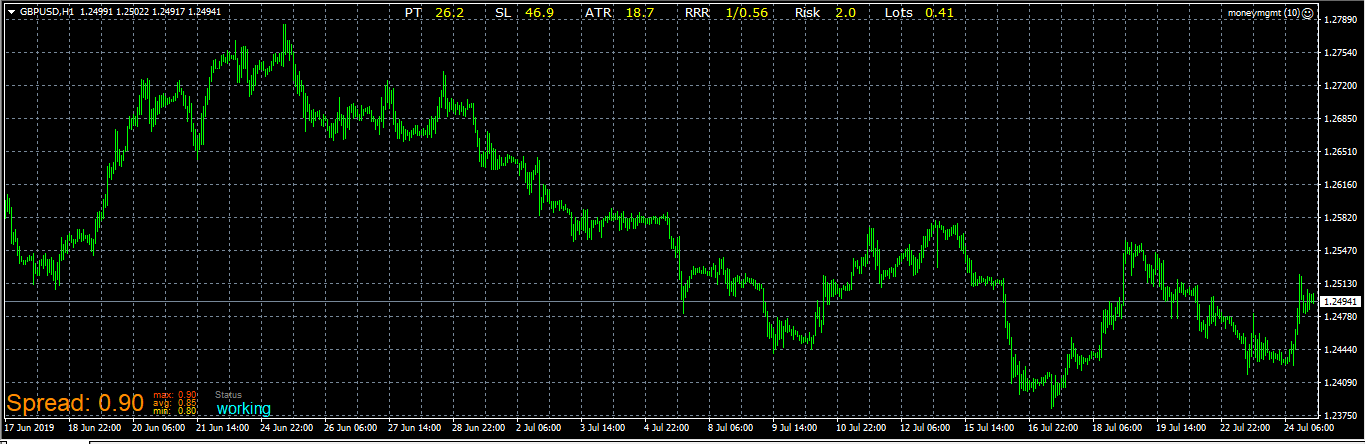
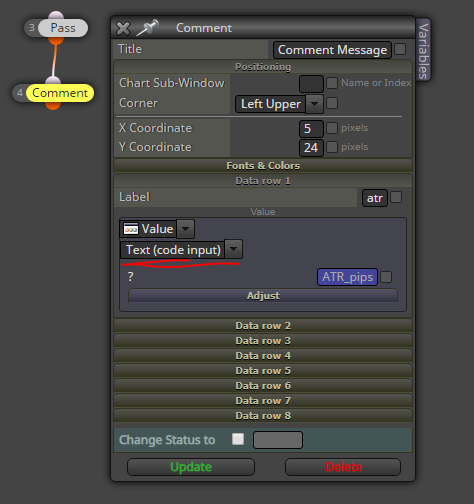
and why did you used text(code input)? isnt it suppose to print numeric value?
-
@zackry
I don't know much about the button mechanics. But in any case, there is no need to draw the same button On Tick, again and again... You can put the draw button in the On Init tab, so they are drawn at the beginning and stay there.Yes, a numeric value would also work in the comment block. The default setting "Text" would not work, though.
Text (code input) is a universal setting, in the field you can right-click variables, just write the same variables, use mql4 functions, anything
Need small help? Tag me in your post
Need big help? https://www.fiverr.com/big_algo/automate-your-winning-strategy-in-mql4-or-mql5 -
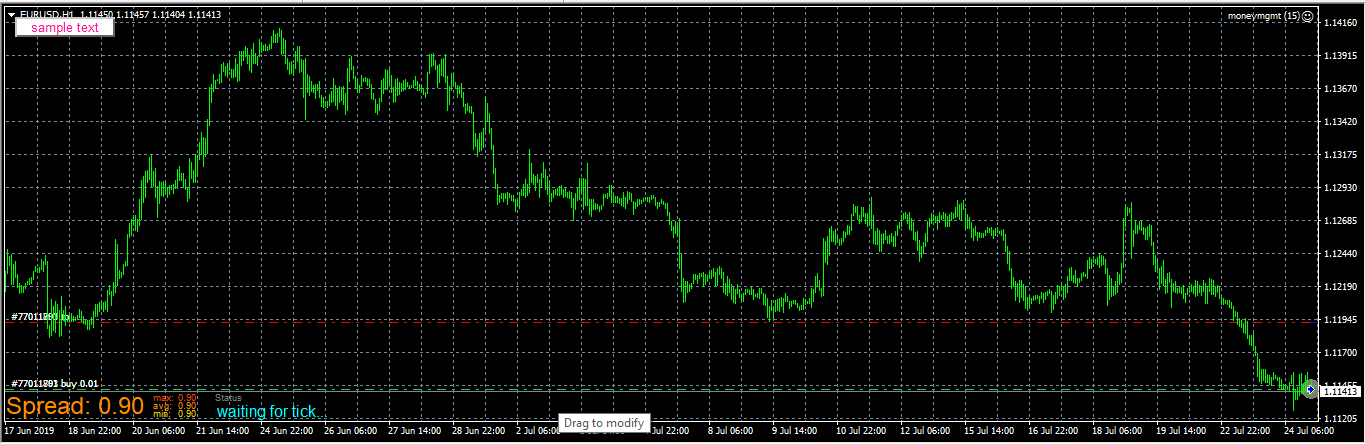
@roar so its not printing anything on the chart and also not opening that trade according to the calculated size https://fxdreema.com/shared/dJVPfJWwd
-
@zackry
When trying to backtest, it reports an error with our math:

Lets check that line from mq4
-
It points to the modify variables block, section 5:
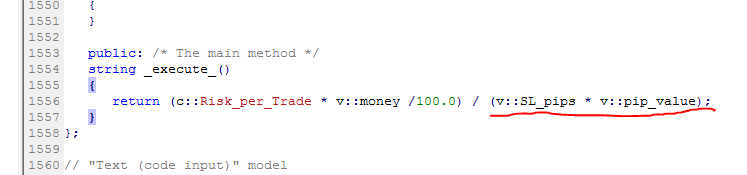
SL_pips or pip_value has been set to zero, that must be fixed. Check your constant values
Need small help? Tag me in your post
Need big help? https://www.fiverr.com/big_algo/automate-your-winning-strategy-in-mql4-or-mql5 -
@roar how did you know which line to check?
-
Need small help? Tag me in your post
Need big help? https://www.fiverr.com/big_algo/automate-your-winning-strategy-in-mql4-or-mql5 -
@roar i didnt noticed that
i changed the constant values but still nothiing
https://fxdreema.com/shared/72KCvOn3c -
@zackry
https://fxdreema.com/shared/UprSbpyKd
I got it printing some values.
We were missing the pip_value calculation, so that was always the default 0 -> EA crashes trying to divide by 0I added the pip_value to the upper "modify variables", so the value is updated before used in the division.
The original EA author uses pip_value and tick_value to differentiate between symbol types. I think the "pip" is not correct scale in our design, try dividing it by 10 at some point...Btw, you shouldn't use many comment blocks simultaneously, because the text will be overlapped
Need small help? Tag me in your post
Need big help? https://www.fiverr.com/big_algo/automate-your-winning-strategy-in-mql4-or-mql5 -
@zackry I see you asked something about the buttons.... You could put the draw buttons - on init, Then "set to default" state - on tick. So when you click it, it doesn't remain pushed.
Check out this project I made some time ago. It had an incomplete shared version, but I changed it, so this is good simulator.
Link to project https://fxdreema.com/shared/gkgElOVlc
Link to thread. https://fxdreema.com/forum/topic/7077/10-connections-manual-trading-simulator-training -
@roar i cant thank you enough , thanks to your help its working
https://fxdreema.com/shared/RV1L1L3tc
a quick question tho: the way we used this indicator's code into the Ea , will it be possible to use other indicators entirely into the project like this so that we don't have to give the indicator along with the EA when giving the ea to someone? -
@cpxiom Thanks was looking for a way to make the button state de-pressed after its been pressed


