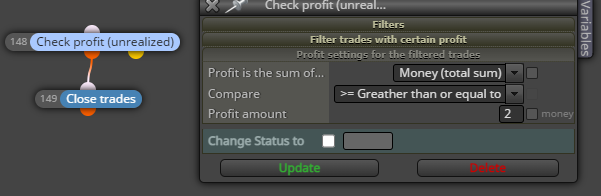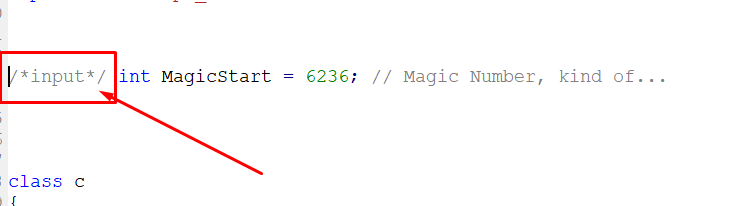
Locate the Magic Number in the code and do this
/input/ int MagicStart = 6666;
A
Best posts made by alok
-
RE: Hide Magic Numberposted in Questions & Answers
-
Input Variablesposted in Tutorials by Users
50 examples of different types of inputs in MQL4:
input int value1 = 10;
input double value2 = 2.5;
input string value3 = "Hello";
input bool value4 = true;
input color value5 = Blue;
input ENUM_TIMEFRAMES value6 = PERIOD_M5;
input ENUM_MA_METHOD value7 = MODE_SMA;
input ENUM_APPPLIED_PRICE value8 = PRICE_OPEN;
input ENUM_STYLES value9 = STYLE_SOLID;
input ENUM_LINE_STYLE value10 = STYLE_DOT;
input int value11[] = {1, 2, 3}; // Array of integers
input double value12[] = {1.5, 2.5, 3.5}; // Array of decimals
input string value13[] = {"Apple", "Banana", "Orange"}; // Array of strings
input bool value14[] = {true, false, true}; // Array of booleans
input color value15[] = {Red, Green, Yellow}; // Color array
input int value16 = 0; // Used as a counter
input double value17 = 0.0; // Used as accumulator
input string value18 = ""; // Used for text input
input bool value19 = false; // Used to activate/deactivate features
input color value20 = Black; // Used to define colors
input int value21 = Symbol(); // Returns the current symbol
input double value22 = Ask; // Returns the current selling price
input double value23 = Bid; // Returns the current purchase price
input int value24 = Digits; // Returns the number of decimal places in the symbol
input double value25 = Point; // Returns the pip size of the symbol
input ENUM_TIMEFRAMES value26 = Period(); // Returns the current chart period
input ENUM_MA_METHOD value27 = MODE_EMA; // Exponential moving average method
input ENUM_APPLIED_PRICE value28 = PRICE_CLOSE; // Closing price applied
input ENUM_STYLES value29 = STYLE_DASH; // Dashed line style
input ENUM_LINE_STYLE value30 = STYLE_SOLID; // Solid line style
input int value31 = Bars; // Returns the number of bars on the chart
input double value32 = iClose(Symbol(), Period(), 0); //Closing value of current bar
input string value33 = SymbolName(Symbol(), true); // Current symbol name
input bool value34 = iRSI(Symbol(), Period(), 14, 0) > 70; // Condition based on an indicator
input color value35 = Aqua; // Light blue color
input int value36 = TimeCurrent(); // Returns the current time
input double value37 = NormalizeDouble(1.23456, Digits); // Normalizes a value according to the decimal places of the symbol
input string value38 = DoubleToStr(123.45, 2); // Converts a double to a string with two decimal places
input bool value39 = StringLen("Hello") > 5; // Condition based on the length of a string
input color value40 = Crimson; // Dark red color
input int value41 = iHigh(Symbol(), Period(), 0); // Highest value of the current bar
input double value42 = iLow(Symbol(), Period(), 0); // Lowest value of the current bar
input string value43 = AccountName(); // Trading account name
input bool value44 = AccountFreeMarginCheck(Symbol(), OP_BUY, 0.1); // Check free margin before opening a position
input color value45 = DarkOrange; // Dark orange color
input int value46 = OrdersTotal(); // Returns the total number of orders
input double value47 = OrderOpenPrice(); // Current order opening price
input string value48 = OrderSymbol(); // Current order symbol
input bool value49 = OrderSelect(0, SELECT_BY_POS); // Select the first order
input color value50 = DodgerBlue; // Bright blue color
-
check 2 loss without making entry, enter next signal and reset after 1 gainposted in Questions & Answers
check 2 loss without making entry, enter next signal and reset after 1 gain
-
Check loss without making entriesposted in Questions & Answers
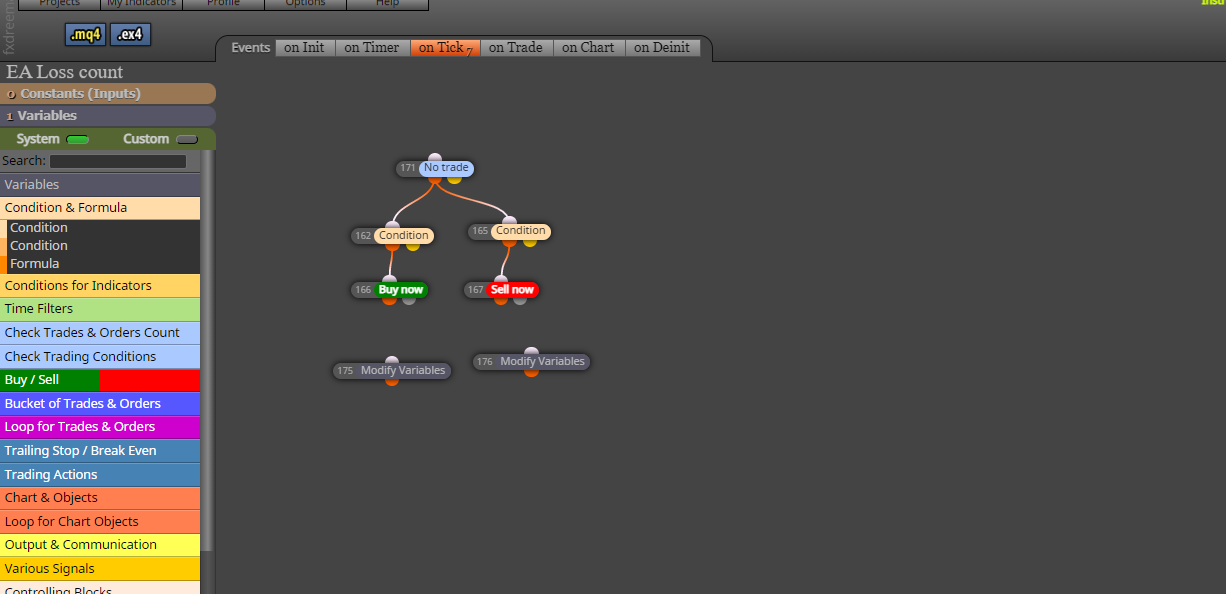
check loss without making entry, after 2 errors make entry on next signal, reset after 1 gain
-
RE: check 2 loss without making entry, enter next signal and reset after 1 gainposted in Questions & Answers
@l-andorrà
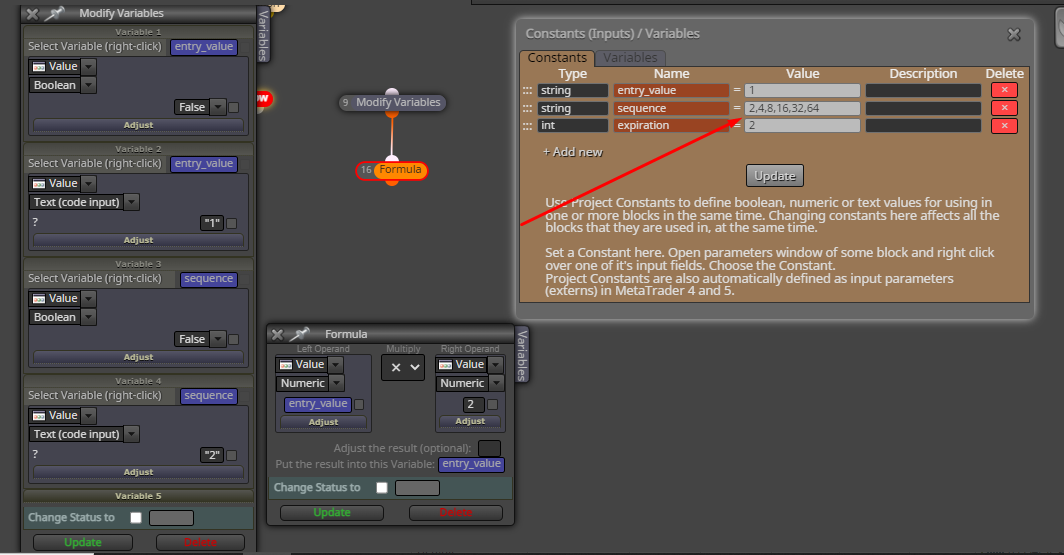
 modify using variables to make entry from 3rd entry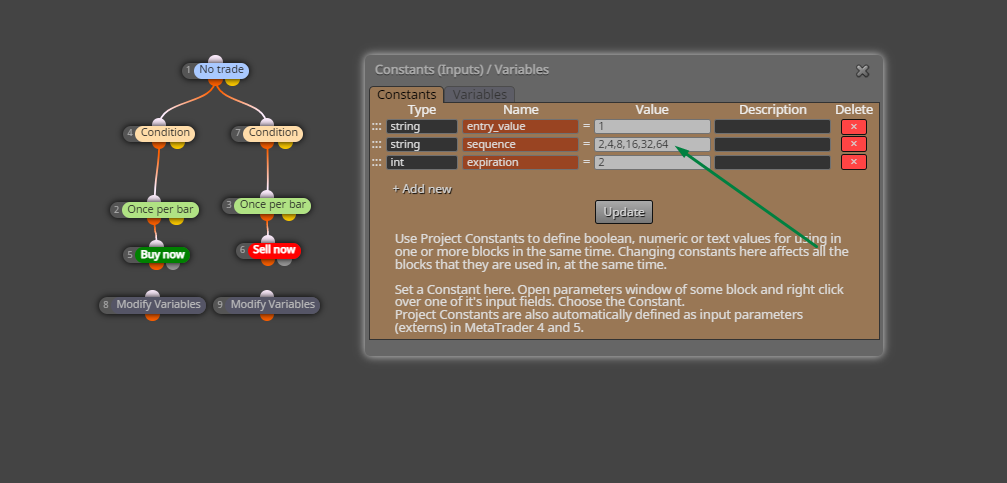
-
Please Modify string using variablesposted in Questions & Answers
Please Modify sequence using multiplier variables 1,2,4,8,16,32 to input when these input 8,16,32

Latest posts made by alok
-
RE: Title: Help with formula to close operations in pipsposted in Questions & Answers
@l-andorrà Hi, is there a way to do this Condition (TotalPips >= 10)
-
RE: Title: Help with formula to close operations in pipsposted in Questions & Answers
@l-andorrà Hello, thanks for your help, but in grid trading mode it doesn't work, I would like to close all orders with profits equal to or above 10 pips
-
RE: I want my ea to close all positions when a profit of 2usd is made on top of all lossesposted in Questions & Answers
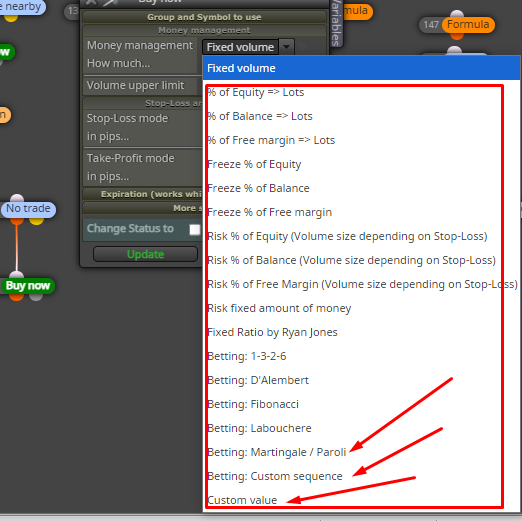
@KABO If that's what I understand, there are these money management options
-
Title: Help with formula to close operations in pipsposted in Questions & Answers
Hello everybody,
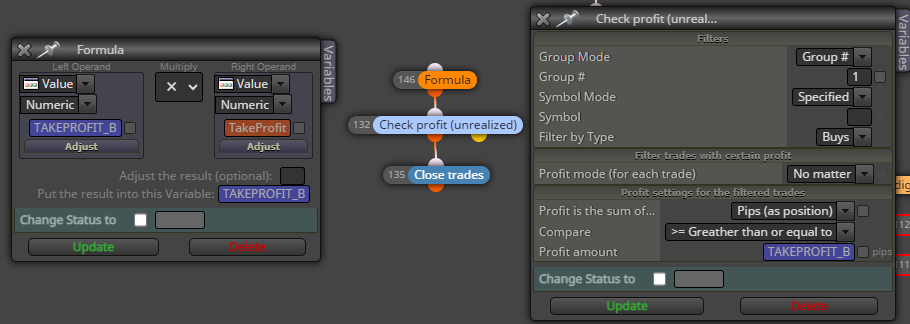
I am trying to develop a robot on FXdreema that closes trades based on a specific pips value. However, I'm having difficulty setting up the formula correctly.
My goal is that when a trade reaches a profit of X pips, it will be closed automatically. Could anyone help me understand how to do this?
I'd appreciate any guidance or configuration examples you guys can provide!
Thanks!
-
RE: No trade nearby, Please How to open only on losing sideposted in Bug Reports
@ambrogio said in No trade nearby, Please How to open only on losing side:
ma
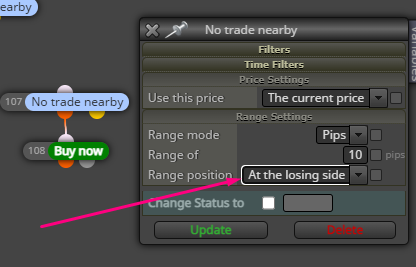
The distance works well /2 but when using martingale there are times when it gets lost in the count, because of opening an order on the winning side, when the price returns it starts the martingale again from the beginning.
-
RE: No trade nearby, Please How to open only on losing sideposted in Bug Reports
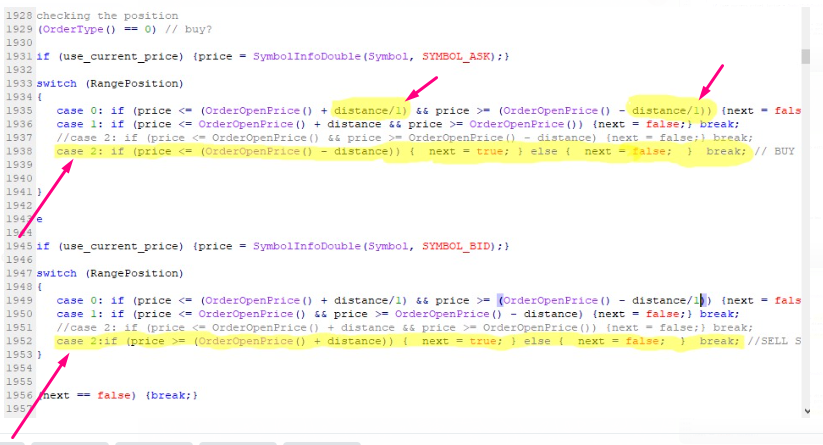
@fxDreema Bug Block *No trade nearby*@l-andorrà I managed to fix the bug in the source code, I hope @fxDreema fixes it internally
-
RE: No trade nearby, Please How to open only on losing sideposted in Bug Reports
@l-andorrà, that's right,
case 0: if (price < (OrderOpenPrice() - distance)) { //BUY SYMBOL_ASKcase 0: if (price > (OrderOpenPrice() + distance)) { //SELL SYMBOL_BID