@jzfusion
Create new project. Import project with variables. Delete blocks. Still got your variables. This is the simplest way i could think of doing it.
Hope it helps.
@jzfusion
Create new project. Import project with variables. Delete blocks. Still got your variables. This is the simplest way i could think of doing it.
Hope it helps.
Thanks buddy. Stumbled on the post. Works Great!!!
@FXDREEMA
@leonvn said in Variable Constant Block:
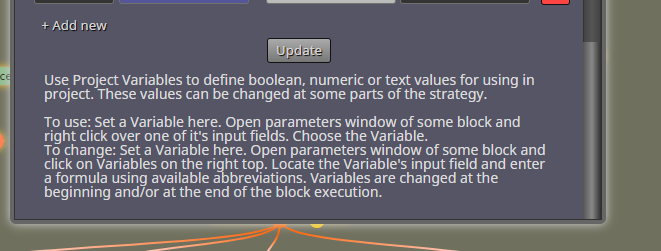
Can you please modify the block to keep the update tab at the bottom of the block. It disappears along with the scroll bar and i sometimes forget to update when going between blocks to ensure my data is consistent. I know it is not a big issue but it would be nice.
Can you please modify the block to keep the update tab at the bottom of the block. It disappears along with the scroll bar and i sometimes forget to update when going between blocks to ensure my data is consistent. I know it is not a big issue but it would be nice.
@jzfusion
Let me know if you come across an easier method.
Good luck!
@jzfusion
Create new project. Import project with variables. Delete blocks. Still got your variables. This is the simplest way i could think of doing it.
Hope it helps.