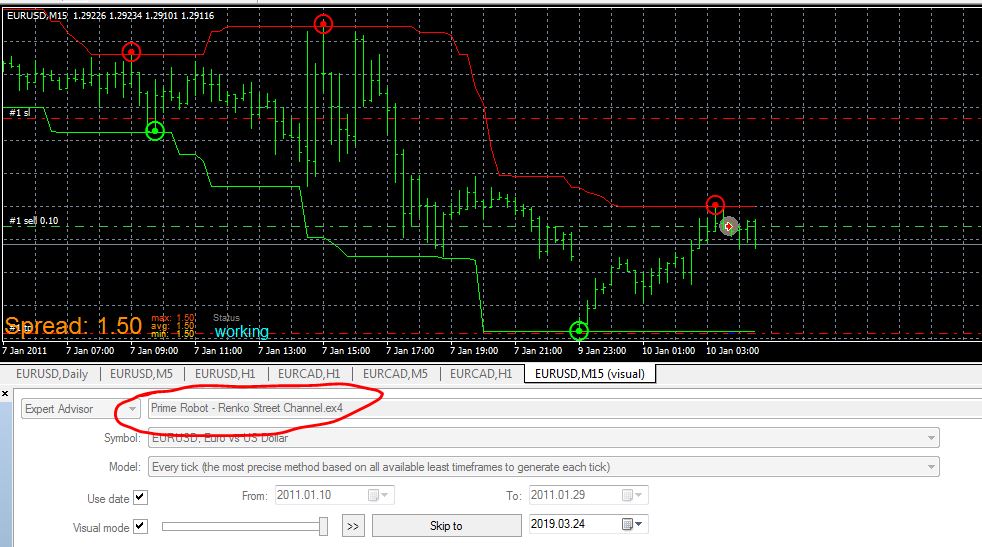
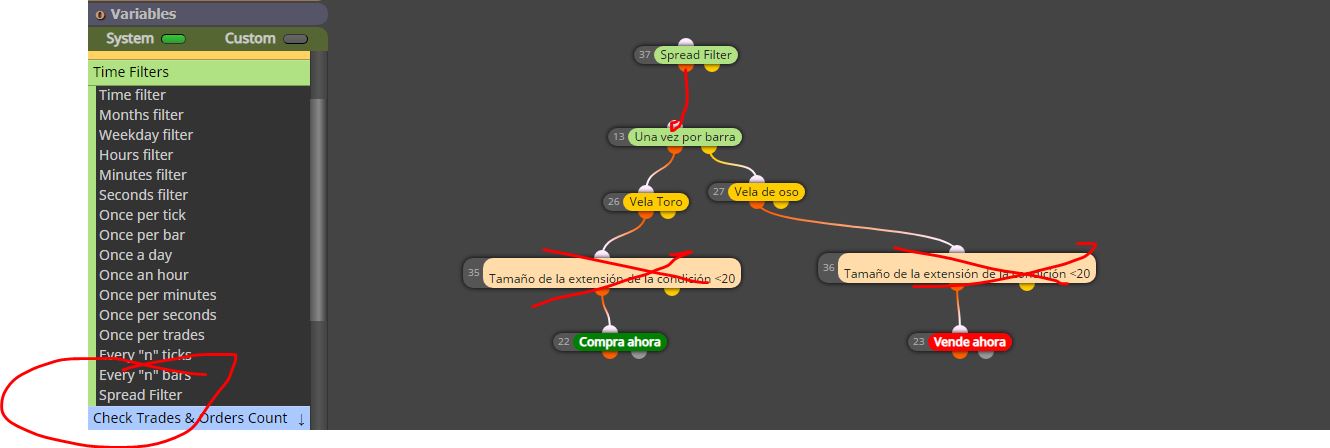
@thomas_stock hi, please share the indicator
A
Posts made by ambrogio
-
RE: Custom Indicators Basic Problem (to administrator)posted in Questions & Answers
-
RE: Objects and pending orders, buy order not work??posted in Questions & Answers
@jamesroland005 why don't you explain it here which is the right place?
do you want money? -
RE: EA Renko Streetposted in Questions & Answers
@khacdiepvnc read carefully my posts above, if you had read them carefully you would have seen that I told you "did you put the indicator in the" indicators "folder of the MT4 platform?"
As you can see you put the indicators in sub sub sub sub folders, you put them underground in the cellar !!! see below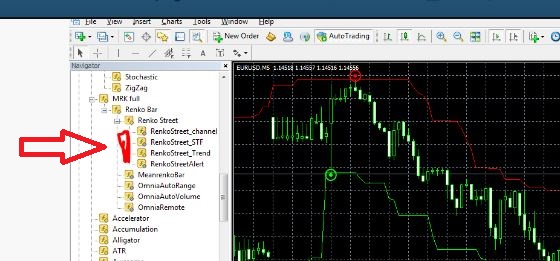
and I also told you to check for errors in the journal, if you did you would have found this error

Pay more attention next time !!
-
RE: EA Renko Streetposted in Questions & Answers
@khacdiepvnc It is important to do the job of loading the indicators correctly, the names must match, check the backtest journal
-
RE: EA Renko Streetposted in Questions & Answers
@khacdiepvnc is the indicator in the "indicators" folder on the MT4 platform?
this is my backtest with your indicator
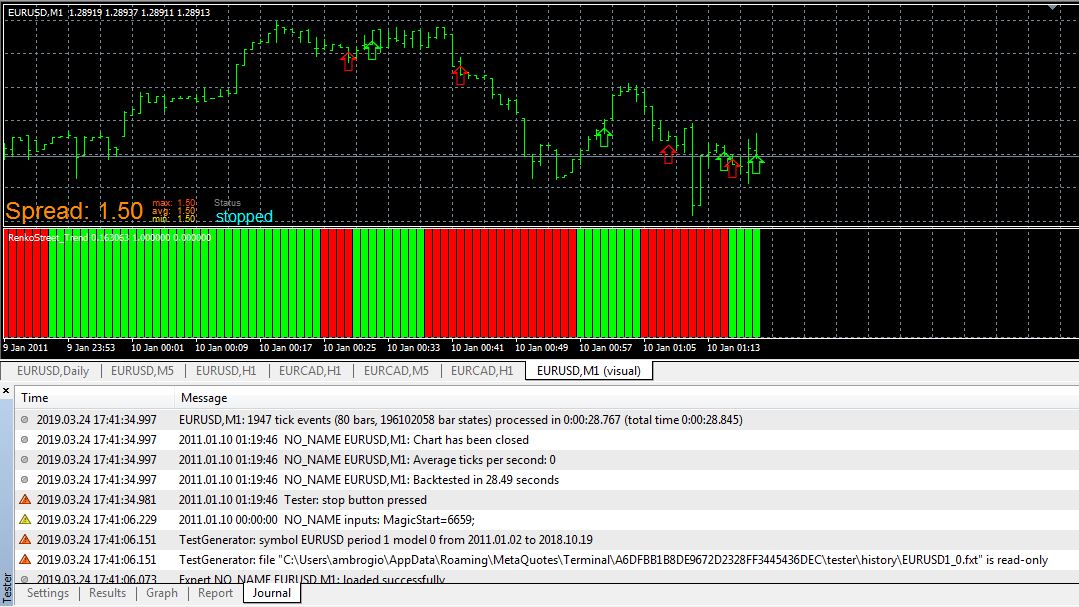
any error message in the journal?
-
RE: EA Renko Streetposted in Questions & Answers
@khacdiepvnc this is renko street trend:
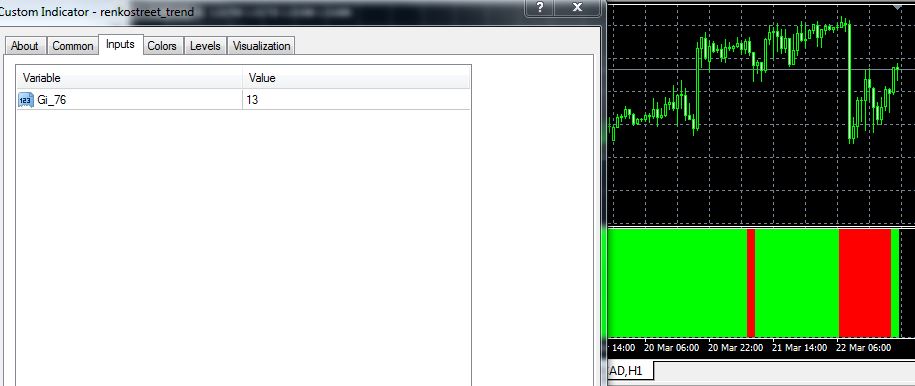
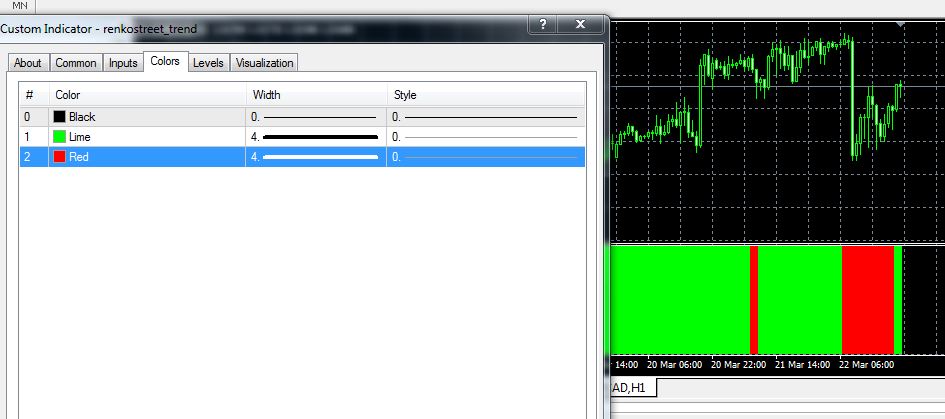
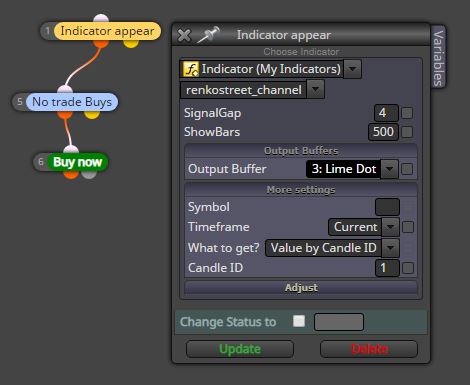
Adding indicator
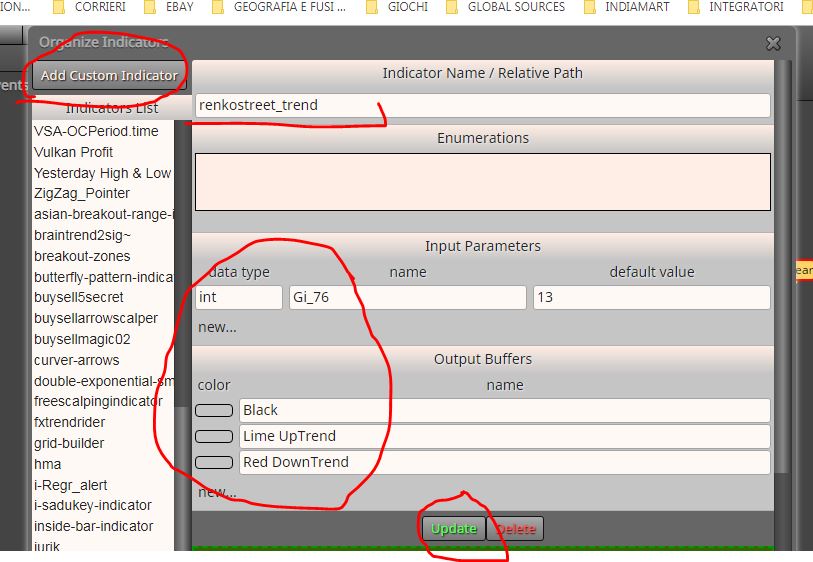
Write the input and buffers manually, then Update
In this case we use the "indicator is visible" block
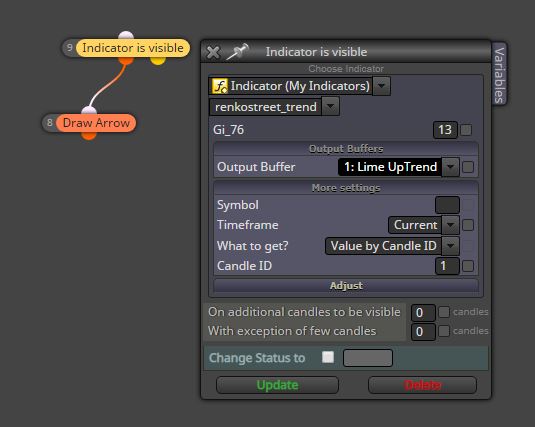
or even indicator appears, depends on the use you make of it, make a visual backtest to better understand
-
RE: EA Renko Streetposted in Questions & Answers
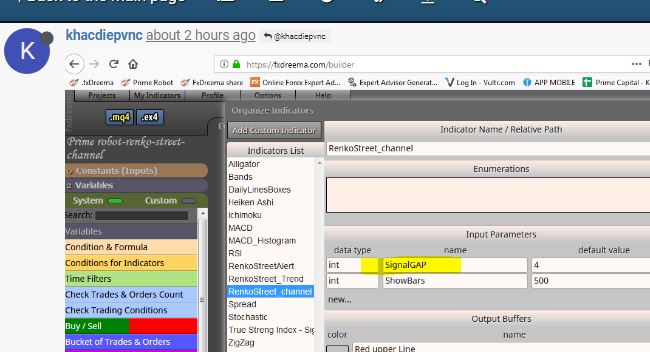
@khacdiepvnc The indicator should be added to the list, this is Renkostreet_channel:
discover the inputs and buffers in the indicator table once attached to the chart
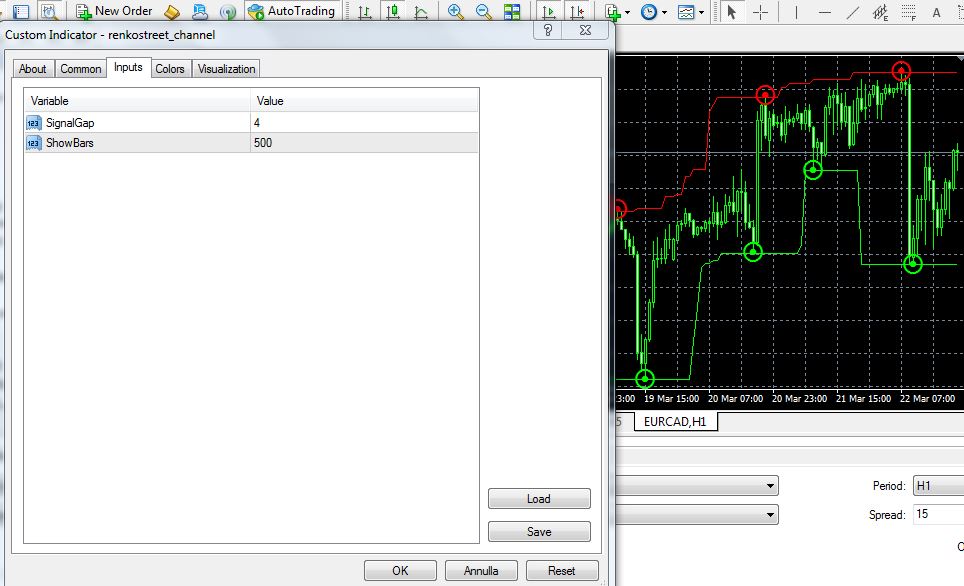
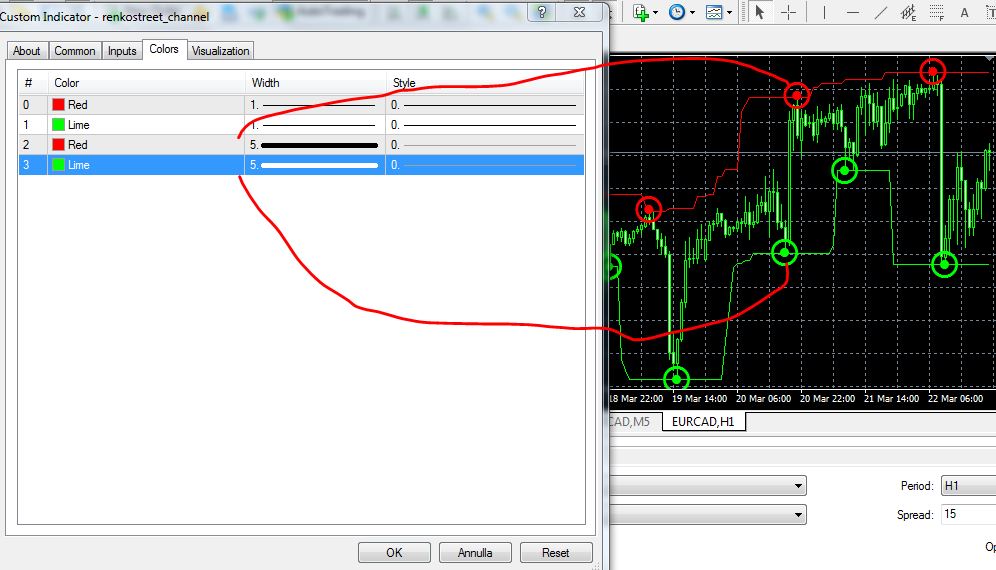
I have enlarged the thickness of the colors to identify the buffers that interest me
And now adding the indicator on "my indicator"
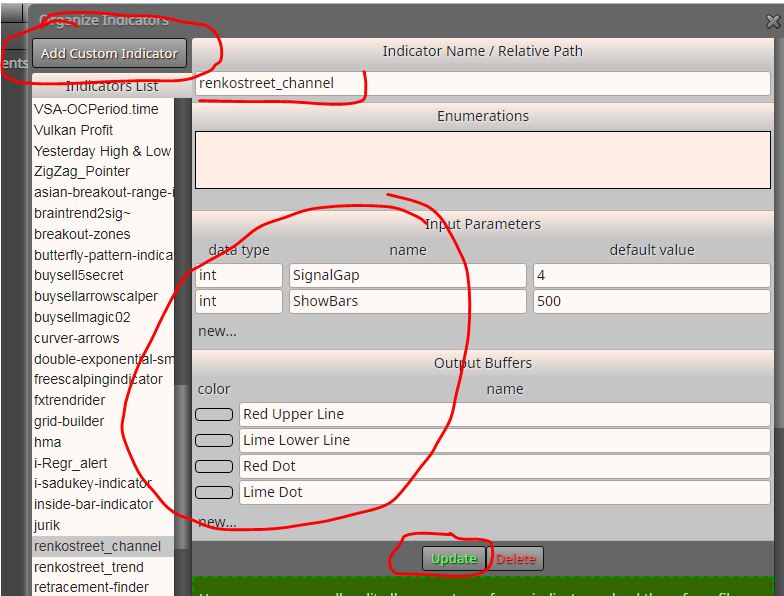
You have to write the inputs and buffers manually, then click on "Update"
-
RE: EA Renko Streetposted in Questions & Answers
@khacdiepvnc just load the indicator in the "my indicators" window
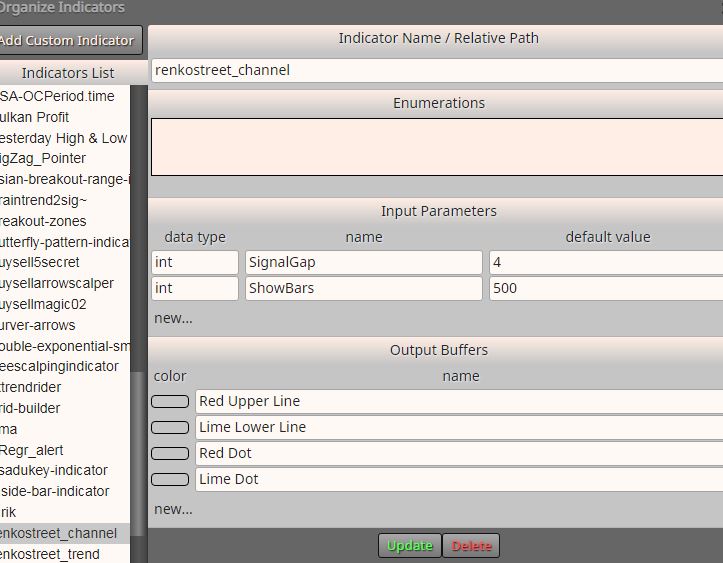
-
RE: EA Renko Streetposted in Questions & Answers
@khacdiepvnc it's convenient to use the "indicator appear" block
-
RE: How to properly set up this EMA situation?posted in Questions & Answers
@traderjud please, share your project
-
RE: How to properly set up this EMA situation?posted in Questions & Answers
@traderjud it seems to me that there is a bit of confusion with the candles: the candle 0 is the current candle that is being formed at this time and is not yet finished, the candle 1 is the candle that has just been completed (to the left of the candle 0 ), the candle 2 is the candle to the left of the candle 1 etc.
perhaps this is the problem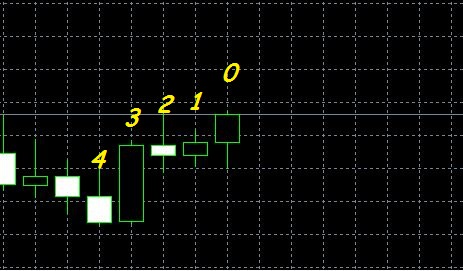
-
RE: Problems using candle ID0 instead candle ID1posted in General Discussions
@roar Interesting, and which block can be used by setting candle ID0 without problems, just for example?
-
RE: Problems using candle ID0 instead candle ID1posted in General Discussions
@roar Oh it's possible, I gave an example in the use of indicators (and a lot of people stumble on this problem) , could you give an example where it is more logical to use the ID0 candle?
-
Problems using candle ID0 instead candle ID1posted in General Discussions
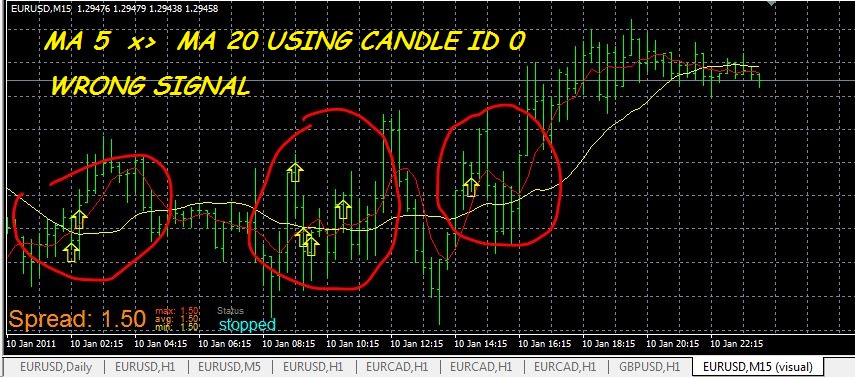
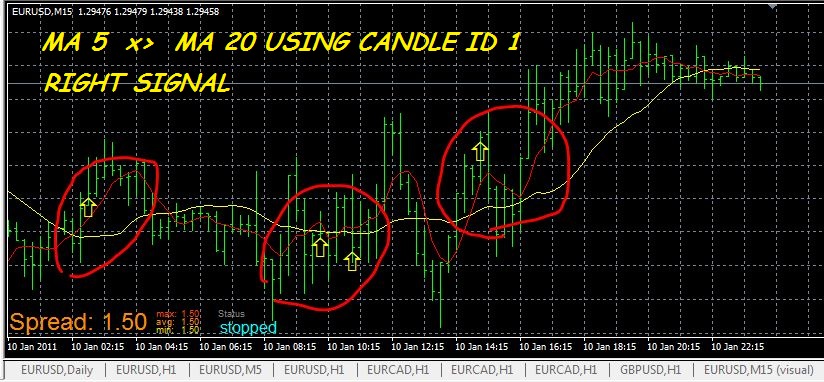
As I have suggested several times, we must not use the ID0 candle as a reference because it is not defined as it is still forming, we only know the opening while we do not know the size, the closure, whether it is up or down, the maximum , the minimum
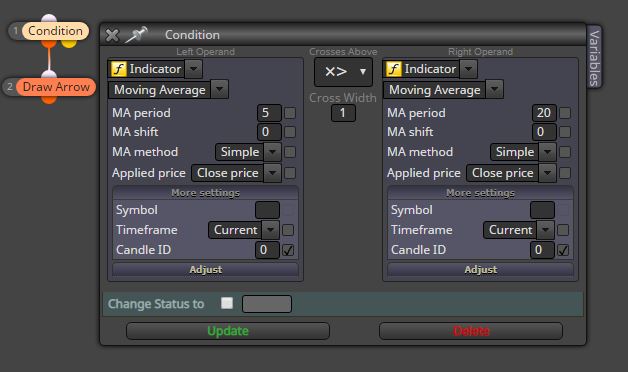
Below an example of the intersection of two moving averages


-
RE: How to properly set up this EMA situation?posted in Questions & Answers
@traderjud I suggest (as I have done several other times) not to use the ID 0 candle, because the zero candle is not defined as it is forming, once formed it automatically becomes the ID 1 candle, so in all "condition" blocks we must use the ID 1 candle