fxDreema

    • Register
    • Login
    • Search
    • Back to the main page
    • Categories
    • Recent
    • Tags
    • Popular
    • Search
    1. Home
    2. ambrogio
    3. Posts
    A
    • Profile
    • Following 4
    • Followers 52
    • Topics 81
    • Posts 2396
    • Best 307
    • Controversial 3
    • Groups 0

    Posts made by ambrogio

    • RE: can it only create limit orders

      @fxdreema said in can it only create limit orders:

      Yes. Long time ago when I created those blocks, I decided that the type of orders will be decided by the open price. Try this for example:
      0_1545775252377_037df8f6-01c9-4680-85f8-91df922cfd6b-image.png

      posted in Questions & Answers
      A
      ambrogio
    • RE: COSTUME INDICATOR

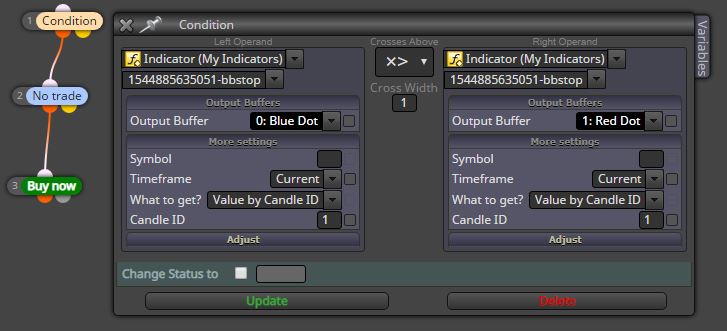
      @navid if there are more than two buffers you should try different solutions, in this case I found that works with X> or X <, you have to do experiments sometimes 🙂

      0_1544916468918_dot.JPG

      posted in Questions & Answers
      A
      ambrogio
    • RE: COSTUME INDICATOR

      @navid
      1- has the indicator been placed in the "indicator" folder of the MT4 platform?

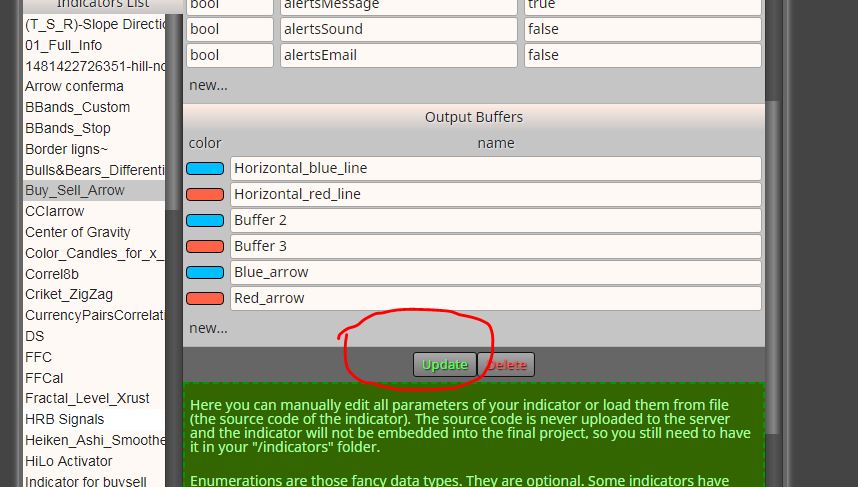
      2- did you copy all the buffers in the custom indicators tab?
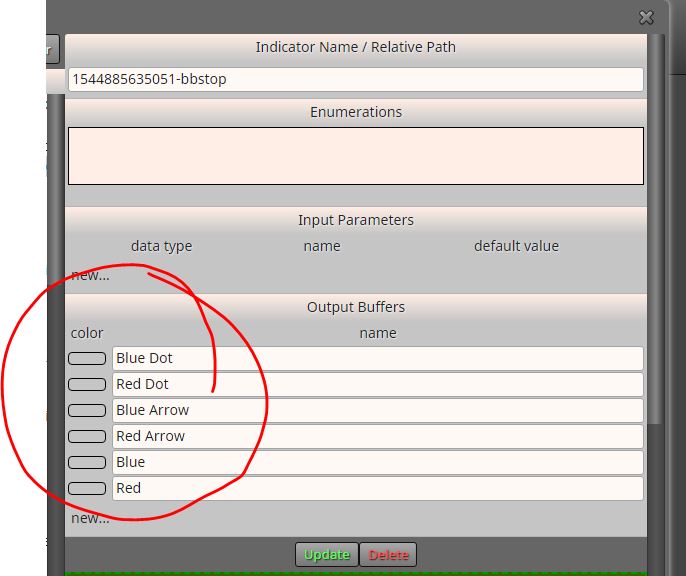
      0_1544915989695_custom.JPG

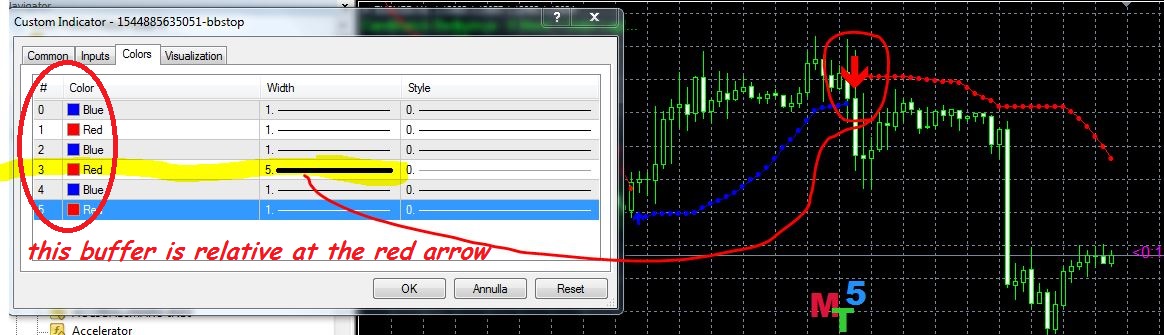
      3- how to recognize buffers

      0_1544916194362_buffer.JPG

      posted in Questions & Answers
      A
      ambrogio
    • RE: COSTUME INDICATOR

      @navid it is clear that there is some error, can you take a screenshot of your Expert Advisor?

      posted in Questions & Answers
      A
      ambrogio
    • RE: COSTUME INDICATOR

      @navid i have no problem also with BBstop

      0_1544905388833_search.JPG

      posted in Questions & Answers
      A
      ambrogio
    • RE: Find blocks

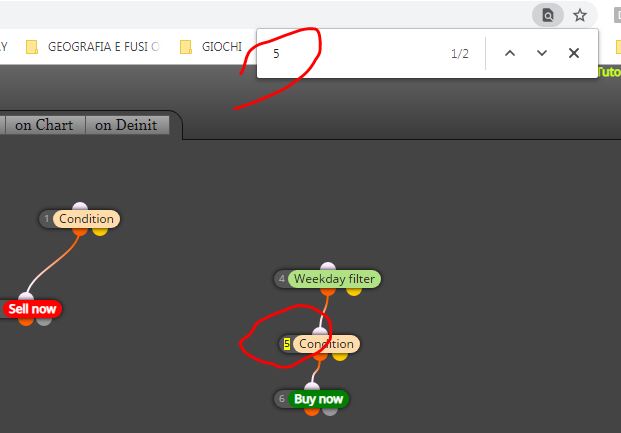
      @martin-1 use ctrl+f

      0_1544903878098_search.JPG

      posted in Questions & Answers
      A
      ambrogio
    • RE: COSTUME INDICATOR

      @navid however your indicator "momentum on chart ...." has some problem, it gives me error "zero divide" I do not know why

      0_1544879176811_zero_divide.JPG

      posted in Questions & Answers
      A
      ambrogio
    • RE: COSTUME INDICATOR

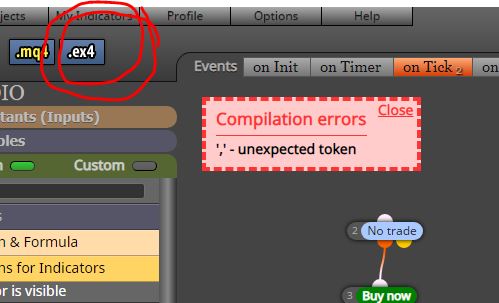
      @navid your tester say "cannot open file unnamed.ex4"
      try to click .ex4 button, maybe appear some errors (instead the . mq4 button)
      0_1544878986994_errors.JPG

      posted in Questions & Answers
      A
      ambrogio
    • RE: Find blocks

      @martin-1 is not this?

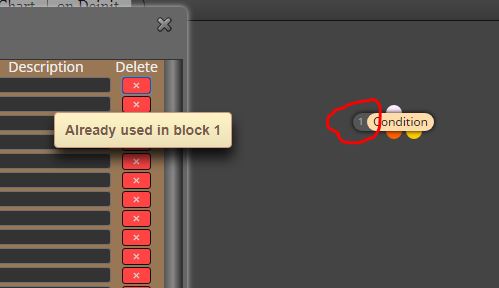
      0_1544863140918_delete.JPG

      posted in Questions & Answers
      A
      ambrogio
    • RE: COSTUME INDICATOR

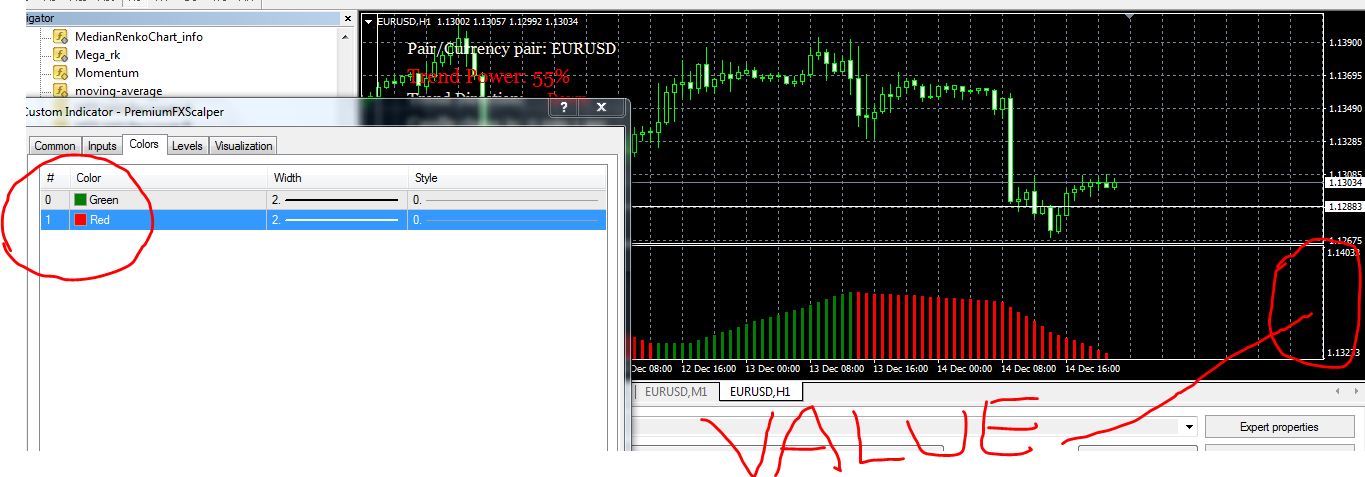
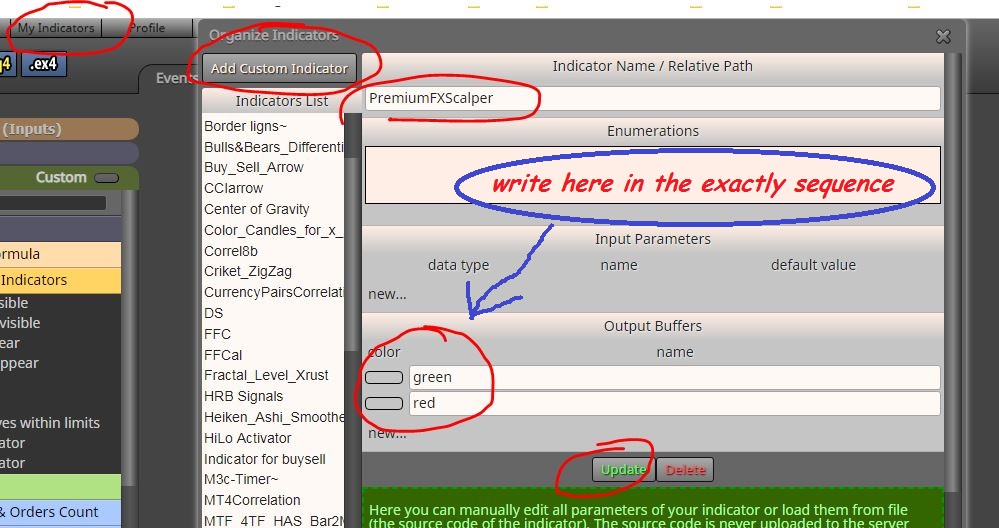
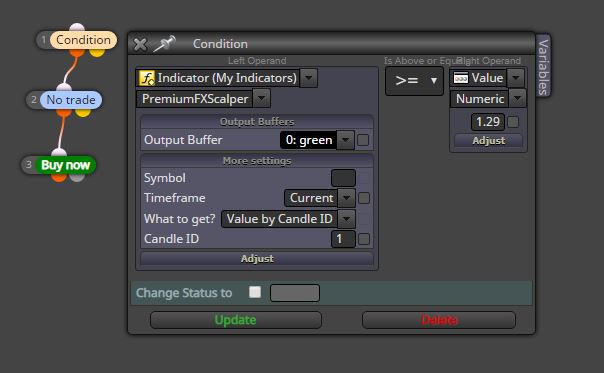
      @navid you must write color manually

      these are the color buffer and value of your indicator

      0_1544828483413_w.JPG

      0_1544828705850_premium.JPG

      posted in Questions & Answers
      A
      ambrogio
    • RE: COSTUME INDICATOR

      whit value

      0_1544819799407_value.JPG

      posted in Questions & Answers
      A
      ambrogio
    • RE: COSTUME INDICATOR

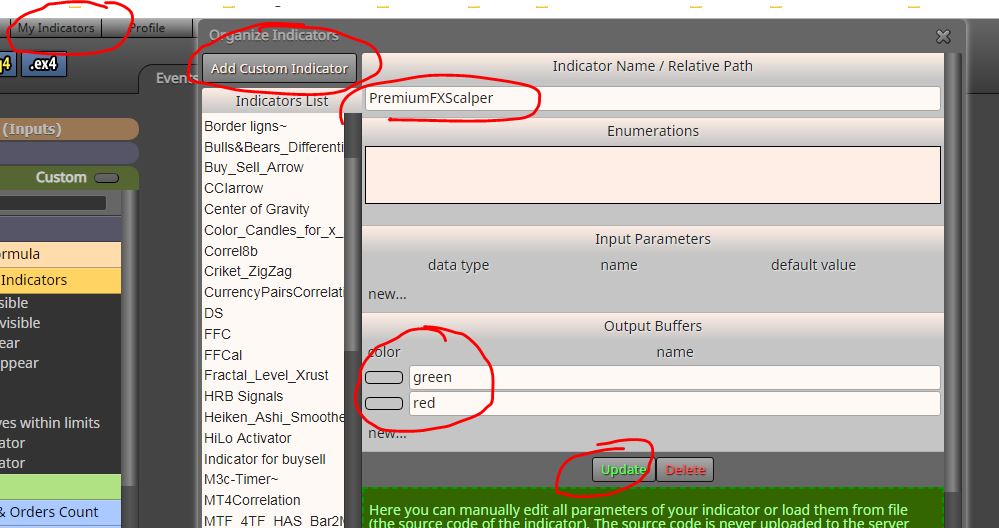
      For .ex4 files you have to write the color of the buffer manually, you can find the match of the buffers and colors in the indicator tab when you attack it on the chart
      0_1544819338515_premium.JPG

      and then as above

      0_1544819379755_3.JPG

      posted in Questions & Answers
      A
      ambrogio
    • RE: COSTUME INDICATOR

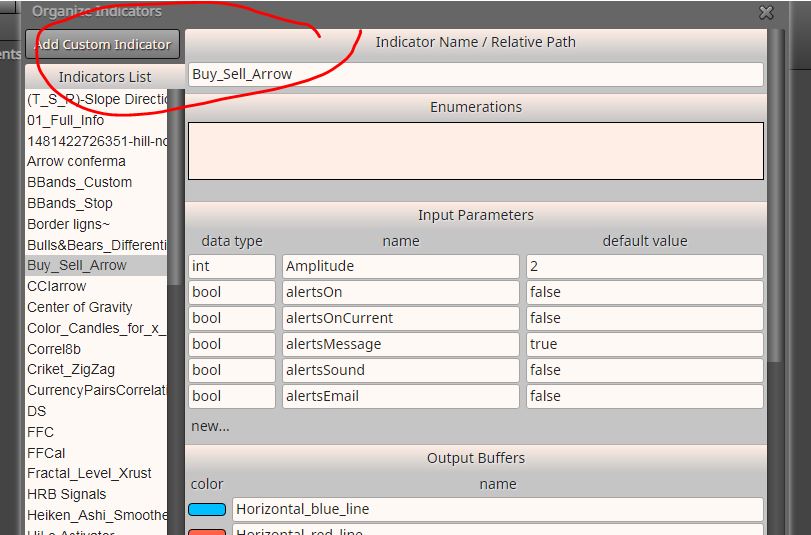
      @navid first you need to upload your indicator to the list of custom indicators
      I renamed your indicators for convenience
      0_1544818591933_1.JPG

      0_1544818715107_2.JPG

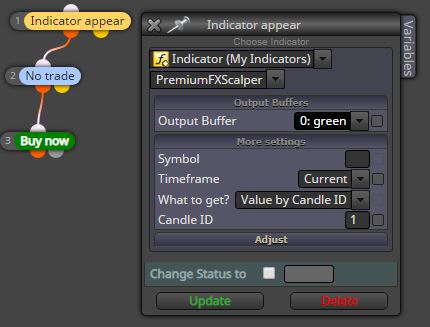
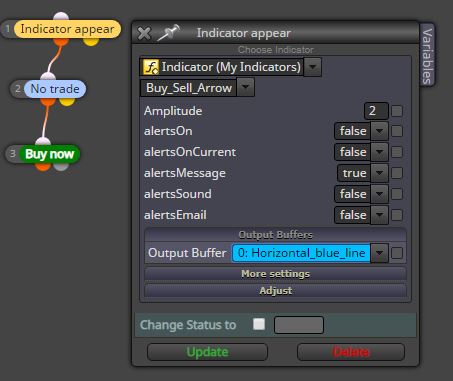
      you can use "indicator appear" block, then choose the purchase or sale buffer (blue or red)
      0_1544818492274_Block.JPG

      posted in Questions & Answers
      A
      ambrogio
    • RE: parabolic SAR ea

      @wandile hi, take a look at this page, there are a lot of examples

      https://fxdreema.com/examples

      however this is with the traling stop
      0_1544633441918_PARABOLIC_SAR_FX_DREEMA.mq4

      posted in Questions & Answers
      A
      ambrogio
    • RE: Alone a demo account?

      @juan-manuel-quiñonero do something similar

      https://fxdreema.com/forum/topic/6465/password-protect-an-ea-or-work-only-for-1-mt4-id-how

      0_1544567475673_Cattura.JPG

      posted in Questions & Answers
      A
      ambrogio
    • RE: close position not working

      @shepherdoak here you go, delete these links
      0_1544555741743_Cattura.JPG

      posted in Questions & Answers
      A
      ambrogio
    • RE: I can not find the indicators supper trend nor the hull moving average!

      @ali-4 you must search supertrend indicator online and add to the list, i don't have it anymore

      I'll attach the hma indicator to you as i had already

      0_1543847740588_hma.mq4

      You must place them in indicator folder of MT4 and after add them to the custom indicator list of Fxdrema builder

      posted in Questions & Answers
      A
      ambrogio
    • RE: I can not find the indicators supper trend nor the hull moving average!

      @ali-4 they are not standard indicators, you must add them to custom indicators

      0_1543841402445_Cattura.JPG

      posted in Questions & Answers
      A
      ambrogio
    • RE: PLEASE HELP ME TO GET A SOLUTION...

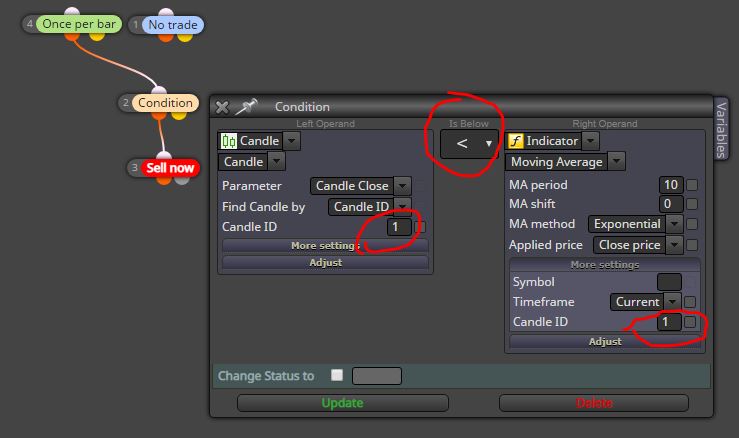
      in any case, adjust the condition: closing candle <MA and not crossing
      0_1543736084445_Cattura.JPG

      posted in Questions & Answers
      A
      ambrogio
    • RE: PLEASE HELP ME TO GET A SOLUTION...

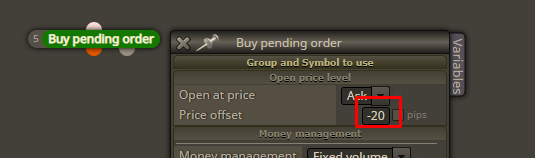
      @asif why do not you try? opens at each bar if the condition is reached in that bar
      posted in Questions & Answers
      A
      ambrogio
    • 1
    • 2
    • 110
    • 111
    • 112
    • 113
    • 114
    • 119
    • 120
    • 112 / 120