A
Posts made by ambrogio
-
RE: First Candle of the Dayposted in Questions & Answers
@jbillionz I don't want to test twice, it draws two lines as jstap said
-
RE: First Candle of the Dayposted in Questions & Answers
@jbillionz I think you should check better, for me the jstap example works perfectly......
-
RE: RSI EA NOT BUYING/SELLING ON CANDLE CLOSEposted in Questions & Answers
@joeDIAMONDS put candle ID1 in the RSI condition

-
RE: How to check if "MACD main line" reach's to "RSI levels"posted in Questions & Answers
@Mr00981 ah ok, unfortunately in fxdreema you can't overlay indicators. You should search for a custom indicator (like macd on rsi) and import it in "my indicator" fxdreema
-
RE: How to check if "MACD main line" reach's to "RSI levels"posted in Questions & Answers
surely you know that macd and rsi are two different indicators, so neither of them can touch the other
-
RE: Custom PRICE FRACTIONposted in Questions & Answers
@ellemitless please, forget about multiplier. What we have to do is recognize what digits is the pip. Metatrader always shows us the point as the last digit, so the pip digit is the one just before.
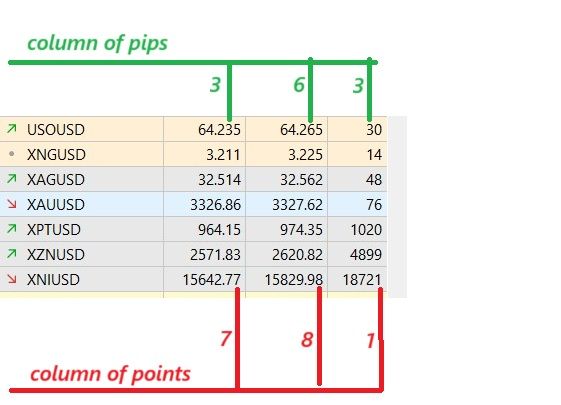
XAUUSD 3327.62 , the 2 as last digit is the point value, then the 6 is the pip value
so the rule for XAUUSD is 0.01 = 0.1
XNGUSD 3.225 , the 5 as last digit is the point value, then the 2 (the one just before 5) is the pip value
so the rule for XNGUSD is 0.001 = 0.01
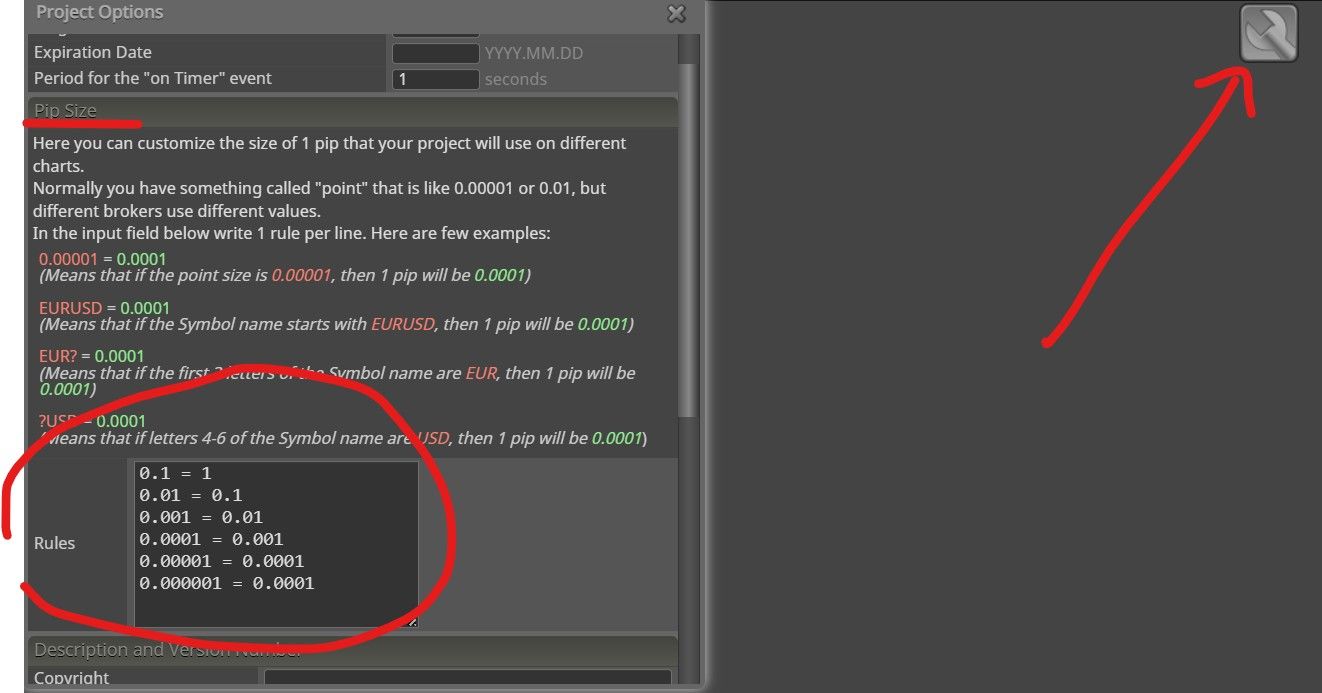
By filling out the pip size rules as i show you above, your project works fine on every instrument. Eg.: stop loss 50 pips means 50 pips. Try it and let me know
-
RE: Custom PRICE FRACTIONposted in Questions & Answers
@ellemitless just fill out this pip size rules
-
RE: Custom PRICE FRACTIONposted in Questions & Answers
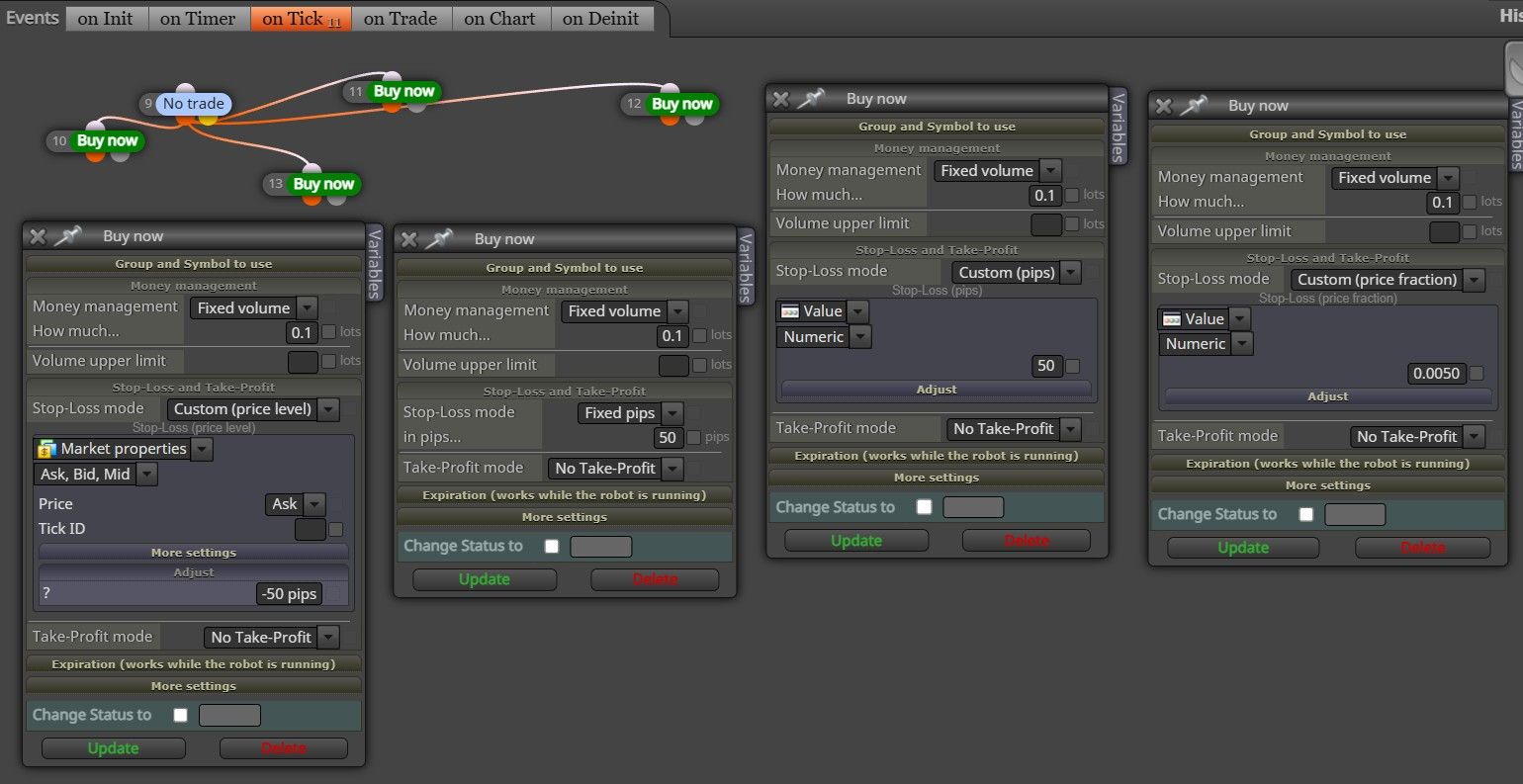
@ellemitless just for example, different ways for the same stop loss
-
RE: export robot for Metatrader 5posted in Questions & Answers
@sktsec i don't get it

where is this button? -
RE: export robot for Metatrader 5posted in Questions & Answers
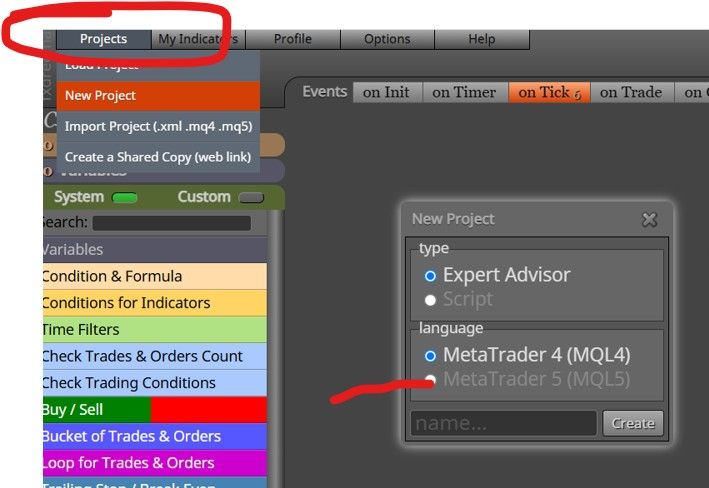
@birdana project==>new project, choose
-
RE: How to add areaposted in Questions & Answers
@VendettaFX do you want to create an area? Right click on a block==>create area

