I figured out the problem! Woo, and naturally it was stupid simple.
To run an EA 'autotrading' must be pressed with green circle showing BEFORE you drag the an EA onto the chart to start the program.
C
Posts made by Charlie 4
-
RE: Robot in real account?Who can help me?posted in Questions & Answers
-
RE: Robot in real account?Who can help me?posted in Questions & Answers
@l-andorrà I see, I can give that a try to see if it helps.
I figured when there is no trade happening it should open a trade dependent on the conditions for either buy or sell, one block seems adequate for this but I'll try separate 'no trade' blocks followed by their own separate conditions. That does make some sense.
The group #s are needed on blocks 69 and 70 for opening future trades in the 'sell position' box on the 'on trade' tab.I am currently remaking the entire project to see if maybe in my endless building and deleting something glitched. Maybe going from scratch and building it right the first time could help sorta like rearranging that jstap suggested.
And yes TipsyWisdom this is an original by me but I'm using and modifying a regular zone recovery trading strategy to fit my desires. I've been testing as I went but I've only used backtesting (which worked and opened trades), I didn't try live market.
I'll finish remaking with I'andorra's suggestions and give an update soon, maybe today.
-
RE: Robot in real account?Who can help me?posted in Questions & Answers
@jsauter86 Yea that's what I'm asking about. In backtesting it goes as planned, but has yet to open a trade in the live market.
[scratch that, I realize now you were replying to the first post and not mine] -
RE: Robot in real account?Who can help me?posted in Questions & Answers
I actually have the same problem if you don't mind me comondering this post. It works on Forex strategy tester backtesting using Hugosway broker, but never opens a trade on a live demo account.
It's a zone recovery trading strategy.
-
Broker vs MT4 demo accounts and EA robotposted in Questions & Answers
Does Fxdreema use non-traditional coding? My EA works fine in backtests using a MT4 demo but when I switch to a brokers demo I encounter problems. The problems are never the same between different demo broker accounts. Has anyone had these problems, am I missing something fundamental?
Which broker do you use for MT4 EA's in the United States?
-
RE: Trouble with randomly deleting pending ordersposted in Questions & Answers
after noticing the deletes get worse on a smaller time frame I tried going higher and they stop happening at the daily level. Still no idea why which is a little unnerving but as long as iti works.
The EA is basically a simple hedging strategy. As a position is opened an opposing buy/sell stop is placed encase the market reverses, this repeats until take profit is hit and all trades and open positions are closed. Simple as that. And it's working, except as you can see in the second picture sometimes buy/sell stops are deleted too early with no clear reason why. If it were happening properly then the delete would happen at the time of the take profit, but it's randomly happening early.
-
RE: Trouble with randomly deleting pending ordersposted in Questions & Answers
The way I have it set should only delete pending orders when a trade is closed, but that is clearly not the case when backtesting. Periodically a seemingly random buy or sell pending order will be deleted.
This only began after I switched my trades money management from a "Fixed Volume" to "% Balance => Lots" I know this was the only thing I changed and I've even tried deleting the delete and close blocks and the same thing still happens.Any ideas?
-
RE: Create an opposite Buy Stop when a previous Sell Stop enters a trade (not when it resolves).posted in Questions & Answers
Nevermind, got it. Going to be real, I don't know what I did different this time but the Purple Block linked with group 1 did the trick. shrugs
Thanks again.
-
RE: Create an opposite Buy Stop when a previous Sell Stop enters a trade (not when it resolves).posted in Questions & Answers
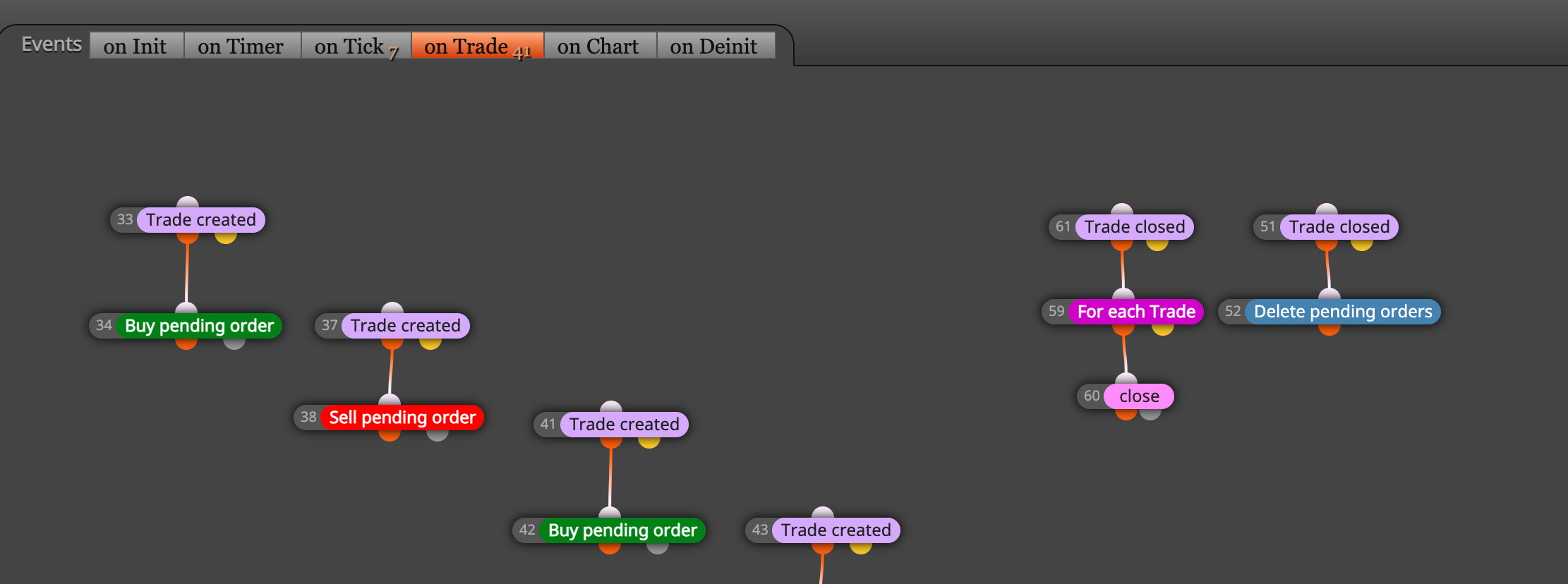
One more follow up question. Now that I have a method of creating the Stops automatically I need to delete them in the event that a previous trade hits it's TP or SL. I've tried a light purple Trade Closed block on the Trade Tab with group # set, and I've tried a No Trade block on the Tick Tab each leading to a Delete Pending Order, but they don't seem to work as planned. Got any ideas?
-
RE: Create an opposite Buy Stop when a previous Sell Stop enters a trade (not when it resolves).posted in Questions & Answers
@jstap Found it, thank you. Didn't realize the tabs had their own Filter Specific Events.
-
RE: Create an opposite Buy Stop when a previous Sell Stop enters a trade (not when it resolves).posted in Questions & Answers
Sorry I don't see any "Trade Created" block. What's the block called?
-
Create an opposite Buy Stop when a previous Sell Stop enters a trade (not when it resolves).posted in Questions & Answers
Example: 1 lot buy order is placed (in this example at original price of 0) with TP of 30 and SL of -40 pips. Then encase of reversal a 1.4 lot Sell Stop is placed at -10 pips with TP of -30 pips and SL of 40 pips. Now here's the trick, if the market does reverse and hits the Sell Stop and enters a trade I want to automatically place a Buy Stop at the original price 0 for 1 Lot with TP of 30 and SL of -40 pips. This second pending order can't be placed until after the first one is triggered. How can I automate this process?