fxDreema

    • Register
    • Login
    • Search
    • Back to the main page
    • Categories
    • Recent
    • Tags
    • Popular
    • Search
    1. Home
    2. chattahooche
    3. Posts
    • Profile
    • Following 2
    • Followers 0
    • Topics 7
    • Posts 32
    • Best 0
    • Controversial 0
    • Groups 0

    Posts made by chattahooche

    • RE: Hedging problem

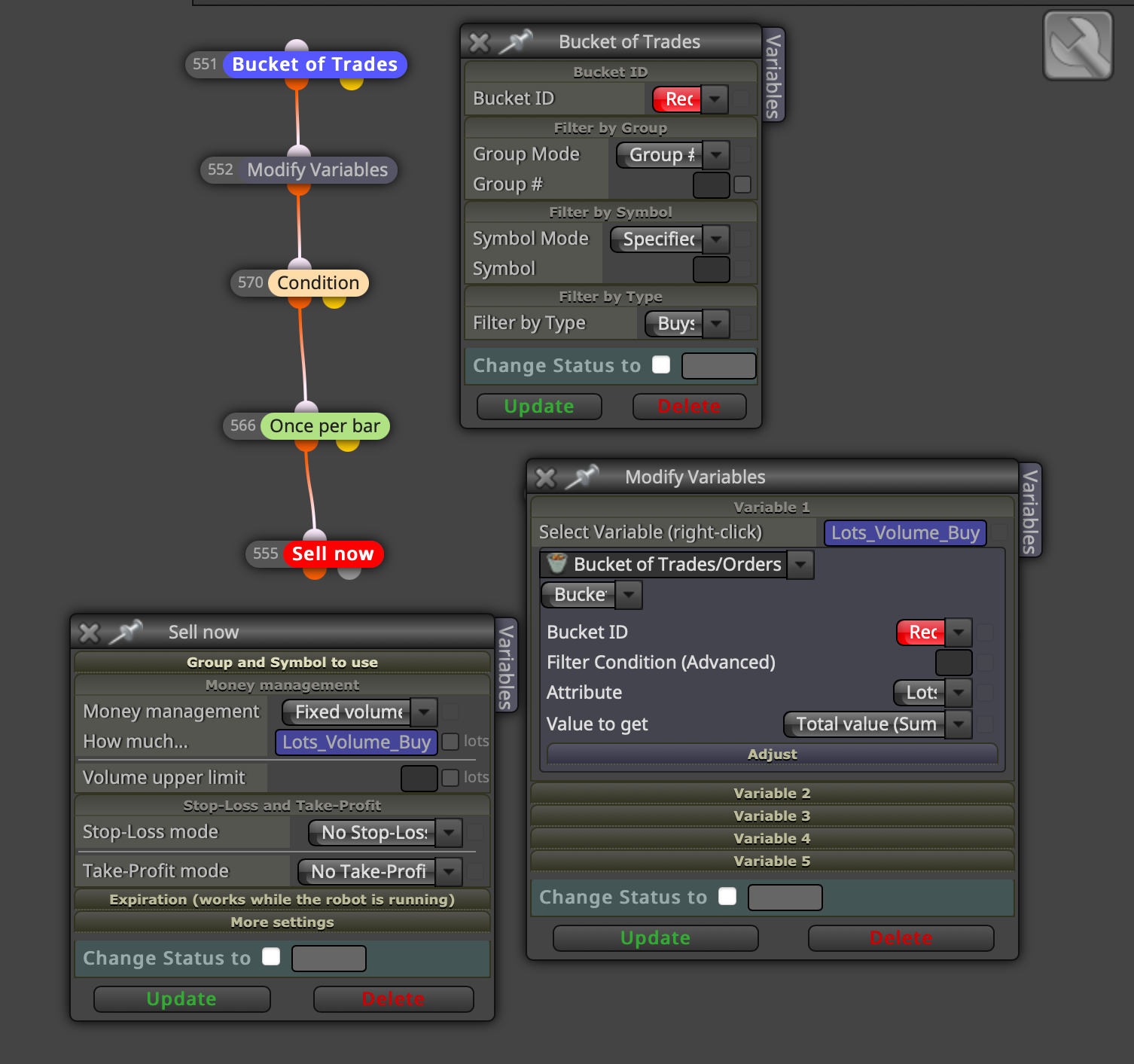
      I've solved the problem as shown in the picture, dear @l-andorrà. Thank you very much for your attention and assistance. I am attaching a screenshot to the post for the benefit of other friends." "In the Variable section, it should be entered as double - Lots_Volume_Buy = 0.
      Ekran Resmi 2023-10-11 15.41.44.png

      posted in Questions & Answers
      chattahooche
      chattahooche
    • RE: Hedging problem

      No problem, @l-andorrà Let's not get caught up in the infinite number of trades at the same time, dear Andorra. The bot should simply open reverse trades equal to the total lot size of the previous trades. For example, if the bot opened 5 lots of sell, it should open 5 lots of buy to hedge. If the bot opened 3 lots of sell, it should open 3 lots of buy when the conditions are met. It's actually that simple. But I can't seem to figure it out, and I end up doing it manually. It will only open one trade, and that trade will be equal and opposite to the sum of the other trades.

      posted in Questions & Answers
      chattahooche
      chattahooche
    • RE: Hedging problem

      Any suggest dear @l-andorrà

      posted in Questions & Answers
      chattahooche
      chattahooche
    • RE: Hedging problem

      The bot should open reverse trades equal to the total lot size of the previous trades. There is no limitation here. For example, if the bot opened 5 lots of sell, it should open 5 lots of buy to hedge. If the bot opened 3 lots of sell, it should open 3 lots of buy when the conditions are met. There is no limitation on the lot size, dear Andorra. It will only open one trade, and that trade will be equal to the sum of the other trades

      posted in Questions & Answers
      chattahooche
      chattahooche
    • RE: Hedging problem

      ok. lets use as a condition 9 and 50 simple ma cross

      posted in Questions & Answers
      chattahooche
      chattahooche
    • RE: Hedging problem

      Sell (Hedge) Trade
      1- If the 15-minute supertrend gives a sell signal,
      2- Sum the lots of all open buy positions,
      3- Open sell positions equal to the total of all open buy positions.

      Buy (Hedge) Trade
      1- If the 15-minute supertrend gives a buy signal,
      2- Sum the lots of all open sell positions,
      3- Open buy positions equal to the total of all open sell positions.

      Close Sell (Hedge)
      1- If the 15-minute supertrend returns to buy, close all sell positions.

      Close Buy (Hedge)
      1- If the 15-minute supertrend returns to sell, close all buy positions.

      posted in Questions & Answers
      chattahooche
      chattahooche
    • RE: Hedging problem

      Let's say we have 4 buy positions: 0.01, 0.02, 0.03, 0.04, totaling 0.1 lots. When the 15-minute supertrend gives a sell signal, we will open a 0.1 lot sell position. In fact, this is all about accepting the loss instead of stopping the trade. If there is a significant drop here, we will escape from large losses because we have hedged our positions. Let's say our trades continue in the buy direction, and when the 15-minute supertrend returns to buy, the 0.1 lot sell hedge positions we opened will close. These positions can close in profit or in loss. If they close in profit, we can average down by taking new positions with the 15-minute buy signal. If they close in a loss, we accept it as a kind of stop. In summary, what I want to do is this: Condition (15-minute supertrend) >>> the total of all opened lots >>> open buy or sell positions equal to the total of all lots.

      posted in Questions & Answers
      chattahooche
      chattahooche
    • Hedging problem

      Hello everyone. I'm facing an issue somewhere, and I would appreciate it if you could help. What I want to do is as follows: Let's say I have 3 buy positions (0.01-0.02-0.03) at a total of 0.06 lots. If a sell-oriented condition occurs, I want it to open sell positions equal to the size of these lots, which is 0.06 lots. In other words, I want it to hedge the trades. If, by any chance, the condition returns to a buy condition, I want it to close the sell positions it has opened

      posted in Questions & Answers
      chattahooche
      chattahooche
    • RE: Close position please help!

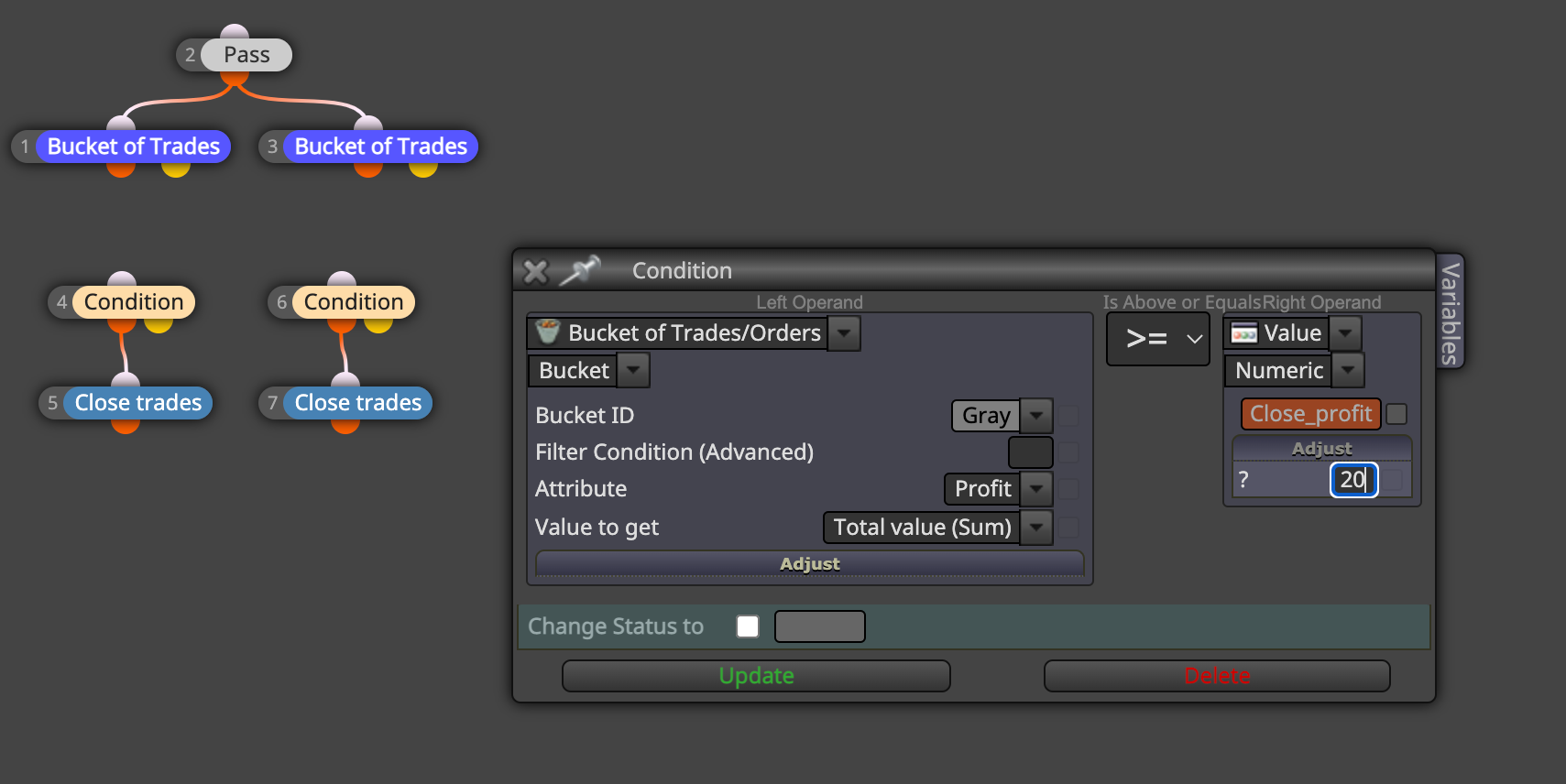
      @jstap thank a lot. I need to add all of them to the expert advisor, including the pass part, right? I also wrote the amount of $ 20 under the profit trade section, will it be like this?Ekran Resmi 2023-05-03 11.42.34.png

      posted in Questions & Answers
      chattahooche
      chattahooche
    • RE: Close position please help!

      Could you please send here a sample?

      posted in Questions & Answers
      chattahooche
      chattahooche
    • Close position please help!

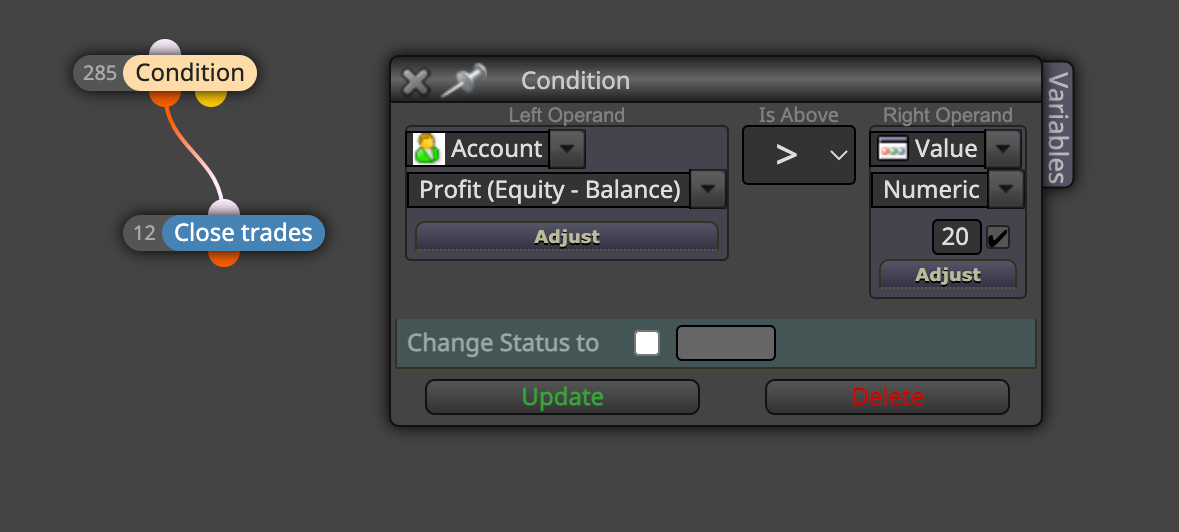
      I am using the 'Close position' feature like this: When the account balance exceeds $20, it automatically closes all buy and sell transactions. However, I don't want this. For example, I have three sell positions and three buy positions. I want it to close the sell positions when the total of the sell positions exceeds $20, or similarly, close the buy positions when the total of the buy positions exceeds $20. How can I do this? Thank you in advance for your helpEkran Resmi 2023-05-02 21.47.41.png

      posted in Questions & Answers
      chattahooche
      chattahooche
    • RE: Adding Lot

      I am putting an example of the work. https://fxdreema.com/shared/14F8y6bdd

      posted in Questions & Answers
      chattahooche
      chattahooche
    • Adding Lot

      Hi there. I want to create ea that I explained below. Please help me..

      I have totaly two conditions. Let's give them name as "condition-1" and "condition-2".

      I want to open the first position with condition-1. And I want to add another position using condition-2.

      For the first position, ea will use condition-1.

      For the other positions, ea will always use condition-2.

      Let's say ea took a buy position using condition-1. Then, when the conditon-2 occur, ea will take second. Then, when the condition-2 occur again, ea will take third positiion. I will continue like that. Let's say we have totaly 5 positions. Finaly, when the close position condition will occur, all position will be closed same time..

      If you help me, I will be glad. Thank guys..
      posted in Questions & Answers
      chattahooche
      chattahooche
    • RE: Trailing Stop into Condition

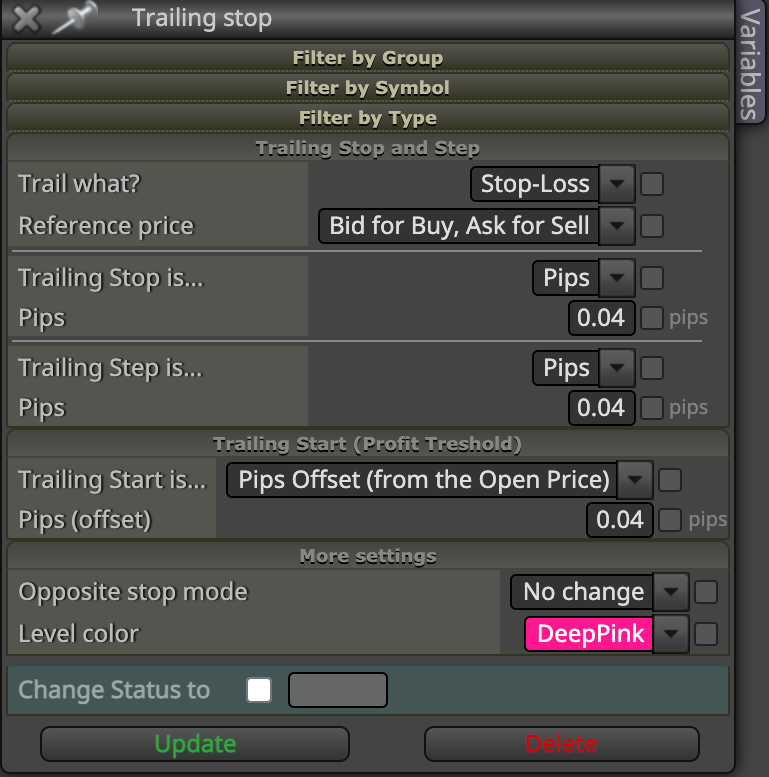
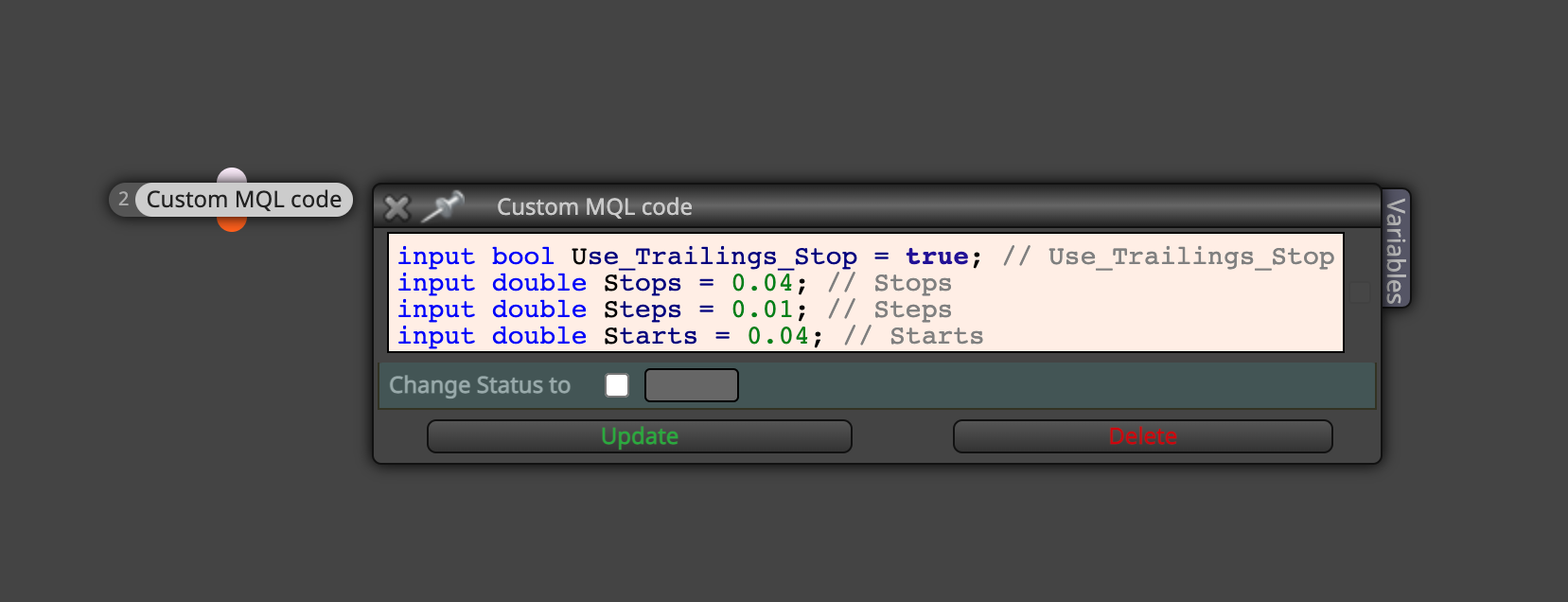
      Dear @l-andorrà , I put a photo for behave of TS.. I tried also custom mql tool, but it did not work..1_1638731087543_Ekran Resmi 2021-12-05 21.57.59.png 0_1638731087541_Ekran Resmi 2021-12-05 22.02.14.png

      posted in Questions & Answers
      chattahooche
      chattahooche
    • RE: Trailing Stop into Condition

      @l-andorrà if you have time, can you prepare an example for it? Thanks

      posted in Questions & Answers
      chattahooche
      chattahooche
    • RE: Trailing Stop into Condition

      I want to close trades via trailing stop. But trailing stop should behave like condition. In other words, I have to write a code or intagrate the trailing stop into the condition. I think no one knows the solution..

      posted in Questions & Answers
      chattahooche
      chattahooche
    • RE: Trailing Stop into Condition

      @jstap please take look

      posted in Questions & Answers
      chattahooche
      chattahooche
    • RE: Trailing Stop into Condition

      I can use other condition tool and I can write trailing stop code into it. Do you know trailing stop code that can be written into condition part..

      https://fxdreema.com/shared/H6XYn246b

      posted in Questions & Answers
      chattahooche
      chattahooche
    • RE: Trailing Stop into Condition

      link text

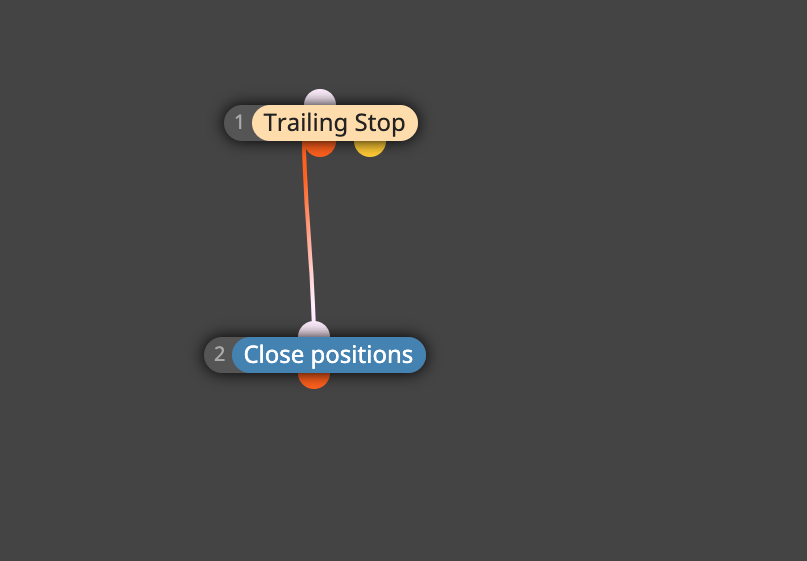
      Hello again. Normally we use the robot as above. However, I want to use trailing stop as in the example below. But when I use trailing stop in the close position part, it does not close the positions. It has to be a condition for it, and I need to enter a trailing stop code for this condition. I would be glad if you could help with this. Respects..

      posted in Questions & Answers
      chattahooche
      chattahooche
    • RE: Trailing Stop into Condition

      ![alt text](0_1638353662783_Ekran Resmi 2021-12-01 13.13.45.png image url)

      Condition will behave like trailing stop.

      posted in Questions & Answers
      chattahooche
      chattahooche
    • 1
    • 2
    • 1 / 2