All projects remain stuck in the 'loading....' phase. Is it just me or is there an error with the entire site?
D
Latest posts made by djredwood
-
All projects remain stuck in the 'loading..' phase and are unusable.posted in Bug Reports
-
Simple 'Close trade after crossing Moving Average' not workingposted in Questions & Answers
Hi, I hope someone can please help me.
I have created an EA that I want to close trades after crossing a moving average (after the trade has been entered manually) however my EA closes the trades immediately after loading, not after crossing the MA.
The conditions are:
If in a manually entered buy trade, close the trade after bar crosses from ABOVE and closes BELLOW the Moving Average.
If in a manually entered sell trade, close the trade after bar crosses from BELLOW and closes ABOVE the Moving Average.
Does anyone have some advice for me on how to get this to work. I have attached the my EA here.
-
Help with Time Bomb Modificationposted in Questions & Answers
Hi,
I am having difficulty creating my robot as I don't have the experience to put my ideas into practice. If someone could please help it would be greatly appreciated.
This is to do with 'time bomb'.
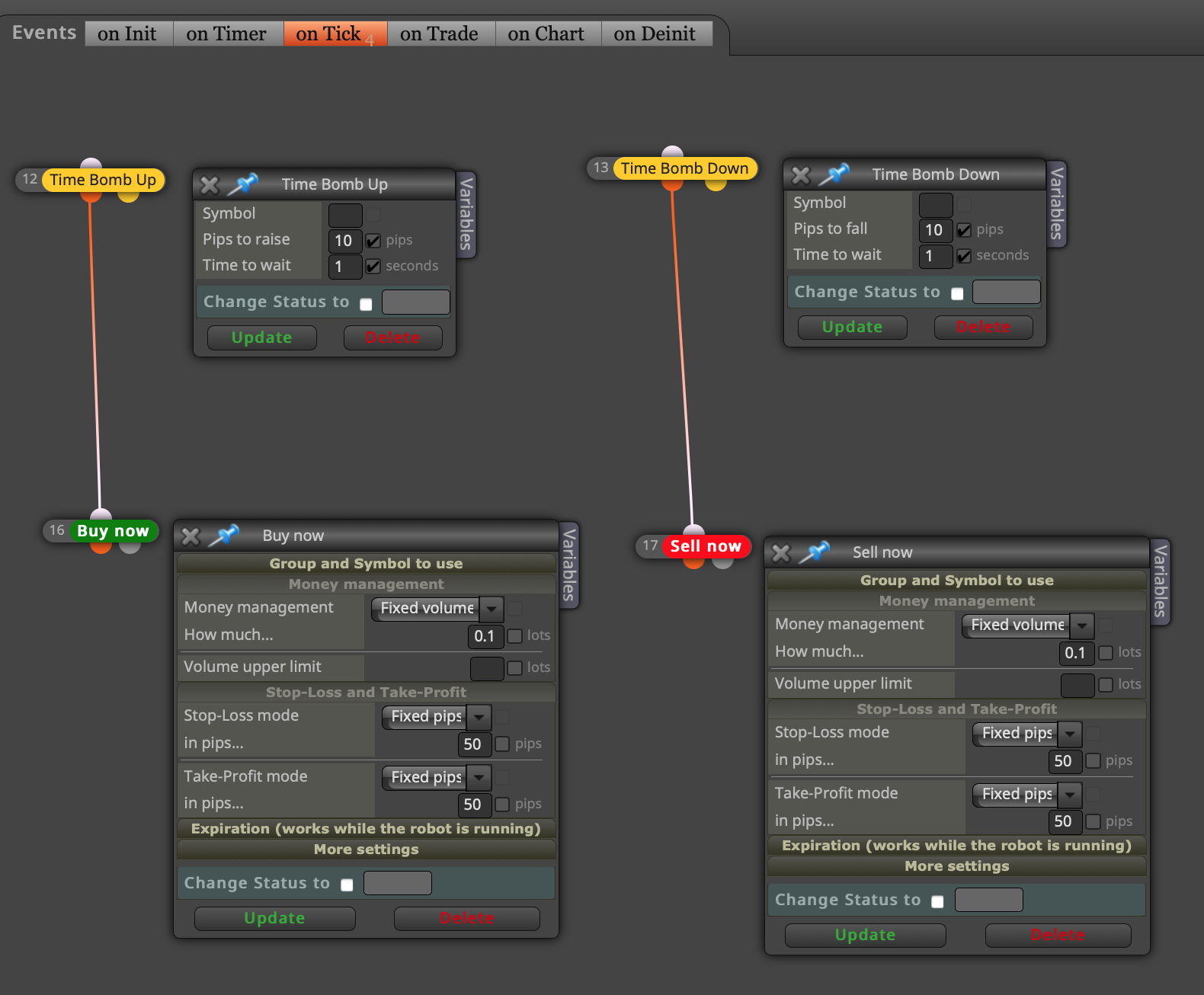
'Pips to raise' and 'time to wait' are the variables in the time bomb module however I would like to be more specific.
My parameters would be:
(1) 'MINIMUM Pips to raise ' i.e. a specified amount of pips to move in one direction, OR MORE) within a specified time
(2) 'time to wait'.Further more, the trade will only be placed AFTER a
(3)'pause of specified time'If my parameters are: (1) 10-pips minimum (2) 2-sec and (3) 1-sec
Then if the price rises 15 pips in 2 seconds (no trade yet) because it continues to rise every half second up to 20pips and then stops for a second. Then only (after the 1-sec pause) it places the trade.
How do I modify it?
I have included basic idea bot and screenshot.
-
RE: Help with loop moduleposted in Questions & Answers
@josecortesllobat said in Help with loop module:
In other cas
Thank you for this. It never occurred to me to use 'on trade'.
-
RE: Help with loop moduleposted in Questions & Answers
0_1598079909692_WALKER EA buy 2020:08:22.mq4
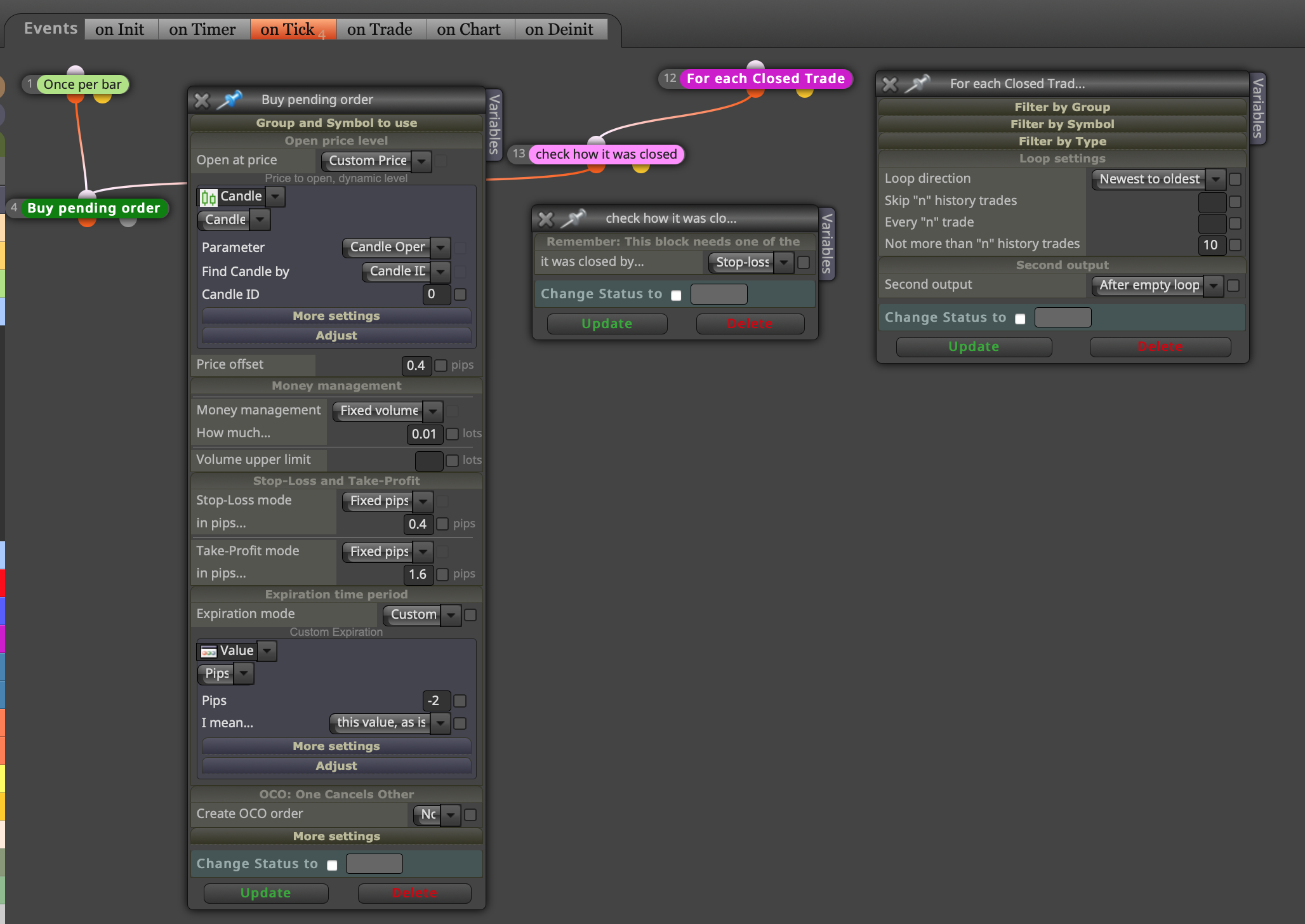
Please see my updated mq4 and screenshot. I adjusted the Buy Pending Order parameters to what I initially intended.
-
RE: Help with loop moduleposted in Questions & Answers
0_1598078671063_WALKER EA buy 2020:08:21 3.mq4 !
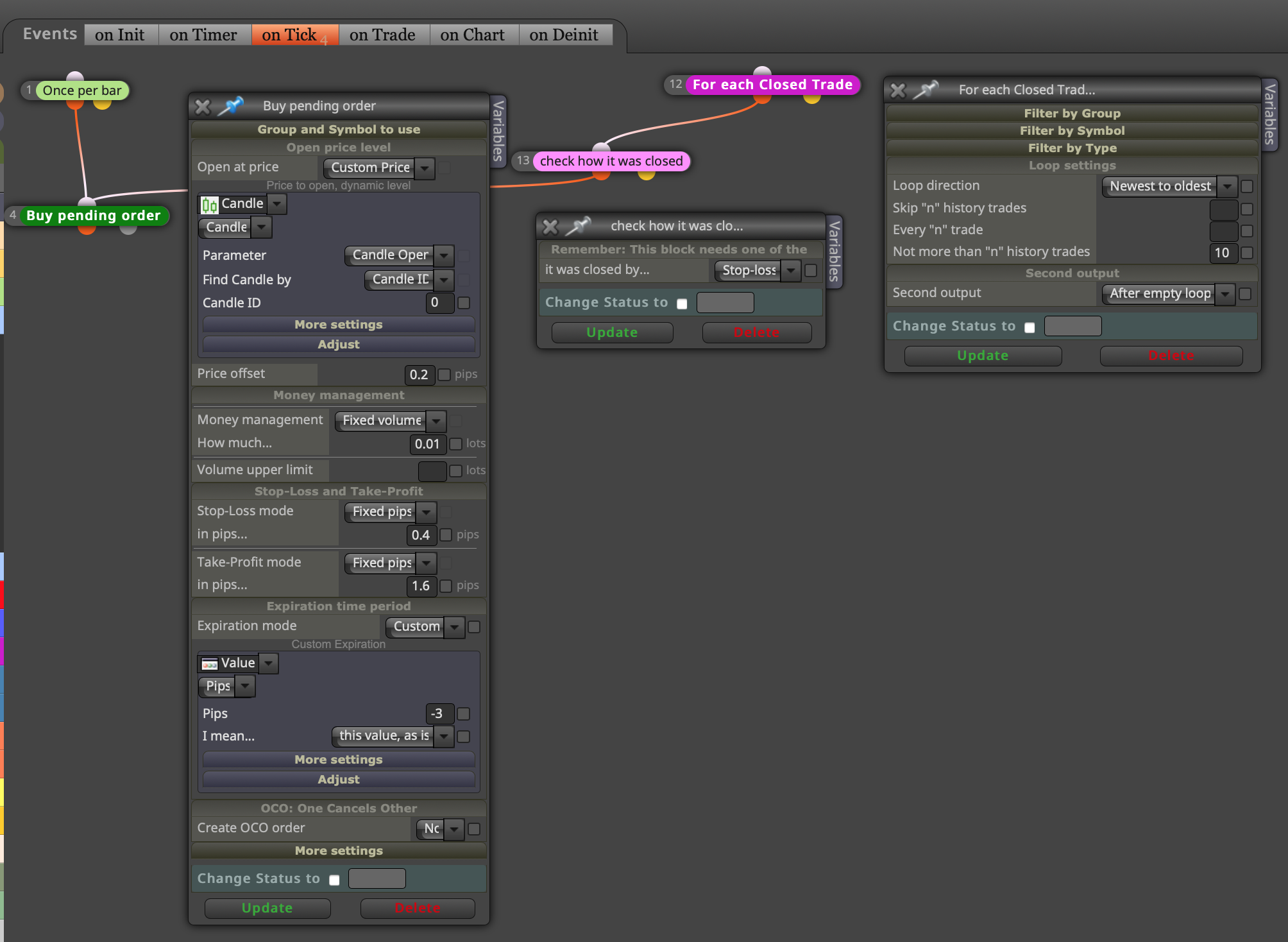
Hi Thanks, I have attached my MQ4 file and screenshot.
-
EA opens a pending order on Candle ID = 0 but the trade does not open because the trigger level is not reached. When a new bar opens: place a new pending order (I will have 2 and so on). Do not remove the previous order. This is continuous regardless of how many orders or trades might currently be open. (I know there will be many pending orders and trades open at once, but that's the strength of this strategy.)
-
EA opens a pending order on Candle ID = 0 and trade opens on the trigger level. When the next bar opens: open a new pending order regardless of how many might currently be open.
Thanks
-
-
Help with loop moduleposted in Questions & Answers
Hi,
I was hoping someone could help me, please.
I have created an ea that places an order on every new bar.
The order is placed 4 pips up from the open bar price. when that price is met, a buy trade is opened with TP of 16 pips and the SL of 4 pips (SL level is the same as open bar level)
When the TP is hit, the trade is over and nothing else happens. The order is cancelled if the price goes down 20 pips from the open bar price This is simple.
Bar opens, the pending order is placed 4 pips up. When the price goes 4 pips up from bar open, trade is opened. Thereafter when the price goes 4 pips down from trade open, SL is hit.
I am not experienced and so I tried the loop module, the trade does not place one order each time, it places many. What am I doing wrong?