fxDreema

    • Register
    • Login
    • Search
    • Back to the main page
    • Categories
    • Recent
    • Tags
    • Popular
    • Search
    1. Home
    2. ekifox
    3. Posts
    E
    • Profile
    • Following 0
    • Followers 2
    • Topics 1
    • Posts 9
    • Best 2
    • Controversial 0
    • Groups 0

    Posts made by ekifox

    • RE: Read file data

      I aim to make a multivariable statistical model with R. To do this we need variables and a targhet. The targhet is close price of a symbol of bar 1. the variables are as many information as possbile of bar 2 (bar datas, indicators values etc, not only from targhet symbol).

      How to collect targhet and variables:
      I made this to extract as many information as possible from the market.
      0_1569663033618_autoextract2.mq5
      Variable legend:

      • bars: "from" how many bars in the past it will start collecting data.
      • bar_a: "to" how many bars in the past it will stop collecting data.
      • market: list of symbols to extract data
      • live: if = 0 it will extract data from "bars" to "bar_a". if != 0 it will extract only the single bar you set as live value. (this was made for backtesting).

      Example:
      We want to extract AUDUSD, USDJPY, GBPUSD as variables. we target close price bar of EURUSD. We want to collect data from 3000 1h bars in the past to 10 1h bar in the past.
      Since we target EURUSD 1h time frame, we load the ea in the 1h EURUSD chart. Variables are set like this:

      • bars: 3000
      • bar_a: 10
      • market: AUDUSD, USDJPY, GBPUSD
      • live: 0

      press ok, and let the ea do its job. When the job is done you will find in /Files folder 4 files:

      • AUDUSD.csv <-- data from 1h time frame extracted from this symbol (1 bar before targhet bar)
      • USDJPY.csv <-- data from 1h time frame extracted from this symbol (1 bar before targhet bar)
      • GBPUSD.csv <-- data from 1h time frame extracted from this symbol (1 bar before targhet bar)
      • targhet.csv <-- close price of EURUSD (1 bar after AUDUSD, USDJPY, GBPUSD)

      What kind of information are collected for variables (not target)?
      check block n.8. You can customize it, but Candle ID needs to stay as bvar variable and tempo needs to stay as it is to have a better organization in R database.

      How to change targhet?
      to change the target symbol just load it in the desired symbol. to change the target information check block n. 24 and change aim. Candle ID needs to stay as bvar variable. tempo needs to stay as it is. Do not put more variables than aim and tempo, unless you know what you are doing.

      How to extract all this data from only one bar?
      you want to extract all the infos above from bar 5? just set variable live = 5. only the raw of bar 5 will be collected. This is made for backtesting, in fact no target.csv will be produced.

      Now that we have our data, we can create an R database merging all csv extracted from this ea. We can train a machine learning model from this data, or use glm models, caret, or whatever model you would like to use. At the moment of writing, i'm studying xgbTree with caret (please refere to this page: Predictive modeling and machine learning in R with the caret package). next study model will be glm.

      Once the model is done and we are happy with it, we can make prediction (wrong or right) about the target, save them in a csv file, and thanks to @trader-philipps we are able to make a ea that can read the prediction from the csv file and react to them.

      tl;dr
      We train a statistical model to be able to predict bar 1 price, given information from the previous bar (bar 2). once the model is trained, we give bar 0 information to the model to predict the next bar price (bar -1).

      posted in Questions & Answers
      E
      ekifox
    • RE: Read file data

      OMG it works!!!
      for the unfortunate posterity who will find themselves in the same problem in the future, this is the code:

      ResetLastError();
      int handle = FileOpen(tempFileName,FILE_READ|FILE_CSV|FILE_ANSI);
      if(handle!=INVALID_HANDLE)
      {
      while(!FileIsEnding(handle))
      {
      letto = FileReadString(handle,0);
      //lettod = FileReadDouble(handle);
      lettod=StringToDouble(letto);
      Print("---> string :",letto);
      Print("---> double :",lettod);
      }
      }
      else
      {
      Print("File not opened. Error : ", GetLastError());
      }
      FileClose(handle);

      You have to set as constant string tempFileName --> the file name with extension
      letto --> as string variable
      lettod --> as double string variable

      @trader-philipps YOU ARE THE MAN! How can I repay you???

      posted in Questions & Answers
      E
      ekifox
    • RE: Read file data

      Thanks anyway! Hope to find a solution

      posted in Questions & Answers
      E
      ekifox
    • RE: Read file data

      https://fxdreema.com/shared/Q2w2FX5Lc

      0_1569391111904_reader.mq5

      can't upload the .csv file, but it's just prova.csv file containing one line of 1.23456

      THANKS FOR THE HELP!


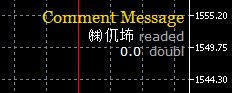
      Great, now it started speaking mandarin 😕
      0_1569391447434_Cattura.JPG

      posted in Questions & Answers
      E
      ekifox
    • RE: Read file data

      For the string variable: Print(letto) It gives the correct content (as string).
      For the double variable: Print(lettod) it gives 0.0 all the time.
      Thanks for the support!

      posted in Questions & Answers
      E
      ekifox
    • RE: Read file data

      lettod is set on variables as double.

      lettod = StringToDouble(letto);

      but it keeps giving back 0.0

      posted in Questions & Answers
      E
      ekifox
    • RE: Read file data

      Thanks for the suggestions!
      I am able to import from the file the number I want, but only as a string so unuseful if fxdreema can't elaborate it. Can someone help me with the code please?

      int handle = FileOpen(tempFileName,FILE_READ|FILE_CSV,0,CP_UTF8);
      FileSeek(handle,0,SEEK_SET);
      while(!FileIsEnding(handle))
      {
      letto = FileReadString(handle,0); //<--this works
      lettod = FileReadNumber(handle); //<-- this does not work and gives back value 0.0
      }

      FileClose(handle);

      Print(letto);
      Print(lettod);

      posted in Questions & Answers
      E
      ekifox
    • RE: Read file data

      Thanks for the reply!
      I forgot to say that it's for mt5, not mt4.

      I'm trying to store in the EA only one numeric variable. The file is updated based on a timing schedule:
      5min after the previous candle is closed: EA(1) saves chart info on some files.
      10min after the previous candle is closed: Custom script checks date/hour of files created. Custom R script elaborate these files and generates a single csv file with the TP.
      15min after the previous candle is closed: EA(2) reads the file with TP and reacts accordingly.

      I'm blocked in the last point 😞

      posted in Questions & Answers
      E
      ekifox
    • Read file data

      Hello,
      I would like to automate my daily strategy.

      Every day a .csv file is made by an external program, and I would like to make a ea able to read it and react depending on the information inside the file.
      More precisely, the file contains a price, and the ea should read it and buy or sell depending on the number found.

      Is it possible?
      Can you please help me?
      Thanks a lot!

      posted in Questions & Answers
      E
      ekifox
    • 1 / 1