"Some blocks need to be manually changed" that's why pasted the code, hopefully to find some programmer here. Tried with Chatbot to correct this lines but effect was some other warning appear.
G
Latest posts made by greg.pe
-
RE: MT4 to MT5 converting warning "conversion from 'long' to 'int'posted in Questions & Answers
-
MT4 to MT5 converting warning "conversion from 'long' to 'int'posted in Questions & Answers
Hello.
After converting my EA from MT4 to MT5 and compiling it to MT5 got 5 warnings
(EA works in MT4)"possible loss of data due to type conversion from 'long' to 'int' EAName6.mq5 lane 7087 column 16
magic_number = ABBB::OrderMagicNumber();possible loss of data due to type conversion from 'long' to 'int' EAName6.mq5 lane 7737 column 28
int ticket_oco = ABBB::StrToInteger(ABBB::StringSubstr(ABBB::OrderComment(), 5, StringLen(ABBB::OrderComment())-1));possible loss of data due to type conversion from 'long' to 'int' EAName6.mq5 6.mq5 lane 9964 column 11
int M = ABBB::OrderMagicNumber();possible loss of data due to type conversion from 'long' to 'int' EAName6.mq5 lane 10059 column 10
M = ABBB::OrderMagicNumber();possible loss of data due to type conversion from 'long' to 'int' EAName6.mq5 lane 10170 column 14
int M = ABBB::OrderMagicNumber();Anyone who is able to check the code ?

-
RE: No trade if there was already closed tradeposted in Questions & Answers
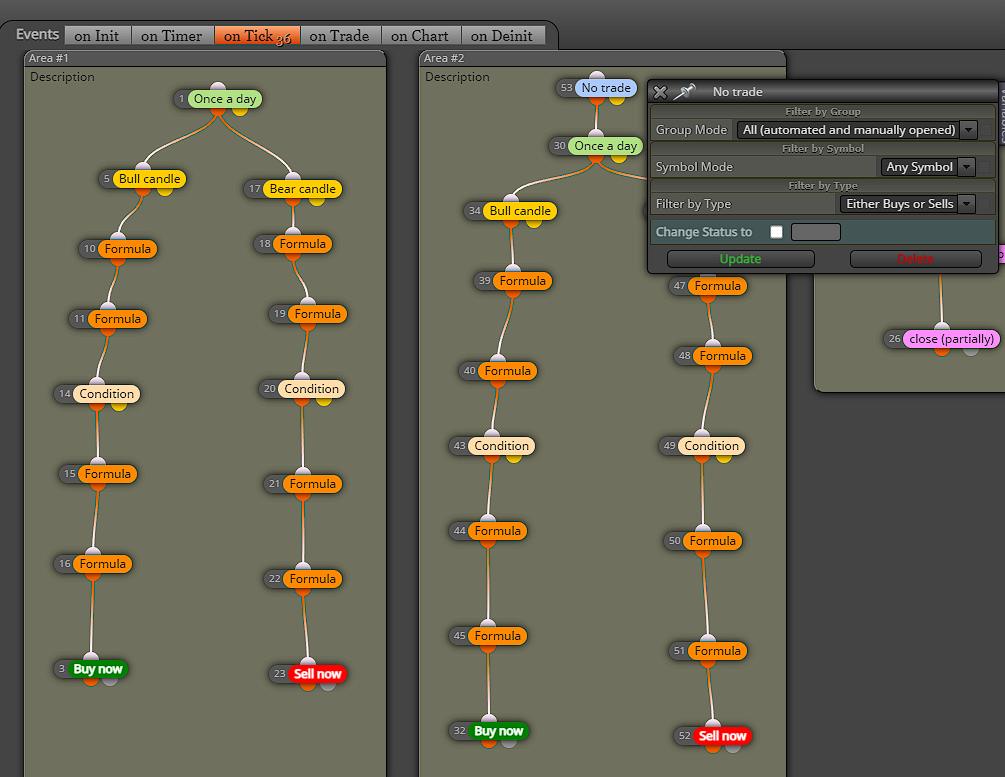
@RGoo thank You for your efford and help. I solved the problem, will explain how for future similar strugles, but firstly will reply regarding Your last comment. "If the block is above the condition, it will only be checked once at the beginning of the day." - and this is exactly what I wanted to achieve. One trade per day and if criteria in the first block are met then open a trade , if not ,then checking criteria in second block (what needs to be mentioned "once per day" are diff time). Problem was that "no trade" checking running trades only. In case where first block (once a day) open trade and SL or TP was hit before time set up in second block "once a day", then second block was processed anyway. In final calc. 2 trades were open in such case.
How did I solved it ?
EA checks equity just before trades in first block are open. Second block checks that equity and in case is same then block 2 is processed.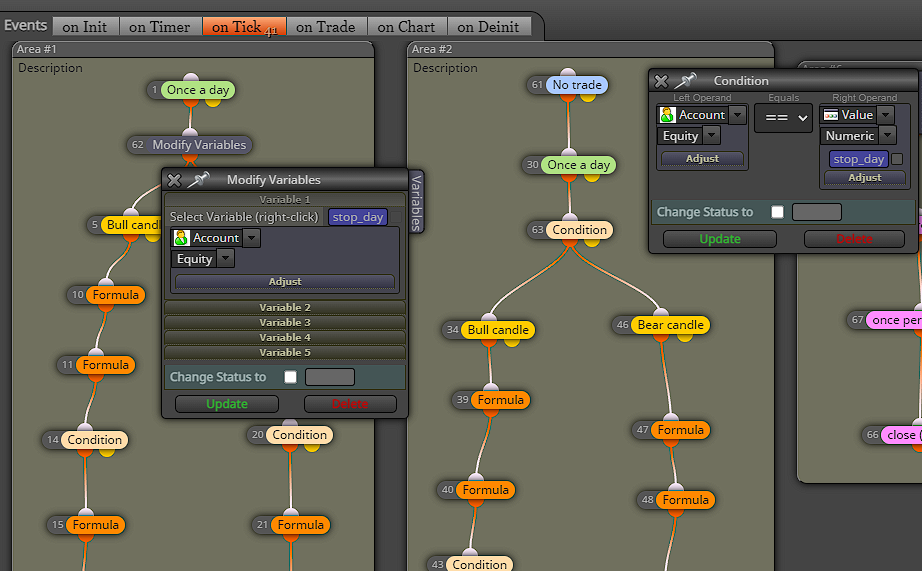
-
RE: No trade if there was already closed tradeposted in Questions & Answers
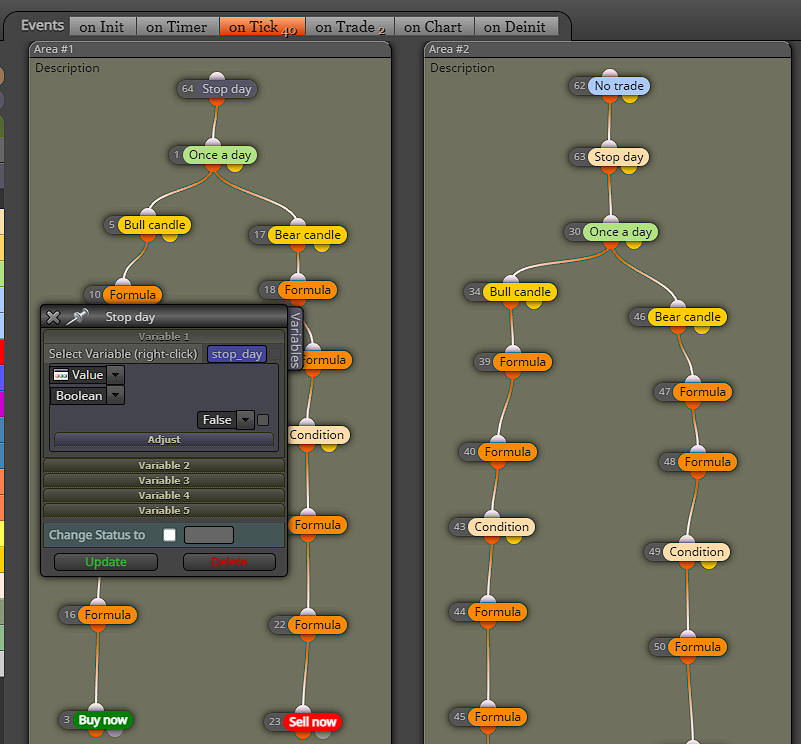
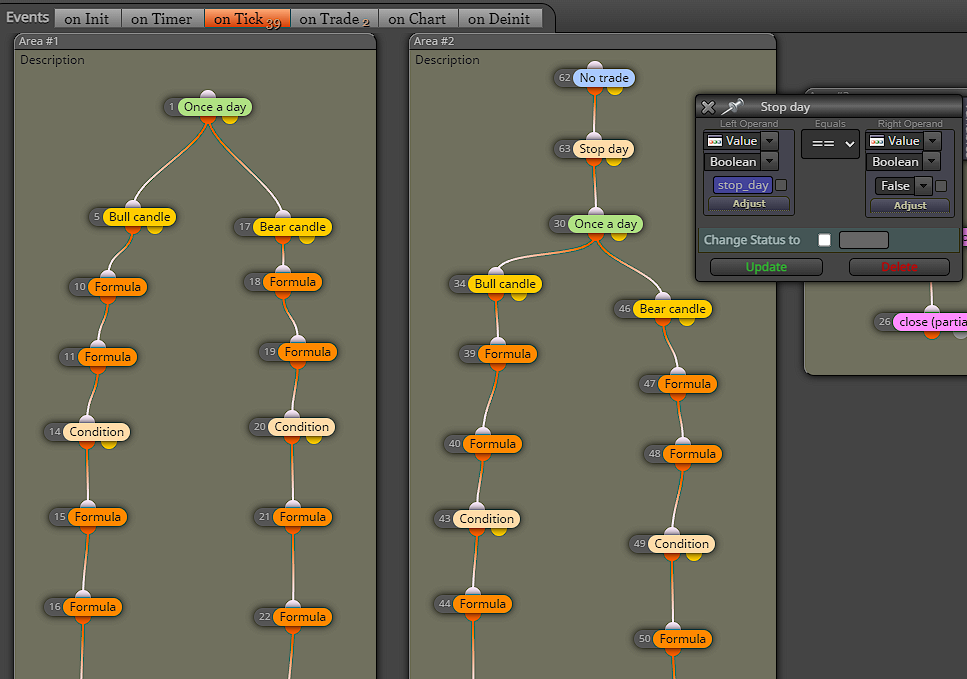
Have tried like this and looks like doesn't work properly
-
RE: No trade if there was already closed tradeposted in Questions & Answers
so, to sum it all. Block in area#2 can be processed only if there is no any running trade by block#1 and if there is no any closed trade by block#1 for the day.
-
RE: No trade if there was already closed tradeposted in Questions & Answers
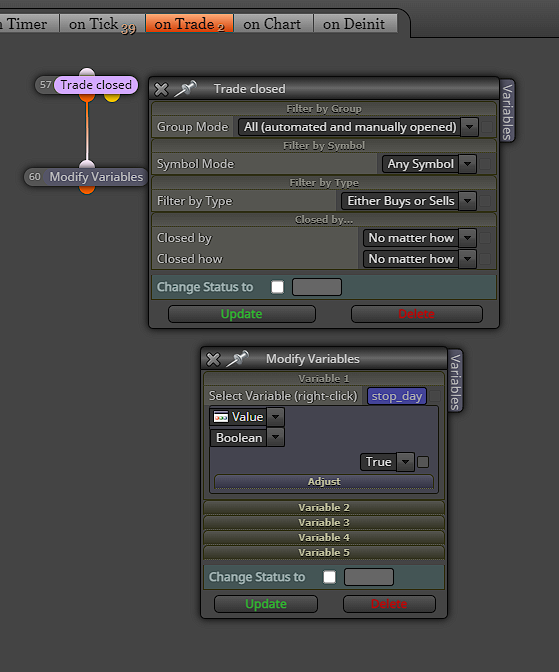
Hmm not sure how to apply this to my block. If I copy th whole block (area#2) to "On trade" tab then it will only be processed when some trade is already placed.
-
No trade if there was already closed tradeposted in Questions & Answers
Hello everyone.
Stuck with my EA
The idea is 1 trade per day.
Prepared two blocks(area #1 and area#2) to open a trade at specific time under specified conditions.
The idea is to open trade in second block ONLY if FIRST block didn't open any.
First thought was the "No trade" / "if trade" didn't work, but after small investigation looks like issue is:
second block is processed in case where trade from first block is closed before.The question is how to check if there was already some trades closed and to don't allow open second trade for the day.
"no trade/if trade" check running orders, I want to check also closed ones.
Please advice me,thanks
-
RE: Urgent. Unsupported filling mode (10030).Converting EA from MT4 to MT5posted in Bug Reports
SOLVED. Don't know how this programming line affect different pairs however works on my pair GBPUSD.p
Error was on GBPUSD pair.
Not programmer eighter so not sure what's the issue