Here is what I tried so far
I
Posts made by isiloon
-
Need Ideas for this situationposted in Questions & Answers
I am trying to build this scenario for a week but failed and give up. Can you have a look, at least share your opinions how to achive this one?
Thank you. shared/Go9XmXzSb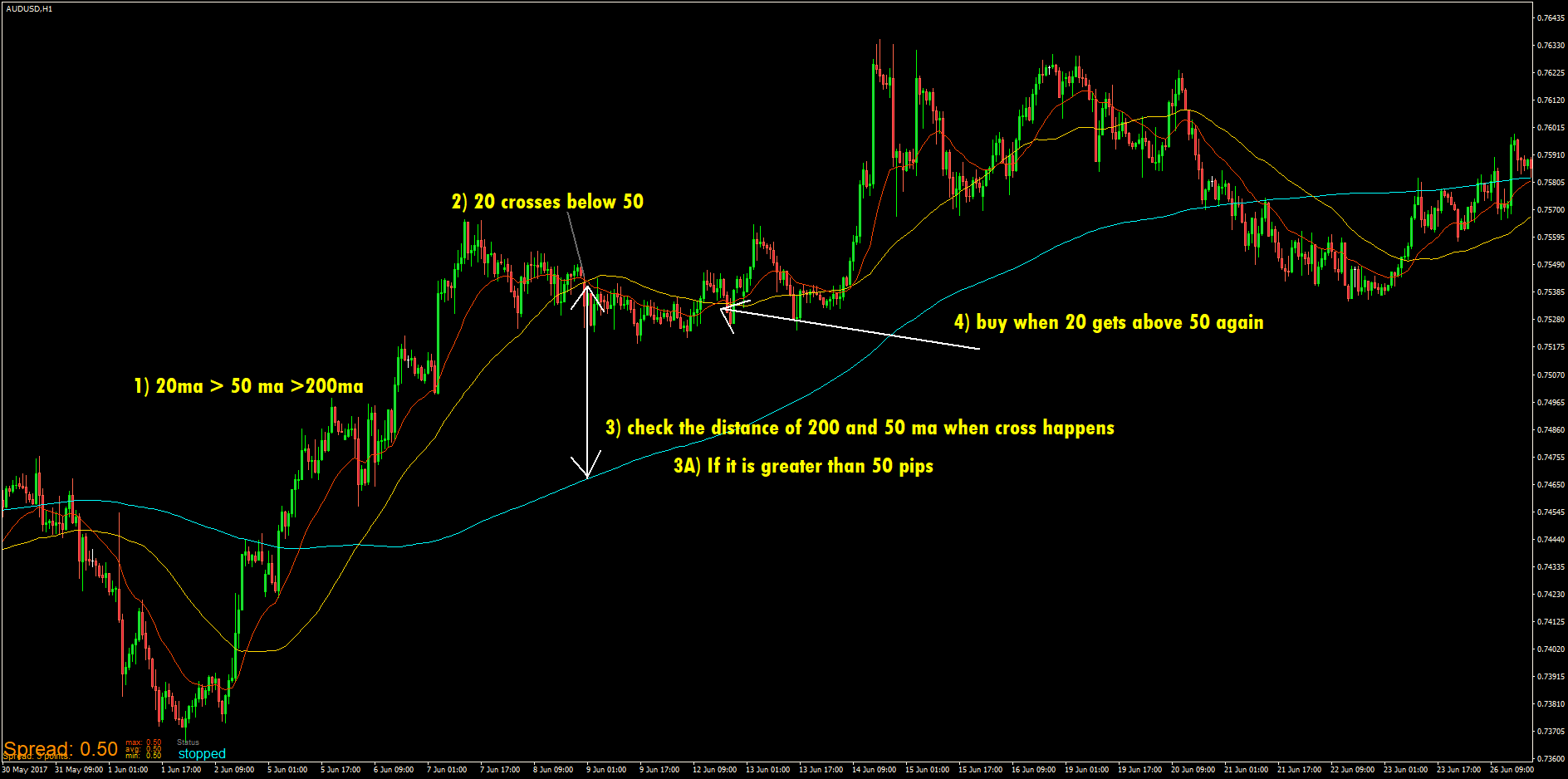
-
RE: How to remove change the location Spread infoposted in Questions & Answers
Hey guys I made few expert advisor and seems to work ok but I have trouble about preset spread , expert advisors name and status information. I dont want to see spread information and I want to change the location of expert advisors name at the top right corner and the status (working sign). Is it possible?
-
RE: EA for closing all orders at a target priceposted in Questions & Answers
____On the right use Value -> Numeric if you want the number to be fixed. You can use it as a Constant, also in the same place (right-click over the input field) - for this you just need to define a constant. Or you can use some horizontal line.
But what is the most important here, DO NOT use == in the condition when comparing two prices. Use everything else, but not ==. If you think for a while, you will understand why.[/quote:3atvaiba]
Ok I can use > or < for the trigger but I can not figure out how to code it. How do I use horizontal line or price value for the kill all switch?[/quote:3atvaiba]
I think I have done it. You just need the place the ea according to the price. If the price is gonna hit the kill all target from above you wanna use the above ea, same for the opposite. I tested it few times I think it works. Here I post the ea in case someone needs it.
-
RE: EA for closing all orders at a target priceposted in Questions & Answers
__On the right use Value -> Numeric if you want the number to be fixed. You can use it as a Constant, also in the same place (right-click over the input field) - for this you just need to define a constant. Or you can use some horizontal line.
But what is the most important here, DO NOT use == in the condition when comparing two prices. Use everything else, but not ==. If you think for a while, you will understand why.[/quote:fuqoa730]
Ok I can use > or < for the trigger but I can not figure out how to code it. How do I use horizontal line or price value for the kill all switch?
-
RE: EA for closing all orders at a target priceposted in Questions & Answers
I am trying to create an EA to close my all open orders (buy and sell together or can be set one or other) and my pending orders WHEN the PRICE hits a certain target which i set like 1.09500 from above or belove doesn't matter.
I tried CONDITION with left operand is set to market properties ask price but couldn't figure out what to do for right operand so can't make it work. Will someone give a hand please?