R
Posts made by ramisignals
-
TUTORIAL Create Button Sell And Buy & Executeposted in Tutorials by Users
Hello,
Here we go to code in fxdreema how to create button for sell and buy on the cahrt
But this only buttuon it will not excute till we provide second tutrialhttps://fxdreema.com/shared/yz6G7ViKc
Code
ObjectCreate(0,"button1",OBJ_BUTTON,0,0,0);
ObjectSetInteger(0,"button1",OBJPROP_BGCOLOR,clrBlue);
ObjectSetInteger(0,"button1",OBJPROP_BORDER_COLOR,clrBlue);
ObjectSetInteger(0,"button1",OBJPROP_COLOR,clrWhite);
ObjectSetInteger(0,"button1",OBJPROP_YSIZE,30);
ObjectSetInteger(0,"button1",OBJPROP_XSIZE,100);
ObjectSetInteger(0,"button1",OBJPROP_YDISTANCE,30);
ObjectSetInteger(0,"button1",OBJPROP_XDISTANCE,110);
ObjectSetInteger(0,"button1",OBJPROP_CORNER,CORNER_RIGHT_UPPER);
ObjectSetString (0,"button1",OBJPROP_TEXT,"BUY");ObjectCreate(0,"button2",OBJ_BUTTON,0,0,0);
ObjectSetInteger(0,"button2",OBJPROP_BGCOLOR,clrBlue);
ObjectSetInteger(0,"button2",OBJPROP_BORDER_COLOR,clrBlue);
ObjectSetInteger(0,"button2",OBJPROP_COLOR,clrWhite);
ObjectSetInteger(0,"button2",OBJPROP_YSIZE,30);
ObjectSetInteger(0,"button2",OBJPROP_XSIZE,100);
ObjectSetInteger(0,"button2",OBJPROP_YDISTANCE,30);
ObjectSetInteger(0,"button2",OBJPROP_XDISTANCE,110);
ObjectSetInteger(0,"button2",OBJPROP_CORNER,CORNER_LEFT_UPPER);
ObjectSetString (0,"button2",OBJPROP_TEXT,"SELL");
0_1602265157829_Create Button (2).mq4
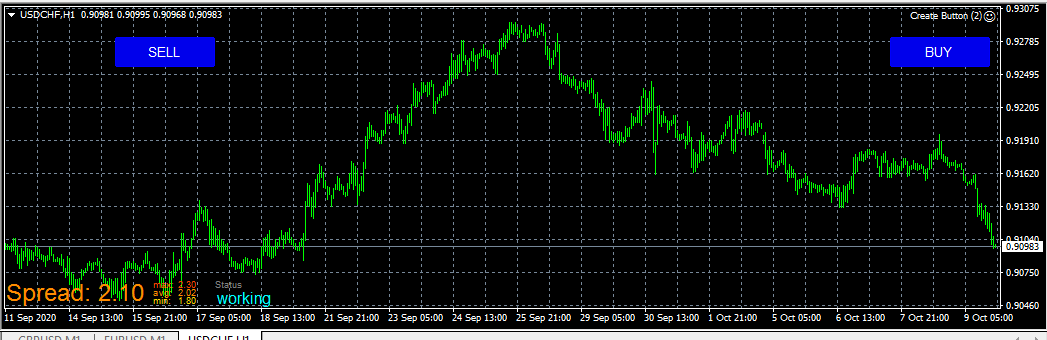
TUTORIAL(2) EXECUTE BUY AND SELL - 10-OCT-2020
1- first of all you need to know that i define ("button1" for BUY ) and ("button2" for SELL ) and you need to know the operation number for buy is (0) and the operation number for sell is (1)
2- Now you need to know that for operation we need to work On Chart only
i will now give the steps 1 by 1 with screenshot
first steps you need to find ( Mouse clicked on object ) from search
you can notice now i filter by object name and i put in object name button1 because button1 it will linked to buy object3- now i will linked buy block to mouse clicked ( you need to notice that that execute will work only with fixed lot ( it will not work with other option)
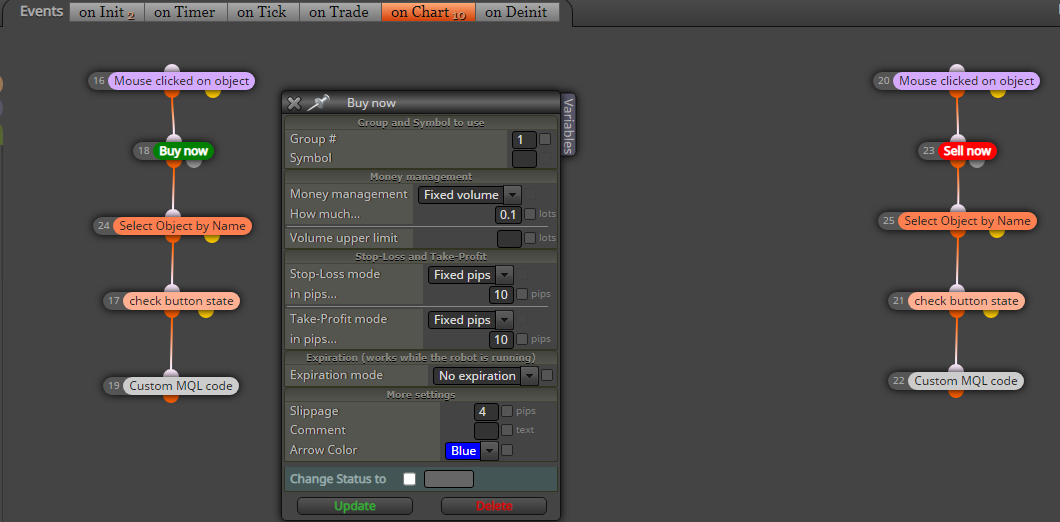
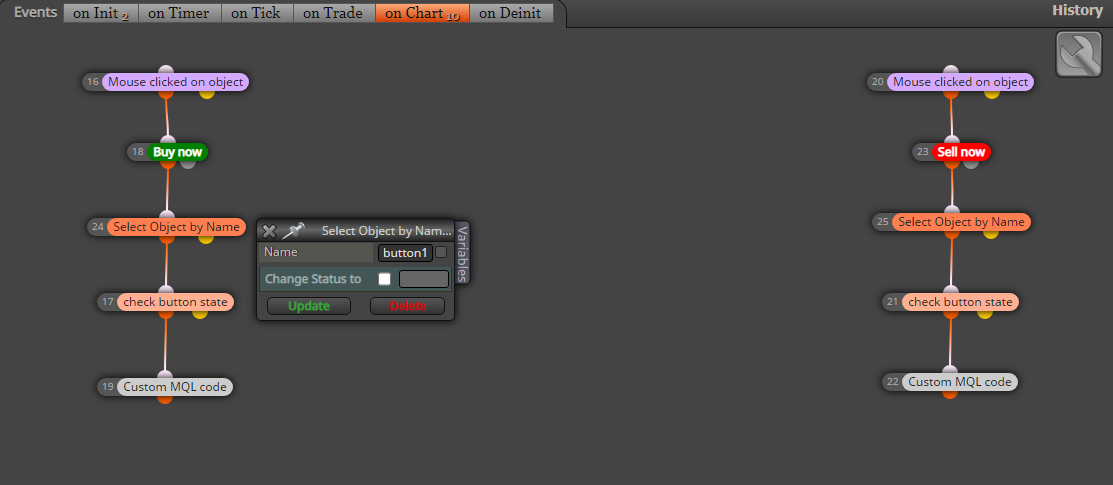
4- i will now select object by name = button1 for ( Buy )
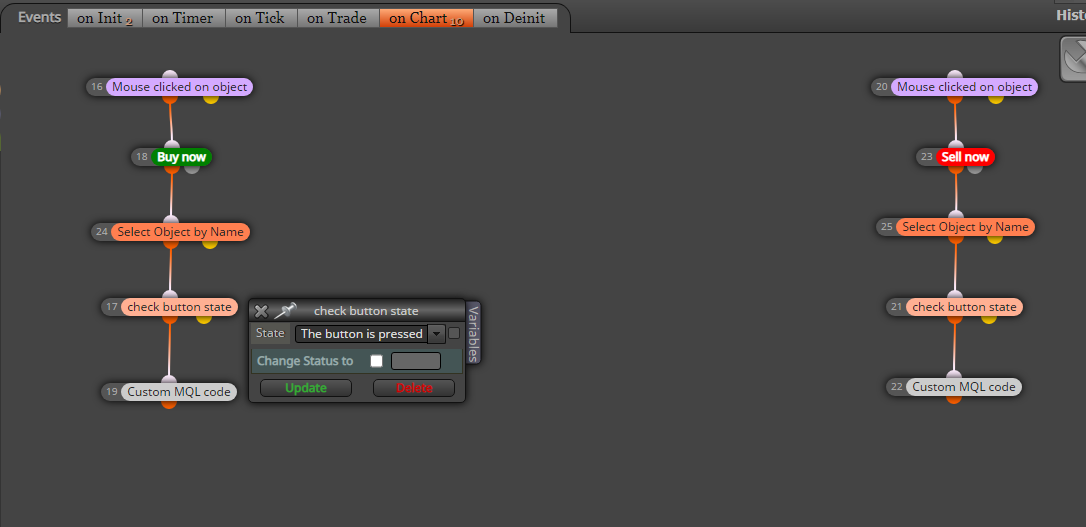
5- Now i need to tell specific button when it is pressed to run my code
6- now i will linked the code
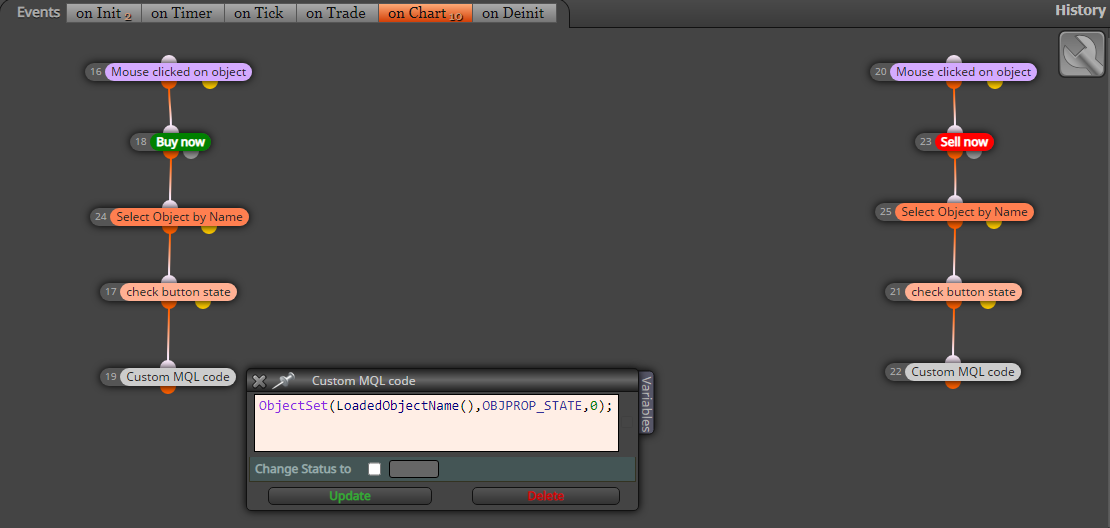
here is the code for buy
ObjectSet(LoadedObjectName(),OBJPROP_STATE,0);you do same steps for sell button1 to button2 and change the code to
sell code
ObjectSet(LoadedObjectName(),OBJPROP_STATE,1);here also the project link
https://fxdreema.com/shared/g6sgduqpc
and here is the MQL4 code
0_1602519166431_Create Button_Buy_Sell_Excute (11).mq4
Good luck
In next tutorial i will try to give codes for close all if i got some time
RAMI.KANAWATI
-
RE: Terminated itself problemposted in Questions & Answers
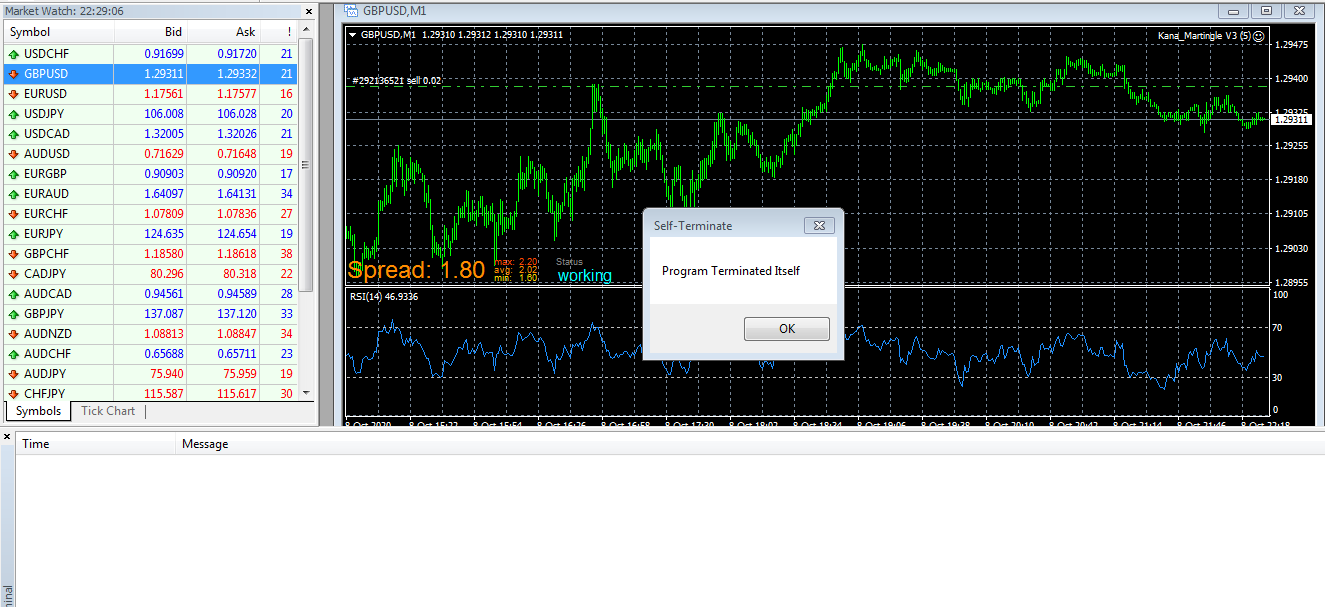
This message when i placed to platform in forex
-
RE: I want to close All order By PIPS calculate Profitposted in Questions & Answers
But this will close Each trade not all trade
-
RE: Terminated itself problemposted in Questions & Answers
it is not ending till i click ok on the message box it should auto terminated
-
RE: Terminated itself problemposted in Questions & Answers
I already attached with journal only if i click ok it will stop and it will show in the journal EA removed ( What is the use of this in that case )
-
RE: Manual Execution of Buttons On Chartposted in Questions & Answers
Hello,
You mql code to excute the button like this you will have only button on the chart without coding to excute it will not control it
-
Terminated itself problemposted in Questions & Answers
Hello,
Can some explain to me how this in photo is terminated it self and still the EA running it will not stop EA till i close EA ( Then what is the use fro this terminated !!!!
-
RE: I don't understand what happens when I increase the sizeposted in Questions & Answers
Please let me know the result
-
RE: Bug - Time mode 'components' condition is not working properly (MT5)posted in Bug Reports
i Already email to admin please you email to him also
-
RE: Bug - All conditions reset to MA?posted in Questions & Answers
I email to admin hope he will have a look
-
RE: Why do some variables have check boxes but can't be optimised?posted in Questions & Answers
This check box is only coded as bool it will not show in the back test
-
RE: My EA kept Opening Too Many Trades.posted in Questions & Answers
I do this modify and it looks working with me
https://fxdreema.com/shared/83g6rnjAb
Try it and let me know the resault
-
I want to close All order By PIPS calculate Profitposted in Questions & Answers
Hello Every One
I need some help
1- I want to close all order's if the total profit for it is 20 ----- 50 pips
I know there is trailing and there is % and there Account but i need by PIPS only
2- Anyone know how i can Add the full codes in the fxdreema file i need to insert this codes inside fxdreema MT4 files 0_1602099551222_CloseAtProfit.mq4