fxDreema

    • Register
    • Login
    • Search
    • Back to the main page
    • Categories
    • Recent
    • Tags
    • Popular
    • Search
    1. Home
    2. shafifie
    3. Posts
    S
    • Profile
    • Following 0
    • Followers 0
    • Topics 4
    • Posts 14
    • Best 0
    • Controversial 0
    • Groups 0

    Posts made by shafifie

    • RE: How to limit "number" of trading symbols? if I drag EA into 28 pairs but want to limit only 4 pairs. ?

      Hi again fxDreema,

      At least, you got what my idea it is.

      In order to make you grasp my idea fully, let me explain more.

      When the condition in my EA met, buy/sell trade will initiate.

      Let say the idea only 4 symbols/pairs are allow to trade simultaneously.

      For this situation, 4 symbols/pairs already initiate a trade. Doesn't matter how many trade(layer/volume added) in these pairs, as long as only 4 of these symbols/pairs were involved.

      If the condition also met in the 5th symbol/pair, buy/sell trade will not initiate until one or more current symbols/pairs traded have reach Take Profit/closed trade. This is to maintain 4 symbols/pairs limitation.

      This idea is very useful if account balance was limited.

      Let say, my account balance can only withstand 4 symbols traded at one time (unrealized loss/floating amount).

      I just imposed the condition to trade only 4 symbols at one time.

      So, with this idea we can limit any numbers of symbols to be traded at one time depending on account balance.

      This is due to known fact 😝, we don't know which symbols will initiate trade first. As the EA will be attach to maybe 28 symbols/pairs chart or more.

      If you can implement this idea, I'm sure our EA will be more flexible with any account balance.

      Thanks.

      posted in Questions & Answers
      S
      shafifie
    • RE: How to limit "number" of trading symbols? if I drag EA into 28 pairs but want to limit only 4 pairs. ?

      Hi fxdreema,

      Can this condition block limit pair traded at one time?

      https://fxdreema.com/shared/2ckslDrgd

      A bit difficult to test the idea due to backtest only allow one pair at one time.

      Thanks.

      posted in Questions & Answers
      S
      shafifie
    • RE: UPDATE time, write here if you have problems!

      @fxDreema I remove it by reloading my template.

      Reloading the EA and setting via template.

      Nothing to worry right?

      It run without any problem.

      Thanks.

      posted in Questions & Answers
      S
      shafifie
    • RE: UPDATE time, write here if you have problems!

      @fxDreema 👍

      posted in Questions & Answers
      S
      shafifie
    • RE: UPDATE time, write here if you have problems!

      Hi,

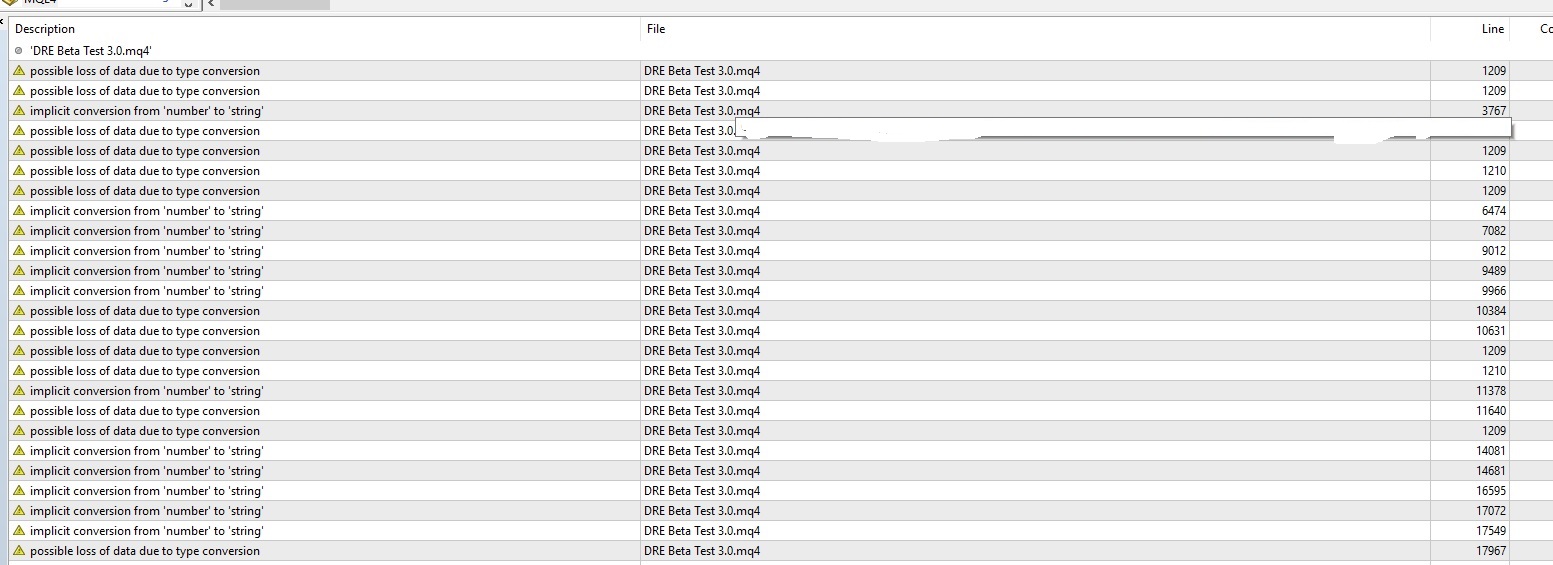
      Can you take a look at this warning.

      This warning came up after the update. Should I just ignore it? 😕

      0_1503322650979_error fxdreema 1.jpg

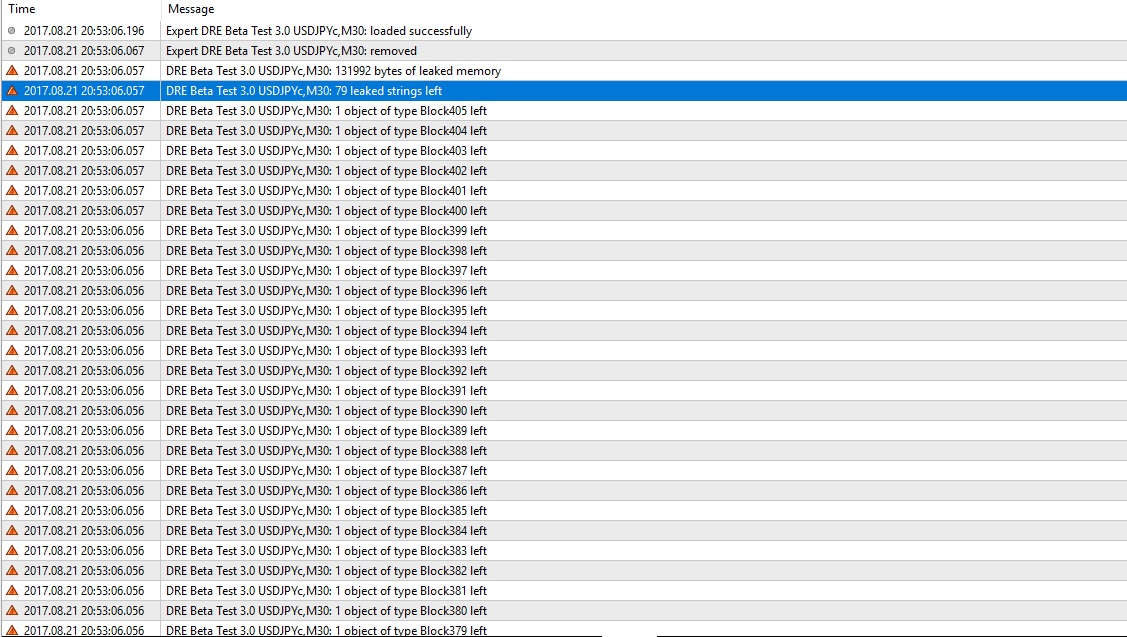
      Is this normal log when I remove the expert advisor?

      0_1503326687058_error fxdreema 3.jpg

      Just let me know.

      Thanks.

      posted in Questions & Answers
      S
      shafifie
    • RE: UPDATE time, write here if you have problems!

      Hi,

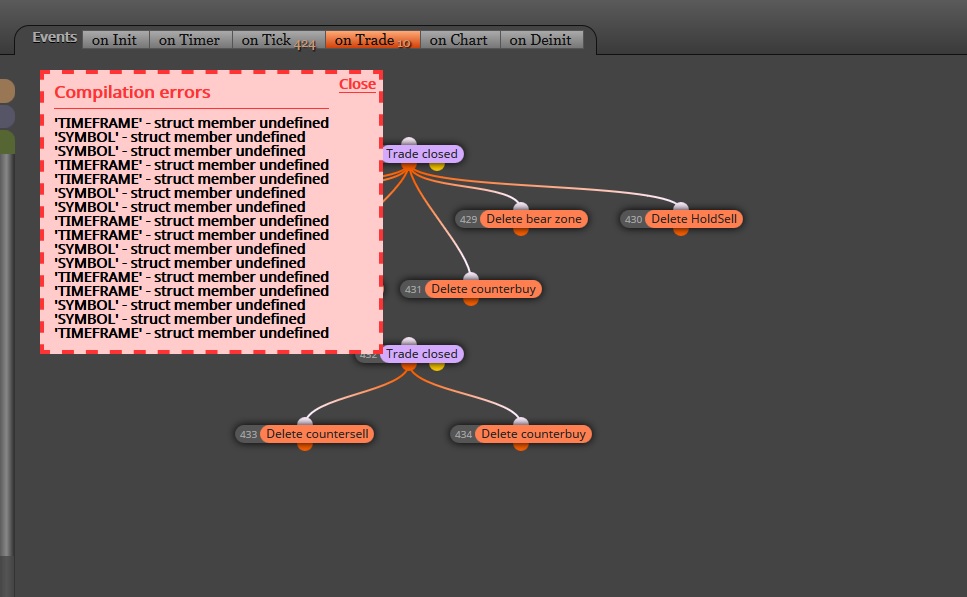
      A few hours ago, I have no problem generating the same EA.

      Now, this error come up.

      0_1503149028553_error fxdreema.jpg

      Kindly look into this matter.

      Thanks.

      posted in Questions & Answers
      S
      shafifie
    • RE: Can you suggest a condition or an idea.

      Hi Again,

      I think I can figure it out right now.

      In a different way in order to make my setup works.

      Thanks.

      posted in Questions & Answers
      S
      shafifie
    • Area Group.

      Hi Again fxdreema.

      Just need to verify something, as example shown below

      https://fxdreema.com/shared/OtlhzDrme

      Two kinds of setup was created in the example. The reason I put it in separated area was to avoid interfering each other setup.

      Of course, the current condition of the example would never interfering each other setup. I think you got my point.

      In more complicated setup, I'm worried both buy and sell setup which have similar condition will interfering each other block flow.

      My question is, if i put buy and sell setup in separated area, does the block flow just run within its area only (start to finish)?

      Thanks.

      posted in Questions & Answers
      S
      shafifie
    • Can you suggest a condition or an idea.

      Hi fxdreema,

      Can you kindly suggest a condition or an idea as below:

      no trade on candle id 2... excluded candle id 1 (if trade on candle 1)

      And the block flow will pass.

      Block "no trade nearby" only can be set based on price.

      Thanks.

      posted in Questions & Answers
      S
      shafifie
    • RE: A little help with modify stop and add volume block.

      Thanks a lot admin.

      posted in Questions & Answers
      S
      shafifie
    • RE: A little help with modify stop and add volume block.

      Hi fxdreema,

      I have changed the block flow a little bit.

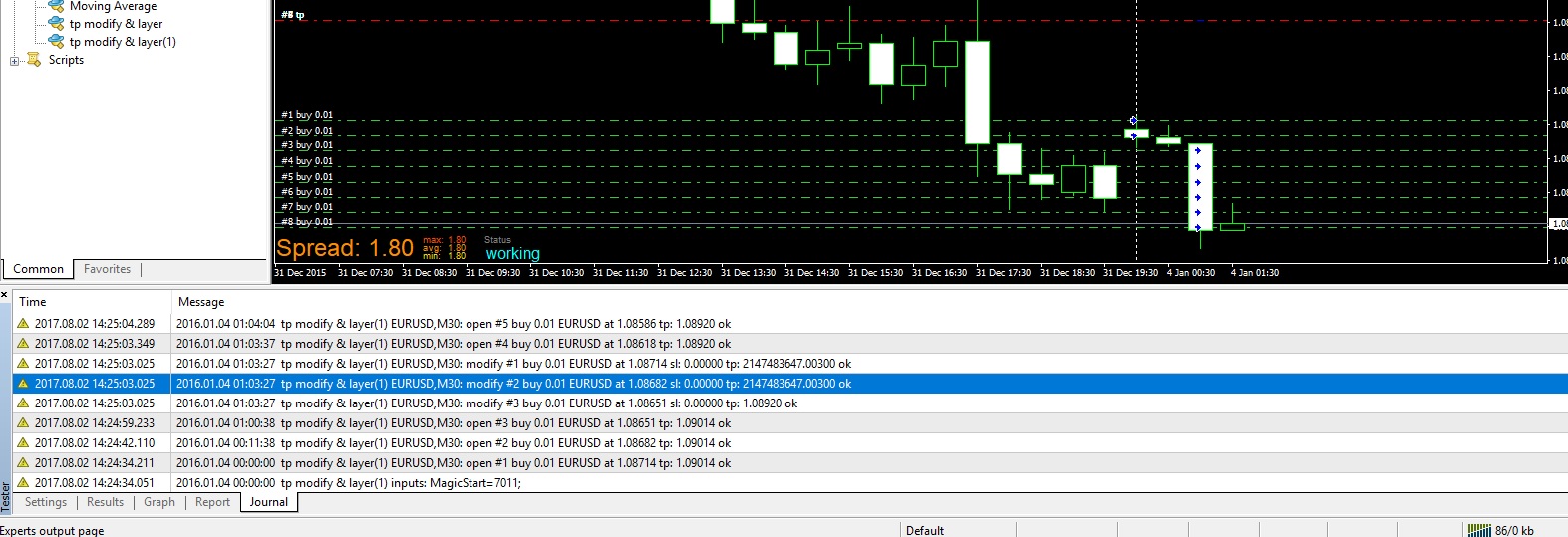
      Promising, all the intended buy trade modify its TP.

      However, the previous buy trade modify its TP to an absurd price level.

      Other modified TP is ok.

      You can see it here.

      0_1501655784733_tp modify & layer.jpg

      You can review my block flow as below.

      https://fxdreema.com/shared/Lkvtl1kZb

      Thanks.

      posted in Questions & Answers
      S
      shafifie
    • RE: How to limit "number" of trading symbols? if I drag EA into 28 pairs but want to limit only 4 pairs. ?

      can kindly you show some example?

      posted in Questions & Answers
      S
      shafifie
    • A little help with modify stop and add volume block.

      Hi fxdreema,

      I need help with this flow. I need all buy TP to be modify at the same level.

      However it just modify the TP only at current candle.

      The previous buy trade not affected.

      You can see it in this example.

      https://fxdreema.com/shared/CxKH1zzle

      You can run it on 4 Jan 2016 to see it clear.

      Thanks.

      posted in Questions & Answers
      S
      shafifie
    • Delete Pending Order

      Hi,

      How to make an EA delete un-triggered pending order if the price go past targeted take profit level?

      posted in Questions & Answers
      S
      shafifie
    • 1 / 1