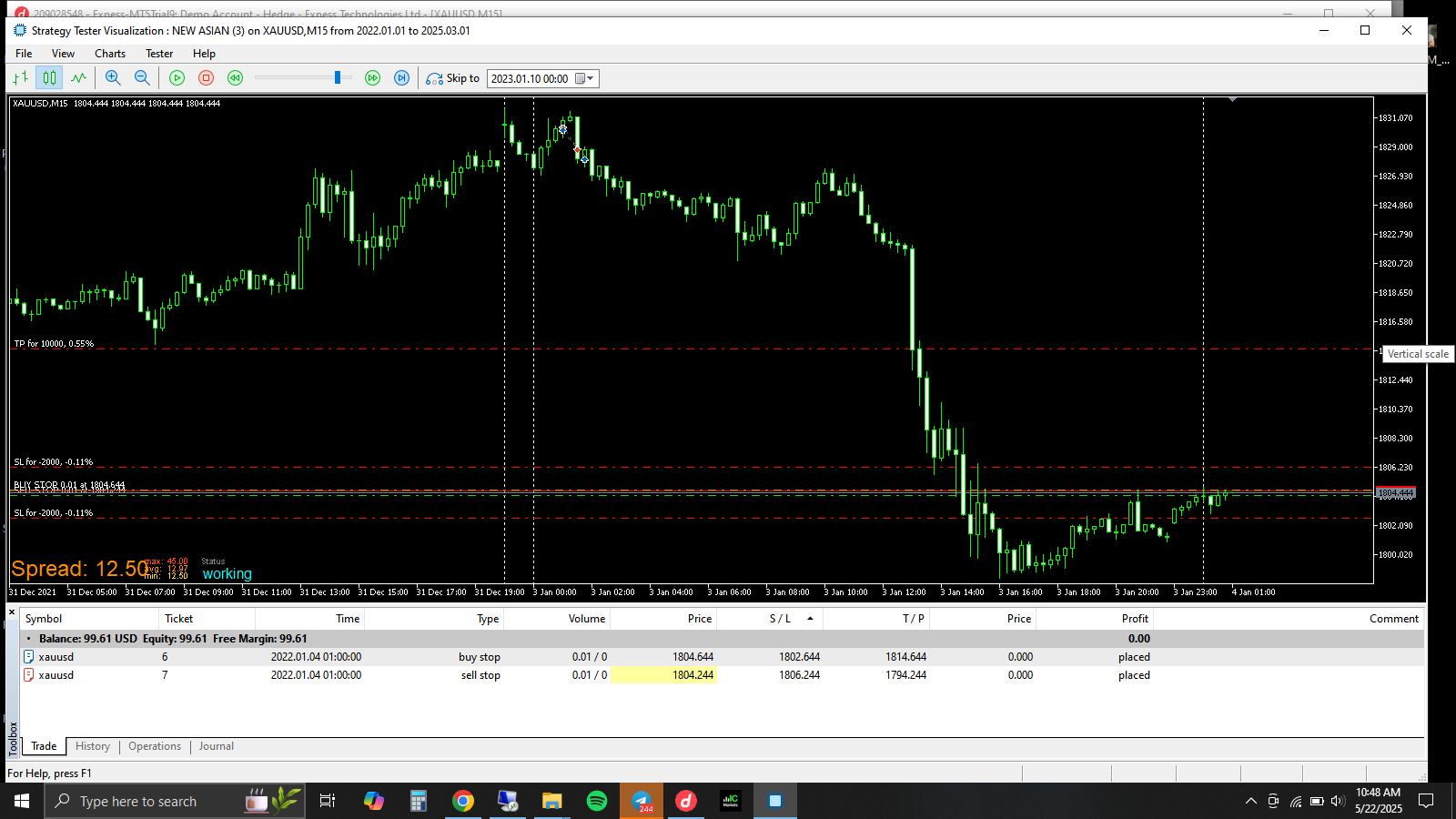
@jstap thank you for your response, I have tried different methods, without using the once a day block, it is still the same result I'd get. The issue is the EA sets both orders without waiting for the stop time, thereby activating both orders same time
S
Posts made by Sos_Fx
-
RE: PENDING ORDER NOT PLACED CORRECTLY,KINDLY ASSISTposted in Bug Reports
-
PENDING ORDER NOT PLACED CORRECTLY,KINDLY ASSISTposted in Bug Reports
Hello, i try using time filter for setting of pending order from 01:00 to 08:00 but the orders are placed too close to each other, it is not respecting the time distance!
here"s a link to the project
https://fxdreema.com/shared/ZfOFwAYU
i have tried different method and it`s still the same. kindly assist
-
RE: "TURN OFF BLOCK" NOT WORKING, KINDLY ASSISTposted in Bug Reports
@l-andorrà Thank you l'andorrà, i will do as you"ve suggest and give a feedback
-
RE: "TURN OFF BLOCK" NOT WORKING, KINDLY ASSISTposted in Bug Reports
Thank you l'andorrà, i will do as you"ve suggest and give a feedback
-
"TURN OFF BLOCK" NOT WORKING, KINDLY ASSISTposted in Bug Reports
Hello,
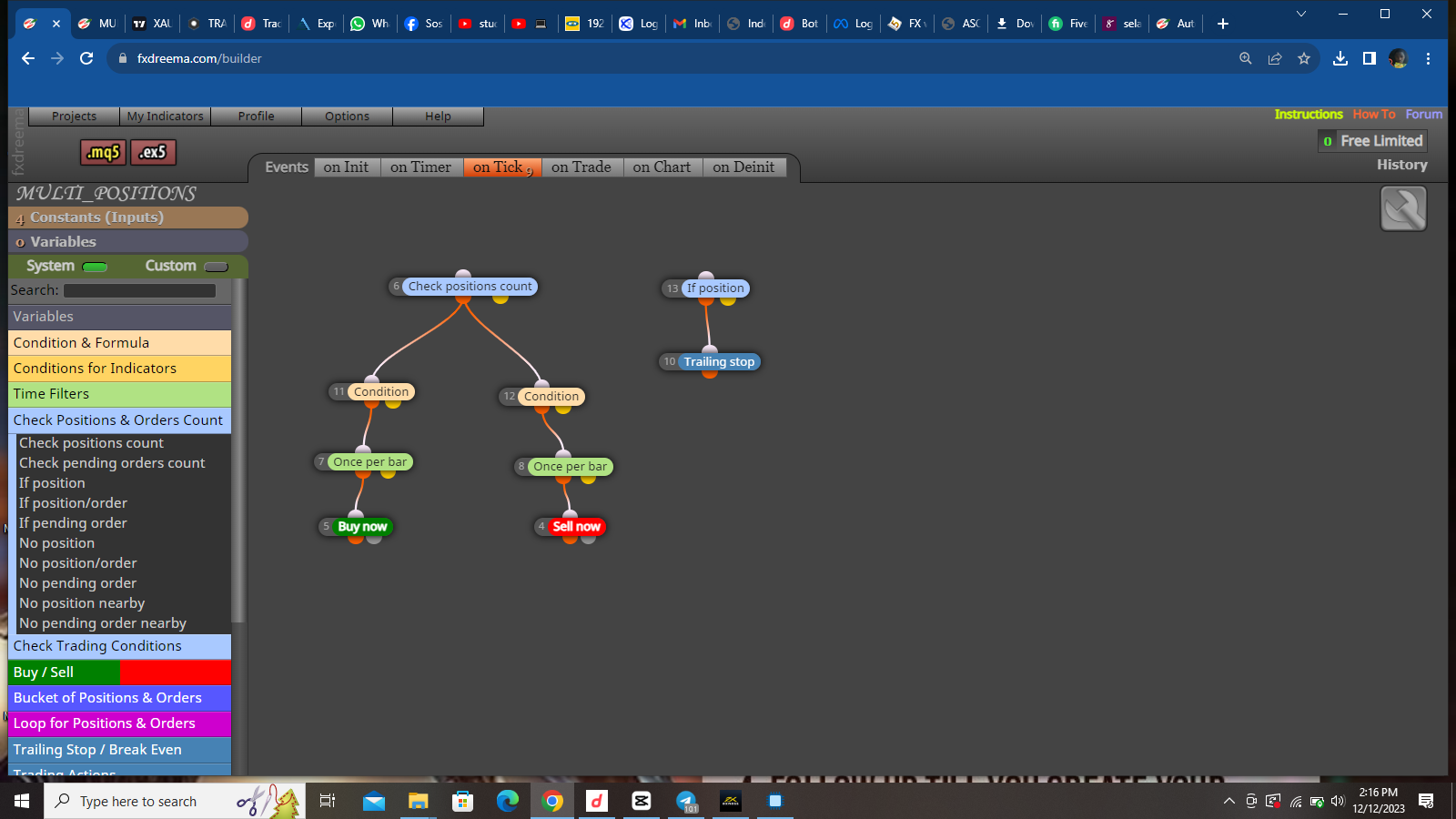
i used a Turn off Block for "Buy now and Sell Now" but it is not effective, the EA keeps buy. i set the turn off block for another block, and it worked, however it refuses to work on "Buy now and Sell now" blocks. have also ensured that the IDs are correctly place. i will leave a link to the project below.
-
RE: TRAILING STOP NOT WORKING PROPERLYposted in Bug Reports
@willramsey it's as an individual trade not for group of trades. This is not the first time am using trailing stop with custom indicators but this is just different, have tried other methods still it's not doing what it is meant to do.
-
RE: TRAILING STOP NOT WORKING PROPERLYposted in Bug Reports
https://fxdreema.com/shared/aHuvvIU5c
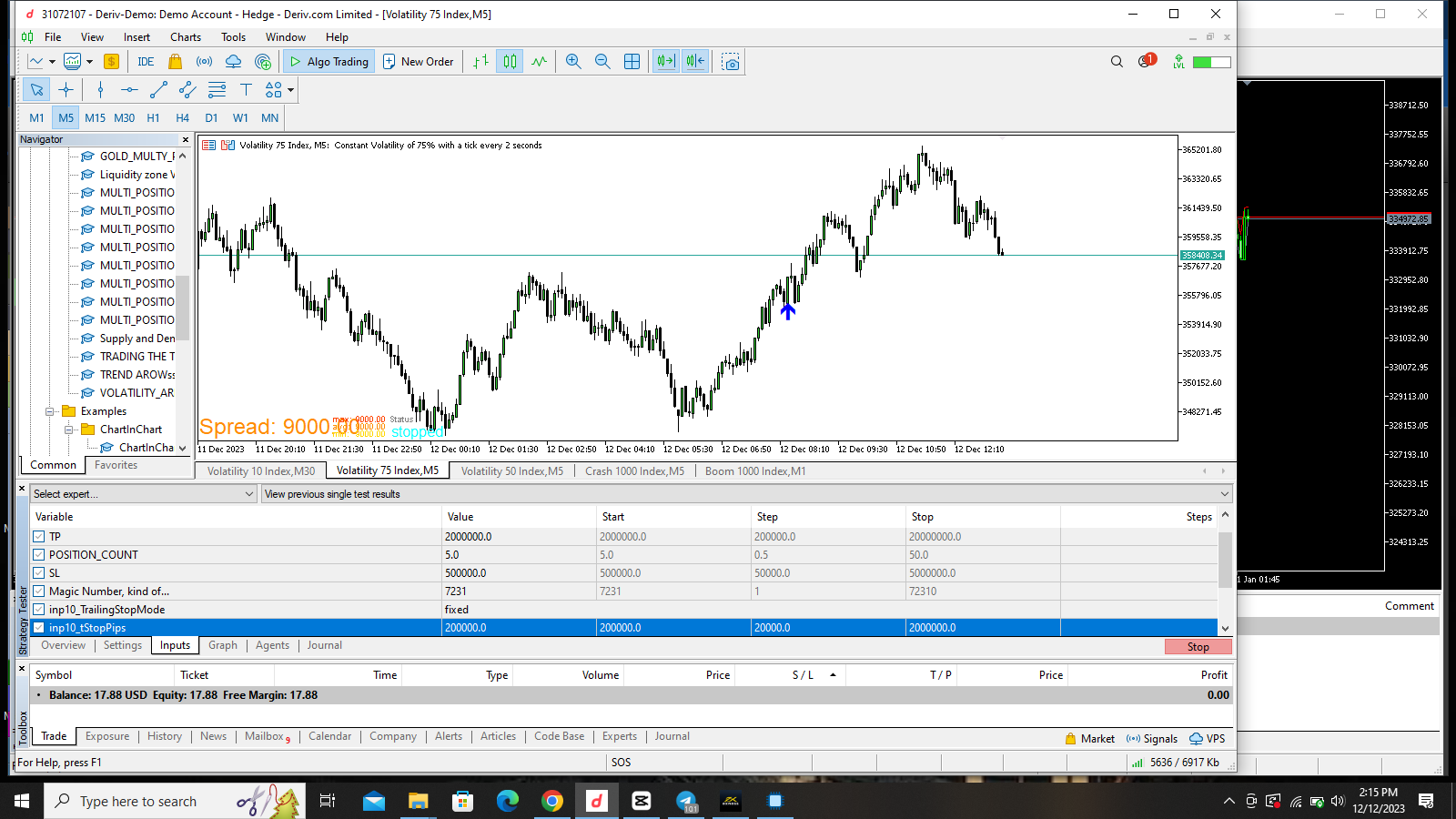
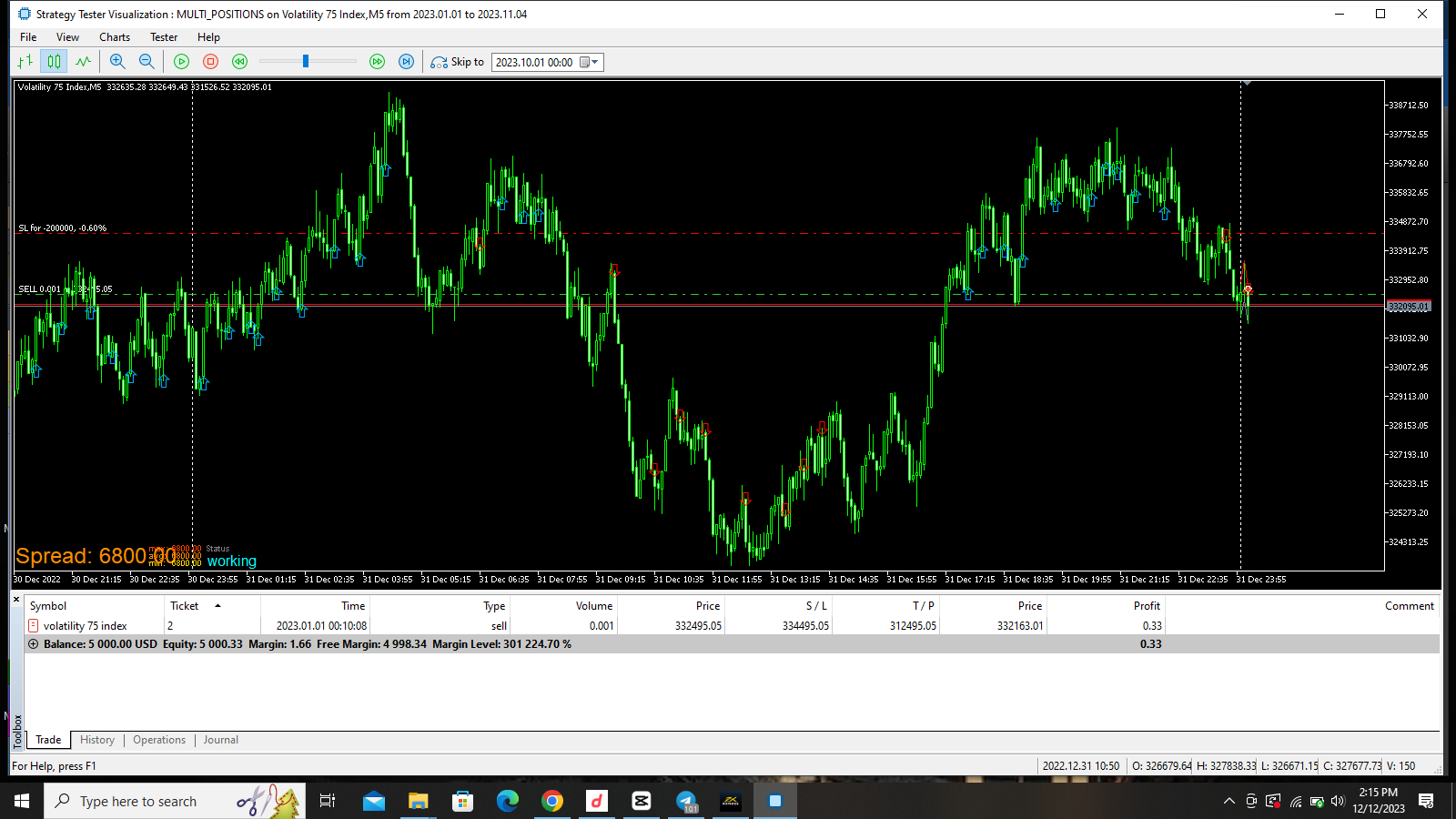
The issue is still thesame, i think its from fxdreema, the bot is now using the trailingstop as the main stoploss, when the main stoploss is 500,000 and the trailingstop is 200,000. you can see it in the new screenshots i uploaded
-
RE: TRAILING STOP NOT WORKING PROPERLYposted in Bug Reports
@jstap ok I will do as you say, although have tried so many options and it didn't change anything. I pray this works
-
TRAILING STOP NOT WORKING PROPERLYposted in Bug Reports


I noticed this, the bot does not trail stoploss well and sometimes, it uses the trailingstop as the initial stoploss. in the image i uploaded i used a trailingstep of 100,000 points and a trailing stop of 200,000. the market has moved over 300,000 points yet the trailing stop did not move until the trade is close to Take profit then it will trail the stop loss for all the position at once even when the positions are opened with different time and price level. have tried everything possible and its still the same, pls i need help on this.

-
RE: CAN NOT TURN CUSTOM INDICATOR INTO AN EAposted in Questions & Answers
@jstap the indicator is on the chart while testing the EA
-
RE: CAN NOT TURN CUSTOM INDICATOR INTO AN EAposted in Questions & Answers
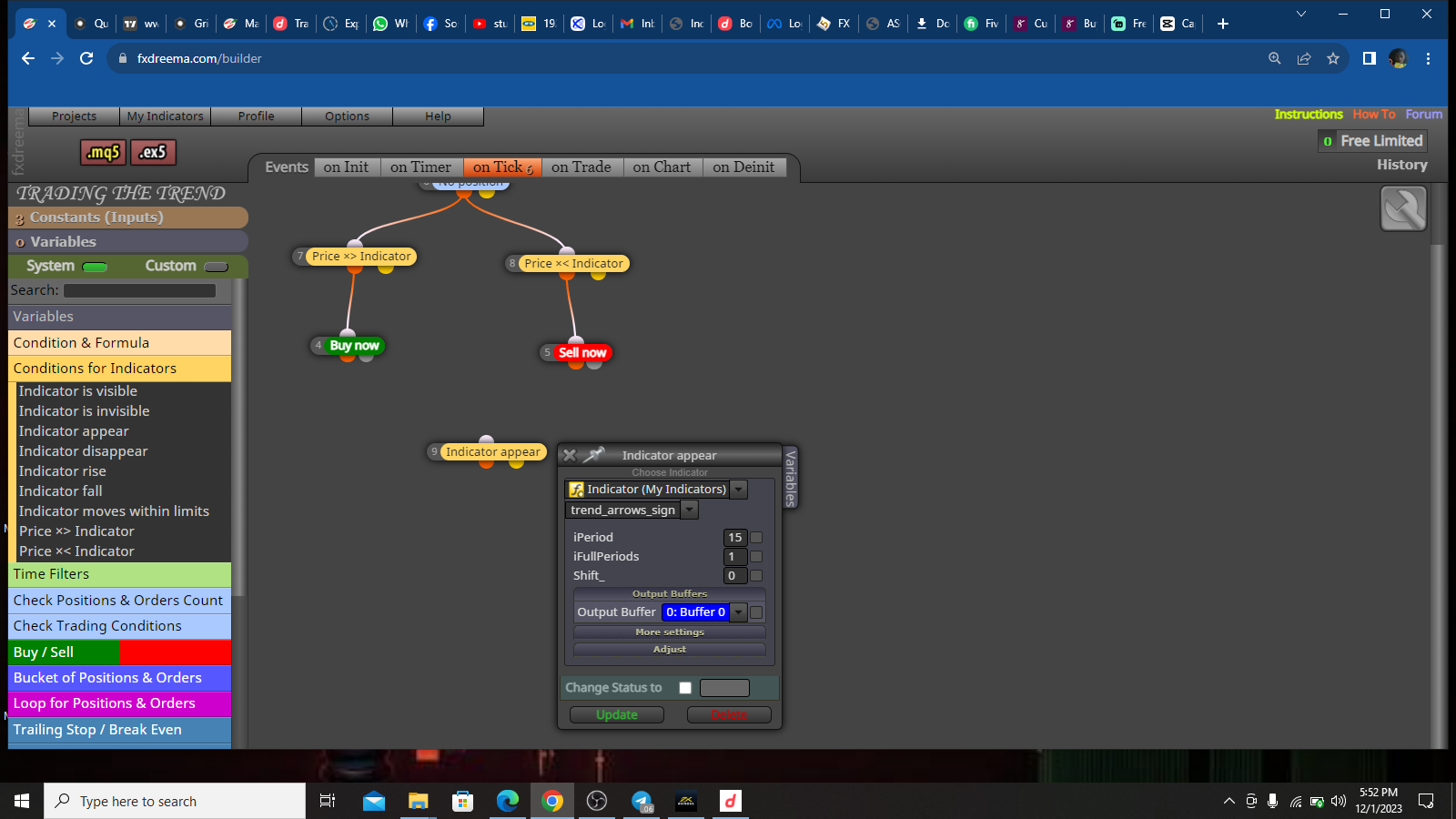
the value is Buffer 0 and 1
-
CAN NOT TURN CUSTOM INDICATOR INTO AN EAposted in Questions & Answers
Good day everyone, have been trying to turn this indicator into an EA but it does not work. when i test the indicator alone, it works but once i upload it into an EA, It does not appear on the chart and it does not take trades. have done every necessary am supposed to do but it still does not work while other indicator i turned into an EA works.
-
RE: Turn on block once its 1am the next dayposted in Questions & Answers
@jstap pls can you show it to me?
-
Turn on block once its 1am the next dayposted in Questions & Answers
GOOD DAY everyone, i want my EA to turn on blocks back on once its gets to the next day. i used a time filter but it did not work.
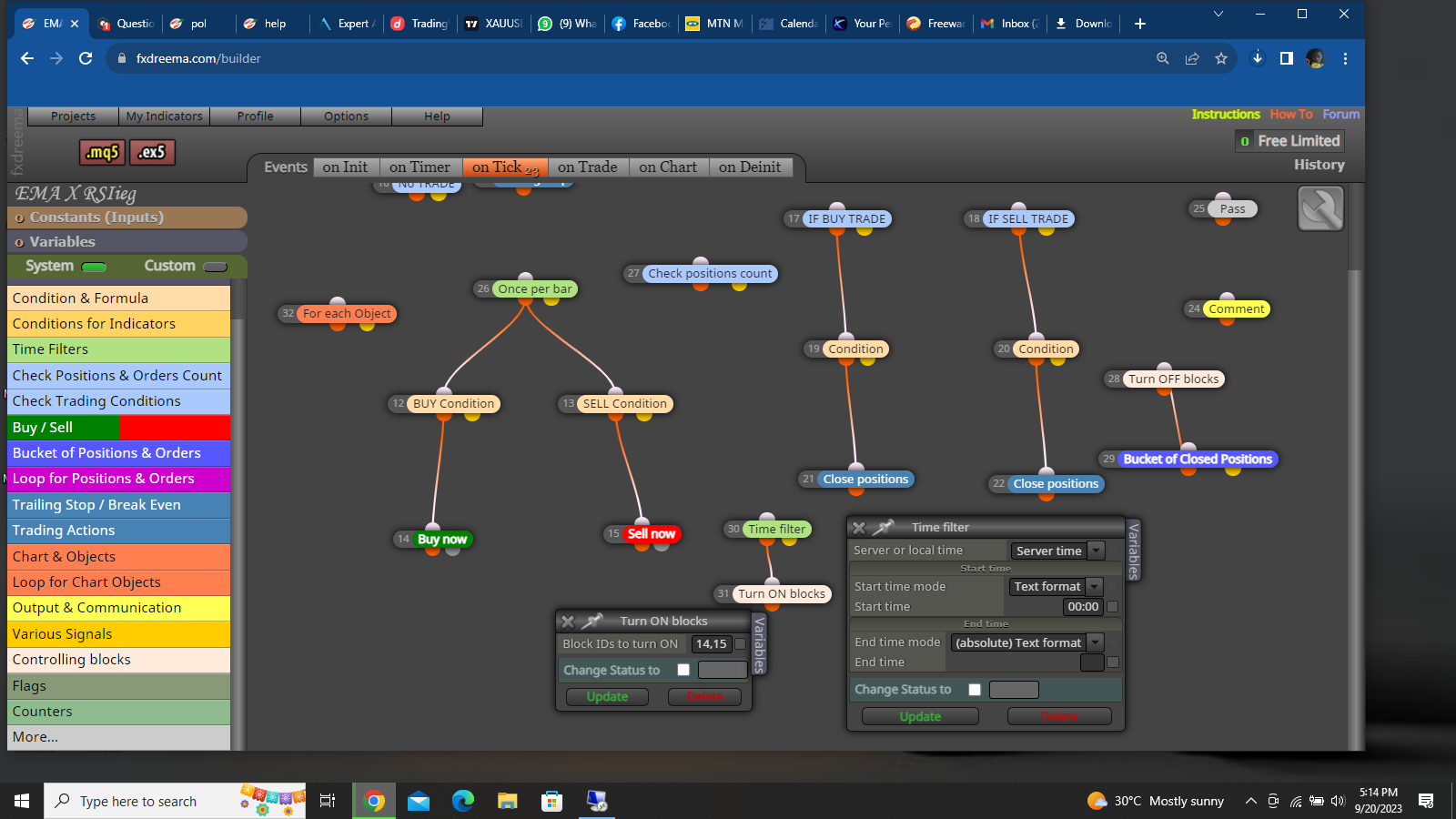 thank you
 -
RE: How to set number of trades per dayposted in Questions & Answers
Thanks anyways. more suggestion would be appreciated from other members of the community
-
RE: How to set number of trades per dayposted in Questions & Answers
@biez6900 Thanks for the reply, is there other method of doing it without using variables and those blocks?
-
How to set number of trades per dayposted in Questions & Answers
Good day everyone, i want my EA to take a specified number of trades per day but its not respecting the block. pls assist
https://fxdreema.com/shared/Nd0QK5vme -
RE: How to stop bot from taking trade in ranging marketposted in Tutorials by Users
@Xfire thank you for ur assistance so far. have seen the indicator, the next challenge is knowing how to apply it
-
RE: How to stop bot from taking trade in ranging marketposted in Tutorials by Users
thank you for ur assistance so far. have seen the indicator, the next challenge is knowing how to apply it