Interesting, I was not aware of this. In that case I have no idea why it's not working for @LadyDolares, I've reinstalled and tested it multiple times, and just tried it directly from my link, setting it to 0.25 works as well for me. I just don't know.
S
Posts made by Supersako
-
RE: Finding Doji Candlesposted in Tutorials by Users
-
RE: Finding Doji Candlesposted in Tutorials by Users
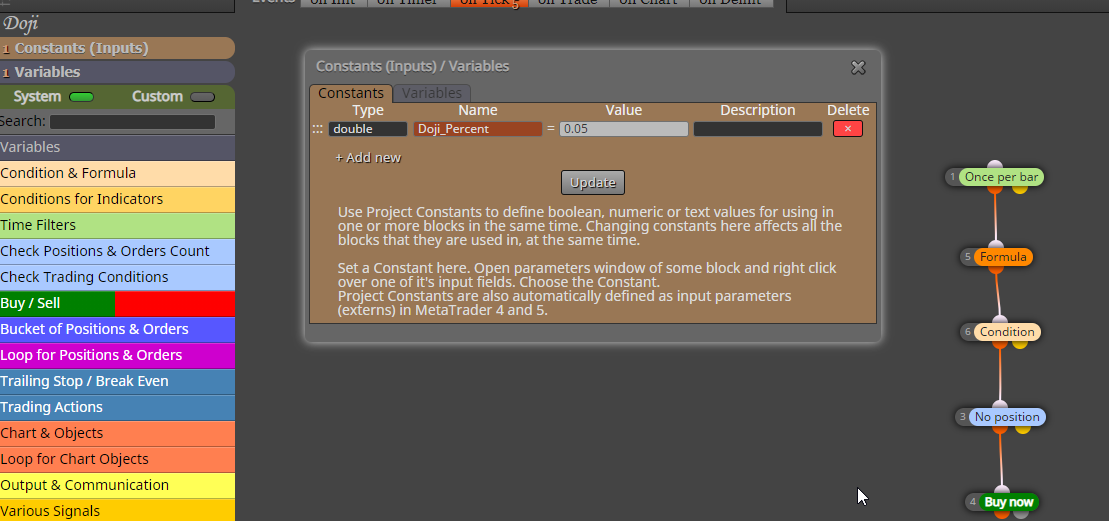
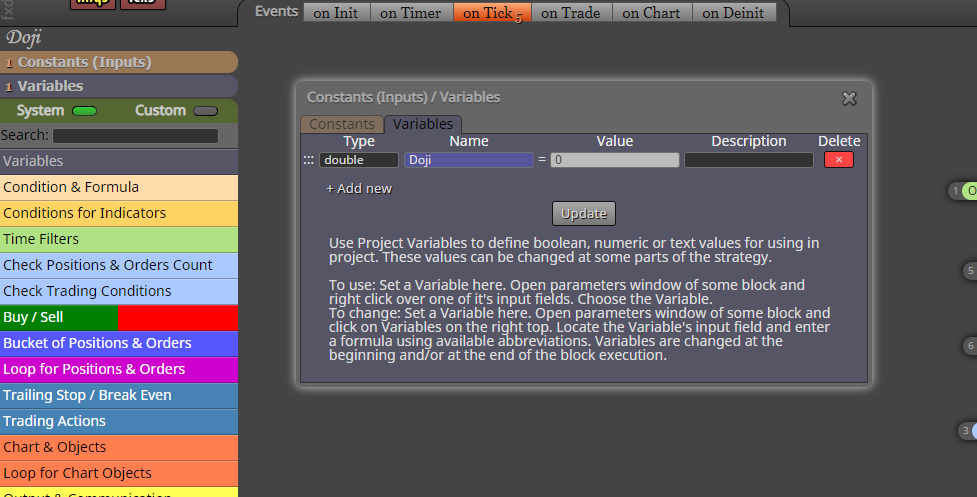
Okay, so for it to work, you need to create a new project, then copy and paste the blocks from my project over into the new one you just made, then you need to create the constants and variables that are in my project. Also this is for mt5 only
-
RE: Finding Doji Candlesposted in Tutorials by Users
What's not working? I've been testing it and its working fine for me, did you copy the project and create the constant and variable used?
-
Finding Doji Candlesposted in Tutorials by Users
Thought I should share how to find doji candles based on the percentage of the whole candle
https://fxdreema.com/shared/b0aptFLQc
In the tester you can set what percent of the whole candle should consist of the body
If you set it to .5, any body that is less than 50% of the whole candle will be considered a doji and will buy. -
RE: Steps to take an ea from backtesting to liveposted in Questions & Answers
@l-andorrà
Thats fine with me, actually that would be better since it was already entering at the open price with candle id 1, Im trying my best to simulate that in live with the solution above, but the results between the two arent even close, adding "once per minute" every 15 minutes reduces the trades by 30% and almost makes it not profitable, even though both ea's enter at the same time, is there another way to do this? -
Steps to take an ea from backtesting to liveposted in Questions & Answers
I would like to take this ea from the backtesting stage into live, but im confused on some things
https://fxdreema.com/shared/JKcbqqMadSo I have to swap from candle id 1 to 0 to read ticks, but how do I make sure to only enter at or near the candle close, for this ea I want to enter at the close of every 15m candle, so would I have to do something like this?
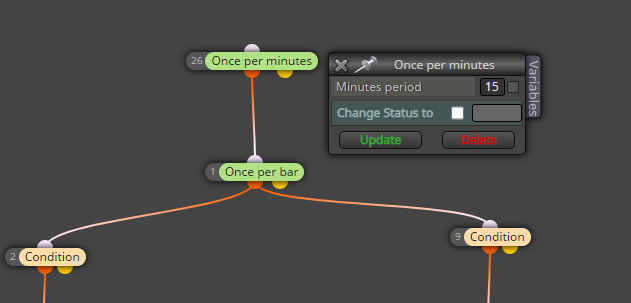
I also have stochastics to confirm entry on a higher timeframe which is the 1h and im not sure if this will interfere with it. -
RE: using fxdreema variables with on OnTester()posted in Questions & Answers
@vonmunchy
https://fxdreema.com/shared/8IW5aQHCcThis is how I use to calculate winrate, I don't have any new ones, I just don't use winrate anymore. I have never used csv files so I'm not sure about that.
-
RE: using fxdreema variables with on OnTester()posted in Questions & Answers
https://fxdreema.com/shared/8IW5aQHCc
This is how I use to calculate winrate, I don't have any new ones, I just don't use winrate anymore. I have never used csv files so I'm not sure about that.
-
RE: using fxdreema variables with on OnTester()posted in Questions & Answers
@l-andorrà @CDWilder1 I know this topic is very old, but I actually figured out how to do this, its as simple as putting
v::(your variable name)
inside the return function, so for me, I want to test based on my winrate variable, so my MQL studio function would look like thisdouble OnTester()
{
return(v::WINRATE);
} -
RE: "Set Current Market" block vs running pairs separately not adding upposted in Questions & Answers
ah ok I understand it now. Thanks for the help, and Merry Christmas.
-
RE: "Set Current Market" block vs running pairs separately not adding upposted in Questions & Answers
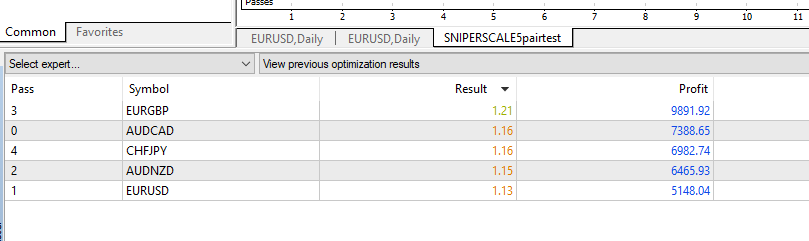
Thanks for the advice. Both EAs are working correctly in the visual tester. I've compared the number of trades for both EAs and they are both exactly the same (1144, 5pair EA ran once, single pair EA ran 5 times), so my only guess is that they are doing something differently in terms of money management.
I've also discovered that for the 5pair EA, profit and profit factor change depending on what symbol it is on, But the "Set for current market block" should override whatever symbol I select in the strategy tester right? Why are they not all the same? I used "All Market Watch symbols" in this picture
-
RE: "Set Current Market" block vs running pairs separately not adding upposted in Questions & Answers
Project for 5 pairs at the same time
https://fxdreema.com/shared/O8n8J6ahdProject For single pair
https://fxdreema.com/shared/pQnvZqR2eThey're both simple EA's for the same indicator. When TP is hit, move SL to BE.
-
"Set Current Market" block vs running pairs separately not adding upposted in Questions & Answers
When using a "set current market" block for EURUSD,AUDCAD,AUDNZD,EURGBP,CHFJPY, and running my EA, I get 1 set of statistics(profit factor, balance). After switching to a single pair EA without "set current market", I run each of those pairs separately. After adding up the balance, The net balance for the 2 EA's are always somewhat close, maybe 1 or 2 thousand off but never the same.
Why is this? Is it because the first EA is using only 1 spread for all pairs, or maybe because my money management consists of using a percent of my balance, and my balance doesn't reset when "set current market" switches pairs? And can I fix this?
-
How do draw a line on the candle clicked?posted in Questions & Answers
is there any way I can draw a horizontal line on the candle that I clicked on, or the candle closest to my mouse. just on the chart, not in the strategy tester.
The lines won't be there long enough for any new candles to form, So I was thinking I would do this just by getting the candle id of the candle closest to my mouse and storing that in a variable, any way to do this?
-
RE: Help With Confirmation Indicatorposted in Questions & Answers
Thanks for the advice, I'm going to look into it
-
RE: Help With Confirmation Indicatorposted in Questions & Answers
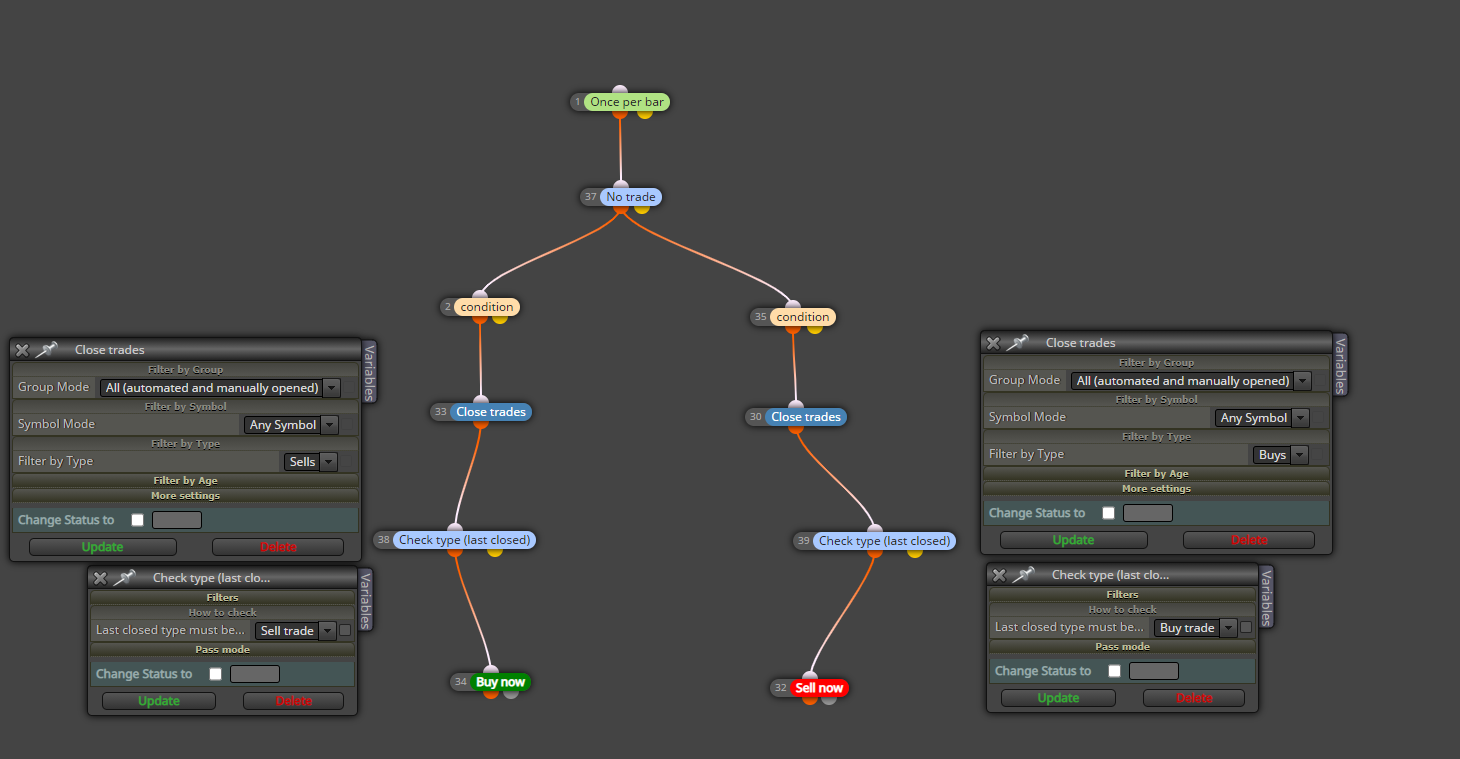
@l-andorrà I modified my blocks a bit and added "no trades" and it's working perfectly, thanks for the help.
In case anyone is wondering
-
RE: Help With Confirmation Indicatorposted in Questions & Answers
Update:
I changed buy and sells to activate when the buffer number goes below or above itself number 1 candle before with candle ids
https://fxdreema.com/shared/54N6dop9cBut now this is my problem
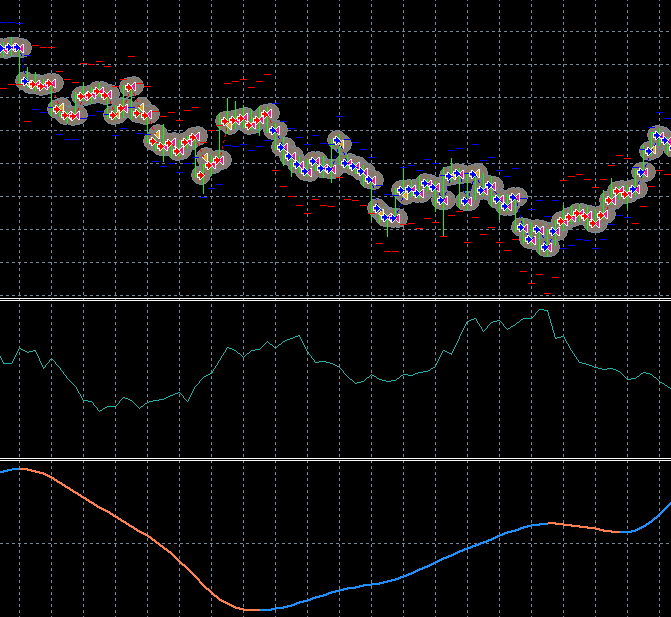
So it is selling and buying when it needs to, but how can I limit it to only 1 buy or sell when the signal flips?
-
RE: Help With Confirmation Indicatorposted in Questions & Answers
Yes it doesnt repaint and im mostly positive im using the right buffers, i've discovered my problem is I do not know how to create a buy signal,
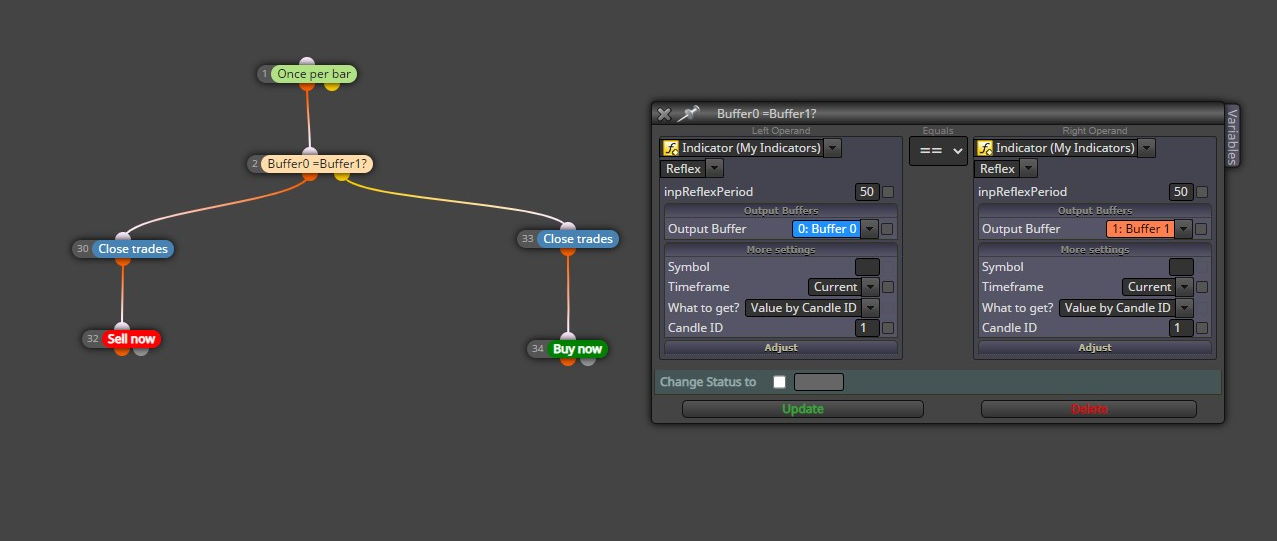
The sell signal works, the buy does not work. So if I make a condition to buy when Buffer0 DOES NOT EQUAL BUFFER1, and this is only true when BUFFER1 does not exist or is undefined, then the condition will never execute? If this is true, then how can I create a buy signal with only 1 buffer?
-
Help With Confirmation Indicatorposted in Questions & Answers
I'm having trouble getting buy and sell signals with these buffers
This is the buy signal
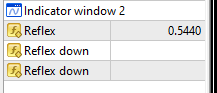
And this is a sell signal
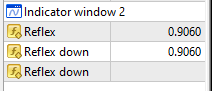
This is my attempt
https://fxdreema.com/shared/SjCW3BJIcThis is what it looks like, multiple sells on one signal, and I get 0 buys
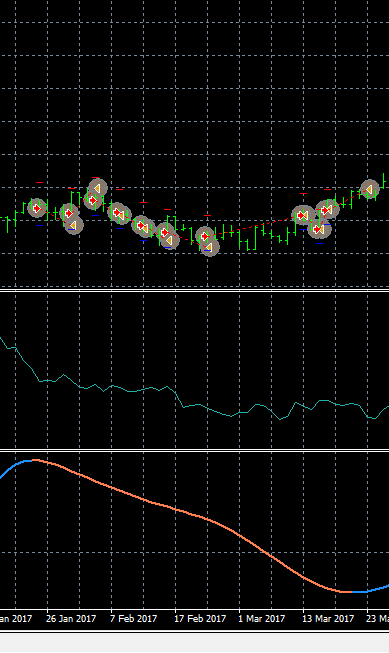
I dont have trouble with 0-lines cross, 2 line cross, but when I have to use indicators that have buffers that disappear I get problems.
-
RE: using fxdreema variables with on OnTester()posted in Questions & Answers
@l-andorrà oh haha, in the meantime I've been trying to code it inside MetaEditor but I get mostly errors, i'm just not that experienced, hopefully there's a solution in fxdreema.