@od said in Help needed to troubleshoot optimization results in mt4:
You need inputs to optimize first.
https://fxdreema.com/instructions/builder/constants-and-variables
@xwhysquared add once per bar above your condtion blocks and delete the "and" block. And use C1 as shown below.
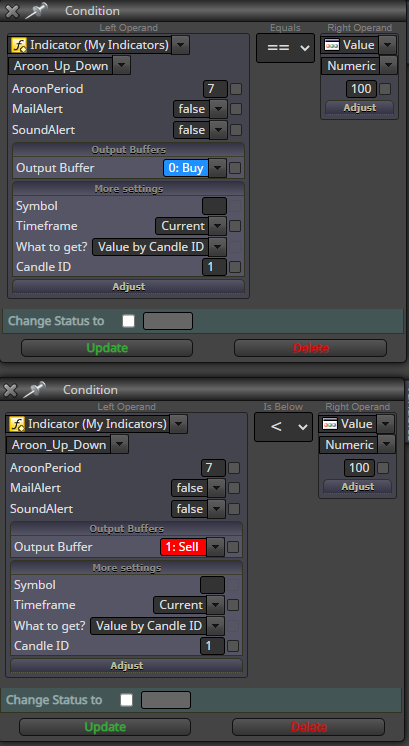
@doz use the converter. upload the mq4, and you will get a mq5 and import that.
@od hard to say much without the project link.
Check from settings what you choose as optimization pameters. Example, balance max, min dd, custom max.
@od what was the optimization parameter you had used?
@afgmarkets why not try it by finding the candle id and than looping the id until the condition is met. With candle id the time appears correctly.
@johann-0 than i guess you need limit it using a variable. at the start of the of the day give it something like a value of 0. If trade adjust the value and set to default at start of new day
@didymario7 you to need to place them again.
@didymario7 check your previous post. Use the same condition to delete the pending orders if there are any
@gozey you using no trade block with either buy or sell. meaning only 1 position at a time which ever condition met first will be triggered.
One more thing you can do is click on name. Example "Filter by Type". A description of it is given. And if you right click and select information. You will see a more detail description for each block as shown below.
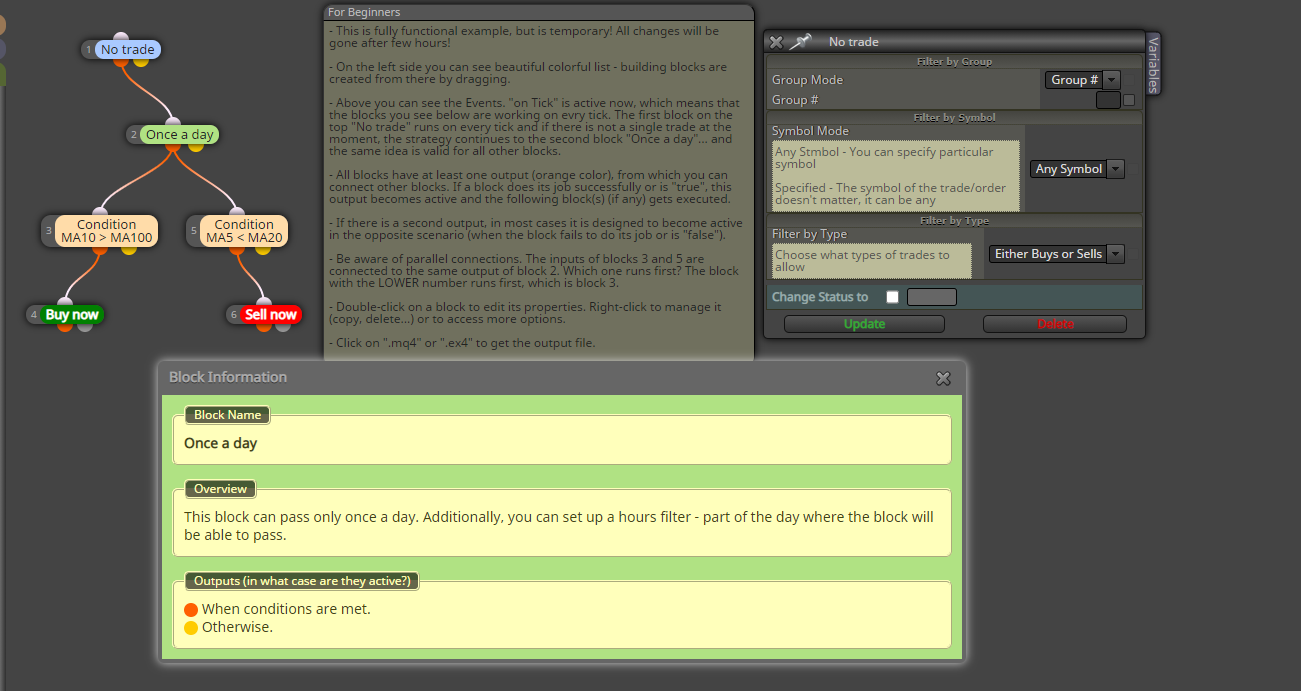
@johann-0 the way to limit that is by using once per bar. try relocating the once per bar under the condition
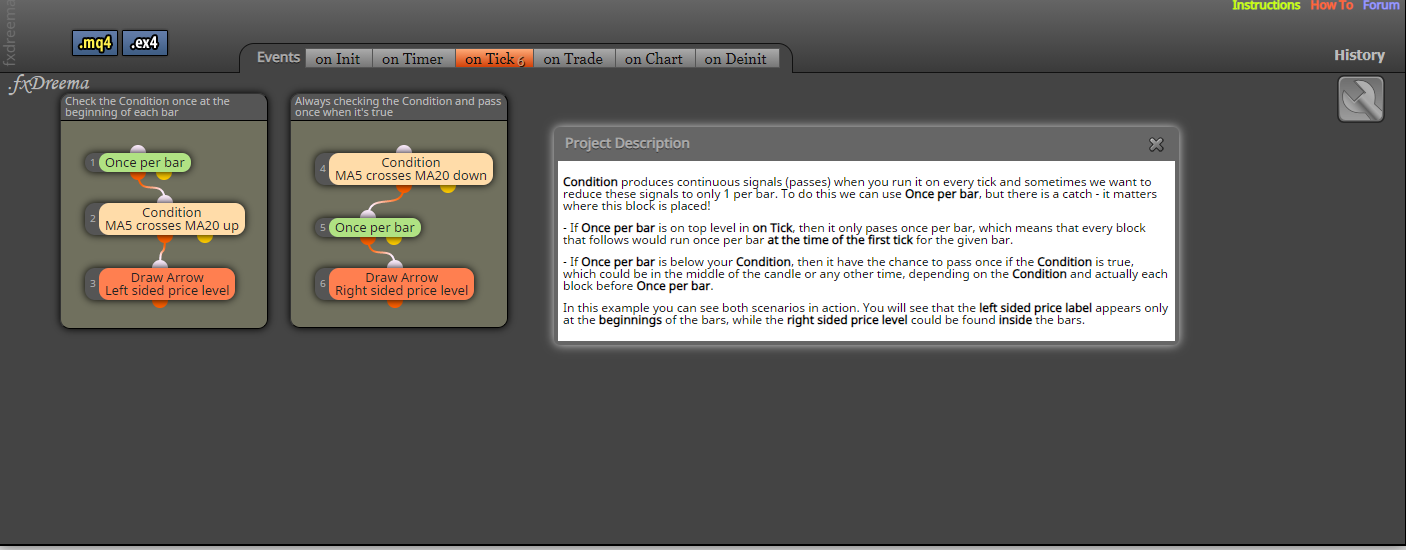
@didymario7 maybe this will work. i didnt check. but you get the idea.
@gozey alright, im sorry if you think im being rude. You made 3 thread in 2 hours that is what i meant by "stop duplicating threads".
How is someone suppose to assist you when you asking about the very basics thats already explained in the above links.
Eitherway post your project link, thats the fastest way to get someone to reply
@cdt this is what i mean. And its easier if you have the mql file.
https://fxdreema.com/shared/VvHWw0e5c
@gozey read the instructions seriously and stop duplicating threads. Get the basics right first.
https://fxdreema.com/instructions
https://fxdreema.com/howto
@firima80 sorry I don't have time to work on any more projects. But here is a video I found of this guy making the same type of ea.
Good luck
@firima80 if you want it to be in that sequence. You will need a custom code. Or a pretty complicated project with each buy/sell separately with its spesific lot size
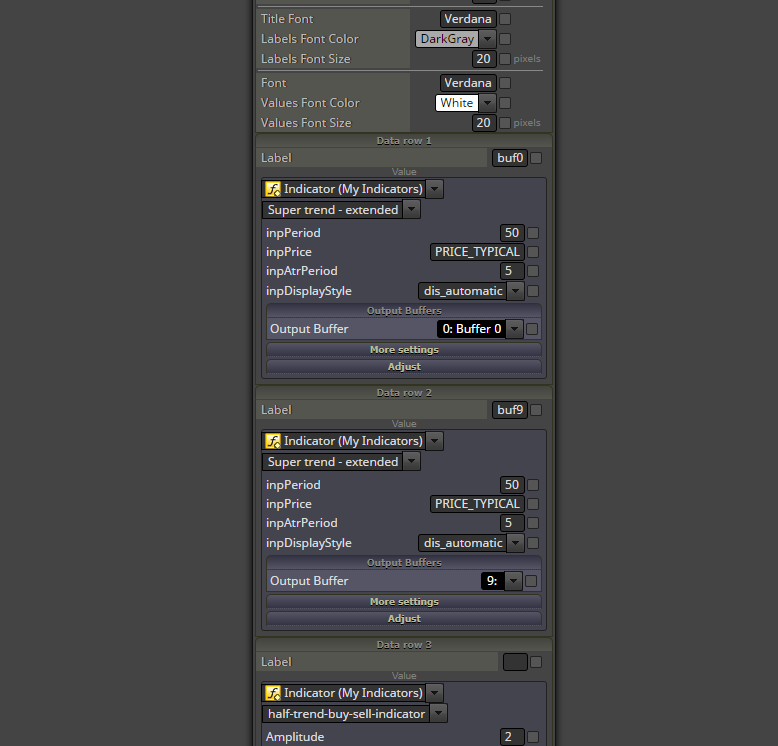
@cdt tracing buffers is the same in mt4 and mt5. If you have the mql file, open it and you will see several buffers with some appearing as "Indicator colors and indicator values". Just because 3 buffers appear there doesn't mean the indicator has only 3. Definitely more than that judging from the ss above.
If that's too complex for you. Go to indicator section as you showed above. Click add buffers, add around 7 more buffers. So now you have total of 10 buffers. Add a comment block. Select each buffer and give it the buffer name.
Example. Buffer 0 (indicator buffer 0). Buffer 1 (indicator buffer 1).
When the comment runs, you will see the values for each buffer separately
@cdt trace the buffers values. find more details from below.