Show currency pair in alert message
-
Hi, I searched through google for the answer to my question, but just can't find a solution. As you can see in the attached picture, my EA gives me setup signals. I use it across various currency pairs. Now, the first time the alert comes on, I see the currency pair at the top of the alert box. However, the individual alert messages don't contain the currency pair. So unless I close the alert message every time, I don't get the newest pair shown. Do you understand what I mean?
 In short, I want each alert line to show the currency pair in question. Any ideas?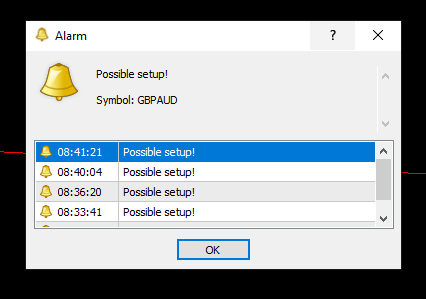
-
when attaching ea to chart you could type in which pair it is as a "constant" for the alert. would have to input each time placing on new pair.
-
@sirluk Can you please share the link to your project? That would certainly help.
-
-
@max-c seems to me I could somehow get that Data row 1 (Symbol: i.e. GbpAud) into the main alert field.
-
@sirluk The logic in the block is correct. I recommend you to move that block on a separated block tree and connected below a pass block only. You should see the symbol info correctly.
-
@l-andorrà thanks for your help! I‘m probably too new here to totally understand what you mean. Can you explain it easier or show me in an example?

-
@sirluk Sorry. I reviewed the project and everything is correct. You should see alerts normally. That problem should be in the combination of conditions. Maybe they are too restrictive. Try to backtest it by adding buy now and sell now blocks connected below both 'once per bar' blocks. Every time a trade is open you should get an alert on the 'journal' tab. (you will not see them on backtest).
-
@l-andorrà that’s not the problem. I get every alert according to the setups i designed. All good there. The problem is, I use this EA for 28 currency pairs. This means in trading the alert box opens and I see the message „Possible setup!“…what I want is to also see which currency pair is meant. Basically, I want the message in Data row 1 to be shown in the main alert message field. Anyway to do that?
-
@l-andorrà
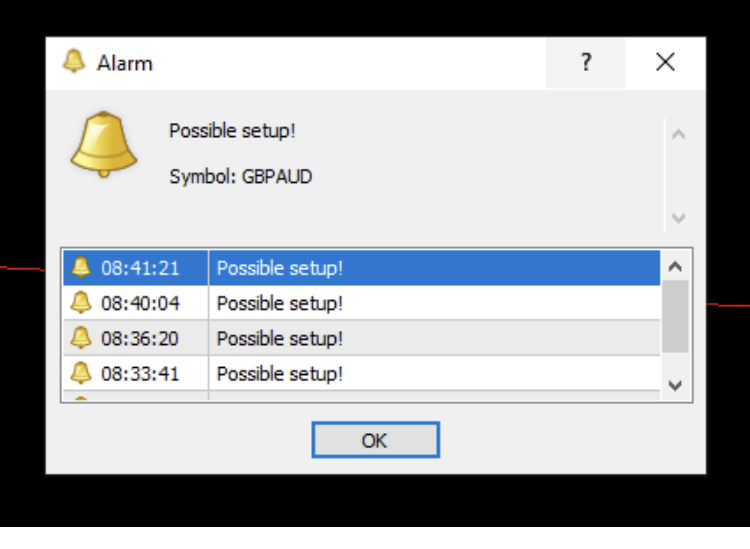 do you see the Problem? I have these 4 lines with the specific time of the setup, but since I use the EA on 28 pairs, I don’t know which currency pair the alert is for. I want these lines to contain the market symbol as well, so I don’t always have to double click it.
 -
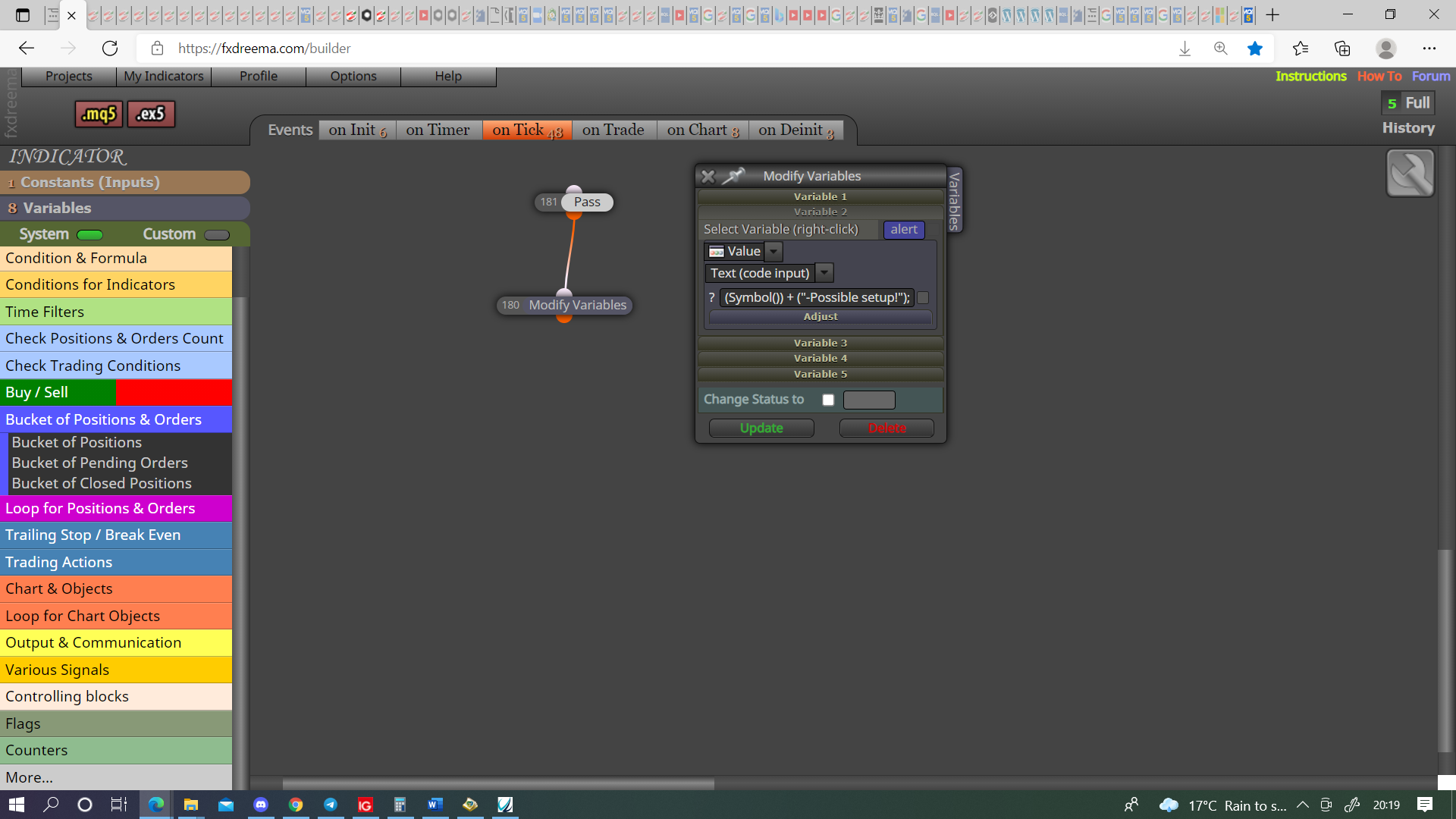
@sirluk Hi, put this into a variable then whatever chart the EA is on will add the symbol to the alert, use the variable in the place of your text.
-
@jstap thanks for the help. I'm quite the newbie, so I'll have to ask: So I write a string variable? The name is alert and the Value is (Symbol()) + ("-Possible setup!");?
And then, the pass and modify variables blocks, do I connect them to the alert message or just leave them independent from the rest of the EA?
Thanks again!
-
@jstap That seems to do the trick! At least the journal in the backtest says so. I'll have to see on Monday morning how it looks like. Anyway, really appreciate the help here from everyone.
-
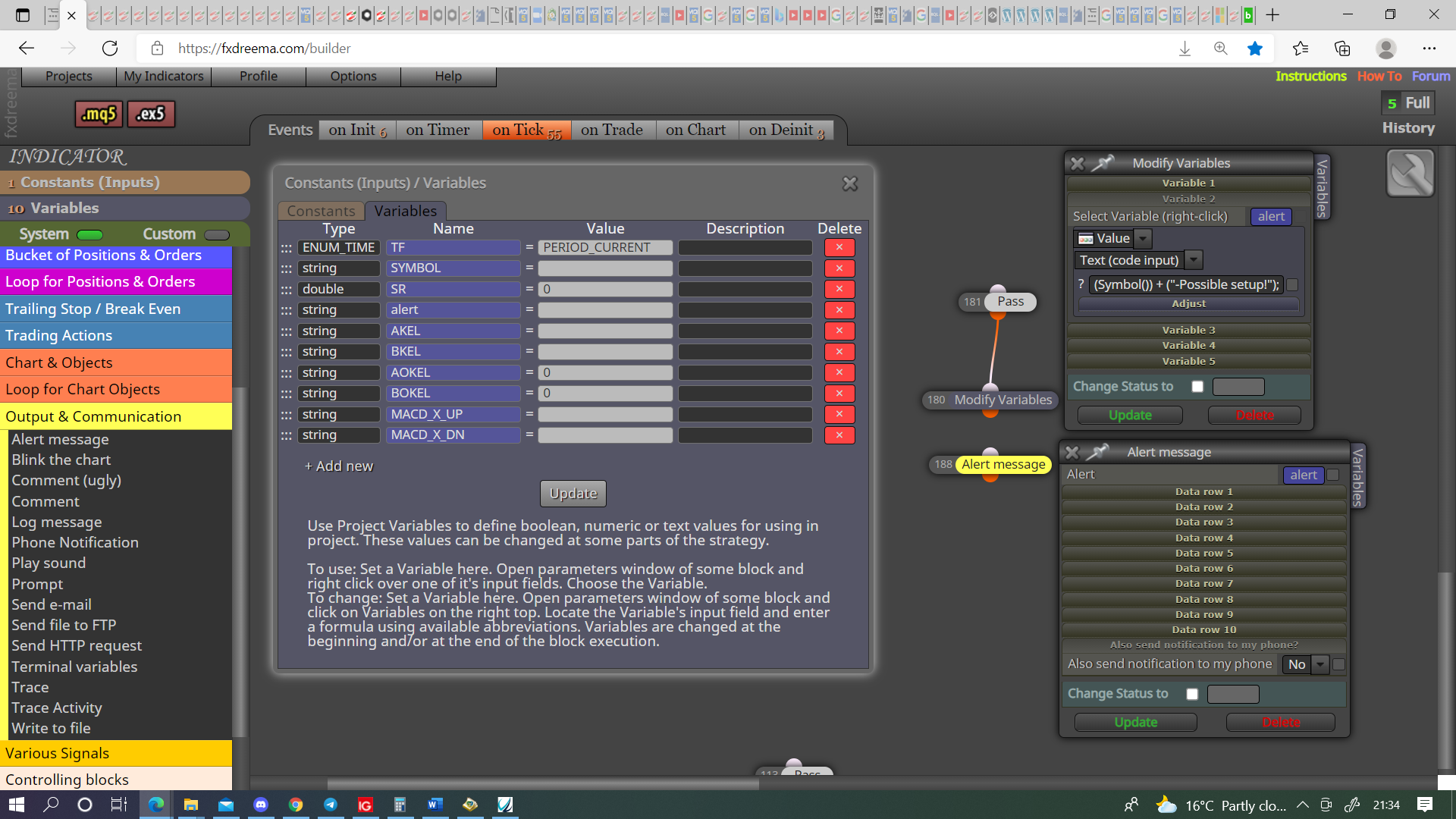
@sirluk Yes it's a string, variable goes in alert box, if you want other information in other lines add whatever you like.
Learn fxDreema Without the Wait!
My comprehensive book, available on Amazon, is packed with examples and invaluable insights to help you fast-track your learning journey.
The paperback and hardback editions include MT4 & MT5 QR codes for easy access to all prebuilt projects and robots, including my latest gold trading robot!
Don’t miss out
Click here➡️ https://mybook.to/fxDreema to get your copy today!
Enjoy! 😊
-
@jstap Very interesting. Thank you for sharing that info.
(English) I will try to help everyone in these fxDreema forums. But if you want to learn how to use the platform in depth or more quickly, I can help you with my introductory fxDreema course in English at https://www.theandorraninvestor.eu.
(Català) Miraré d’ajudar tothom en aquests fòrums d’fxDreema. Tanmateix, si vols aprendre a fer servir la plataforma amb més profunditat o més de pressa, t’hi puc ajudar amb el meu curs d’introducció a fxDeema en català a https://www.theandorraninvestor.eu/ca.
(Español) Intentaré ayudar a todo el mundo en estos foros de fxDreema. Sin embargo, si quieres aprender a usar la plataforma en profundidad o más deprisa, te puedo ayudar con mi curso de introducción a fxDreema en español en https://www.theandorraninvestor.eu/es.
-
@l-andorrà Plessure
-
Hello,
I tried exactly this the same.
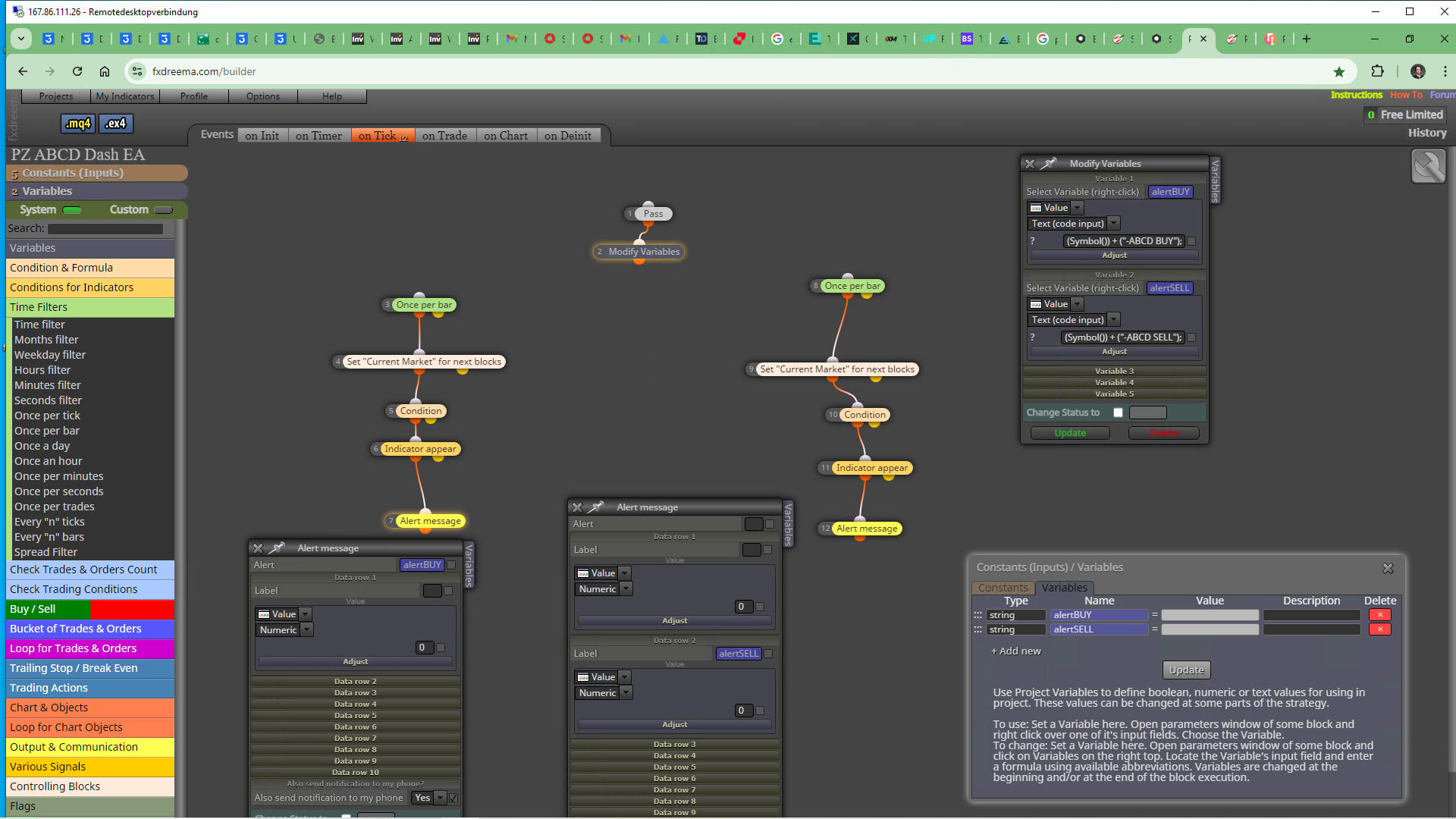
Trying to DashBoard the Signals of the following mentioned indicator.
I tested in Demo Account TimeFrame M1 Chart. But it didnt really work according to the Symbol. It alerts anytime it finds a buffer signal but it always says across all 28 currency pairs EURUSD.
So it doesnt tell you for which symbol the signal was found.Here you can download the indicator that I use.
https://indicatorspot.com/indicator/pz-abcd-retracement-indicator/#google_vignette
You must rename it into (pz-abcd.ex4) and put it into your main indicators folder for the iCustom function to work correctly with my DashBoard EA.
Heres the link to my EA-Project
https://fxdreema.com/shared/eduBh1hsc
Ive also created a MultiCurrencyEA with this same indicator. Which works tolerably
Heres the Link
https://fxdreema.com/shared/HDi2V12wc
And here is a version of this EA which only operates on the choosen Chart Symbol.
This is the best version.
Because every time on a new candle when the signal comes again. It deletes the previous pending Order. Or do you think that isnt necessary? Because of the trailing pending orders Block function?
Works best in M30 and H1
But it needs variables for SL, TP and maybe Lotsize according to the price difference of GBPJPY versus NZDCHF for example. It also works very good in Nasdaq TF M5 with SL 2000 and TP 3000Any ideas to make these EAs working perfectly are welcome.
Here is the link to the, up to now, best version
https://fxdreema.com/shared/EPeBIRF1b
Also very interesting would be how to create a dropdown menu for the "indicator appear block"
To change the indicatorPZ Indicator examples: Penta-O
Three Drives
Head and Shoulders
Harmonacci
and so on.Because the all work on the same Buffer.
So you could switch from the ABCD EAs versions
into
Whatever you like
as mentioned above.
-
u need enum https://fxdreema.com/forum/topic/16167/easy-way-to-make-enum?_=1723735591086
Q1- why not use swtiches between all this strategies then u can combine toghther all this strategies by switching false and true?
Q2- why not fully automate it to buy&sell instead of waiting for message for us to press the button?
By the way great job coontributing this indicator


