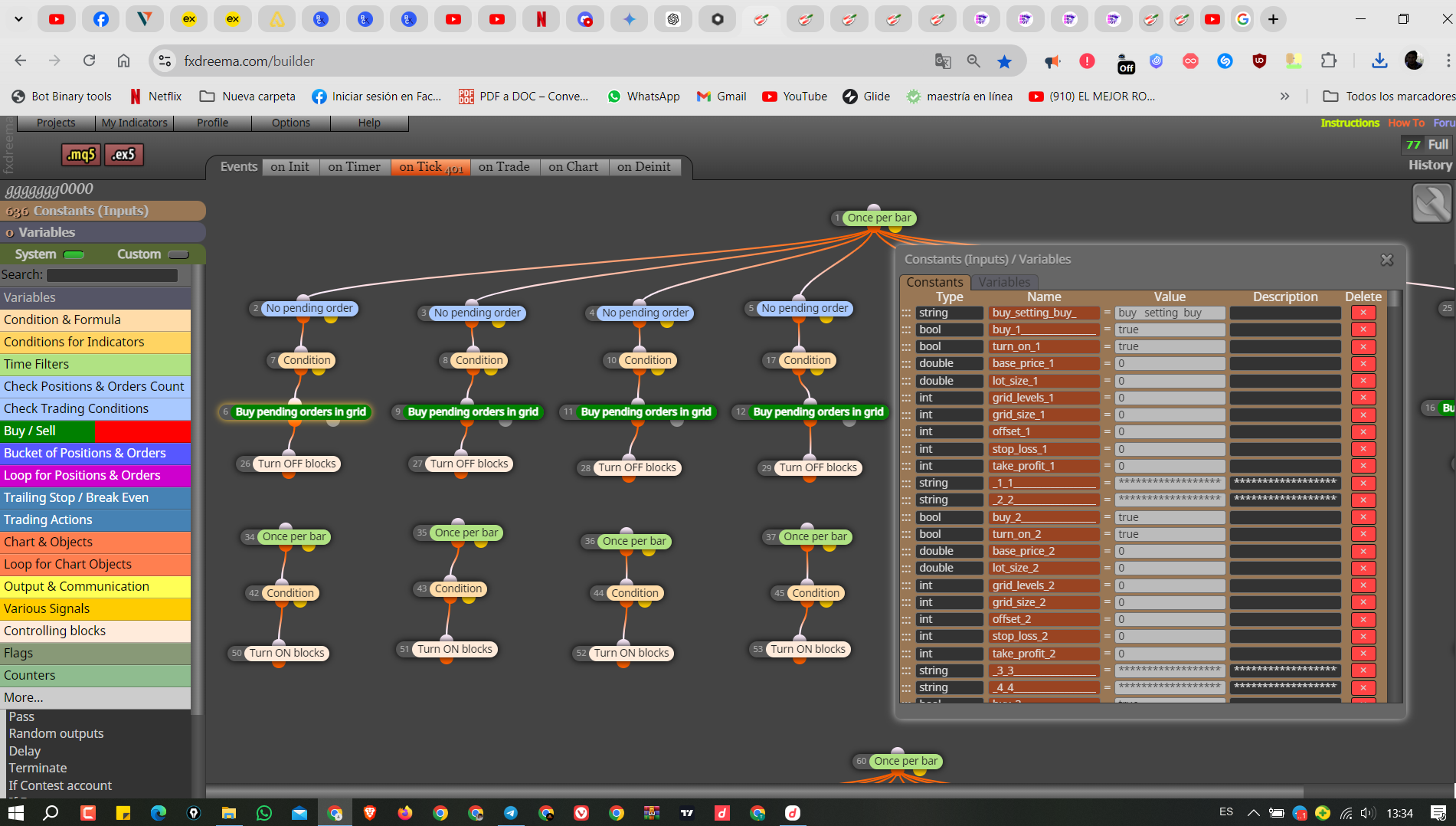
Global variables
-
https://fxdreema.com/shared/CApp8p5ec
After downloading the expert, it did not work on MetaTrader 5. The global variables were empty in the platform. Could this be the reason?
-
I don't get why you're using terminal variables. What are they for?
-
I didn't use it but the expert didn't work
-
Yes, they are selected in the blocks at the bottom of your structure. Does it mean you don't need them, right?
-
I need them if you mean the blocks at the bottom of the expert
-
Ok. And why do you need terminal variables?
-
For the expert to work
-
Terminal variables are only any good if you set them, as you have nothing setting them they are no good to you
-
Why the expert does not work? I do not understand yet, although there are no errors.🥲
-
I don't know, there are too many blocks to determine which ones are causing trouble, strip this down to a few blocks, get it working, and then add more blocks, this way if it stops working then you know it can only be the last blocks added causing trouble.
-
It doesn't work because all your variables are zero, you need to declare the values of each constant or variable for your EA to work
-
But when I run the expert, it gives the correct values instead of the number zero.
-
@alhammeed1990 Share a Thread of the original project in mq4, perhaps when comparing both projects the error will be discovered
-
@alhammeed1990 You didn't reply to the key question. Why do you need terminal variables? You said you need them for the bot to work. So why does the bot need them. If you don't understand why you are using them, how can we try to help you?
-
I don't know why I need it I'm new to the program you tell me from your class
-
@ alhammed
Global variables are only used in special cases.
Global variables are saved in the terminal.
When the EA is closed, the variable remains saved.
One application is when a timestamp must be retained so that the timestamp can be read when the EA is inserted again.
Otherwise, always use the normal variables. These are always saved in the EA and are set or recalculated when the EA is restarted. -
@alhammeed1990 As Lacone said, they are useful for very special cases. And your bot is not one of those cases. So first we need to substitute those terminal variables for 'normal' ones.
Using something in fxDreema without having a reason why will lead to this same situation in the future.
 I know fxDreema is unintuitive, but this is why this forum is for.
So the first think you need to do is removing all those 'terminal variable' option selected on all your blocks and create as many variables (not the terminal ones) as required to substitute them.
-
I thank everyone for the answer and response
-
Please what do you mean by normal variables?
-
In the upper left, you have constants (orange), and variables (blue), constants are fixed and changed from your inputs, variables are changed from EA internally, and there is a modify variables block to allow an action to change them.