All Comment add on the chart ?
-
how to add all comments on the chart in MQL4
like this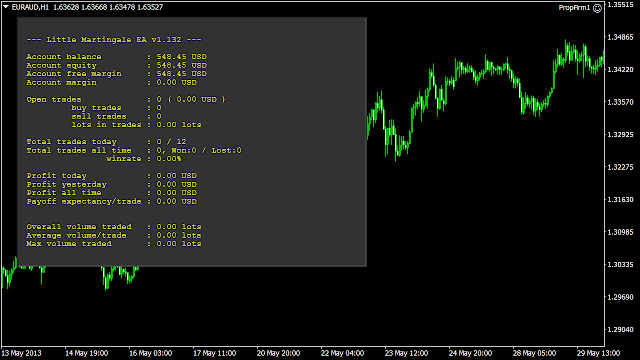
-
@ItzShahzad-X look at your Objects list in MT4 - you will see that technically its just a bunch of label objects with a background rectangle label.
You could do the same with fxdreema block draw text by x and y coordinates, but it takes a lot of time. Faster method is building the graphical panel using custom mql4 code in Metaeditor, and then copy-paste that code into fxdreema custom code block.

Need small help? Tag me in your post
Need big help? https://www.fiverr.com/big_algo/automate-your-winning-strategy-in-mql4-or-mql5 -
@roar brother inside objects
like
account balance : 500 USD
account equity : 498 USDProfit today : 50 USD
Profit yesterday : 143 USDLike This
-
@ItzShahzad-X You need variables to get that info and then use the 'comment' block to make them visible or as roar suggested.
(English) I will try to help everyone in these fxDreema forums. But if you want to learn how to use the platform in depth or more quickly, I can help you with my introductory fxDreema course in English at https://www.theandorraninvestor.eu.
(Català) Miraré d’ajudar tothom en aquests fòrums d’fxDreema. Tanmateix, si vols aprendre a fer servir la plataforma amb més profunditat o més de pressa, t’hi puc ajudar amb el meu curs d’introducció a fxDeema en català a https://www.theandorraninvestor.eu/ca.
(Español) Intentaré ayudar a todo el mundo en estos foros de fxDreema. Sin embargo, si quieres aprender a usar la plataforma en profundidad o más deprisa, te puedo ayudar con mi curso de introducción a fxDreema en español en https://www.theandorraninvestor.eu/es.
-
@l-andorrà please explain in project please make EA for MT4 please
-
@ItzShahzad-X Well, if you create a first version I will be glad to help instead of building it from scratch.

(English) I will try to help everyone in these fxDreema forums. But if you want to learn how to use the platform in depth or more quickly, I can help you with my introductory fxDreema course in English at https://www.theandorraninvestor.eu.
(Català) Miraré d’ajudar tothom en aquests fòrums d’fxDreema. Tanmateix, si vols aprendre a fer servir la plataforma amb més profunditat o més de pressa, t’hi puc ajudar amb el meu curs d’introducció a fxDeema en català a https://www.theandorraninvestor.eu/ca.
(Español) Intentaré ayudar a todo el mundo en estos foros de fxDreema. Sin embargo, si quieres aprender a usar la plataforma en profundidad o más deprisa, te puedo ayudar con mi curso de introducción a fxDreema en español en https://www.theandorraninvestor.eu/es.
-
@l-andorrà In this project I have added simple comments. I have to add the comments above as I have posted, For examples Today's Profit, Yesterday Profit, All time Profit ETC,
I have added all the variables
https://fxdreema.com/shared/psPWq7v4 -
Your current configuration is correct. If you need more info to be displayed, you just need to connect a second, third or more 'comment block' below the current one and adjust the positions on chart accordingly.
(English) I will try to help everyone in these fxDreema forums. But if you want to learn how to use the platform in depth or more quickly, I can help you with my introductory fxDreema course in English at https://www.theandorraninvestor.eu.
(Català) Miraré d’ajudar tothom en aquests fòrums d’fxDreema. Tanmateix, si vols aprendre a fer servir la plataforma amb més profunditat o més de pressa, t’hi puc ajudar amb el meu curs d’introducció a fxDeema en català a https://www.theandorraninvestor.eu/ca.
(Español) Intentaré ayudar a todo el mundo en estos foros de fxDreema. Sin embargo, si quieres aprender a usar la plataforma en profundidad o más deprisa, te puedo ayudar con mi curso de introducción a fxDreema en español en https://www.theandorraninvestor.eu/es.
-
@l-andorrà Sir I understand your point but I don't know the exact variable usage and which variable usage is used in which place. so explain me inside this robot
-
-
@ItzShahzad-X Then what you need is using variables first before visualizing them in the comment block. I see no variables are created for that project. Are you familiar with them?
(English) I will try to help everyone in these fxDreema forums. But if you want to learn how to use the platform in depth or more quickly, I can help you with my introductory fxDreema course in English at https://www.theandorraninvestor.eu.
(Català) Miraré d’ajudar tothom en aquests fòrums d’fxDreema. Tanmateix, si vols aprendre a fer servir la plataforma amb més profunditat o més de pressa, t’hi puc ajudar amb el meu curs d’introducció a fxDeema en català a https://www.theandorraninvestor.eu/ca.
(Español) Intentaré ayudar a todo el mundo en estos foros de fxDreema. Sin embargo, si quieres aprender a usar la plataforma en profundidad o más deprisa, te puedo ayudar con mi curso de introducción a fxDreema en español en https://www.theandorraninvestor.eu/es.
-
@l-andorrà No Sir, I am not familiar with them. Please can you make them within this project
-
 -
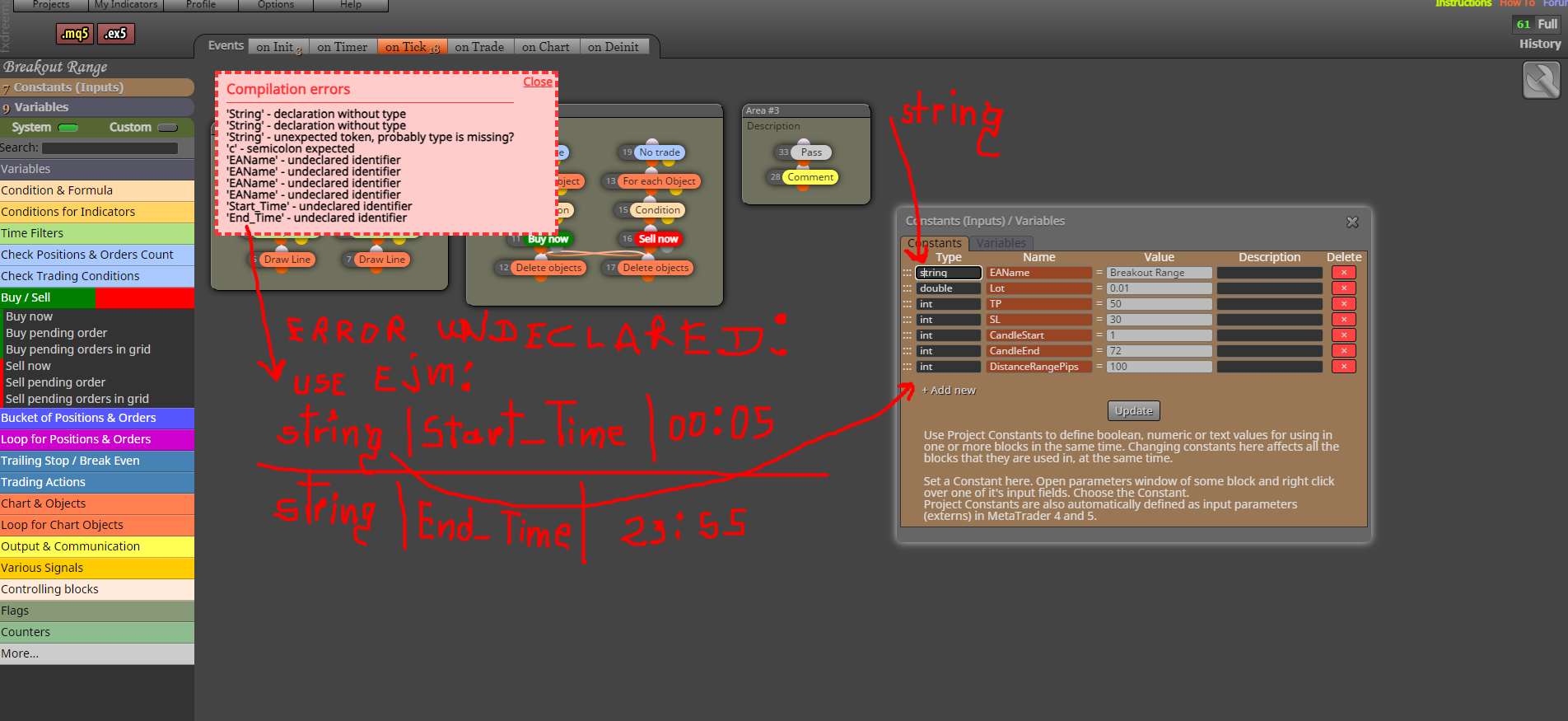
@VHV-Profit-Masters This was done by mistake