Lot size
-
Hello! How could I open a position on a specific product, say US500, with 25% of the already opened lot size? I tried just setting the Buy Sell block next to it, where I tried to enter the value into a variable. But one version calculates the lot size opened on all products, not just the specific one. Does anyone have a solution to the problem? shared/9Lzf59b0e
-
Not sure what you mean by 'with 25% of the already opened lot size'. Do you mean opening a second trades with 25% lot size of the previous one?
-
I was thinking that if I open one position with 1 lot and another with 3 lots on the same product, then when I press the button for the third one, it should open with 25%, which is 1 lot. I would like to create buttons for 25%, 50%, and 75% for building purposes. One version worked, but it summed up the sizes of the opened positions across all products, not just the size of the lots opened on a single product.
-
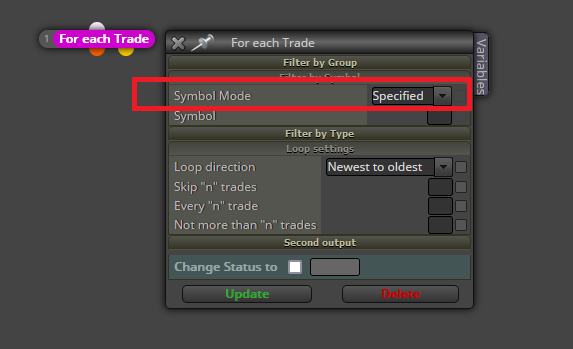
@Bandito7 Easy. You just need to select this option instead of 'Any symbol':
-
Unfortunately, neither version works.
shared/0KyjD6Fib -
You can remove the 'pass' block. It is redundant. Additionally, the rest of blocks need to be moved to the 'on tick' tab. Otherwise they will not work there.
-
It wasn't the point. It worked here too, but it only updated when an event occurred on the chart. Unfortunately, that doesn't solve the problem. Just like I can close, for example, 25%, I would like to open, say, 25% as well. Is fxdreema perhaps not capable of this? Or should I contact the admin to create a similar block, but for opening? What do you suggest? Thank you for your help.
-
Doesn't anyone have any constructive ideas?
shared/5keIFx0id -
@Bandito7 FxDreema can do it but by using variables. You can calculate the percentage to open by using a loop searching for the total lot size in open trades right now and compare it to the last closed trade. The difference will be the new lot size to open. It can be stored into a variable.
-
Thank you very much, but unfortunately, I couldn't solve it. Please help me solve it.
-
Can you please share the loop you created? I will review it.
-
Sure! Here’s the translation:
"Actually, I was just trying to extract a variable with different solutions. And I wanted to print it on the chart with a comment block to see if the result is correct. Once I have the variable, I can prepare the rest, but I don't know how to extract the variable."
If you need help with that variable extraction, just let me know!
-
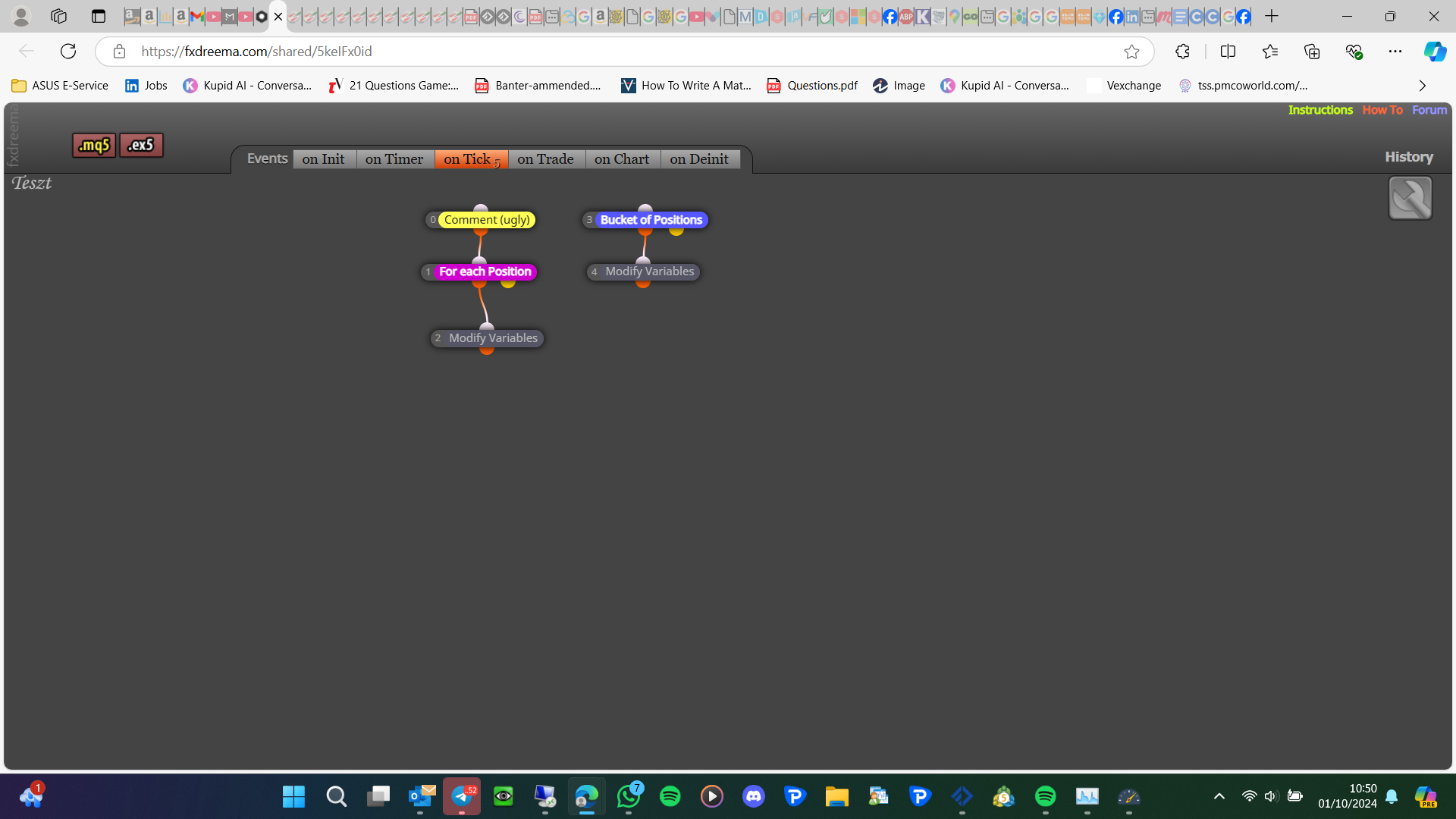
You should separate the block this way:
- Disconnect the comment block from its current position and connect it to a completely separate block tree headed by a 'pass' block. This new block tree needs to be executed in the last position within the 'on tick' tab.
- Do the same with variables Futo-Lot3 and Futo-Lot4. Create a new separate block tree with another 'pass' block on top of a new 'modify variables' block storing that info. This new block tree needs to be executed after or before the 'for each trade', but always BEFORE the 'comment' block tree.
- Remove variables Futo-Lot3 and Futo-Lot4 from its current position.
-
I would create a separate tree for the bucket and start with a bucket block, then move the comment above as the picture, buckets can be difficult in MT5: