Hedging Grid Mix Lots @ Boxxocode
-
@jstap Yes but also close the profitable ones as well so the nett closing of the largest loser is positive whilst leaving any remaining positions open and running.
From trying to solve this is seems quite complex to do?
-
It is quite complex, first you will need a list of least profitable and profitable running trades, then check the open time, then close the relevant least profitable and a profitable trade.
-
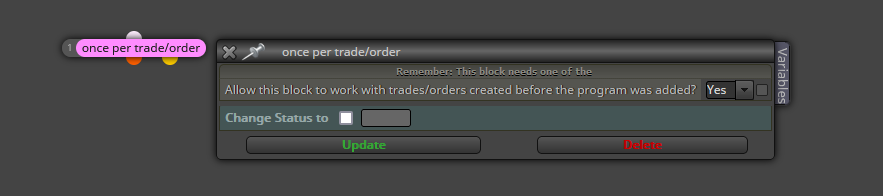
Where do I put this block? I tried as the 1st block and also above all open trades sequences and it stops all orders on tester?
-
@jstap I've tried a few variations but on testing just seems to create issues I can't understand. For a testing point of view it would be nice to solve but in reality I can always review open trades at the end of the day and close manually.. also I think checky the value in money might be unstable so I might be better checking the value in pips. Food for thought

-
You will need to set up a test project, something like every bar a random trade is placed (buy or sell), then get the 2 lists, you are probably best to use an array for this (I am not good with arrays) if only a small number standard variables would do, then you could check vales using the ticket number, and commit any actions you want.
-
@jstap I think it might have to go on the too difficult to do list for me at this time....
-
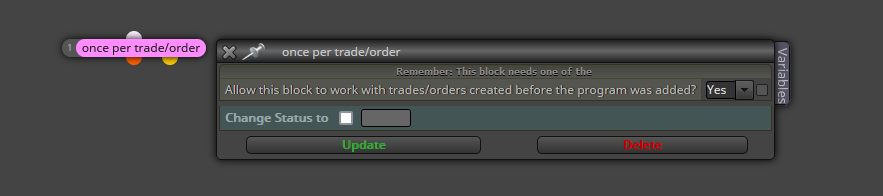
So to use this I will need to move all open trade trees and all close trade trees to on init?
And then put a once per trade block above each open trade tree and each close trade tree?
-
It will work on any tab but, it needs an if trade/order block above, on trade is more a way of saying if this happens do this...
-
@jstap So I would just need one block as the 1st block before everything else?
-
Pink blocks are like 2 to make 1, for each (dark pink) selects the trade/order to work with, the next (normally light pink) commits (or starts) the action you want to do.
-
So thiswould be it?
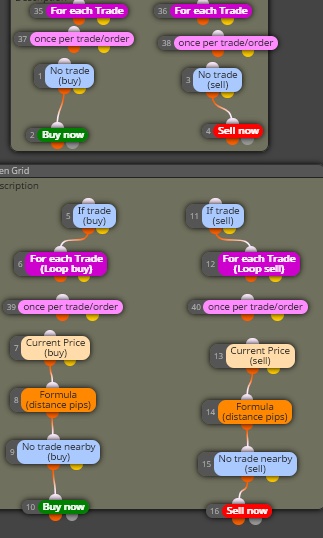
I need a purple for each trade at the start of each open trade sequence followed by the pink once per trade command with the allow this to work with trades created before ticked to yes?
And would this also count the previous trades as and close them as well as per the ea or would this just open new ones? So I would need to put these blocks in front of the close blocks?
-
I'm testing this now. A way around this would be to count number of open trades, as long as it counts preious trades (which it should if thy have a magic number) then I don't have a problem as i'm using the trade count to close open trades....? my internet connection is dodgy so it's not unusual for mt4 to disconnect and reconnect, which it has just done.. 1st trade on and then it registered the 2nd trade opened.
-
hi every one
and you @jstap
i have grid strategy in my bot
when my trade goes into loss, the bot stars to grid
i want the pips scaping in the grids to increase exponentially
for example:
1st Grid= 5pip
2nd Grid = 10pips to 1st Grid
3d Grid = 15pip to 2nd Gridso i need calculate pips between trades
but i don't know how
pleas help me to create
thanks -
To put this simply you want to start grid trading after a set action, can you get a test project to place the correct grid trades, and can this start after said action? Once you can get things doing this, you can add to your main project
-
-
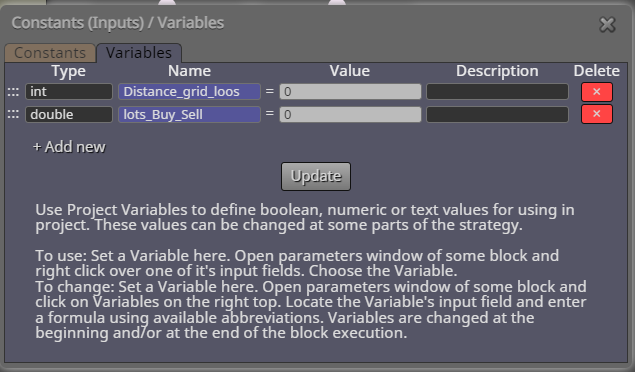
-
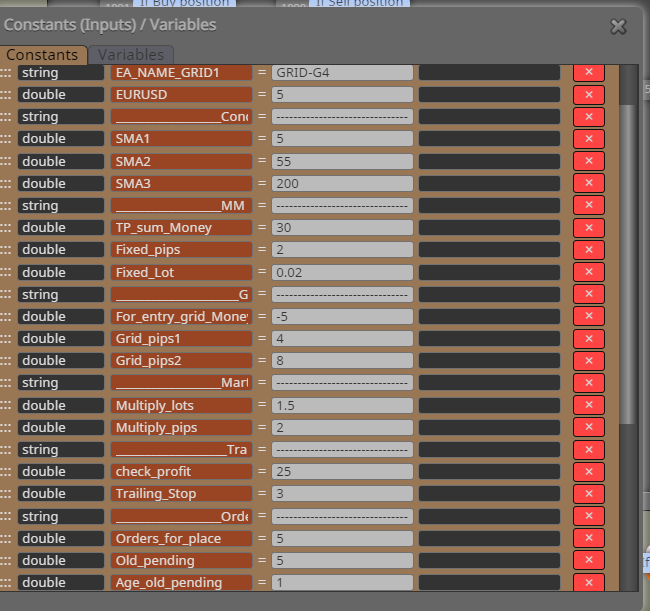
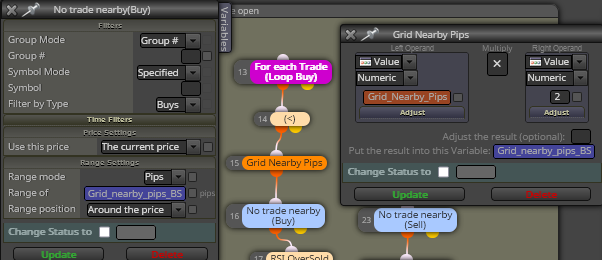
If it was me I'd probably use the count trade blocks. If more than one sell then use grid one at 5 pips if more than 2 then use grid pip distance more than 10 etc...
So I'd add grid nearby pips as constants... grid5, grid10, grid20... not sure if it would work but that's where I would be looking
-
@bigfoot Live tested this and magic number does the job and closes the trades as normaleven when turning the terminal off and on agin after the weekend. Solved thanks for your help guys!

