Remove The Spread Info
-
Hello, I really cannot see the reason for having this on every EA created by FXD, why is it there.
I have read the ways of disabling but this is too hard for each EA. Can you please disable it as default? -
You need to select each of your projects, then go to its project options and there select this:
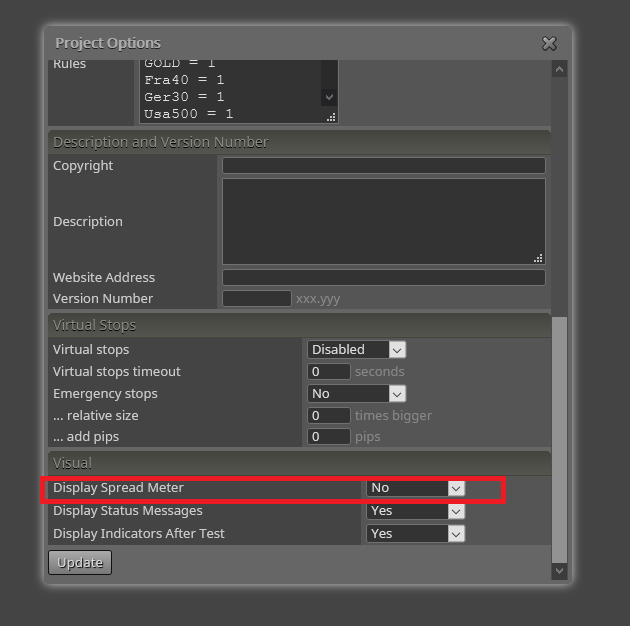
-
Thanks David, I hope you are well.
I actually went to project options but didn't realise I could scroll down further.
-
You are welcome.

-
Is there an update for removing the spread? I have tried clicking no for display spread meter, but it is still showing.
-
It works fine on my end. Are you using MT4 or MT5?
-
I use MT4
-
Then it should work for sure. It's working fine on my end now.
-
Please any can tellme how change the size of the spread meter ? I see another post and say to change the resolution of the screen but my screen is very big and i cant down the resolution any idea to change the size to spread meter ? Thnks
-
You will need to do it via custom code. There is no way to do it through fxDreema, sorry.

