Custom indicator does not work.
-
I sent my custom indicator to FXdreema but it seems that the expert advisor does not recognize the indicator. see the photo
http://prnt.sc/e6gppa
On one side a real-time chart of the indicator with block trace marking test 01 = zero and atr = 0.0013 ...
In the right chart if you see a back test with only the ATR on the chart, it was to appear the indicator Teste01
.
Do you realize that only the ATR indicator was called by the expert?
The Test01 indicator does not appear in this call. So it is always marking zero.
I saw in another post that the problem could be the lack of compatibility of the fxdreema with the indicator.
How to solve this?Follow the attached indicator
0_1486637416525_tete01.mq4 -
0_1486656370166_tete01.mq4
here you can now working with first buffer from this indicator (yellow color) ... -
What did you do with the indicator? Because this error always appears in other indicators, so I'd like to know how to solve them
-
I added in code buffer0 visible, because this is main buffer from which are colors created (colors are stored in next two buffers) ... it are few lines of code, compare indicators between to see differences ...
-
I went to test it
unsuccessfully
Line 1 = buffer 0
Line 2 = buffer 1Both continue zero

I liked your solution, although it does not solve this one, I think it solves in my other 6 indicators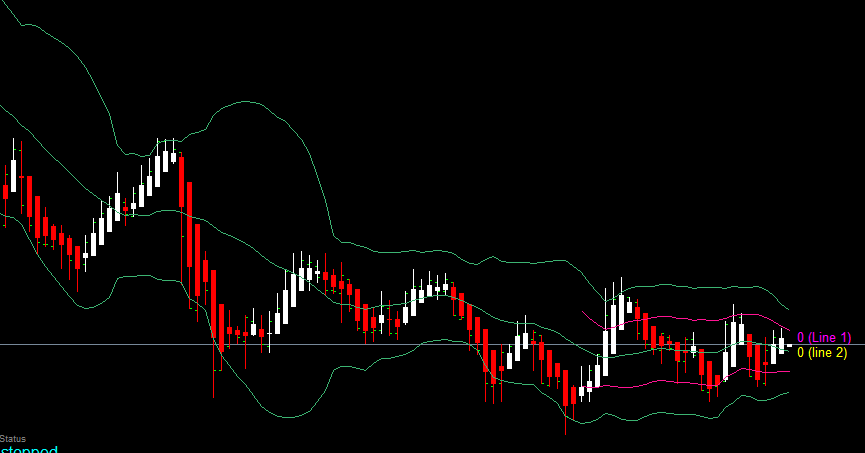
-
somewhere in forum was my reply to "fisher transform non repaint", but I really dont know where
 .. it is probably the same indicator as you wish (but without repainting) ... this one what you postet is repainting ... somebody here it helped, ask him but you need find it
 -
I already arranged And thank you for explaining to me what you did in the code. I compared the code I sent and the code that you sent and I understood the lines of command you made.
My problem is that I was putting it inside another folder. example:Indicators / folder / indicator.ex4
Instead of being indicators \ indicator.ex4
Thank you very much.
Now I know some more of the code
-
If you want to have the indicator in a subfolder, do it. But then in fxDreema, in My Indicators, change the name of the indicator to something like "folder\indicator_name". Or with / ... I forgot what was the correct one, but I guess that both should work.
