boxes
-
is there a way to do this with fxDreema?
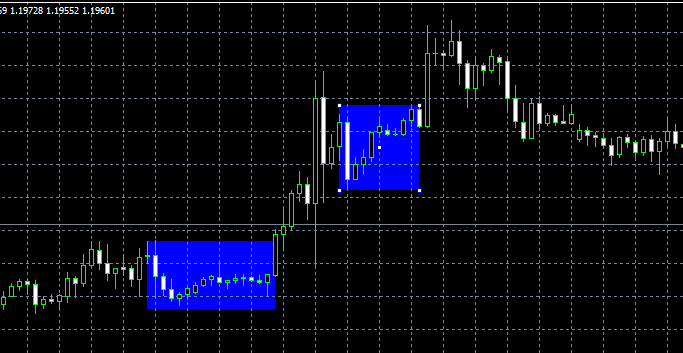
i mean these bkue boxes -
"Draw Shape" I think
-
Yes, I use it. Draw a rectangle when you want it to start and then modify it's properties every tick/bar by selecting it first with "for each object" block first (located in loop for chart objects).
-
Why modify, did I missed to add some property if the Draw block itself?
-
Well, I guess I assumed she was trying to do what I did which was to draw a box around certain area while a condition is happening (ie: the price being in range) but you are right it is not needed to modify it if you draw it once the condition has already happened. It depends on what you want to acheive.
-
@Andermaiden2nd
well i want it to appear on last 10 candles high and low
means highest point of the last 10 candles must touch the upper part of the box and the lowes point of the last 10 bars must touch the lower part of the box===>Jennifer Syn<===
-
@Jennifer Here it goes an example: https://fxdreema.com/shared/Fdu0dU2Hd
-
@fxDreema Indeed only Draw object is needed (I confused myself with some buttons I'm working in where I need to select them to change their colors when pressed)
-
@Andermaiden2nd
well i tried that but i must be doing something wrong
can you please share the settings of the time1 , price 1 ,time 2 and price 2===>Jennifer Syn<===
-
@Jennifer I realize it does not show the constants the easy way but try to save it a mq4 and load it in your profile or just copy the blocks and rebuild thhe constants by right clicking on them (there they will show). Anyways the constant in the short period box (the single, the one below the block "range filter 2"), is 10 which is the number of bars you wanted to take as the period for the box.
-
@Andermaiden2nd
thanks

