Custom MQL Code MathRound
-
Hi guys!
I need to partial close a trade, but I need to use the MathRound function to avoid "invalid volume" error.
I'm trying something like this and it is not working: (yes, I'm newbie with MQL code)
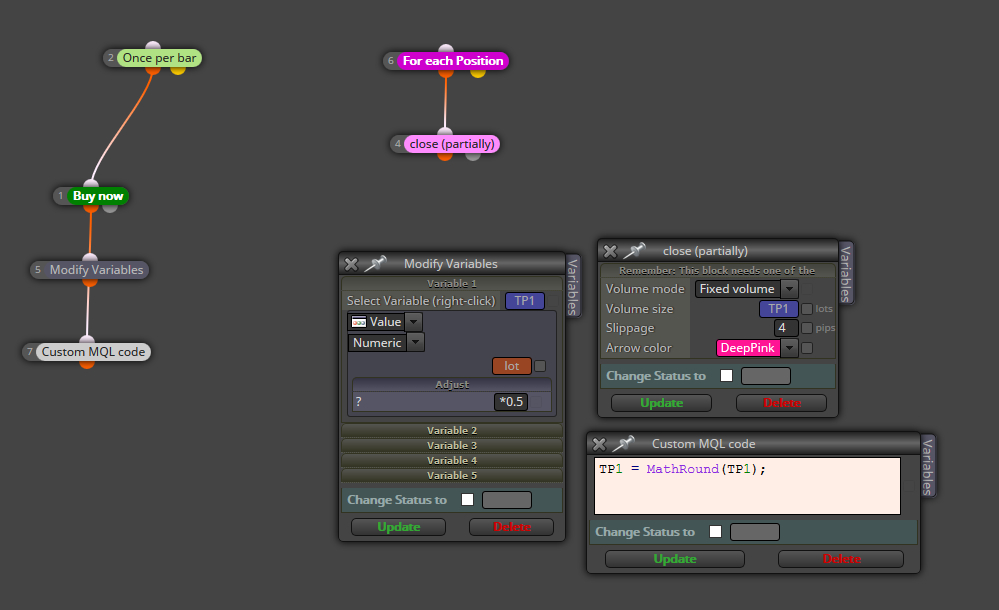
I've also tried this:
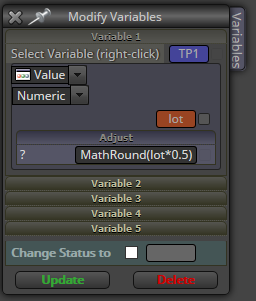
I'm preety sure that is some sintax error.
Could you please give some help?
Thank you!
-
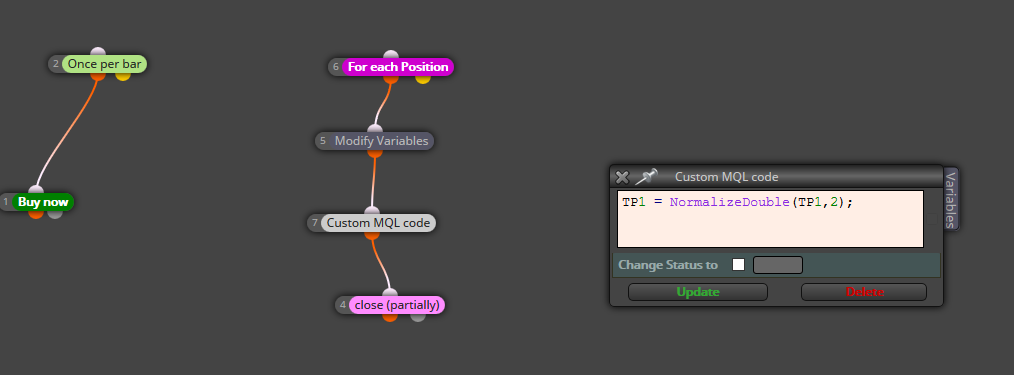
try the code like:
TP1 = NormalizeDouble(TP1, 2); -
@miro1360 Thanks, Miro! I will try!
Just let me ask you one more thing: I have some instruments like XTIUSD in Ic Markets that have 0.50 as lot step.
In case of a 1.50 open trade, the partial close tries to close 0.75 will give the error...will this function work also with this scenario?Thank you!
-
-
@miro1360 Hi Miro!
It worked with 0.01 lot step instruments.
How can I made it to work with 0.10 lot step?
In this case, I've opened 1.50 trade and tried to close 50%. then :

-
for 0.1 format, do this:
TP1 = NormalizeDouble(TP1, 1); -
@miro1360 Thank you, Miro! It worked for 0.10 lot step.
How can I detect the lot step for each instrument?
I'll run this EA in FX Pairs (0.01 lot stop) index (0.10 lot step) and also XTIUSD (0.50 lotstep)
I'm sure that there will be few Custom SQL Code blocks to split this management. But how can I detect the lot step and make it work automatically?
Or there is a way to detect error from "Journal" tab? In order to keep the block flow running and managing that
Thank you so much!
-
https://docs.mql4.com/constants/environment_state/marketinfoconstants
create new variable lot_step, and use this custom code function:
lot_step = MarketInfo(Symbol(), MODE_LOTSTEP);there are other lot values which can be achieved:
lot_min = MarketInfo(Symbol(), MODE_MINLOT);
lot_max = MarketInfo(Symbol(), MODE_MAXLOT);you can get them all and create some custom math for your purposes
-
@miro1360 Thank you so much for all your support!