[Custom Block Release] Send a message or screenshot to Telegram Blocks
-
Hello, I've made custom blocks to send a telegram message and or screenshot some time ago, but there had to be some modifications to the original files and such so I'll release a version that works with fxdreema and the code for the custom functions and blocks.
https://www.mql5.com/en/articles/2355
This are the includes we will be using, credits to for the code and possibility of using telegram api within metatrader go to ANDREY VOYTENKO from mql5 forums.go there and download telegram.zip at the bottom of the post.
extract the include folder into your MQL4/5 folder and overwrite any files if asked to do so.
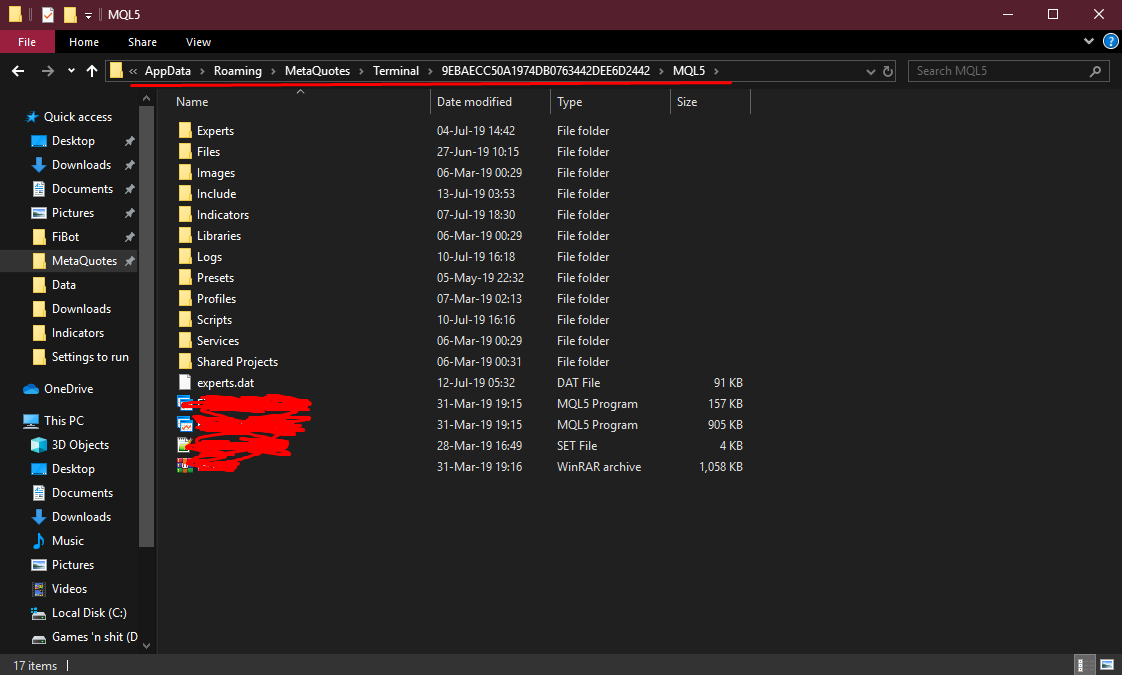
your numbers folder will be different depending on the broker you use, make sure you put it in the right folder or you can do it for every numbers folder so all your meta trader clients have the code necessary.the current jason.mqh has compatibility issues with fxdreema because fxdreema declares variables c and v on a global status which jason.mqh also uses hence errors. I have modified the jason.mqh to work with fxdreema and you can get the code here https://pastebin.com/525haAXi
go at the bottom of the link and you will see a box with text inside, this is the raw text, click inside press ctrl+a to select all text inside and then copy that and paste it over jason.mqh which you can open with your metaeditor which is included with all metatraders(I think). and press compile to save it.
(you must use this new edited file in every numbers folder otherwise you will get errors, I recommend first editing the file then placing it in every numbers folder if you have more than one)on fxdreema builder click on custom and then create custom blocks
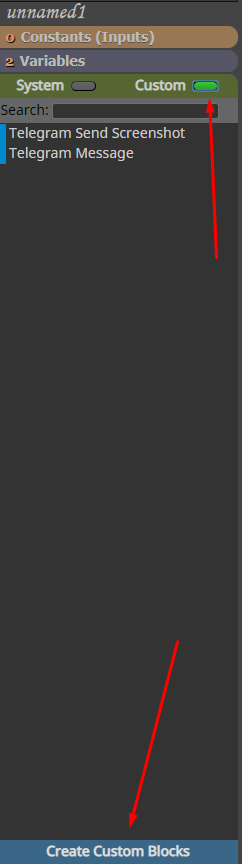
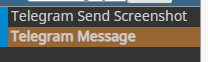
in this editor you will need to create 2 blocks
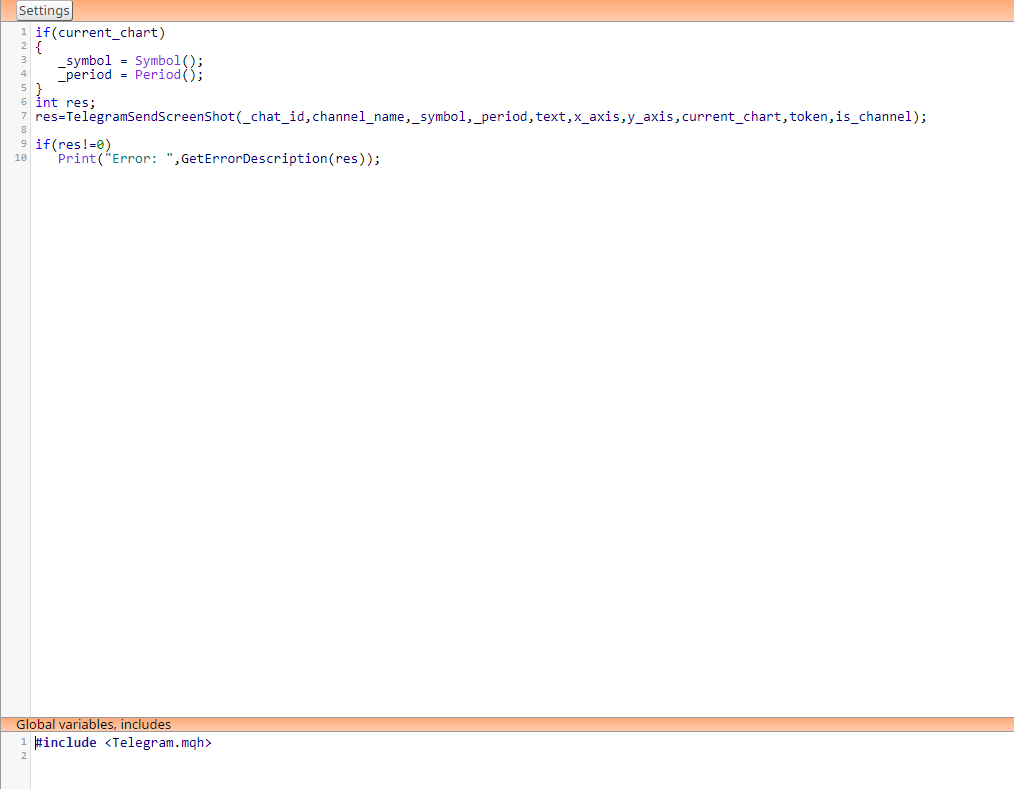
in the send screenshot block paste the code from this link https://pastebin.com/aegjAZyqand at the bottom under "Global variables,includes" paste this code
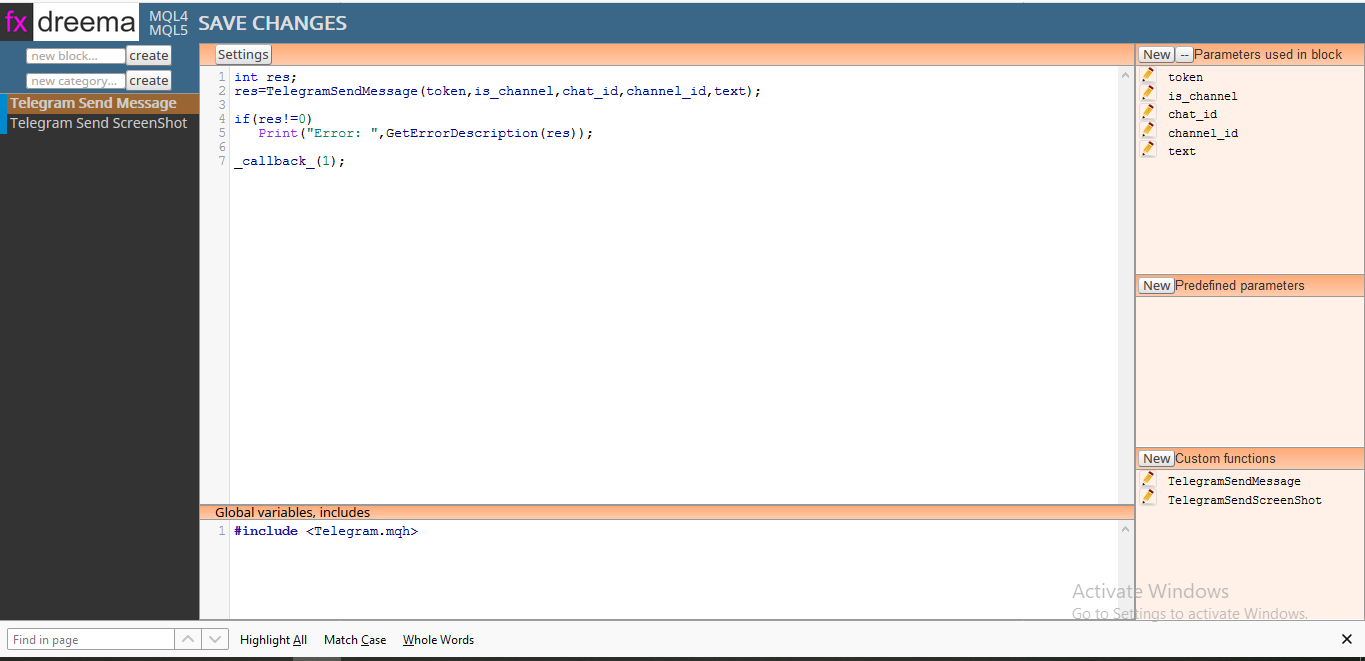
#include <Telegram.mqh>so it looks like this
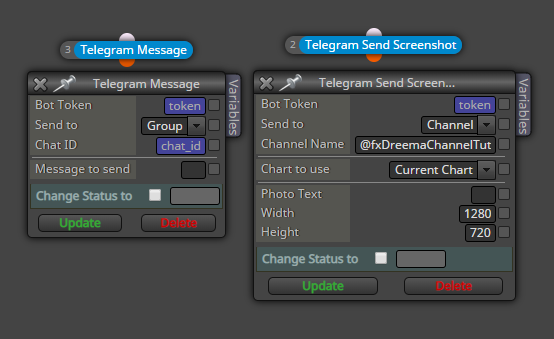
now you will need to make custom parameters that will be used within the block
follow these screenshots exactly how I have made it https://imgur.com/a/2dtgq1S
There are 2 notes. after you make all parameters open up is_channel parameters and click on the arrow next to the 2 options we made. under the "true" option choose channel_id and under the "false" option choose chat_id like shown in the screenshots.
this is also true for current_chart parameter but choose _symbol and _period.
if you follow it exactly like shown in the screenshots you will have no problems. so please make sure you follow it exactly.now in send message block put this code https://pastebin.com/ykGmW16r
and again put #include <Telegram.mqh> under the global variables,includes boxscreenshots for parameters are here https://imgur.com/a/bKjHvRl
now click on the New button in the bottom right corner under Custom Functions
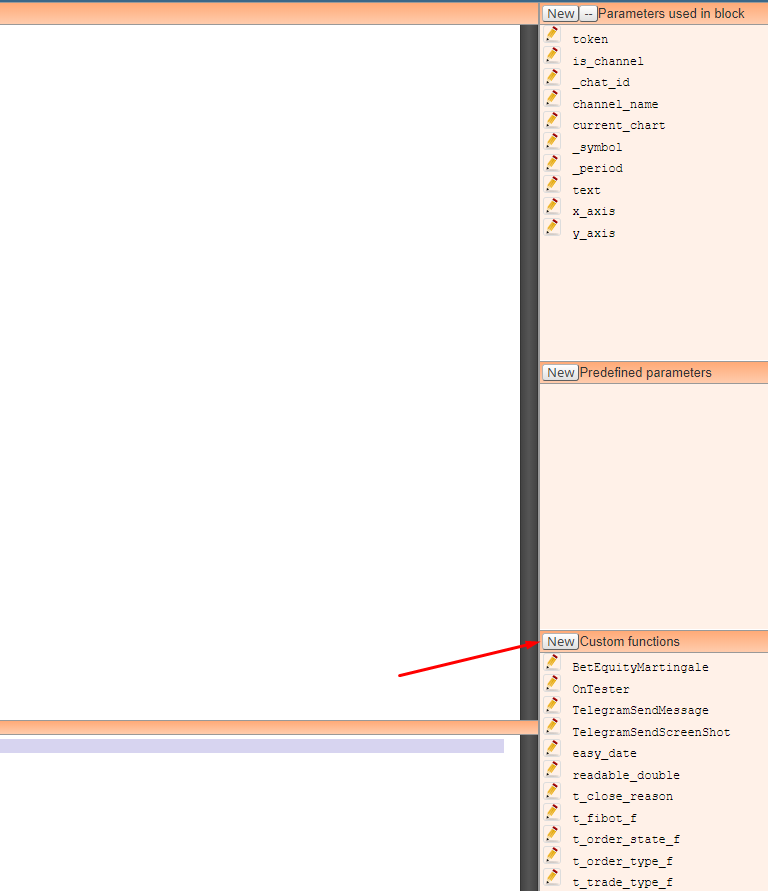
delete the default code inside and paste this code and click save
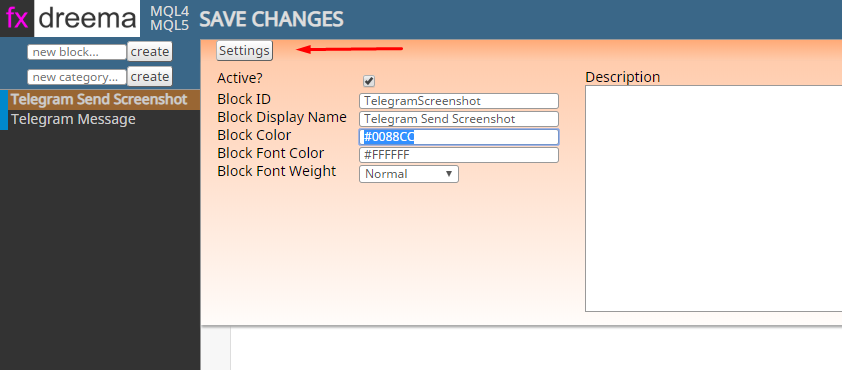
https://pastebin.com/y0zL8hSAif you want to make the block telegram blue color so they look nice click on settings and use #0088CC for color
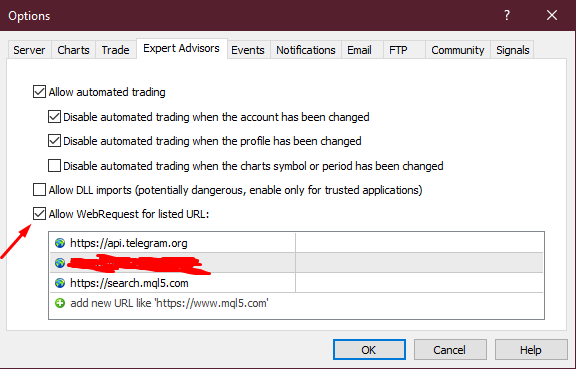
now you will need to allow your metatrader client to access https://api.telegram.org
go to tools-options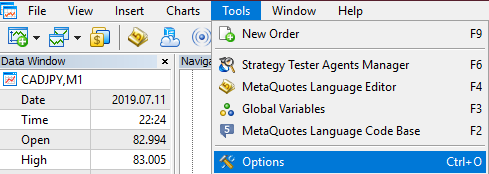
go to Expert Advisors tab, enable "Allow WebRequests for listed URL:" option and paste the url above into the box
Since we are using includes that are not hosted on fxdreema servers you must always download .mql4/5 file, not .ex file
you must open it up in metaeditor and compile it yourself.Now to setup the actual bot and how to get Chat ID.
On telegram search for BotFather and open up a chat with him
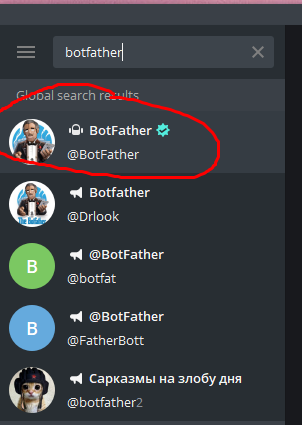
click start and type in /newbot and follow the instructions, once you are done you will get your bot's token
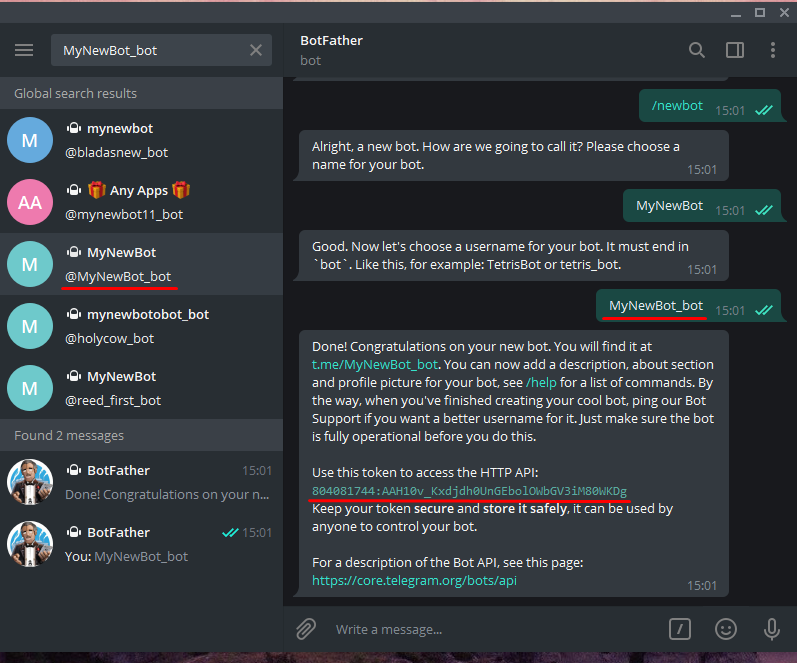
copy and paste that token into the "token" part of the blocks.
you can make a string variable with your token and use the variable in the blocks so you don't need to copy it always.
Make sure to share the token with no one.if you want to send to a channel you need to make a public one and then copy it's adress into the channel name box
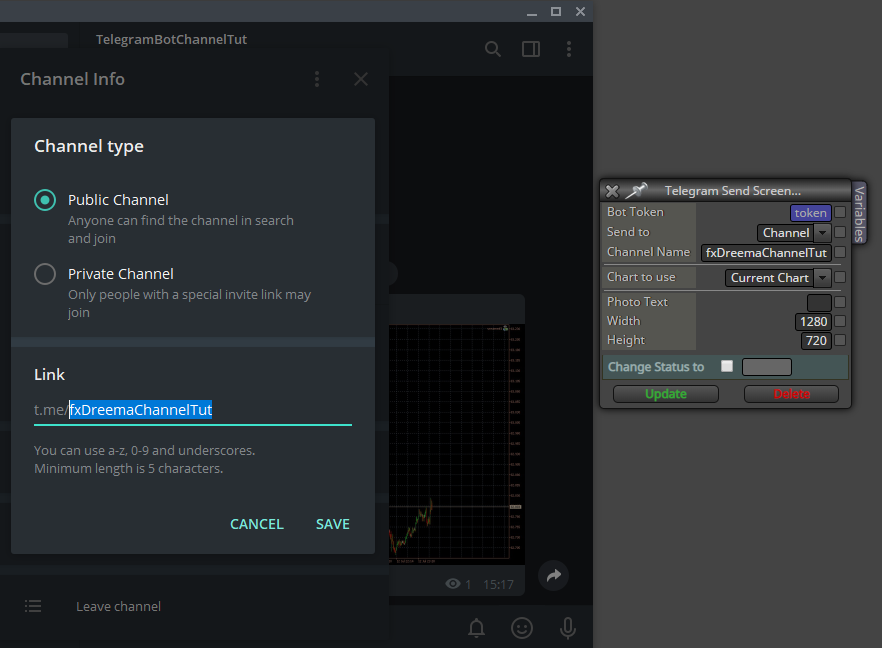
if you want to send to a group make a new group and to it add IDBot and your bot
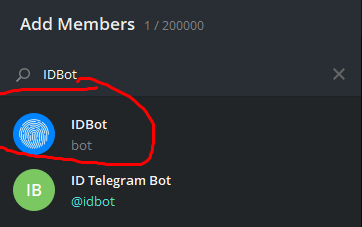
type /getgroupid to get your group's ID and then kick out IDBot and you can Pin his message so you have easy access to the ID if you'll need it again/often. Be sure to kick out IDBot.
now take your ID and put it in the ID Box
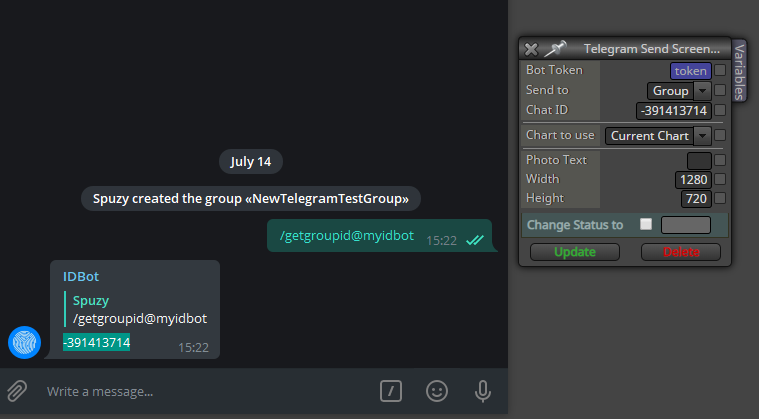
Channel name is a string value while Chat ID is int. so if you will be making variables for them for easier use in fxdreema make sure you give them the right type, string or int.
That should be it, if there are any problems be sure to notify me as I haven't done a lot of testing.
if my tutorial is missing something or is unclear please notify me I will edit it up to make this available to everyone.Edit 1. Added "_callback(1);" at the end of the blocks code so you can connect other blocks after the telegram blocks.
unfortunately fxdreema custom blocks currently can't have 2 outputs (one yellow for if the block received error and didn't send a message) so any blocks connected after it will be activated even if the telegram block received some kind of error and didn't send the message.Edit 2. To send to a private channel follow these steps
- Login under your account at web version of Telegram : https://web.telegram.org
- Find your channel. See to your url, it should be like https://web.telegram.org/#/im?p=c1055587116_11052224402541910257
- Grab "1055587116" from it, and add "-100" as a prefix.*
so your Chat ID would be -1001055587116
don't use option send to channel but use Group and make it into an int variable, just like with groups
-
Impressive work!
 I wish I could do the same.
 -
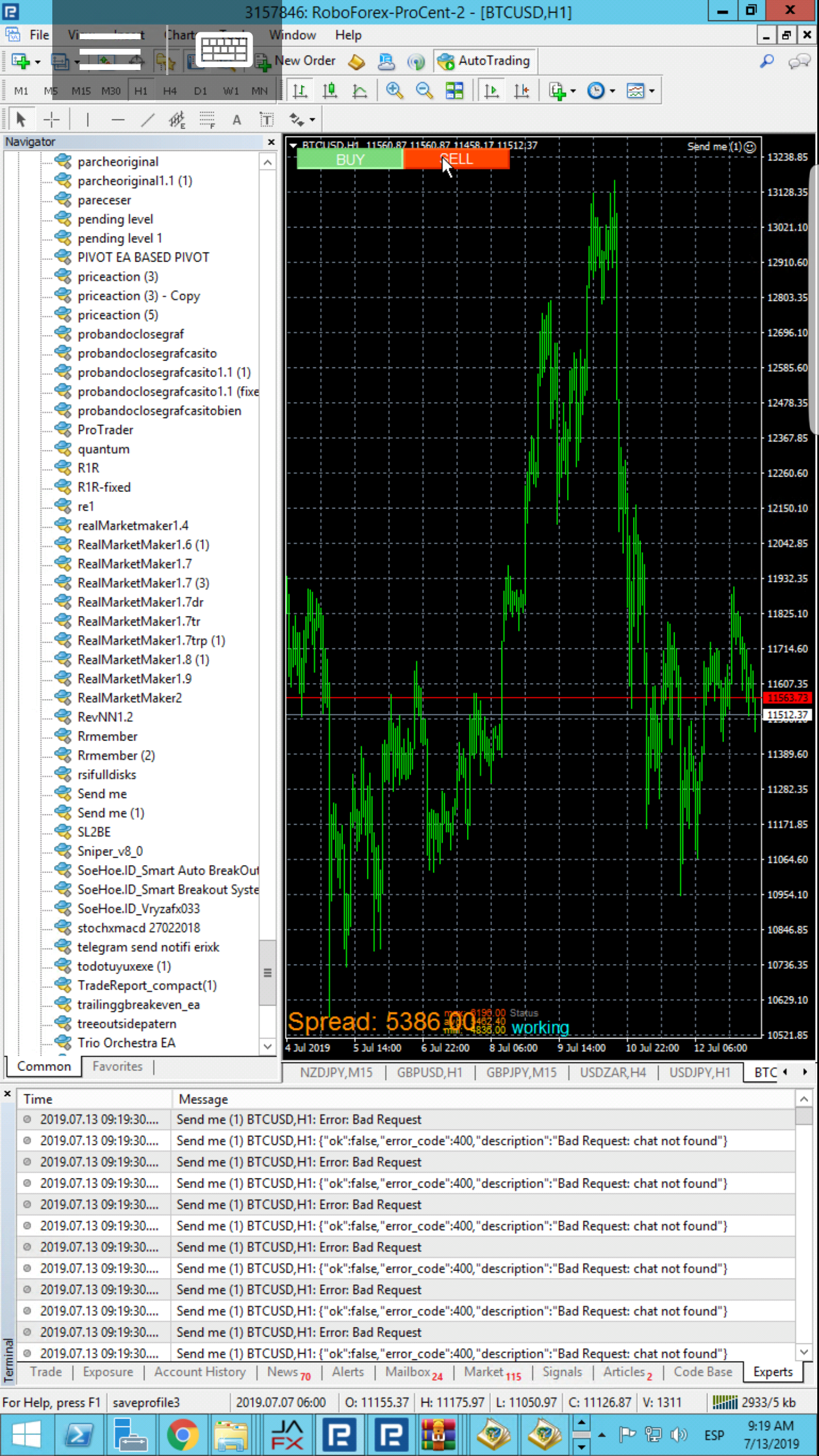
hank you very much for your great contribution, I have successfully compiled your code but I recive an error when executing the ea. I hope your contribution thanks!

-
@realjoker I forgot to write a tutorial for setting up the actual bot, I will update my post now
-
Thanks @Spuzy mine works well. Im trying to get it to be sent to a private channel, any ideas how to? been trying to change the channel_name string to a int channel_id but having no luck here. (i've 0 coding skills)
-
@ezzyxo updated the post
 check at the bottom
 -
@spuzy hello spuzy , first of all thank a lot for such a detailed tutorial.
secondly i am trying this according to the steps you mentioned and when i download the source code i got 2 errors, it was some syntax errors ,
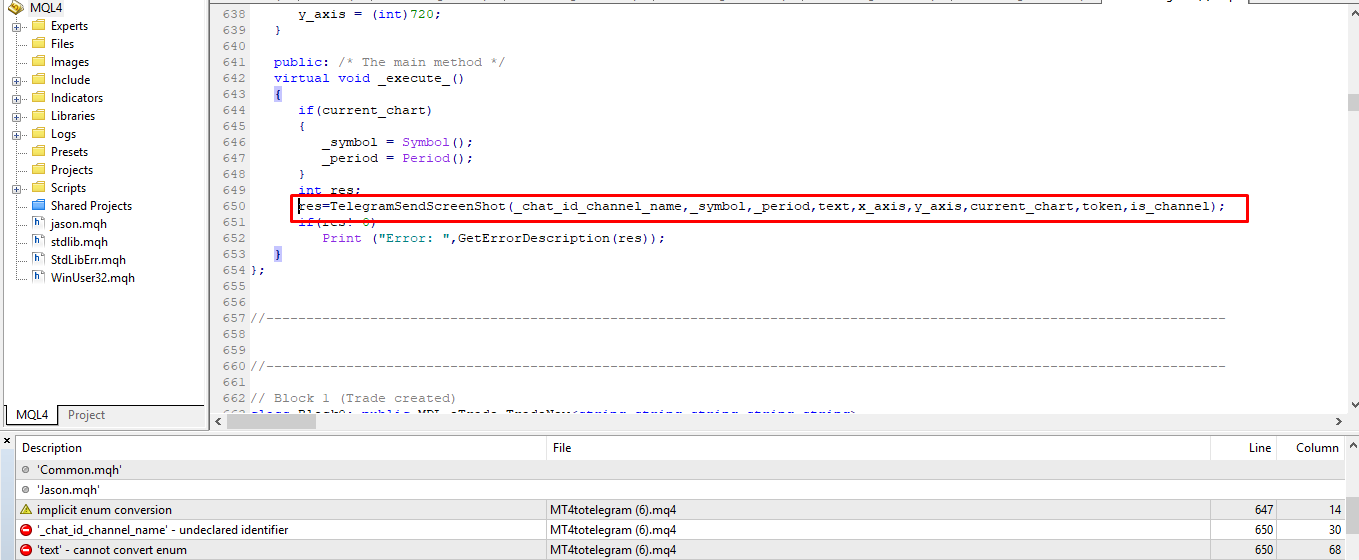
so i did this :

and now the error are gone..
but there is no message or the screenshot in the channel when the trade is created , i am sure i am doing something wrong
please have a look at the below image , is this the way to do it ?
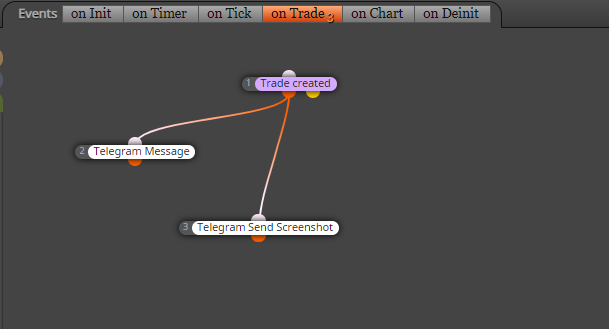
-
I see that the pastebin for tele screenshot was deleted for some reason, if you re-wrote it you must of forgot the comma there, make sure that all the parameters are exactly as on screenshot. and make sure you allow https://api.telegram.org for WebRequests in your meta trader. check the expert tab in meta trader once you try to send a screenshot for text that Printed, that should give you some info on the error, if this doesn't fix it screenshot the error message and post it here.
-
@spuzy sorry for my previous post , apparently it was my stupid mistake , i was trying to post in the telegram channel , but i havent added the bot in the channel , (i must be going insane
:D)
anyways the whole tutorial is amazing , it easy to understand and its working perfectly many thanks for making the tutorial...just a quick question , how do i make it post the trade open price and the tp sl and lot size in telegram channel ?
-
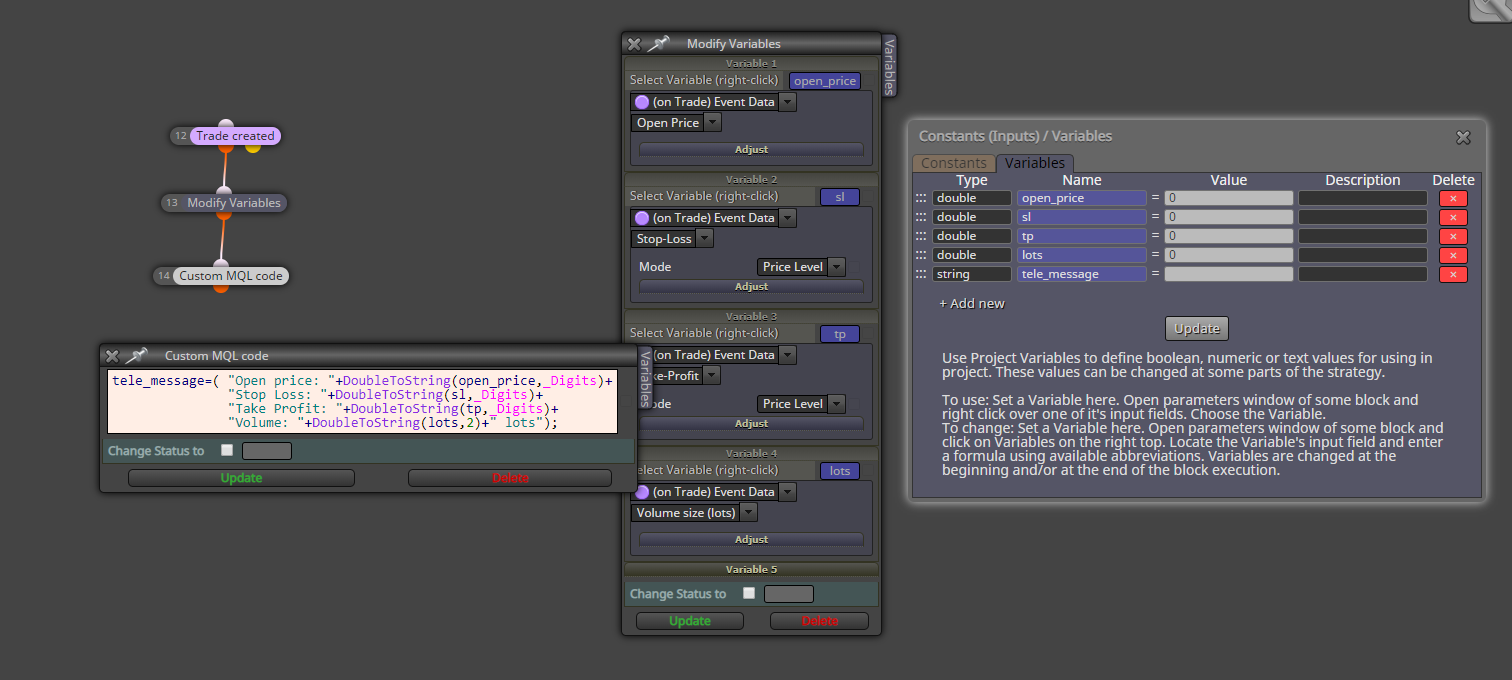
just format your message in the custom mql block however you want.
DoubleToString will convert a double value into a string. the number 2 and the _Digits is how many decimal points you want.
for instance _Digits will return a number of how many decimals there is in the current symbol, EURUSD has 5 for instance. so _Digits will return the number 5. so for open price you want the whole price to show, but not more. for lots since 0.01 is usually the minimum you don't need more than 2 decimals.if you're gonna use pips for sl and tp you are fine with 1. but if you're using price level then use _Digits so the whole price is displayed.
-
@spuzy perfect,
thanks again. -
@spuzy
is there a way to make it work with the pending orders ? cuz i am trying to use for each pending order block and its not working maybe because of the condition of "on trade (event data)Edited : Never mind its working for pending orders as well
-
@spuzy do you know what could be causing it to send two messages for every trade that is opened ? and the messages are a bit different from one another ...
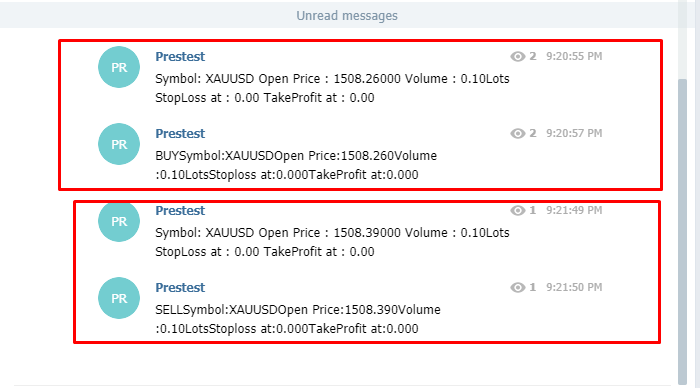
-
the second messge doesn't seem to be formated correctly either, I don't know, you must have it connected badly. the blocks only sends 1 message based on the inputs and that's it
-
@spuzy said in [Custom Block Release] Send a message or screenshot to Telegram Blocks:
hi spuzy everything was sorted out but all of a sudden it started to miss some code apparently its not picking the sendMessage code,
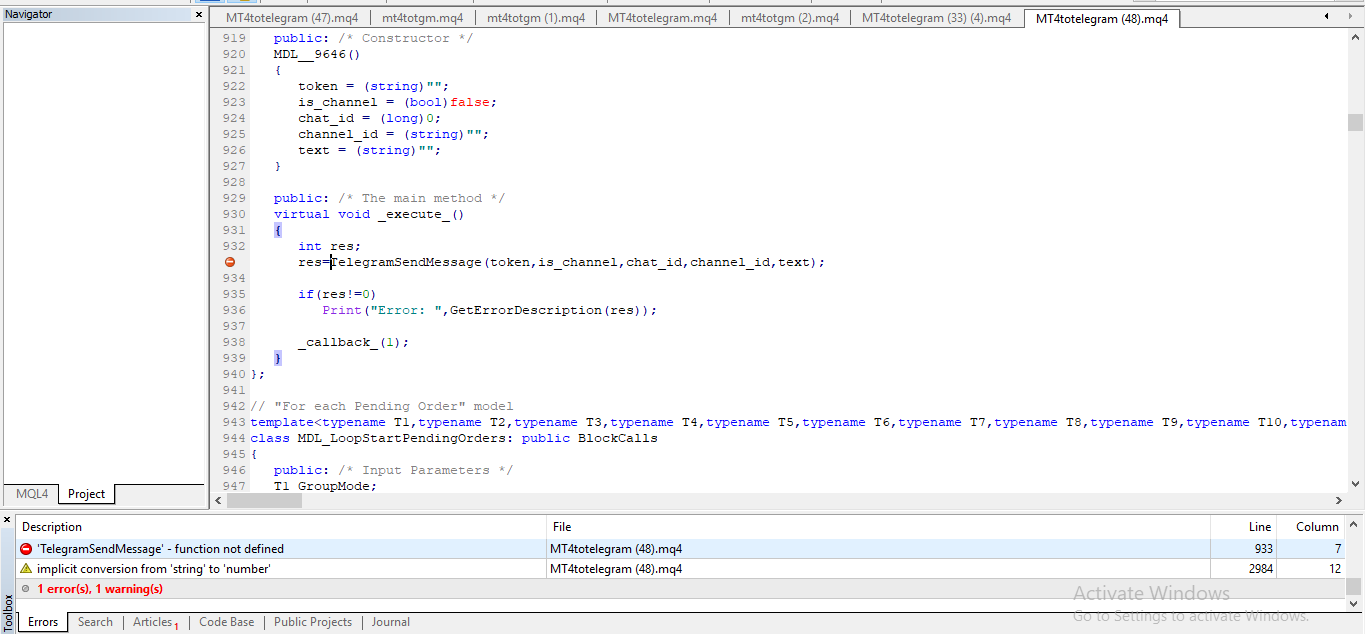
[
[
but obviously the code is inside the block
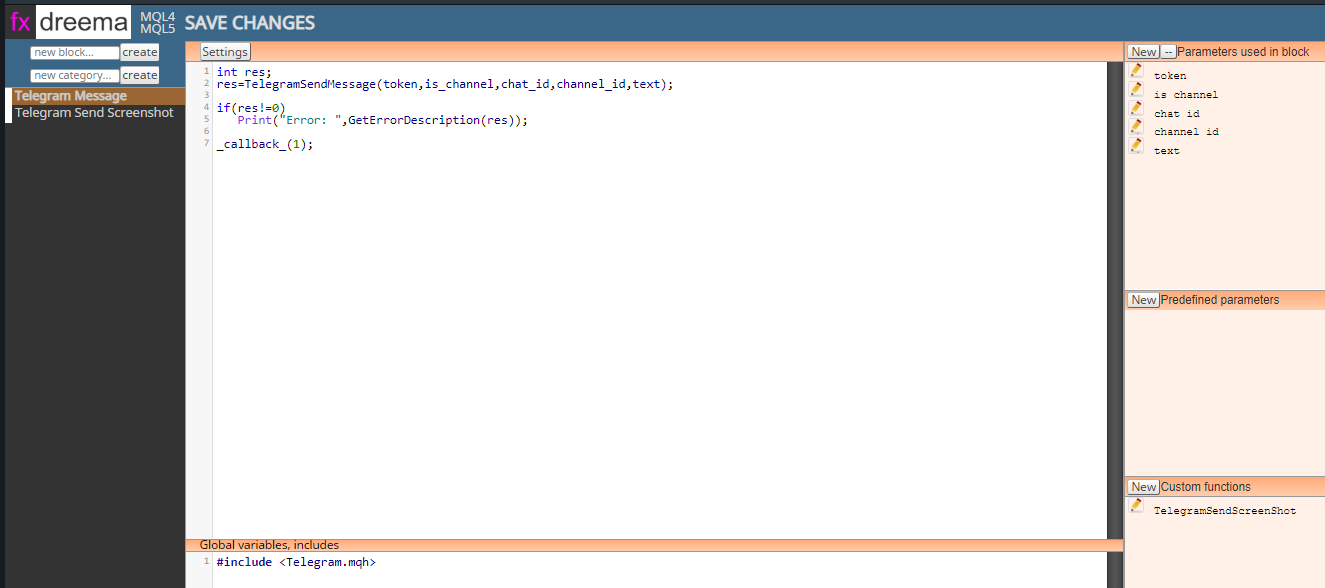
but its not being included in the code -
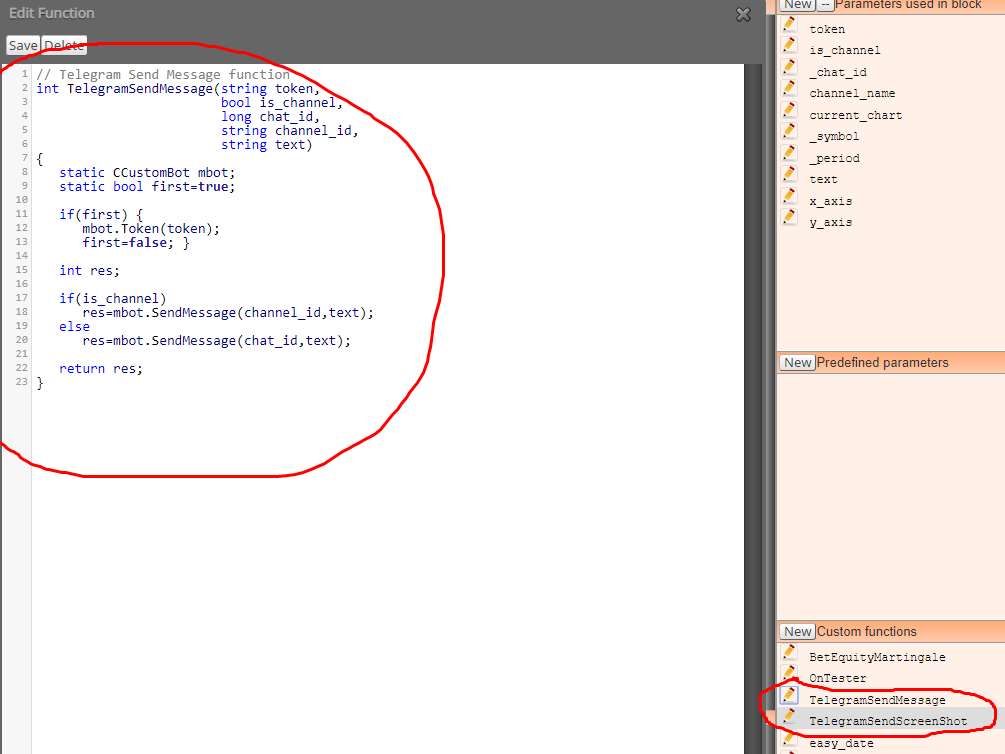
ah yes, you're right, this is my bad, I've out both functions inside one custom function, so if send screenshot function isn't called the telegram message one also won't be
I will edit my main post to fix this.
go to the low right corner and click to edit the telegramsendscreenshot function, scroll down to find the sendmessage function, cut it out and paste the code in a new function
-
@spuzy
Did and now errors are gone but there is still no message or screenshot in the telegram channel, strange thing is that it was working previously, but then it started giving the above mentioned error and now it's no longer working -
@zackry try deleting the sendmessage function as it is already defined in sendscreenshot. I followed it and had problems with the send message but got around it by putting the variable in the picture text http://icecream.me/a8f3038debc8b6bfd3fc5e638f78d9d4
-
thanks a lot for this tutorial..
i have done all the steps.. but its not sending message to channel or group
added bot to channel and group both with admin permission..
added webrequest, added api, added channel name added token..
no compilation error..
but still not sending message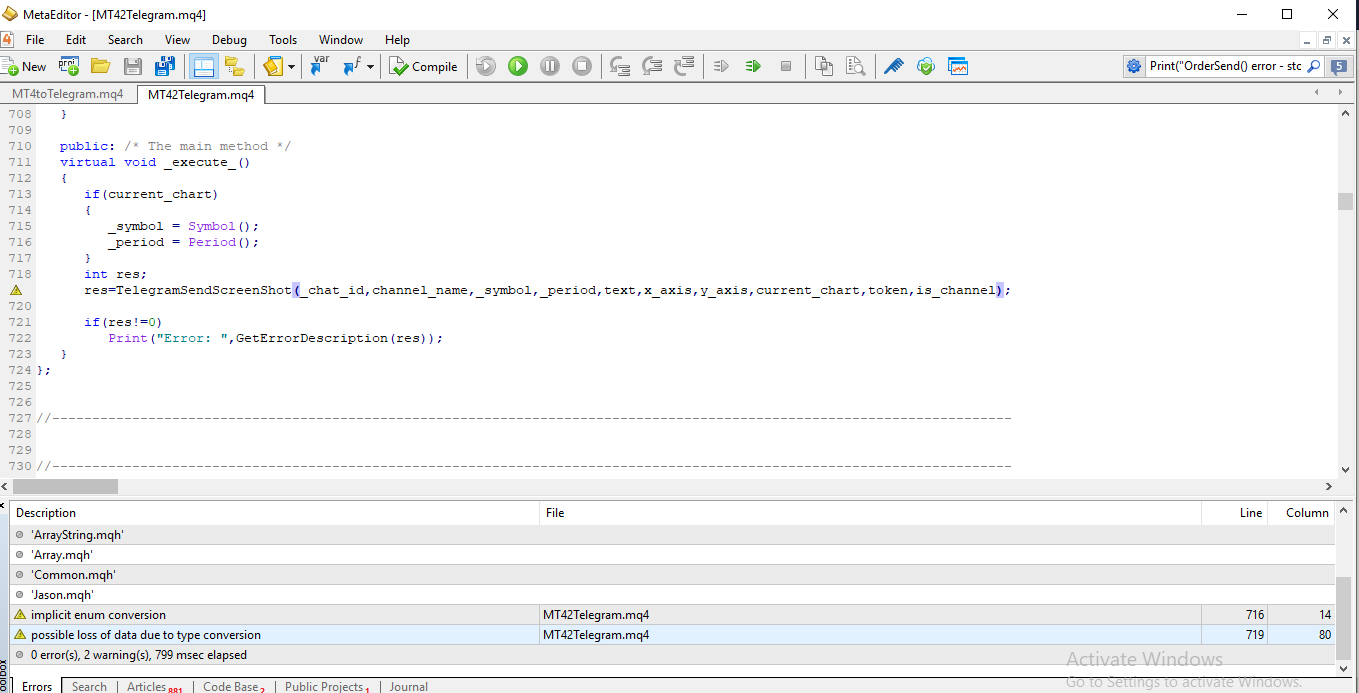
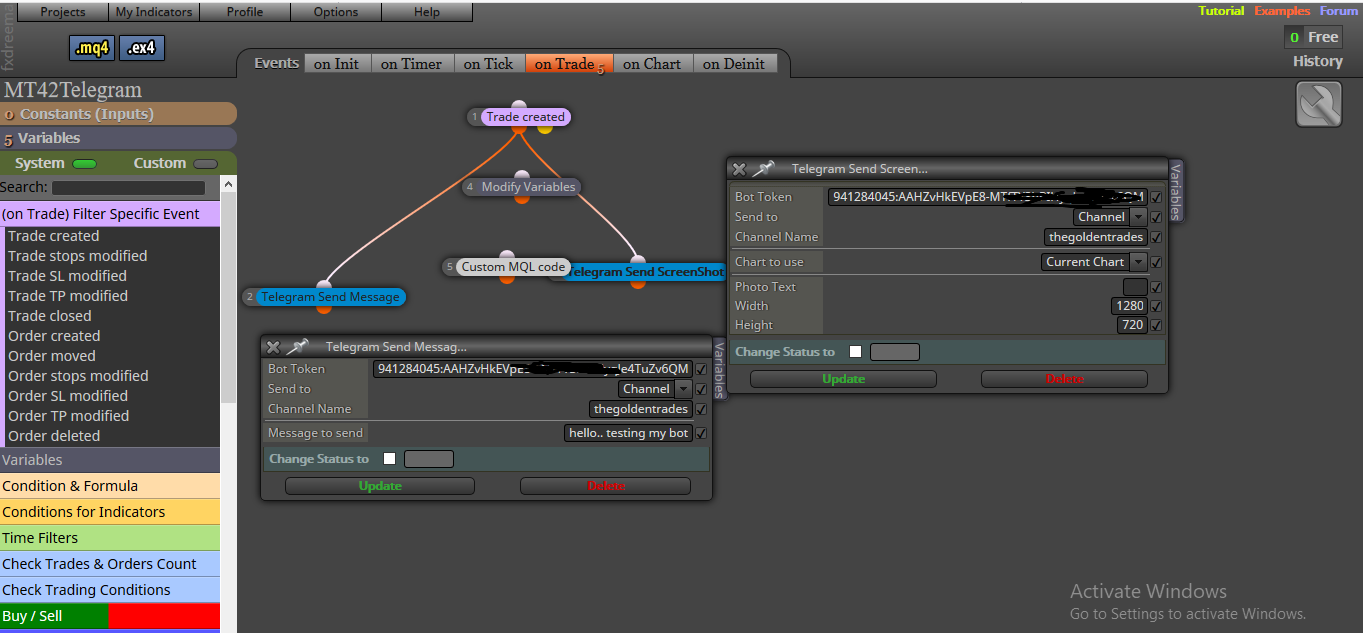
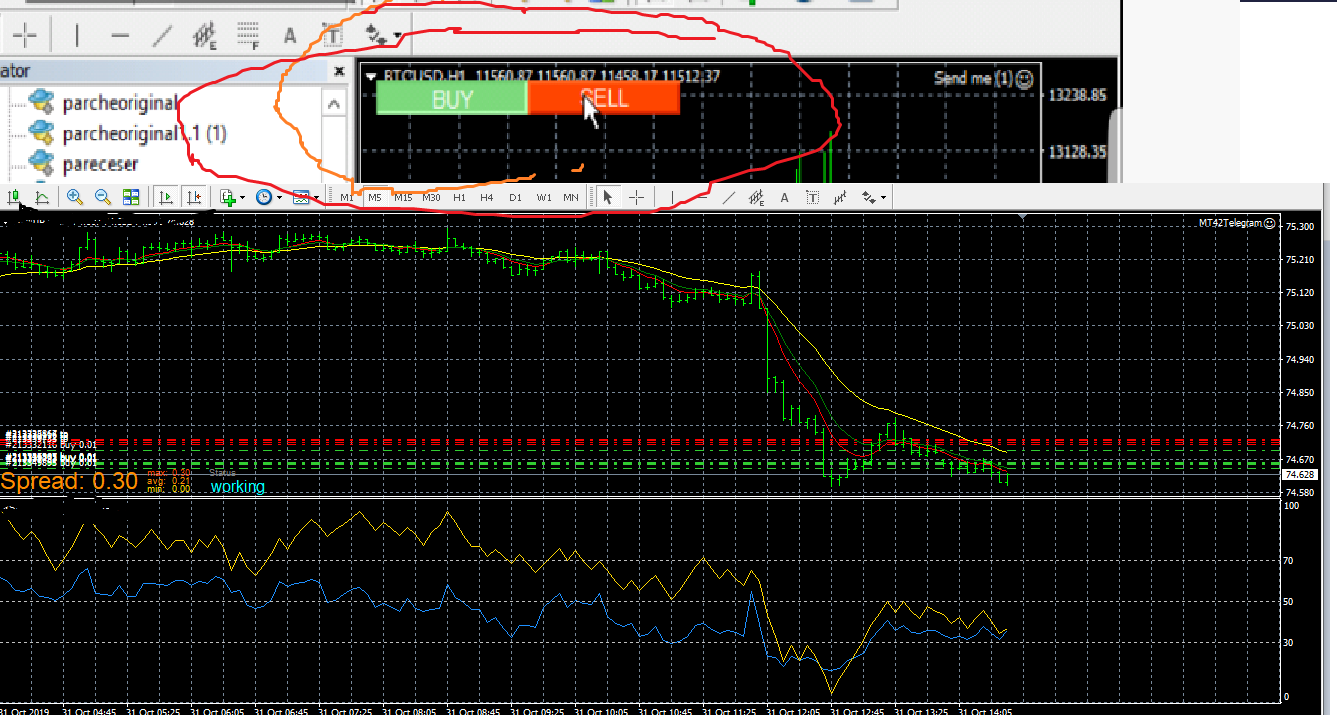
on my mt4 no trade button
-
check the experts tab for error, also try adding the block to oninit connected with a pass block, so when you add the EA to the chart it will immediately send a message, if that works that means your on trade block is wrong, if not then read the experts tab for errors and post them here


