Fuzzy and Illogical
-
Ok, so I've been a trader for three decades but never dove much into the programming side of things as I have always had the benefit of developers on staff. With FXDreema though I have found a mixed bag of results. The simplicity of FXDreema at first glance seems easy. But I have found countless bugs with bad business logic. I know programmers are typically not business minded and vice versa, business minded people are not typically good with programming logic.
BUT- on a dozen occasions I have set vanilla conditions for sells and closes which all work rather nicely. Only to have the opposite Buy side trades erratically and seemingly on a whim of its own?
Has anyone else experienced this ?
-
@pan4pips It would help to have examples with screenshots of these bugs, outlining what you were trying to do, what you tried and expected result ?. There are tons of great projects in the forum which might help. I think you should check each block as some contain options to set condtions for buys / sells or buys and sells together. Try and split your conditions into one set for buys and one for sells, using group numbers.
-
@pan4pips said in Fuzzy and Illogical:
Ok, so I've been a trader for three decades but never dove much into the programming side of things as I have always had the benefit of developers on staff. With FXDreema though I have found a mixed bag of results. The simplicity of FXDreema at first glance seems easy. But I have found countless bugs with bad business logic. I know programmers are typically not business minded and vice versa, business minded people are not typically good with programming logic.
BUT- on a dozen occasions I have set vanilla conditions for sells and closes which all work rather nicely. Only to have the opposite Buy side trades erratically and seemingly on a whim of its own?
Has anyone else experienced this ?
I like your picture! I doubt that's you but lets answer your question.
"Only to have the opposite Buy side traders erratically and seemingly [Missing Words?] on a whim of its own?" Do you mean that your opposite trades OPEN and CLOSE differently than your sells?
If so, No, I have not encountered this problem. It could be that your block logic is wrong or a filter is needed.
If you want to share your project, I might be able to fix it for you.Remember, the EA will only do what you want it to. Usually, it's us, not the computer.
Depending on your conditions, it could be that dynamic variables are affecting your trades. Usually these are based on Spreads.
Secondly, it could be that your conditions are being based on the current candle. If so, the current candle will repaint until its closed. So you might have two moving averages cross in and out multiple times in the hour candle until it closes higher or lower. To fix this, you need to use candle 1 at all times.
-
@TitanGeorge I'll share what I have when I'm back at the desk in the AM. But ty! And no, the picture is not me. I own a few mining claims so a long passive hobby is panning for the gold stuff.
-
Interesting, I like the play on words. Even though pips aren't dust of gold, you're panning the web to find the gold in Forex. Maybe I read too much into things but that's why I like the picture and the name.
If you wish to know my trading style, look up TRO and visit him on the Kreslik forums. BambinoFlex is my other internet handle as well as my Gamer Tag.
-
@titangeorge My passion for decades has been the trading profession. My love, engineering transparency (for trading) AND gold mining.
-
Nice man, I've been alive for less than 3 decades! So I can imagine. Anyways, how's your trading going? Are you profitable or are you struggling?
If you wish to know my trading style, look up TRO and visit him on the Kreslik forums. BambinoFlex is my other internet handle as well as my Gamer Tag.
-
@titangeorge I've been profitable pretty consistently. But admittedly never really believed in automated trading much. Too many variables that the brain can handle, a computer cannot.
-
Here's a question.... I'll post a screen shot of what it's doing now where I want it to be triggering trades...it's missing something even though the rules are there for the transition of the buffer >0
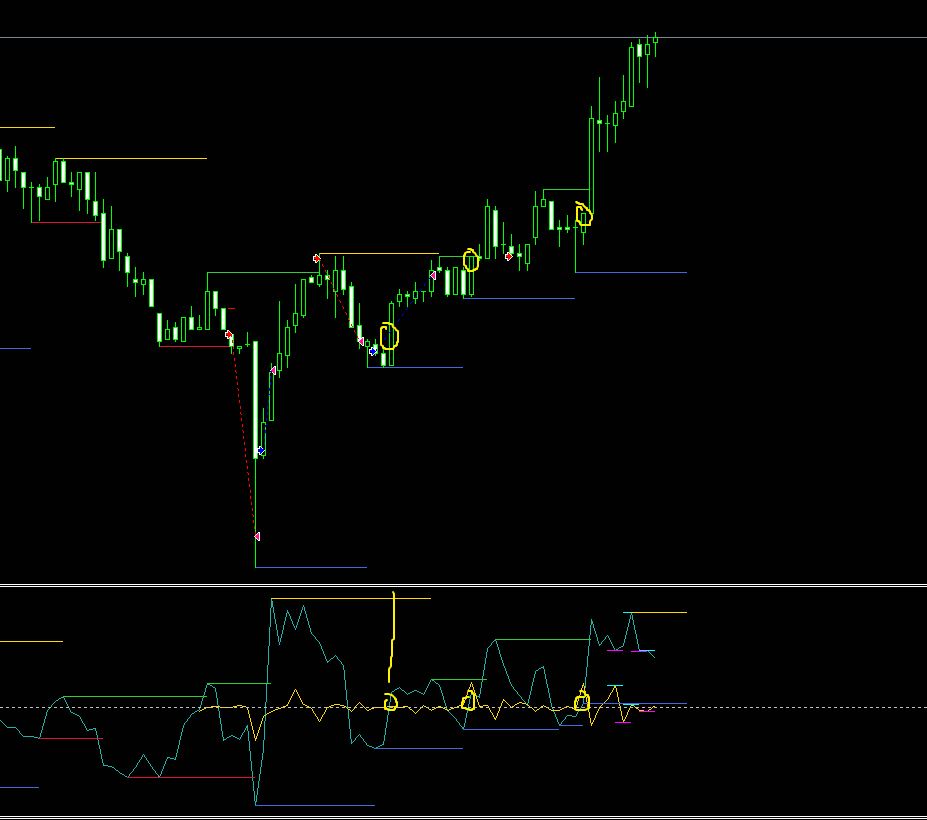
I've already determined the overall direction, but I want to 'stack' multiple trades, one at each of those locations. How?
-
@pan4pips Is it possible to share your project and custom indicator(s)?
-
@trader-philipps said in Fuzzy and Illogical:
@pan4pips Is it possible to share your project and custom indicator(s)?
This project is to help simplify fund management a little through automation, it's not ready yet to offer. The indicator is a result of aggregated institutional flow.
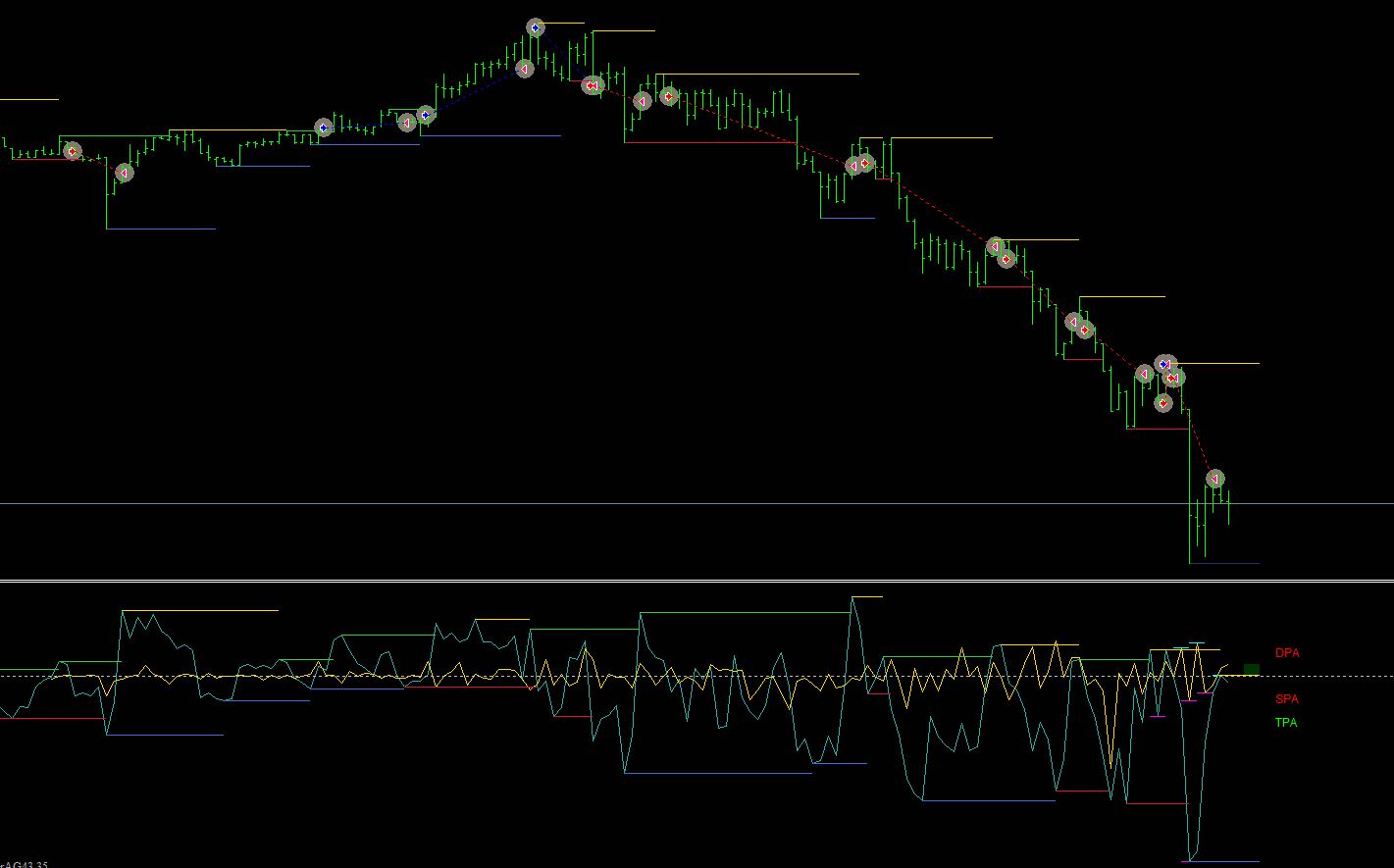 But inside the indicator is price action, statistical analysis and a few other proprietary tid bits
DPA is driven by vol. The heavier side of volume becomes obvious. go with the flow.
-
@pan4pips said in Fuzzy and Illogical:
DPA
Well, I meant in order to understand why those marked points are missed, it would be easier to have the current project state and indicators in order to find a solution.
I like to share my knowledge, but expect the others to contribute as well.
-
@trader-philipps Oh. My apologies.
-
Your indicator on the bottom window should read in the "Conditions" Block
Buffex (X) "Crosses Above" (I'm assuming it's a zero line)
This block should be connected to "Add to Volume" or "Buy Now"
Add to volume will create a daughter trade to your mother trade. Same stop and same TP.
If you use "buy now" make sure you use the "Check Trades Count" and BEFORE the Buy now, use "Once per bar" or whatever filter you wish to implement.
Once you have the base decided, you can then filter to only add when positions are in profit or leave it as is.
Hopefully that helps
-
Looks like a nice indicator. If you ever wish to share it, let me know. I would love a shot at testing it and probably using it. I wouldn't share it if it's your wish.
-
@titangeorge Same for me. However, the logic seems to be a multiple zero line cross. The first screenshot only shows 2 lines and the 2nd one 3 lines. My guess is that all have to be above the zero line or below at the same time. But that's only a gues.
-
FOUND THE SOLUTION! Learned how to create buttons in the process. Can you imagine I was creating TEXT messages to control my blocks. Such a hassle.
Any who, here's your solution.
https://fxdreema.com/shared/QstMKBHE
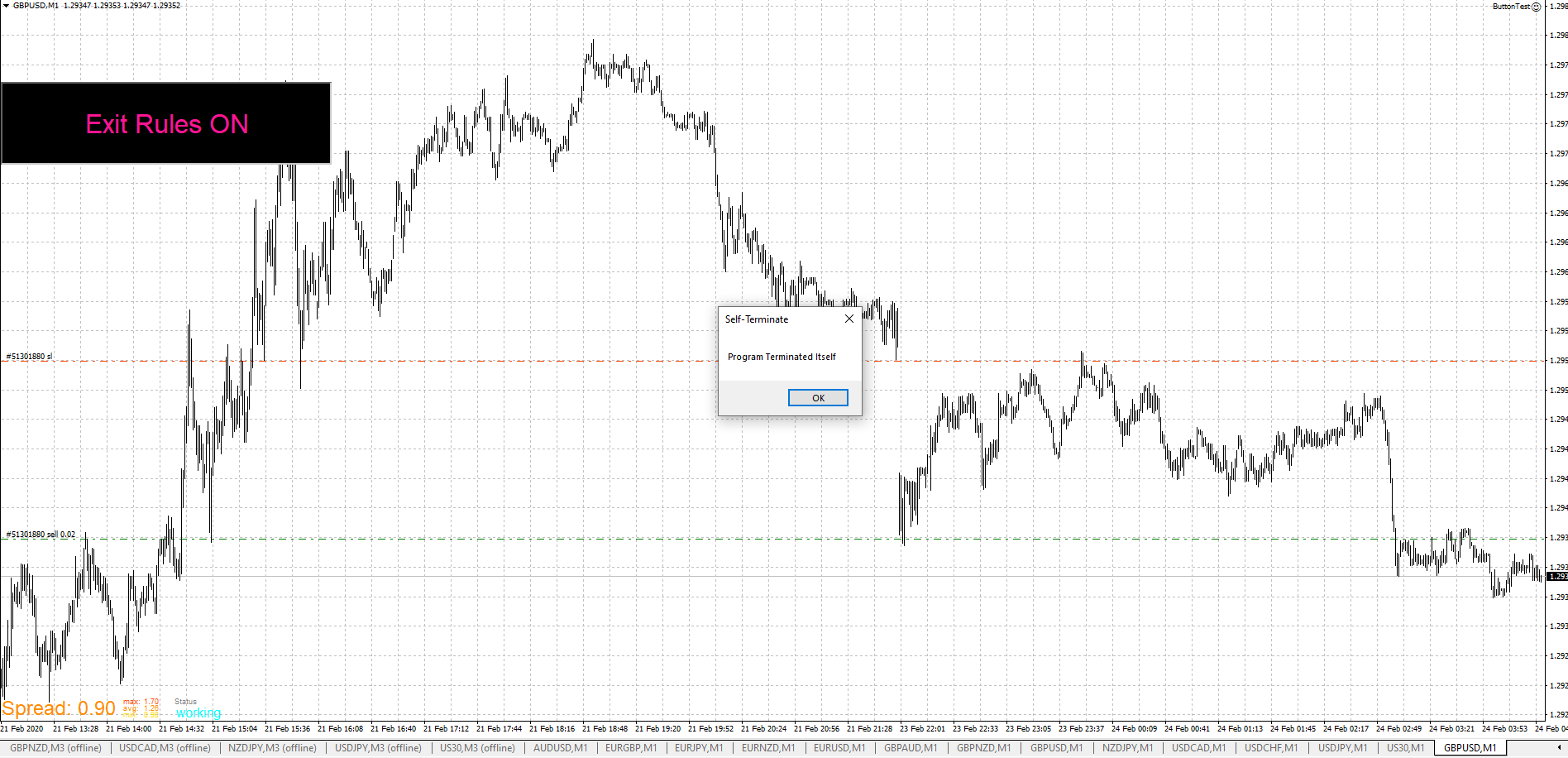
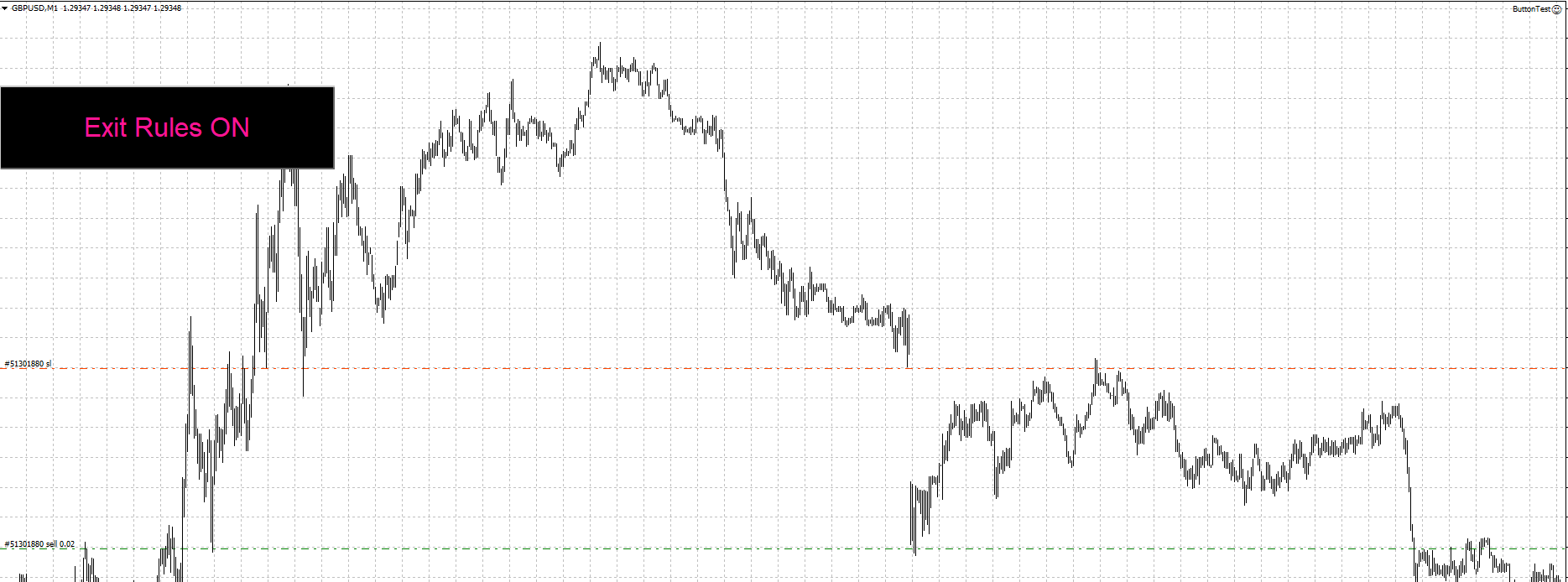
The button didn't change to "Exit Rules OFF" since I made the program terminate itself. But it should work once you replace it with the correct ON/OFF blocks. You can delete the Pass button. I was just testing it.
If you wish to know my trading style, look up TRO and visit him on the Kreslik forums. BambinoFlex is my other internet handle as well as my Gamer Tag.
-
@titangeorge said in Fuzzy and Illogical:
FOUND THE SOLUTION! Learned how to create buttons in the process. Can you imagine I was creating TEXT messages to control my blocks. Such a hassle.
Any who, here's your solution.
https://fxdreema.com/shared/QstMKBHE
The button didn't change to "Exit Rules OFF" since I made the program terminate itself. But it should work once you replace it with the correct ON/OFF blocks. You can delete the Pass button. I was just testing it.
BEEE YOUTiful! Thank you @TitanGeorge
-
@titangeorge said in Fuzzy and Illogical:
FOUND THE SOLUTION! Learned how to create buttons in the process. Can you imagine I was creating TEXT messages to control my blocks. Such a hassle.
Any who, here's your solution.
https://fxdreema.com/shared/QstMKBHE
The button didn't change to "Exit Rules OFF" since I made the program terminate itself. But it should work once you replace it with the correct ON/OFF blocks. You can delete the Pass button. I was just testing it.
Got it working nicely. Take a peek. I put it in your button shared project. (but turned blocks off)
-
I don't think it saves, it looks the same but as long as it works for you, that's fine. Anyone can copy and paste that template. I'm about to add it to my current EA.