Stop Loss ATR based does not work
-
Good morning, I am creating an ea, and trying to establish the SL, based on ATR * x, before writing, I have reviewed all the posts related to this question, and I don't get it to work.
The first option I've tried is simple ATR * 2
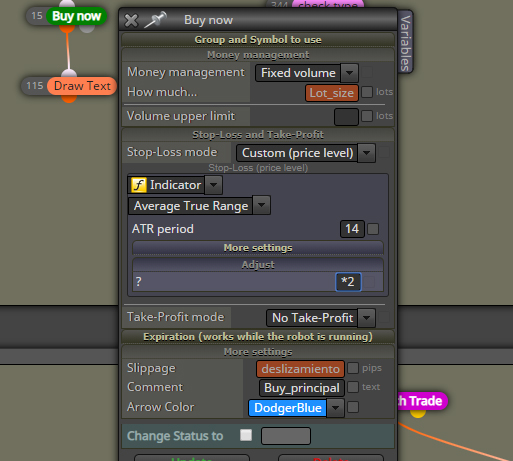
The second option I've tried is (* cdSLAtrMultiplicator * MathPow (10, _Digits-1)
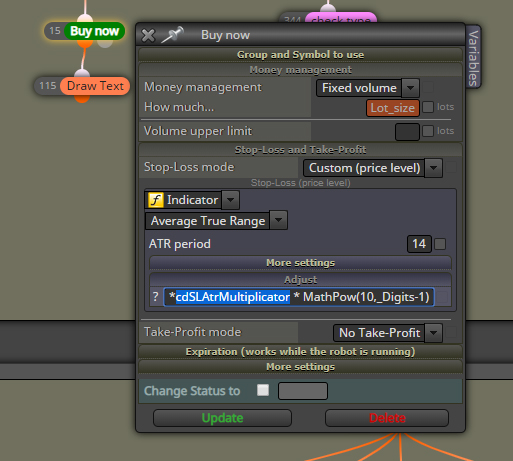
I am not able to make it work properly, and I understand that this is simple. For some reason I am not able to function properly.
The entry is set to start as "eleven per bar" I don't know if this affects or not, or what the problem is. I appreciate any input in this regard.
Thank you.
-
@traderline Did you create the constant cdSLAtrMultiplicator (double) and specify a value other than 0 in the 2nd example?
Furthermore if you use * Mathpow(10,_Digits-1) it calculates Pips. So Custom Price Level is wrong. Use Custom (Pips) instead! -
@trader-philipps said in Stop Loss ATR based does not work:
¡Use Custom (Pips) en su lugar!
Yes, create the constant (double) for "multiplier", and I understand that the MathPow variable (10, Digits - 1) calculates in pips. Since I would like to calculate in pips, and in this module, it does not allow to use "custom level" and "custom pips" at the same time. I have tried in many ways, with custom indicators, "atr pips" that convert points into pips, and none works.
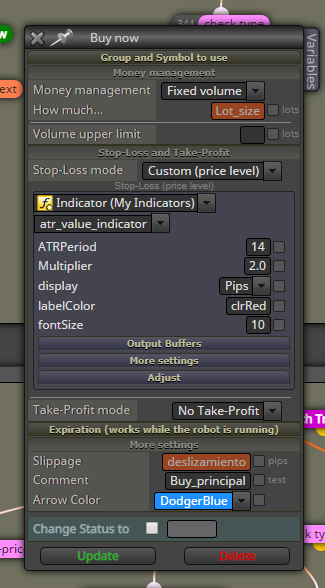
However, the first example should work, and it does not work, as I said, I do not understand the reason, but it should be simple.
-
@traderline just change the stop loss mode from price level to price fraction, it should work fine, I learnt that recently
-
@traderline How do you get these settings. Mine does not show that. My platform shows the poster's screen