How to add indicator parameter list in a condition block
-
This is my custom indicator settings
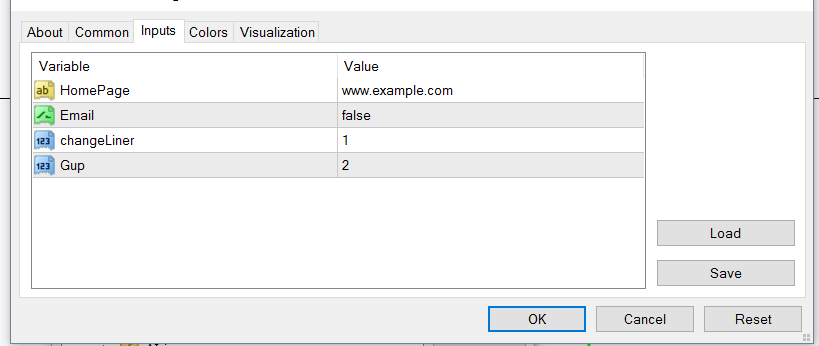
Can someone tell me how to add this indicator's parameter list to the following input field

The tool tip says that I need to add parameters in the same order separated by commas but I am unable to get it to work. Can someone teach me how to do it for the above indicator?
Thank you in advance.
-
Amm... First of all this window shows when you have not added a custom indicator (can't check because I have couple of them and i can choose already from list). on the top is section MY INDICATORS -> ADD CUSTOM INDICATOR...
https://fxdreema.com/instructions/builder/indicators
here is instructions...
Hope it helps -
zooslinkis is right. Can you please show us your indocator's info window from your 'My indicator's' tab?
-
I found it, I dont need to have the indicator uploaded in fxdreema this way. This is the setting worked;
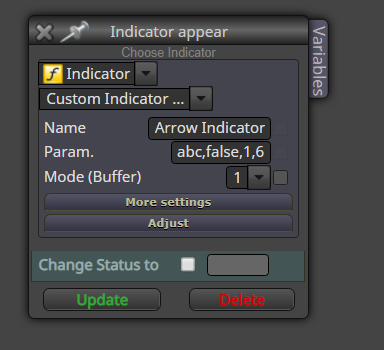
But when I have constant to this input it doesnt work:
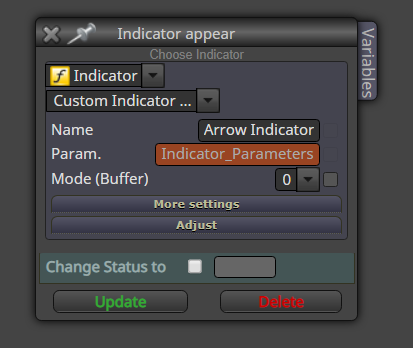
In the above way it didnt work, data type I used was string. And input was exactly the same.
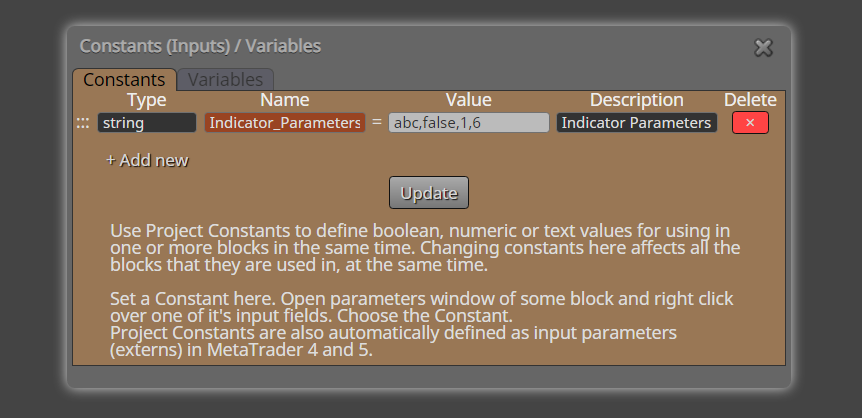
Any idea why it doesnt work with a constant? Is the data type "string" correct? -
Now I'm confused... why you ad another constant where is constant? Indocator parameters do not change, they are constants already.... what changes is input data and output data. Simply... input data comes in, indicator parameters do the calculation, output data is made, and ea processes output data... if you want to change something in indicator, you need new custom indicator what matches your likes
-
and I'm no programmer... this one is though one... maybe there is a way, but I don't know if you can do with fxdreema...
-
Honestly this goes beyond my capacity. We need a real programmer here.
-
is mode buffer right in the second example?
Between trading and gambling is a very small gap, be careful.
-
@miro1360 said in How to add indicator parameter list in a condition block:
is mode buffer right in the second example?
Buffer number works without any issue. Issue is with the parameters. When I use a constant (string) to load the indicator parameters, then they are not passed to the EA for some reason. My objective is to allow the user to use whatever the arrow based indicator to make trades. So user can simply set the indicator name, its input parameters, buffer number and candle ID and then trade automatically based on the arrows generated by the indicator. Everything is ok other than the input parameters.
So the below design does not work:

But it works fine if I directly input the parameters within the code block as follows:
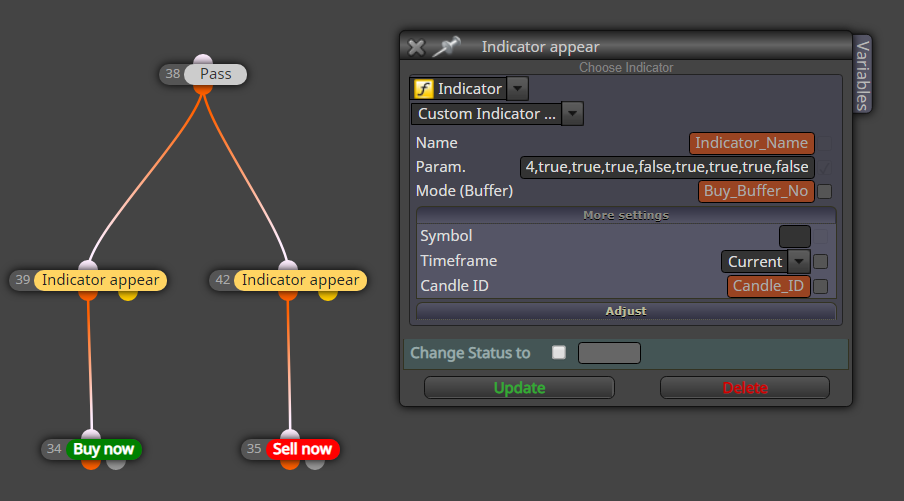
But in this case, the user is not able to have a customizable input field for entering his custom indicator parameters.
Here is the project: https://fxdreema.com/shared/bJWd9wLnd
This is the indicator in this example: https://gofile.io/d/UWEofFIs there anything I can do to achieve my objective? I dont mind even if it involves custom code/block. Thank you in advance.
-
I'm afraid it won't be possible to do exactly what you want. Ideally if you fit every EA for desired indicator.
Function for custom indicator used in the code is this:
https://docs.mql4.com/indicators/icustom
there is not much to be done there (due to the possibility of different types of input variables)partial solution could be, left the Param. field empty and change the input parameters manually in an indicator code, but it's quite uncomfortable

